1:09
introducing EP/BC–1 professional CD player
Teenage Engineering · Hardware · Nov 2026
Teenage Engineering · Nov 2026 · 1:09 · AI-annotated
Teenage Engineering’s 1:09 launch film runs 21 scenes, about 3.3 s each. The product shows up at 0:02 and 3 features are revealed. There is no explicit call to action; a voiceover carries the film. A single silver deck is isolated on black, and the video walks its controls through locked-off top-down shots and macro inserts while a dry voiceover lists each feature. White leader-line labels, red LED readouts, and the recurring blue disc keep the graphic language spare and mechanical.
Is this your launch? to your site or press kit.
Teenage Engineering · Hardware · Nov 2026
Rise Reforming · Industrials · Jul 2026
Films whose music sounds like this one, voice left out
Mave · Modern electronic
Tana · Electronic, house, dubstep
reMarkable · Cinematic electronic
Top-down view of a silver DJ deck with a dark blue disc on a black background. A hand enters from the right and a finger reaches to the top right corner to press the small orange power button.
Camera: Static
A hand presses the small orange power button on the top edge of a gray device, the button glowing as the finger pushes it. The shot is a tight close-up on a black background, with a fragment of white credit text in the lower left corner.
On-screen text: “O STAFF”, “DED BY”, “NG”, “RVED”, “I.”
Camera: Static
A silver CD player sits centered on black. A hand enters from the bottom right and presses the play button, the blue disc spins up and the red display counts from Load to a running timecode, then a white title lockup scales in at the bottom left.
On-screen text: “EP/BC”, “BROADCAST”, “SERIES”, “PROFESSIONAL”, “CD PLAYER”, “コンパクトディスク”, “44.1KHZ USB-C 2.0”
Camera: Static
Macro close-up of a dark blue compact disc resting on a light gray surface, locked-off frame. Focus pulls from a soft disc face to the sharp concentric grooves while a rainbow iridescent rim sits on the right. A small white text block holds in the lower left corner.
On-screen text: “EP/BC”, “BROADCAST”, “SERIES™”, “PROFESSIONAL”, “CD PLAYER”, “コンパクトディスク 441 KHZ USB-C 2.0”
Camera: Static
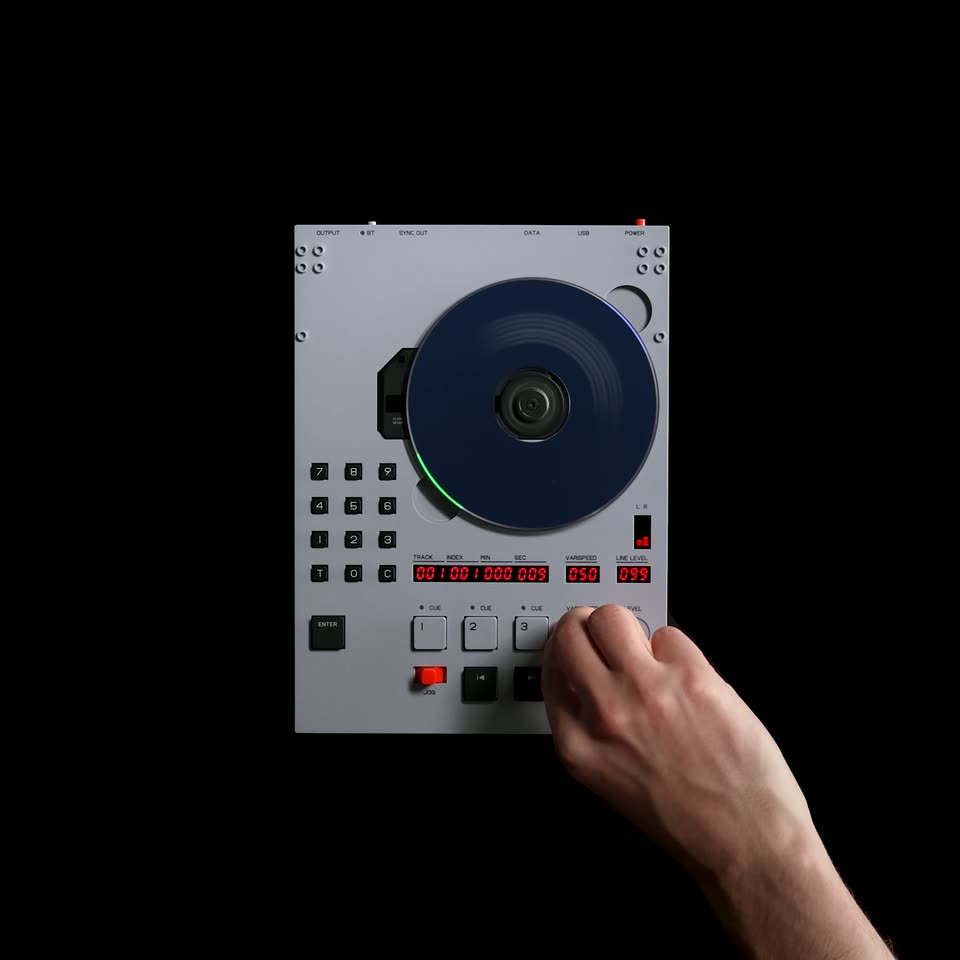
Top-down 3D render of a silver broadcast turntable on black, blue platter spinning. A hand enters from the bottom right, turns the varispeed knob and presses cue and play buttons while the red LED readout updates.
On-screen text: “EP/BC”, “BROADCAST”, “SERIES”, “PROFESSIONAL”
Camera: Static
Tight close-up on a silver DJ controller panel. A hand enters from the right and twists the varispeed knob, the red LED readout jumping from 058 to 100. The timecode and line level displays glow red above the cue buttons.
Camera: Static
A hand enters from below, its index finger pressing an orange button on a silver turntable unit set against black. The blue platter spins with a green arc at its edge while red LED readouts glow with track and level values.
Camera: Static
Macro close-up of a silver DJ deck keypad and red LED display. A finger enters from the lower left and presses the T, 2 and 1 keys in sequence, the red digits changing from 00 to 04. The blue disc edge sits at the right.
Camera: Static
Tight close-up of a silver tape-deck control panel. A black LED window shows red seven-segment digits that update as the timecode advances, framed by small printed labels above and three gray cue buttons below.
Camera: Static
A silver DJ deck with a blue platter and red LED display sits centered on black. A hand reaches in from below and presses the ENTER button, then withdraws, leaving the device alone.
Camera: Static
Tight close-up of a silver turntable control panel. A finger taps the orange jog switch, then the cue 1 button, lighting its red indicator. The red LED readouts and the line-level meter update against the black background.
Camera: Static
Top-down view of a silver turntable on black. A hand enters from the right, taps the blue platter, which spins with diagonal motion streaks, then the hand withdraws. Red LED digits tick in the lower display.
Techniques: 3D mockup
Camera: Static
Close-up of a silver CD player front panel. The red seven-segment timecode display reads 04 00 02 55, then switches to 05 00 00 00. Three square cue buttons labeled 1, 2, 3 sit below the display.
Camera: Static
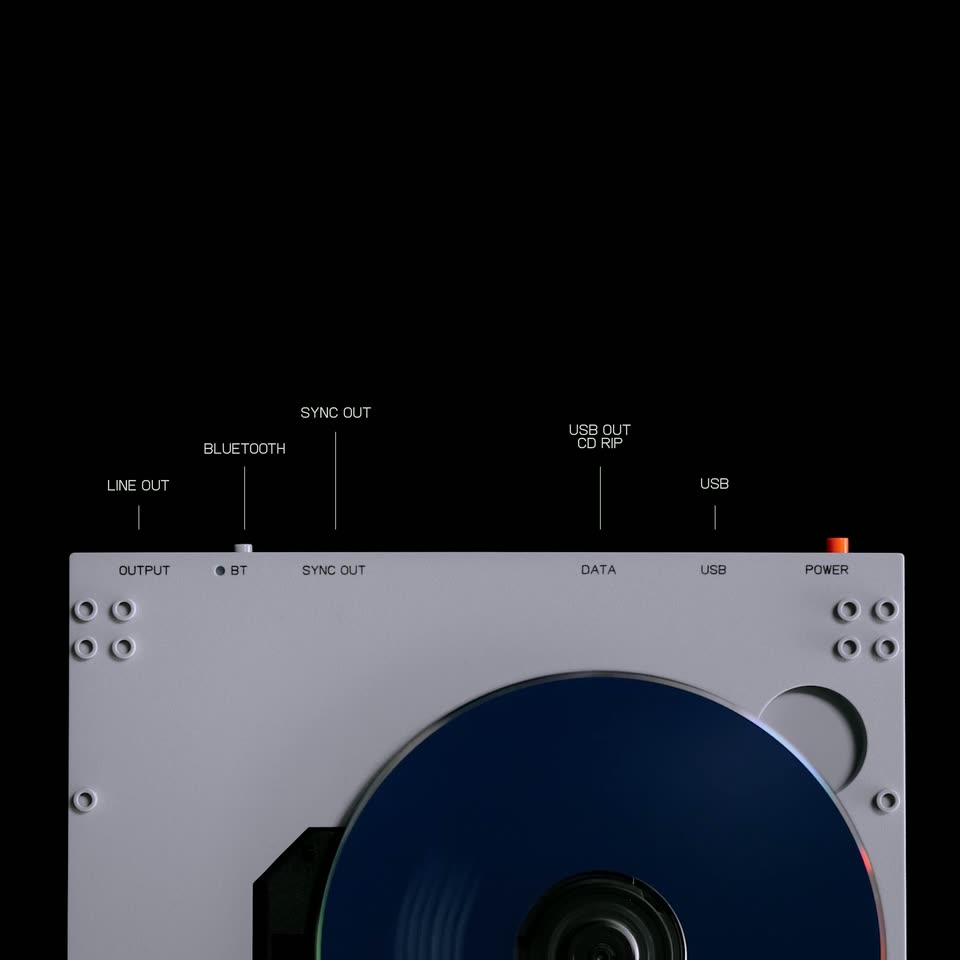
A silver turntable rests on black, a blue disc spinning on its platter. White labels with thin vertical leader lines fade in above the rear panel, each pointing down to a port: LINE OUT, BLUETOOTH, SYNC OUT, USB OUT / CD RIP, USB.
On-screen text: “LINE OUT”, “BLUETOOTH”, “SYNC OUT”, “USB OUT / CD RIP”, “USB”
Camera: Static
A silver record player with a dark blue platter sits centered on black. A hand presses the ENTER key and the skip button while the red LED readout updates. A white USB DRIVE label with a thin leader line points to the stick at the top.
On-screen text: “USB DRIVE”
Camera: Static
A flat front view of two silver units on black, a CD player and a K.O.II sampler, with white cables hanging above. A hand enters from the lower right and taps the play button on the sampler, then withdraws. The blue platter stays still and the red counters tick.
Camera: Static
Two silver speakers with red knobs stand on either side of a white CD player holding a blue disc, rendered in 3D on a black background. The frame stays locked-off as the voiceover introduces the BC1 professional CD player.
Techniques: 3D mockup
Camera: Static
Top-down locked-off shot of a silver DJ mixer and sampler on a black background. Two hands reach in from the bottom and turn the small mixer knobs, then the right hand pulls back into a loose fist at the frame's edge.
Camera: Static
A 3x3 wall of grey speaker cabinets with red switches fades from dark to full light on a black reflective floor, a small white CD player sits centered in front, camera locked off.
Techniques: 3D mockup
Camera: Static
A silver portable CD player with a blue disc and red LED readout rests on a glossy black floor, orbiting slowly in 3D. White feature lines stack on the right, then an outlined CD logo fades in above them.
On-screen text: “PORTABLE”, “BATTERY POWERED”, “RECHARGEABLE”, “WIRELESS”, “CD”, “COMPACT DISC”, “DIGITAL PRO”, “コンパクトディスク”
Techniques: 3D mockup, Kinetic type
Camera: Pan
On a black field, a white angular T mark sits left of a hexagon of concentric rings. The hexagon eases into a full ringed circle while a solid white disc with a black center dot pops in to its right, completing the logo lockup. A small trademark line is fixed at the bottom.
On-screen text: “COMPACT”, “DISC PITALLL”, “コンパクトディスク”, “0020700:015”
Techniques: Morph
Camera: Static