
1:36
Explore
00:00:00 / 00:35:20
- Length
- 0:35
- Scenes
- 29 · 1.2 s avg
- Product on screen
- 0:03
- Call to action
- 0:30 · 85%
- Voiceover
- Yes
- Views
- 2.8K on YouTube
as of November 27, 2026
Canva’s 0:35 launch film runs 29 scenes, about 1.2 s each. The product shows up at 0:03. The call to action lands at 0:30 (85% in), over a voiceover. The video opens with a punchy text hook, names the product, then repeats a template reveal pattern: a flat grid of overlay panels assembles, then the camera pulls back to a laptop mockup. Its style is defined by high-saturation grid backdrops, hard black outlines, pop-in italic type, sparkles, and quick wipe transitions.
Footage neededEstimated needs: 1 capture group — your screens or recordings · 1 official logo — reused across the film · 3 filmed passages — shoot, supply or replace · 11 graphic passages — draw or supply · 8 3D passages — build or supply
Is this your launch? to your site or press kit.
More like this
0:49
HeyGen - We built our launch video in Claude Code using HyperFrames. Now it's
HyperFrames · Apr 2026
1:06

Veeza AI (YC F26) - AI Tourist Visa Agent for People with Weak Passports.
Veeza AI · Consumer · Oct 2026
Similar soundtrack
Films whose music sounds like this one, voice left out
0:15

1:04

Touchmark - Market for future inference capacity
Touchmark · Electronic dance music with a retro-futuristic, high-energy style
1:22
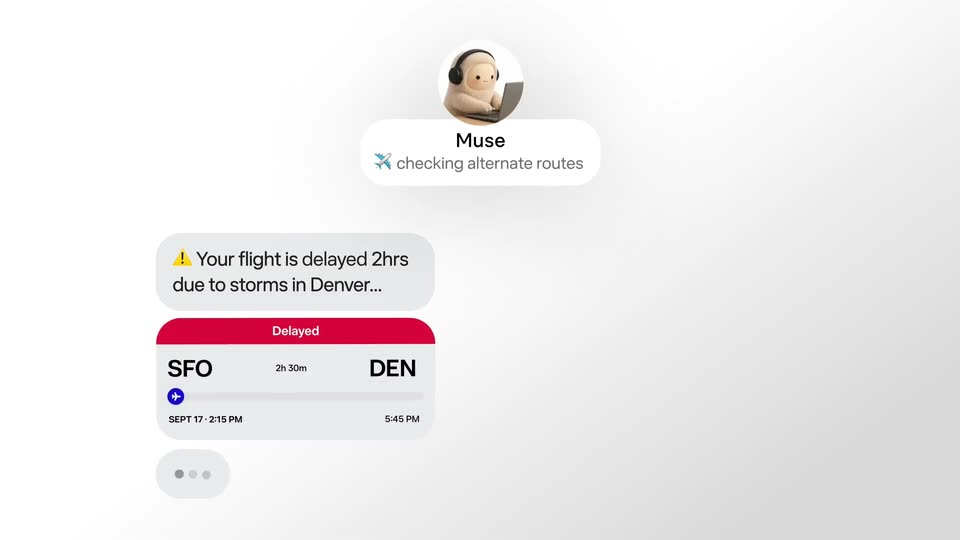
Introducing Muse: your personal AI agent
Muse · Electronic dance music with UK Garage and house influences
Canva - Introducing Twitch Kits, scene by scene
· 29 scenes as text
01 · Hook · 0:00–0:03
A yellow grid holds a cluster of retro window frames that pop up with solid colors and bold yellow text, then collapse back to empty outlines. White sparkles sit in the corners.
On-screen text: “STEP UP YOUR STREAMING GAME WITH BRAND NEW STYLE”
Techniques: Kinetic type
Camera: Static
02 · Product intro · 0:03–0:04
A yellow italic TWITCH wordmark scales up at center as a smaller INTRODUCING label locks in above it. Outlined browser windows and white sparkles drift over a teal grid that fills the frame from a yellow-and-teal split.
On-screen text: “TWITCH”, “INTRODUCING”
Techniques: Kinetic type
Camera: Static
03 · Product intro · 0:04–0:05
On a teal grid with black wireframe panels and white sparkles, yellow italic text reads INTRODUCING TWITCH KITS. KITS scales in beneath TWITCH, then the whole title slides right as a blue bar wipes in from the left edge.
On-screen text: “INTRODUCING”, “TWITCH”, “KITS”
Techniques: Kinetic type, Masking
Camera: Static
04 · Demo · 0:05–0:07
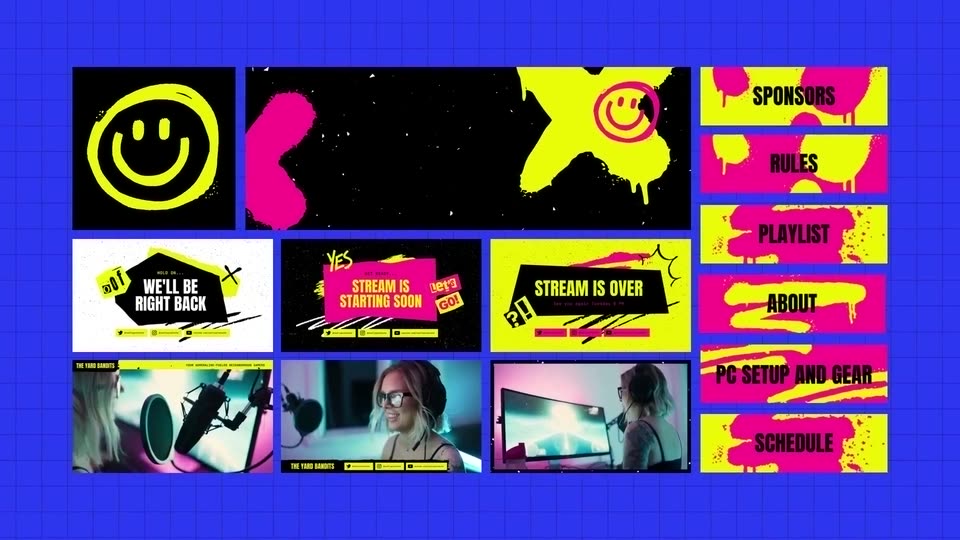
A grid of vibrant graphic panels slides into place on a blue grid background. The layout features a yellow smiley face, abstract graffiti shapes, and text banners for stream status and navigation links.
On-screen text: “SPONSORS”, “RULES”, “PLAYLIST”, “ABOUT”, “PC SETUP AND GEAR”, “SCHEDULE”, “WE'LL BE RIGHT BACK”, “STREAM IS STARTING SOON”, “STREAM IS OVER”
Camera: Static
05 · Demo · 0:07–0:08
A grid of bright stream overlay panels on a blue grid background slides down out of frame as the camera pulls back, revealing a silver MacBook Pro on a wooden desk with the same blue grid on its screen.
Techniques: 3D mockup
Camera: Static
06 · Demo · 0:08–0:10
A dark streaming-app interface fills a laptop screen on a wooden desk, a blurred plant at left. A yellow banner reads STARTING SOON above a row of stream thumbnails. The camera slowly pushes in on the screen.
Camera: Static
07 · Demo · 0:10–0:10
A MacBook Pro rests on a wooden desk, its screen showing a dark streaming channel page with yellow banners reading STARTING SOON and RIGHT BACK. A purple grid panel wipes in from the left edge across the frame.
Techniques: 3D mockup, Masking
Camera: Static
08 · Demo · 0:10–0:11
A magenta grid background hosts a flat layout of panels that slide and expand into place: a black diamond logo, a purple gradient bar, a column of green and purple buttons, a teal banner and a thumbnail strip at the bottom.
On-screen text: “MacBook Pro”
Camera: Static
09 · Demo · 0:11–0:12
A flat grid of stream template panels sits on a pink grid background: a logo tile, two banner variants, three overlay cards, three webcam thumbnails, and a right-hand column of menu buttons that eases up into frame.
Camera: Static
10 · Demo · 0:12–0:13
A grid of neon stream-overlay panels fills a pink grid background, then the camera pulls back to reveal the layout on a MacBook Pro screen resting on a wooden desk.
Techniques: 3D mockup
Camera: Static
11 · Demo · 0:13–0:15
A MacBook Pro sits on a wooden desk with a blurred plant to the left, its screen showing a streaming channel page with a yellow banner, a welcome popup and a row of video thumbnails. The camera slowly pushes in toward the screen.
Camera: Static
12 · Demo · 0:15–0:16
A laptop on a desk shows a dark channel page, then an orange grid wipes in from the left, revealing a yellow card with a pink cat face and a white card with floral line art. A black panel on the right holds two icon rows as the wipe completes.
Techniques: Masking
Camera: Static
13 · Demo · 0:16–0:17
On an orange grid, a full set of stream overlay cards assembles in a staggered fade: a pink cat avatar, a floral banner, three caption cards, a column of menu buttons, and three live video thumbnails pop into place.
Camera: Static
14 · Demo · 0:17–0:17
A static grid of pastel illustrated panels on an orange grid background. A pink cat face and a floral banner top the layout, a column of labeled buttons runs down the right, three captioned cards sit in the middle, and three video thumbnails of a woman fill the bottom row.
Camera: Static
15 · Demo · 0:17–0:18
A grid of pastel stream-overlay cards with cat and dog illustrations slides down off the frame, revealing a MacBook Pro on a wooden desk. The laptop screen shows the same orange grid background as the cards recede.
On-screen text: “SPONSORS”, “RULES”, “PLAYLIST”, “PLAYLIST”, “ABOUT ME”, “YOU JUST MISSED ME!”, “GETTING READY”, “I'LL BE RIGHT BACK”, “DONATE”, “SUBSCRIBE”
Techniques: 3D mockup
Camera: Static
16 · Demo · 0:18–0:20
A MacBook Pro rests on a wooden desk, a soft-focus plant to the left. Its screen holds a dark streaming channel page: a pink cloud banner with stars, a welcome panel, and four video thumbnails across the bottom. The shot stays static.
Camera: Static
17 · Demo · 0:20–0:21
A laptop on a wooden desk shows a streaming app interface. A blue grid panel carrying a yellow team logo and purple and yellow shapes wipes in from the left, covering the screen.
On-screen text: “TEAM TEAVR DNR”
Techniques: Masking
Camera: Static
18 · Demo · 0:21–0:22
A blue grid backdrop fills the frame as a layout of colored panels builds in: a yellow TEAM DNVR tile, abstract black and yellow shapes, a purple OFFLINE card, a yellow BE RIGHT BACK card, a black STARTING SOON card, and a right column of black bars labeled Sponsors, Rules, Playlist, About, Donate, Subscribe. Three live-action streamer thumbnails slide up into the bottom row.
On-screen text: “TEAM DNVR”, “SPONSORS”, “RULES”, “PLAYLIST”, “ABOUT”, “OFFLINE”, “BE RIGHT BACK”, “STARTING SOON”, “DONATE”, “SUBSCRIBE”
Camera: Static
19 · Demo · 0:22–0:22
A blue grid background holds a static montage of channel end screens: a yellow Team DNVR block, abstract shape panels, a right column of labeled bars, and three live-action clips of a headset-wearing gamer.
Techniques: Split screen
Camera: Static
20 · Demo · 0:22–0:23
A bright blue grid fills the frame with a flat collage of colorful channel banners and video thumbnails. The collage slides up out of frame as a MacBook Pro mockup rises from the bottom, its screen showing the channel page.
Techniques: Masking, 3D mockup
Camera: Static
21 · Demo · 0:23–0:25
A MacBook Pro on a wooden desk shows a dark streaming interface with yellow and black channel branding; a slow push-in tightens the frame on the screen.
Camera: Static
22 · Demo · 0:25–0:26
A MacBook Pro on a wooden desk displays a yellow-and-black streaming channel page with an offline banner. The screen wipes to a blue grid background where a black card with an orange HARLEY logo and a yellow bar slides in from the left.
Techniques: Masking
Camera: Static
23 · Demo · 0:26–0:27
A flat grid of stream overlay panels pops into place on a blue grid background. A black logo tile, a stacked outline GAME title, photographic banner tiles, and a column of angled menu buttons assemble from the center outward.
Camera: Static
24 · Demo · 0:27–0:28
A grid of stream template panels, banners and menu buttons on a blue grid background slides upward and out of frame, revealing an open MacBook Pro laptop rising from the bottom edge.
On-screen text: “HARLEY INDIGO”, “GAME”, “SPONSORS”, “RULES”, “PLAYLIST”, “ABOUT”, “DONATE”, “SUBSCRIBE”, “STREAM STARTING SOON”, “STREAM WILL BE BACK SHORTLY”
Techniques: 3D mockup
Camera: Static
25 · Demo · 0:28–0:29
A MacBook Pro sits on a wooden desk against a blurred plant and wall. A blue grid block covering the top of the frame wipes away to reveal the purple Twitch channel page loading on the screen.
Techniques: Masking
Camera: Static
26 · Demo · 0:29–0:30
A MacBook Pro sits on a wooden desk, its screen showing a streaming channel page with a purple neon banner and a row of video thumbnails. The frame is locked off against a softly blurred home office.
Techniques: 3D mockup
Camera: Static
27 · CTA · 0:30–0:31
A laptop on a wooden desk shows a purple streamer channel page. A purple circle expands from the center to cover the screen, revealing a dark grid with a pink dot and a green T sliding in from the left.
Techniques: Masking
Camera: Static
28 · CTA · 0:31–0:32
On a pink grid background, the yellow italic headline THANK YOU! pops in letter by letter with a black shadow and twinkling sparkles, then a white flash settles the type. A white search bar appears at the bottom as twitch kit is typed in.
On-screen text: “THANK YOU!”, “twitch kit”
Techniques: Kinetic type
Camera: Static
29 · Outro · 0:32–0:35
On a plain off-white background, a black-outlined search field reads “twitch kit” at the bottom. Above it, a teal circle fills in as the white script Canva wordmark draws itself on, stroke by stroke, settling into the full logo.
On-screen text: “twitch kit”
Techniques: Masking
Camera: Static