
1:42
Explore
00:00:00 / 00:39:03
- Length
- 0:39
- Scenes
- 28 · 1.4 s avg
- Product on screen
- 0:00
- Features shown
- 5
- Call to action
- 0:35 · 91%
- Voiceover
- No
- Views
- 111K on X
as of November 22, 2026
UX Pilot’s 0:39 launch film runs 28 scenes, about 1.4 s each. The product is on screen from the first frame and 5 features are revealed. The call to action lands at 0:35 (91% in). The video opens with a logo reveal, then runs a tight chain of feature beats, each led by a bold two-line headline and a small colored badge over a dotted off-white canvas. Signature moves are mockups that tilt into 3D and snap flat, headlines that type or scale in with echo offsets, a hopping propeller mascot, and a hand-drawn underline under the wordmark.
No filming indicatedEstimated needs: 7 capture groups — your screens or recordings · 1 official logo — reused across the film · 6 graphic passages — draw or supply · 4 3D passages — build or supply
Is this your launch? to your site or press kit.
More like this
1:21
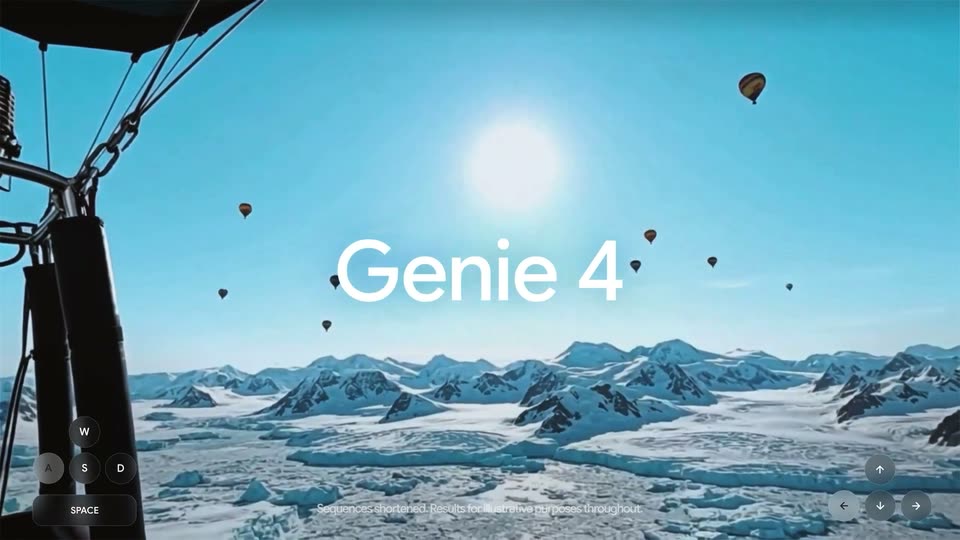
Google DeepMind - Genie 4 is now available in Project Genie. It brings native audio, r
Google Deepmind · Nov 2026
1:48
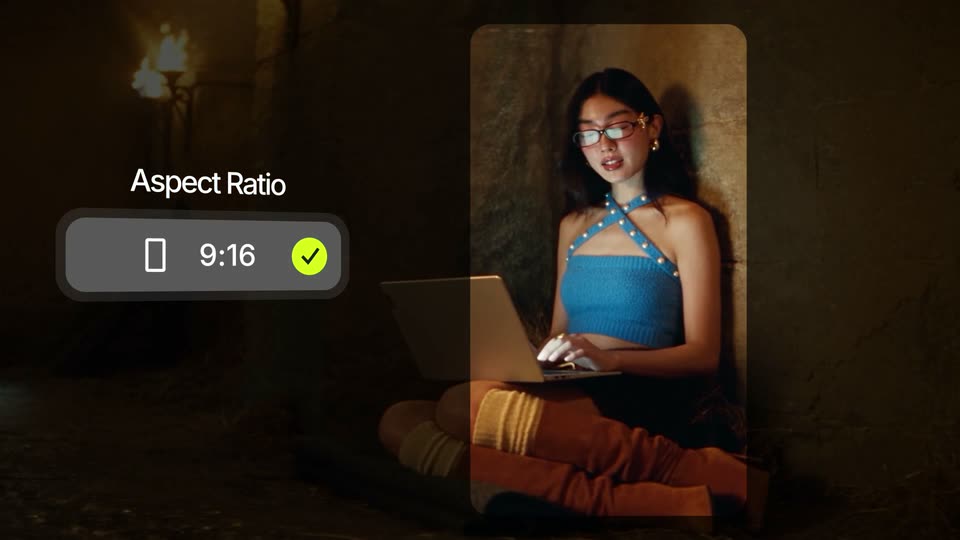

Higgsfield AI 🧩 - Introducing Short Drama Studio. Drop a script → get a full season of
Higgsfield AI · Nov 2026
Adam Fard - Today we’re launching UX Pilot Motion ⚡️ Start with your website or, scene by scene
· 28 scenes as text
01 · Product intro · 0:00–0:02
On a dark purple field, two glowing dashes bloom into a white rounded glyph. The shape morphs, settling into a soft mascot face with two dark pill eyes and a curved white band. The frame stays locked off throughout the reveal.
Techniques: Morph
Camera: Static
02 · Product intro · 0:02–0:02
A small robot mascot with a spinning propeller bobs on a yellow circle against a dark purple field, confetti bursting around it. The background lightens to a dotted lavender dome as the robot rises and calendar cards with Day and Quarter labels slide up from the bottom.
Techniques: Particles, Masking
Camera: Static
03 · Product intro · 0:02–0:03
Three flat phone mockups of a planning app slide up from the bottom into a row labeled Week, Day, Quarter, while a dark 3D stacked shape rises in the center and confetti stars and squares scatter across a dotted beige background.
On-screen text: “Made with UX Pilot”
Techniques: Particles
Camera: Pull out
04 · Product intro · 0:03–0:04
Three phone mockups in 3D perspective sit on a gray stage, then slide right as the UX Pilot wordmark and a purple MOTION tag slide in from the left. A play button hovers center; small pill captions mark the example URL.
On-screen text: “EXAMPLE : PINCHLOFT.COM”, “Made with UX Pilot”, “UX PILOT MOTION”, “UX PILOT”
Techniques: 3D mockup
Camera: Pan
05 · Product intro · 0:04–0:07
On a dotted gray canvas, a purple label and two-line headline sit top left. Three mockup cards, a dark player, a yellow ad and a white chart, slide apart into a row. The player runs a logo animation, the chart bars grow, and a Maya cursor drifts in.
On-screen text: “UX PILOT MOTION”, “VIDEOS, RIGHT ON YOUR CANVAS.”, “Made with UX Pilot”
Techniques: Cursor demo
Camera: Push in
06 · Feature reveal · 0:07–0:08
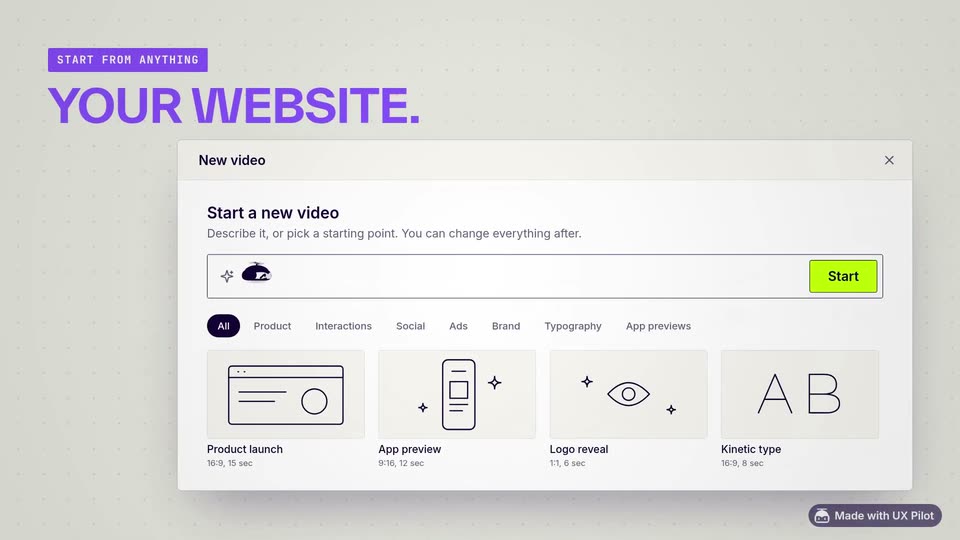
A grid of video template cards on a dotted gray canvas zooms into a 'New video' dialog with a prompt field, green Start button and starter options, set over large purple 'YOUR WEBSITE.' text and a 'START FROM ANYTHING' badge.
On-screen text: “Made with UX Pilot”
Techniques: UI zoom
Camera: Pull out
07 · Feature reveal · 0:08–0:11
A purple headline cycles from “YOUR WEBSITE.” to “A PROMPT.” to “A TEMPLATE.” above a “New video” dialog that types a prompt, then slides up to reveal a 3D fan of template cards and a “395 TEMPLATES - 12 CATEGORIES” badge on a dotted gray background.
On-screen text: “START FROM ANYTHING”, “YOUR WEBSITE.”, “A PROMPT.”, “A TEMPLATE.”, “395 TEMPLATES - 12 CATEGORIES”
Techniques: Kinetic type, 3D mockup
Camera: Pull out
08 · Feature reveal · 0:11–0:12
Three tilted phone mockups of a planning app sit under a purple headline on a cream background. A white floating toolbar and a context menu drop in over the middle screen, a small black mascot hops beside them, and the Copy to Video row highlights yellow.
On-screen text: “START FROM ANYTHING”, “YOUR SCREENS.”, “Made with UX Pilot”
Techniques: 3D mockup
Camera: Static
09 · Feature reveal · 0:12–0:13
A purple headline and tag sit over a gray grain background as a design-system card and a planning card slide in from the right and left, a purple ring and small sparkles drift, then the layout reframes to reveal full color swatches and type specs.
On-screen text: “START FROM ANYTHING”, “YOUR BRAND, YOUR”, “Made with UX Pilot”, “COLOURS · TYPE · COMPONENTS”, “YOUR BRAND,”
Techniques: Kinetic type, UI zoom, Parallax
Camera: Pan
10 · Feature reveal · 0:13–0:16
A design system card with colour swatches, type and component chips sits beside a wireframe that becomes a blue landing page; swatches, the Aa sample and a button fly across, then the frame zooms into the finished page.
On-screen text: “COLOURS · TYPE · COMPONENTS”, “YOUR BRAND, YOUR SYSTEM.”, “Made with UX Pilot”
Techniques: Split screen, UI zoom
Camera: Push in
11 · Feature reveal · 0:16–0:17
A blue video mockup sits on a dotted gray backdrop while the headline ANY KIND OF VIDEO. fades in above it. Inside, the line Ship more. and a Start planning pill pop in, and a white This week task card slides in from the right as colored chips hop between rows.
On-screen text: “ANY KIND OF VIDEO.”, “LAUNCH VIDEO”, “Plan less.”, “Ship more.”
Techniques: Kinetic type, Light sweep
Camera: Static
12 · Feature reveal · 0:17–0:18
A blue launch-video mockup card sits on a dotted gray backdrop, holding a weekly-planner UI and a bold two-line headline. The card tilts in 3D as a black blob character pops out with speed lines, and a circular sunburst logo animation blooms over the headline.
On-screen text: “ANY KIND OF VIDEO.”, “LAUNCH VIDEO”, “Made with UX Pilot”, “LAUNCH VIDEO LOGO ANIMATION”
Techniques: 3D mockup
Camera: Static
13 · Feature reveal · 0:18–0:19
A lavender robot head and the white wordmark UX PILOT lock up on a purple rounded card. The wordmark reveals through a vertical wipe, a green underline draws beneath it, and background circles, sparkles and sweeping stripes fade out.
On-screen text: “ANY KIND OF VIDEO.”, “LOGO ANIMATION”, “KINETIC TYPE”
Techniques: Masking, Kinetic type
Camera: Static
14 · Feature reveal · 0:19–0:20
A purple card on a dotted gray backdrop carries the headline MAKE IT in white and navy with echo offsets above MOVE. in lime, while a small black figure peeks over the top edge. The card slides left, the MAKE IT letters scale up, and a lined column with a circle outline is revealed on the right as the top badge switches from KINETIC TYPE to UI ANIMATION.
On-screen text: “ANY KIND OF VIDEO.”, “KINETIC TYPE”, “MAKE IT”, “MOVE.”, “Made with UX Pilot”, “UI ANIMATION”
Techniques: Kinetic type, Split screen
Camera: Pan
15 · Feature reveal · 0:20–0:22
A flat UI settings card sits on a purple panel under a navy headline and a purple label that swaps from UI ANIMATION to PRODUCT DEMO. The toggle flips off with a yellow arc, a helicopter icon slides in, and the bottom nav highlight jumps from home to bell.
On-screen text: “ANY KIND OF VIDEO.”, “UI ANIMATION”, “PRODUCT DEMO”, “Made with UX Pilot”
Camera: Static
16 · Feature reveal · 0:22–0:23
A beige card holds a week-calendar app with colored task blocks and a cursor over the dark Launch post tile. The camera zooms into the card so the interface fills the frame while a purple tag widens and a small penguin icon scales up at the top right.
On-screen text: “ANY KIND OF VIDEO.”, “PRODUCT DEMO”, “EXAMPLE - PINCHLOFT.COM”, “PRODUCT DEMO VIDEO AD - 9:16”
Techniques: UI zoom
Camera: Static
17 · Feature reveal · 0:23–0:24
On a dotted light-gray backdrop, a yellow 9:16 ad card shows the pinchloft logo and the headline swapping to “Ship more.”, then a white Gantt-chart card scales up from inside it to fill the frame as the label changes to “ANIMATED CHART.” A small purple robot icon drifts at the right edge.
On-screen text: “ANY KIND OF VIDEO.”, “VIDEO AD · 9:16”, “ANIMATED CHART”, “Made with UX Pilot”
Techniques: Kinetic type, UI zoom
Camera: Static
18 · Feature reveal · 0:24–0:26
A light gray card quickly swaps from a weekly signups bar chart to a two-panel how-it-works layout; the purple label beside the headline changes from ANIMATED CHART to EXPLAINER. A small astronaut sits top right and a UX Pilot badge stays bottom right.
On-screen text: “ANY KIND OF VIDEO.”, “ANIMATED CHART”, “Made with UX Pilot”, “EXPLAINER”
Camera: Static
19 · Feature reveal · 0:26–0:26
A beige HOW IT WORKS panel with three numbered cards, DESCRIBE, GENERATE and SHARE, scrolls up out of frame. A purple band slides in from below carrying the large word Plan less.
On-screen text: “ANY KIND OF VIDEO.”, “EXPLAINER”, “HOW IT WORKS”, “DESCRIBE”, “GENERATE”, “SHARE”, “Plan less.”
Camera: Pull out
20 · Demo · 0:26–0:27
A flat grid of product UI mockups, calendar views, a blue kanban card, a design system sheet and a purple title card, sits on a light gray field. The grid drifts slowly to the right, sliding the leftmost cards into full view. A small badge holds the bottom-right corner.
On-screen text: “Made with UX Pilot”
Camera: Pull out
21 · Feature reveal · 0:27–0:28
A full-screen view of a video editor shows a blue preview card with a white 'This week' panel. A black banner reading 'EDIT BY CHAT.' slides in from the top left as a cursor moves over the preview.
On-screen text: “EDIT BY CHAT.”
Techniques: Cursor demo
Camera: Push in
22 · Feature reveal · 0:28–0:31
A video editor interface fills the frame: chat panel left, blue preview card reading 'Plan less. Ship more.' with a schedule card, clip timeline below. A dark banner top-left swaps 'EDIT BY CHAT.' for 'OR ON THE TIMELINE.' as the view zooms in and a transition menu opens.
On-screen text: “EDIT BY CHAT.”, “OR ON THE TIMELINE.”
Techniques: Kinetic type, UI zoom
Camera: Static
23 · Feature reveal · 0:31–0:32
In the editor canvas, a blue card holding a calendar mockup flips from a wide landscape frame to a tall portrait frame. A small 3D penguin rides its top edge as the dark headline EVERY CHANNEL. opens out above it.
On-screen text: “ONE VIDEO, EVERY SIZE”, “EVERY CHANNEL.”
Techniques: Morph
Camera: Static
24 · Feature reveal · 0:32–0:33
A faded editor interface sits behind a blue video frame that multiplies into three side-by-side frames labeled 16:9, 9:16 and 1:1, each carrying the same layout, as a circular mask wipes across the center frame.
On-screen text: “ONE VIDEO, EVERY SIZE”, “EVERY CHANNEL.”, “16:9”, “YouTube, website”, “9:16”, “Reels, TikTok, Shorts”, “1:1”, “LinkedIn, feed”
Techniques: Masking
Camera: Static
25 · Feature reveal · 0:33–0:34
A dimmed editor screen shows three social-format video cards and an open Export panel. A purple pill and a large navy headline swap from EVERY CHANNEL to EXPORT OR SHARE while a cursor clicks the green Export button with a starburst.
On-screen text: “ONE VIDEO, EVERY SIZE”, “EVERY CHANNEL:”, “MP4 · WEBM · GIF · A LINK”, “EXPORT OR SHARE”
Techniques: Cursor demo
Camera: Static
26 · Feature reveal · 0:34–0:35
A product screen with an Export dialog on the right and a bold headline plus three format thumbnails on the left. A small black mascot with purple sparkles hops from the export panel to a share-link card that pops in at the bottom right.
On-screen text: “MP4 · WEBM · GIF · A LINK”, “EXPORT OR SHARE.”, “16:9”, “YouTube, website”, “9:16”, “Reels, TikTok, Shorts”, “1:1”, “LinkedIn, feed”
Camera: Static
27 · CTA · 0:35–0:36
A cream circle holding a UI feed slides left off frame, revealing a full purple dotted field. Two dark helicopters carrying white papers drift left as a white tick-mark dial with sparkles snaps around the first, and dark text begins typing beside it.
On-screen text: “Plan less.”, “Ship more.”, “JX PI”
Techniques: Masking, Kinetic type
Camera: Static
28 · CTA · 0:36–0:39
A dark bold headline builds word by word on a dotted lavender field, underlined by a drawn purple stroke. The UX Pilot robot logo and wordmark with a MOTION badge anchor the top; a lime Make a video button and the URL fade in beneath.
On-screen text: “ANYTHING YOU DESIGN. NOW IN MOTION.”, “Make a video”, “uxpilot.ai/motion”
Techniques: Kinetic type
Camera: Static