0:37
Orior - Introducing Copy a pose in Grok @bot . See a pose on X or Pinterest?
Orior AI · AI · Oct 2026
Muse · Sep 2026 · 1:22 · Full motion · AI-annotated
Muse’s 1:22 launch film runs 39 scenes, about 2.1 s each. The product is on screen from the first frame and 4 features are revealed. The call to action lands at 1:21 (99% in), over a voiceover. The video is built as a logo open, four scenario demos each capped by a rotating 'AI that ... for you' text card, and a store-badge close, all on a pale gray-to-blue gradient. Its signature moves are the clay mascot drifting in and out of chat and UI cards, the flat grid of 3D props, and confetti bursts that punctuate each completed task.
Is this your launch? to your site or press kit.
Orior AI · AI · Oct 2026
Films whose music sounds like this one, voice left out
Agent Tincan · Electronic dance music, hip-hop
Melder · Electronic dance music with UK Garage and Drum and Bass influences
Anything · Electronic dance music
A white rounded app icon bearing a blue scribble mark holds center on a pale gray field. Small 3D props, a camera, mug, envelope, piggy bank and pen, pop in one by one around it, scaling up from nothing.
Camera: Pull out
A flat grid of 3D-rendered everyday objects, from balloons to sneakers, sits on a pale gray field. The icons tilt and rotate in place while the white app icon with a blue m stays fixed at the center.
Camera: Static
A small logo sits at the center of a white field as blurred colored shapes burst outward from it. The shapes clear away and the word Introducing appears, centered in dark gray.
On-screen text: “Introducing”
Techniques: Particles
Camera: Static
'Introducing' sits above 'Muse' on a pale gradient, the blue word fading to full. The line rewrites to 'Muse is' as a smiling beige blob emoji pops in between the words. 'your personal AI agent' appears with a calendar and notebook emoji popping in, then 'Muse' and the blob shrink.
On-screen text: “Introducing”, “Muse”, “is”, “your”, “personal”, “AI”, “agent”
Techniques: Kinetic type
Camera: Static
On a pale blue gradient, the wordmark “AI agent” sits center frame with a small blue 3D block icon in the letter gap. It cuts to the two-line headline “A new / kind of AI”, which holds until the end of the clip.
On-screen text: “AI agent”, “A new”, “kind of AI”
Camera: Static
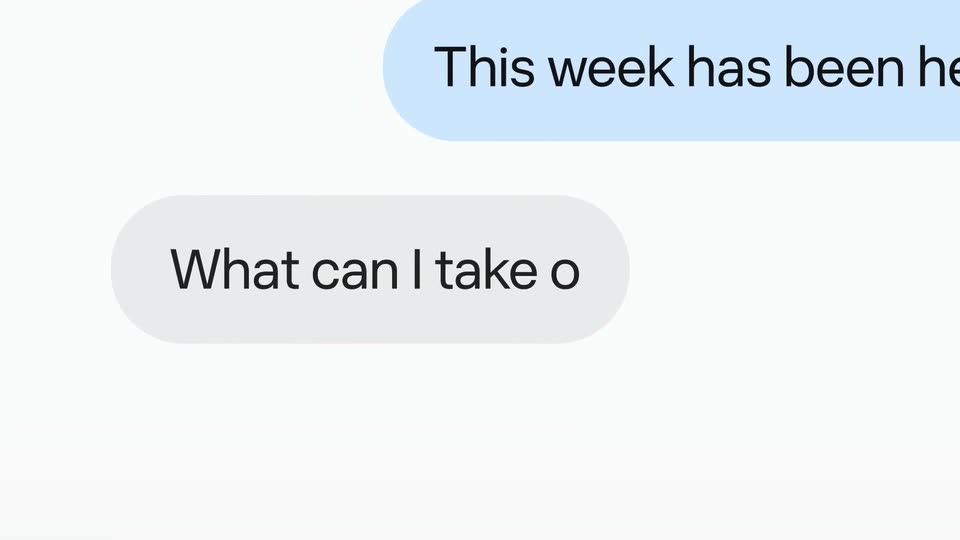
A chat thread with a small 3D avatar labeled Muse: a blue bubble shows “This week has been hectic.”, a typing indicator pulses, then the camera zooms into a gray reply bubble as “What can I take off your plate?” is typed.
Techniques: UI zoom
Camera: Pan
A white pill-shaped search bar with a plus icon on the left sits on a light background. The bar widens as a prompt types out letter by letter behind a blue caret, ending on the full sentence.
On-screen text: “Help me stay on top of school emails”
Camera: Static
A white rounded prompt bar sits centered on a plain white field, a plus icon at the left and a blue up-arrow button at the right. The query text types out letter by letter inside the bar.
Techniques: Kinetic type
Camera: Static
A white prompt bar on a pale background reads “Help me stay on top of school emails”, the letters snapping into place. The bar then morphs into a right-pointing teardrop, the up-arrow icon sliding to the center.
Techniques: Morph
Camera: Static
A light gray email inbox screen with a rounded search bar at the top. A vertical list of white email cards scrolls upward, each showing a circular avatar, sender name, subject line and timestamp, while the bold Inbox heading stays fixed at the top left.
Camera: Pan
Two email cards sit side by side on a white background. The left card, addressed to Oliver Campbell, slides left and fades out while the right card for Joan Fernandez holds, both showing the subject 1st Grade Supply List Updated.
Techniques: Split screen
Camera: Static
A light chat screen: a 3D clay avatar labeled Muse sits at top, its status changing from is working to Creating shopping list. A gray bubble types a message about ordering school supplies, then a second bubble and a two-item list card fade in.
Techniques: Kinetic type
Camera: Pan
A grid of school-supply cards crossfades into a grocery list behind a circular badge showing a 3D figure with headphones; the badge text shifts from 'Creating shopping list' to 'Adding to cart' and a chat line slides in at the bottom.
Camera: Static
A flat checkout screen pans downward on a pale lavender background. The order card with a product list and a credit card row showing the estimated total slide into view, while a round avatar chip reading Muse, Adding to cart hovers over the center.
Camera: Pan
A payment sheet with order items, a $47.80 total and Deny/Allow buttons sits on a light background, overlapped by a small Muse chip showing a bear in headphones and “Waiting for permission.” The sheet zooms in and fades out, leaving the chip alone.
Techniques: UI zoom
Camera: Pull out
On a pale blue gradient, a small 3D cartoon avatar in a circle with a white “Muse” tag drifts up out of frame, while a blue checkmark circle draws in to the left of the bold dark word “Done!”.
On-screen text: “Done!”
Camera: Static
A light white-to-blue gradient background holds a centered black headline that builds line by line. 'AI that' appears first, then a small blue shopping cart icon slides in beside 'goes shopping', and 'for you' fades in below, settling into a locked-off frame.
On-screen text: “AI that”, “goes shopping”, “for you”
Techniques: Kinetic type
Camera: Static
Black centered text on a pale blue gradient: “AI that” and “for you” stay fixed while the middle line swaps through “goes shopping”, “books meetings” and “drafts replies”, each with a small emoji. A clock and “is always working” then slide in above “for you”.
On-screen text: “AI that”, “goes shopping”, “for you”, “books meetings”, “drafts replies”, “is always working”
Techniques: Kinetic type
Camera: Static
The headline “for you” sits centered beside the small beige Muse avatar. The avatar slides left as the text slides, and a white dashboard card enters from the right showing sleep stats and a training plan.
On-screen text: “for you”, “is always working”
Techniques: Kinetic type
Camera: Static
A fitness app dashboard fills the frame: a rounded card with a beige character avatar and the name Muse sits left, while a right panel lists sleep stats, a training program with a runner icon, and an upcoming event. The whole layout drifts upward slowly.
Camera: Push in
A light training view titled Training Program shows a card with a yellow TRAINING PLAN ADJUSTED banner and a running figure. The camera tracks right across the static layout, bringing a coach chat bubble into frame on the right.
Camera: Push in
A workout card slides off left as Muse's chat bubbles appear one by one, then a blue user bubble replies “Yes, sign me up!”. The avatar becomes a typing figure with a “Building your plan” tag as a 10K entry form card slides up.
Camera: Pan
A rounded gray browser card with a blue sneaker thumbnail and an Open browser button moves up and scales toward center while a Muse label and a sign-up button fade out at the top.
Techniques: UI zoom
Camera: Static
A phone mockup shows a race entry form with fields filling in, scrolling down as a dropdown picks 10k Run, then the view zooms onto the blue Submit button. On the right, a 3D mascot with headphones sits at a laptop under a Muse status card.
Techniques: 3D mockup, UI zoom
Camera: Push in
A gray chat bubble pops in with 'You're in.' and a running emoji, then a blue bubble slides in with 'Let's gooo!!'. The scene cuts to a 3D cream-colored blob character jogging on a floating treadmill as colorful confetti rains down.
On-screen text: “You're in.”, “Let's gooo!!”
Techniques: Kinetic type, 3D mockup, Particles
Camera: Push in
A fluffy beige creature in a hooded suit jogs on a small gray treadmill while multicolored confetti falls around it against a white-to-blue gradient.
Techniques: Particles, 3D mockup
Camera: Push in
On a light gradient background, “AI that” and “for you” stay fixed while the middle line cycles through phrases, each paired with a small icon that morphs from a pie chart to a sleep mask, a pen, then a runner.
On-screen text: “AI that”, “tracks your goals”, “for you”, “analyzes sleep”, “fills out forms”, “builds plans”
Techniques: Kinetic type, Morph
Camera: Static
On a white to pale blue gradient, a small 3D runner stands beside the line builds plans above a large for you. The text exits and a 3D figure with headphones and a laptop drops in at top center above a small Muse label, then bobs gently.
On-screen text: “AI that”, “builds plans”, “for you”, “Muse”
Camera: Static
Chat view on a pale gradient: a 3D beige creature with headphones sits above a white status pill cycling through checking weather, schedule, routes. A gray bubble types a flight delay warning, a red Delayed SFO to DEN card drops in, then the camera zooms into the card.
Techniques: UI zoom
Camera: Push in
A close-up of a chat thread pans and zooms across a gray bubble typing “Would you like me to change your flight?”, a blue reply “Yes, please! 👍” pops in, then the view scrolls up to reveal a calendar.
Techniques: UI zoom
Camera: Pan
A September calendar grid starts out of focus, then sharpens as the view pushes in. The blue selection tile rests on the 18 while the date 19 enlarges toward the foreground, growing to fill the frame.
Techniques: UI zoom
Camera: Push in
A blue tile slides in from the left and snaps onto the 19th day of a white calendar grid, a red dot pops in, then the number crossfades into a small clay avatar as the tile scales up, and a translucent pill with flight details scales in below.
Techniques: UI zoom, Morph
Camera: Static
A small 3D elephant with a party hat stands between the words “Your Muse” on a cream field. Confetti rains down and the line grows to “Your Muse gets it done”, a blue check mark standing in for “it”.
On-screen text: “Updated flight”, “SFO to DEN”, “Your Muse”, “gets it done”
Techniques: Kinetic type, Particles, Morph
Camera: Push in
On a pale gradient background, “AI that” and “for you” hold the top and bottom lines while the middle line cycles through phrases, each swapping in with a blur and scale, paired with small airplane and gift emoji icons.
On-screen text: “AI that”, “for you”, “books trips”, “sends the gift”, “saves money”, “gets it done”, “looks out”
Techniques: Kinetic type
Camera: Static
On a light gray field, a ring of colorful app icons (Instagram, Shopify bag, Facebook, Pinterest, Slack, Messenger, envelope) fades in and drifts into a loose circle around a central pill button with a checkmark reading “Connect your apps”. The icons reposition and the black “6” mark settles at the bottom.
Camera: Pan
On a white background, a circular ring of social icons and blue check marks surrounds the central “All in one place” pill, then the ring rotates and collapses into a diagonal line.
On-screen text: “All in one place”
Camera: Pan
A grid of 3D objects (wallet, calendar, piggy bank, gift, coffee cup) on a light gray background pulls back from a close crop to a full layout, while the headline “It’s your Muse” scales down to the center.
On-screen text: “It’s your Muse”
Techniques: Kinetic type
Camera: Pull out
On a pale gray gradient, the dark two-line headline “AI that keeps you up-to-date” fades in above a rounded app icon with a blue scribble mark. The second line slides to “keeps you in the loop”, then “keeps you in control”, while the icon shrinks.
On-screen text: “It's your Muse”, “AI that”, “keeps you up-to-date”, “keeps you in the loop”, “keeps you in control”
Techniques: Kinetic type
Camera: Static
A white rounded-square app icon with a blue scribble mark sits centered on black, with Google Play and App Store badges below it. The word Muse fades in under the icon, and the Meta logo fades in at the bottom of the frame.
On-screen text: “Muse”, “GET IT ON Google Play”, “Download on the App Store”, “Meta”
Camera: Static