3:54

Introducing Claude Code
Anthropic · AI · Feb 2025
Anything · Mar 2026 · 0:29 · AI-annotated
Anything’s 0:29 launch film runs 13 scenes, about 2.3 s each. The product shows up at 0:05 and 1 feature is revealed. There is no explicit call to action; a voiceover carries the film. The video is built as one continuous workflow: a Figma-style title animation where named multiplayer cursors assemble the wordmark, then a locked-off screen recording that copies a file link, pastes it into the Anything prompt, and resolves into the generated website. Pacing is steady at about four cuts per minute, with blur-to-focus reveals and zoom crops as its signature moves.
Is this your launch? to your site or press kit.
Anthropic · AI · Feb 2025
Figma · Design · Mar 2025
Gooseworks · Oct 2026
On a white field, a pink cursor drags a blue selection box as the word Introducing scales up in black. Two more cursors with name tags join, the box splits into two and shifts, then everything settles into one box framing the word.
On-screen text: “Introducing”
Techniques: Cursor demo, Kinetic type, Morph
Camera: Static
A Figma canvas with text layers inside blue selection boxes drifts as two multiplayer cursors, tagged Dhruv A and Zaria Z, hover over the words. The italic serif Anything and the large Introducing shift position while the cursors move.
Techniques: Cursor demo
Camera: Static
A Figma canvas on white shows the text “Anything × Figma” inside a blue selection frame with corner handles. Two multiplayer cursors, pink Zaria Z and purple Dhruv A, glide around the frame, then the whole view blurs and eases smaller.
On-screen text: “Anything × Figma”
Techniques: Cursor demo
Camera: Static
A locked-off view of a design tool workspace. The canvas pulls from a soft blur into sharp focus while the layers list fills in, then two named cursors, a magenta Zaria Z and a green Marcus, glide across the website artboard.
On-screen text: “Anything × Figma”
Techniques: Cursor demo
Camera: Pull out
A design-tool workspace shows a website hero over rolling green hills. Three colored cursors with name tags move across the canvas as the headline completes and a white loop graphic draws in. The view zooms into the artboard, cropping the side panels.
Techniques: Cursor demo, UI zoom
Camera: Push in
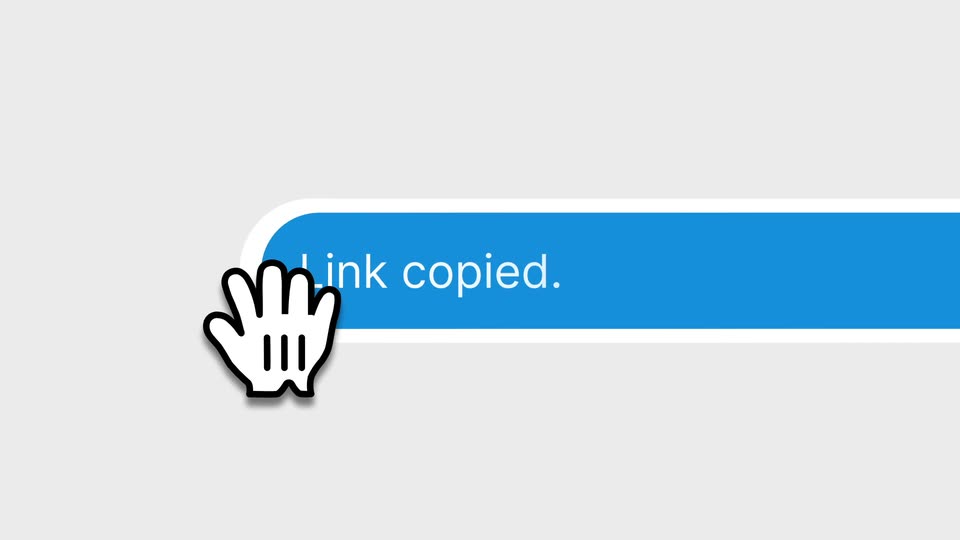
A white URL pill with a blue copy icon and a purple cursor. The cursor taps the icon, the pill stretches into a long blue bar reading “Link copied.” A white hand icon pops in at the bar's left edge as the bar slides right.
Techniques: Cursor demo, Morph
Camera: Static
A close-up of the blue 'Link copied.' tooltip with a hand pointer scales out to the full prompt screen, where a dark rounded logo sits above the headline and an input field with Auto and Default chips.
Techniques: UI zoom
Camera: Static
A dark app icon and the line “What can I help you build today?” sit above a text input card on white. A cursor clicks the Figma icon; the card scales up to an “Import from Figma” panel with a URL field and Generate button, then shrinks.
Techniques: Cursor demo, UI zoom
Camera: Static
On a mint gradient, a white “Import from Figma” card shows an empty field and a black Generate button. A blue “Link copied.” toast fades as a hand cursor types a Figma URL, then clicks Generate; the card dissolves into a blue-green gradient.
Techniques: Cursor demo
Camera: Static
A blurred app window comes into focus, revealing a split interface with an AI panel on the left and a website preview on the right. A cursor moves over the preview buttons.
Techniques: Cursor demo
Camera: Push in
A split view of a website builder: a left panel lists the generated page details while a right panel previews the live site with a green landscape and a large headline. The view zooms into the black logo card on the left until the white mark fills the frame.
Techniques: UI zoom
Camera: Push in
A black phone screen, framed by a device bezel and a white side panel with an eye icon, fills the frame as the word Anything is spelled out in white, the first letters in serif italic and the rest in light sans.
On-screen text: “Anything”
Techniques: Kinetic type, UI zoom
Camera: Static
The word Anything is centered on a black field, the first half in a thin italic script and the second half in a light sans. The frame is locked off and the type holds still for the entire shot.
On-screen text: “Anything”
Camera: Static