0:58

Rystic: Launch YC
Rystic · B2B · Oct 2026
Homeroom · Sep 2026 · 0:48 · AI-annotated
Homeroom’s 0:48 launch film runs 23 scenes, about 2.1 s each. The product shows up at 0:09 and 4 features are revealed. The call to action lands at 0:43 (91% in). The video runs as one continuous story: a question, a scrolling backlog of user requests, then a step by step demo of the suggest, vote, build and ship loop, closing on a delayed brand reveal and call to action. Its style is flat vector collage on cream and yellow, with serif headlines that snap into place, drifting avatar stickers and circuit line accents.
Is this your launch? to your site or press kit.
Rystic · B2B · Oct 2026
Notion · Productivity · Sep 2025
A blue-and-cream checkerboard fills the frame, its tiles resizing as a central square window widens. The window reveals a mountain-and-desert landscape that gives way to a word-search grid of blue and red pills, held flat in the center.
Techniques: Masking
Camera: Push in
A collage of a black-and-white bust, pixel flowers, a 3D white starburst and a retro window sits on cream while serif text slides in. The frame reframes into a centered bordered card over a pastel grid, completing the headline 'for an app you use?'.
On-screen text: “Ever had”, “HERE ME OUT”, “an idea?”, “for an app you use?”
Techniques: Kinetic type
Camera: Pull out
A tilted cream card sits on a cream grid scattered with colored squares. It holds the question with the word idea set on a small yellow 3D box. A white cartoon hand slides up from the bottom right and taps the box.
On-screen text: “Ever had an idea for an app you use?”
Techniques: Kinetic type
Camera: Pull out
A vertical list of white comment cards, each with a flat avatar and a green dot, scrolls steadily up over a cream background crossed by thin curved lines. A yellow highlight box steps down the list, marking one card at a time, while a large headline slides out at the top.
On-screen text: “Ever had”, “have less ads”, “track monthly miles”, “add photo wall”, “add coffee stops”, “too many notifications”, “need a leader board”, “add calories calander”
Camera: Pan
A vertical list of user comment cards scrolls upward on a cream background crossed by thin black curved lines. Each card pairs an illustrated avatar with a short request, alternating white and yellow fills.
Camera: Static
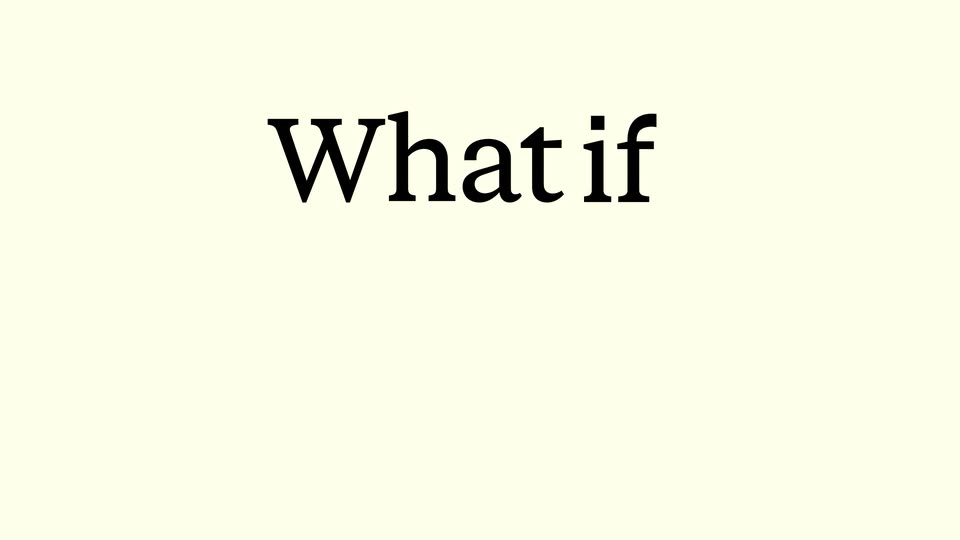
A vertical stack of illustrated feedback cards, each with an avatar and a request, scrolls up and fades out over wavy background lines. A large serif headline then scales in at center while a small blue caption box with a cursor sits at the lower left.
On-screen text: “What if”
Techniques: Kinetic type
Camera: Pull out
On a cream canvas, serif words sit in selection boxes beside flat avatar stickers and black cursor arrows. The blocks drag and snap into a centered two-line headline while the avatars drift to the frame edges.
On-screen text: “What if you could actually change it?”
Techniques: Kinetic type
Camera: Pull out
Flat cream illustration of a UI prompt: a search bar reads track monthly miles, a line asks does this plan look good, and yellow No and blue Yes, Build it buttons sit below. A cartoon hand rises to point at the blue button while an avatar and circuit-trace lines with colored nodes drift upward on the sides.
On-screen text: “What if you could”, “actually change it?”
Techniques: Cursor demo
Camera: Static
A flat phone mockup slides up from the bottom edge on a solid yellow background, settling to reveal the app home screen. The screen displays a bold greeting, a circular avatar, and a rounded target card with a small sparkle icon.
Camera: Pan
A flat phone mockup on a yellow field scrolls its list upward, pushing the pixel-map Tracking miles card off the top edge until the Weekly Meetups row and its Building... label sit centered above the home bar.
Camera: Pan
A flat phone mockup on a yellow background sits between the labels Before and After. A hand cursor taps as the screen wipes from the old layout to the new one, then the phone slides off left to reveal Try it together.
On-screen text: “Before”, “After”, “Try it”, “together”
Techniques: Cursor demo, Masking
Camera: Static
A black serif headline, Try it together, slides up off a yellow background, revealing a flat front-facing phone mockup with a fitness app screen: greeting, target card, and a dotted map. Illustrated avatar circles and small shapes drift at the edges.
On-screen text: “Try it together”
Techniques: Kinetic type
Camera: Pull out
A flat phone mockup on a yellow background with thin black circuit lines pans down through the app screen: greeting, Monthly Miles bar chart, Today's Target card with a pixel-art runner, then the bottom nav. Round avatar stickers with black triangle pointers drift around the phone.
Techniques: UI zoom
Camera: Push in
On a cream background, the words Decide and together start offset, then slide into one centered line as a small handshake illustration pops in between them. The headline shifts up and a product card with a vote counter slides up from the bottom.
On-screen text: “Decide together”
Techniques: Kinetic type
Camera: Static
A large serif headline, Decide together, sits static on a cream field above a phone-style card stack. The top poll card slides up and its count ticks from 1 to 2 VOTES, while a chat thread with two avatars and messages about tracking miles holds in view.
On-screen text: “Decide together”
Camera: Pan
A feedback card with avatar comments and a green '2 said Ready' bar zooms out to a flat phone mockup on yellow, flanked by the serif headline 'Make it real'. The view then zooms into the chat as a new comment appears and votes tick to 3.
On-screen text: “Make it real”
Techniques: UI zoom
Camera: Pan
A flat phone mockup of a running app is centered on a yellow background with circuit lines. A white card with a group illustration and a Try it button scales in front of the screen, then four illustrated avatars fade in around it, each with a green point label.
On-screen text: “Miles tracking is live”, “it's in the app now”, “Try it”, “Benny → +450”, “Jhone → +500”, “Maya → +400”, “Jennie → +200”
Camera: Static
A front-facing phone mockup centers on a yellow background, its screen showing an app modal with four cheering figures and a blue Try it button. Four illustrated portrait cards with name and points labels frame the phone, linked by thin lines with small squares. The composition slowly pushes in.
On-screen text: “Jhone → +500”, “Maya → +400”, “Jennie → +200”, “Benny → +450”
Camera: Static
The word Build in black serif type slides in from the left to the center of a cream background. A flat illustration of a silver laptop with a green screen displaying {%} slides in from the right to sit beside the text.
On-screen text: “Build”
Techniques: Kinetic type
Camera: Static
Three rows of dark serif words paired with flat icons slide in on a cream background, then drift slowly upward. The rows read Build with a laptop, Suggest with a speech bubble and pencil, Try with a blue arrow, Decide with a thinking face, Ship with a green check, Together with a handshake.
On-screen text: “Build”, “Suggest”, “Try”, “Decide”, “Ship”, “Together”
Techniques: Kinetic type
Camera: Pull out
On a cream background, a black serif line, Stop building, slides left to bring in for people. Illustrated portrait cards on blue squares fly in from the right and scatter across the frame as the static headline Build with them. appears, with them. in light gray.
On-screen text: “Stop building”, “for people”, “Build with them.”
Techniques: Kinetic type
Camera: Pan
A black serif headline reads Build with them. at center on a cream field. Around it, illustrated portrait cards on blue squares drift and reshuffle positions, circulating the text without overlapping it.
On-screen text: “Build with them.”
Camera: Pull out
On a cream background, “Homeroom” writes itself in black brush script with a sparkle, then slides up as a yellow pill button “Get early access” pops in below and onhomeroom.com fades in at the bottom, closing with the tagline “Build with them.”
On-screen text: “Homeroom”, “Get early access”, “onhomeroom.com”, “Build with them.”
Techniques: Kinetic type
Camera: Static