1:06
Vendo Launch Video (YC S26) | Unveil Studio
Vendo · Oct 2026
Akai · Sep 2026 · 3:18 · AI-annotated
Akai’s 3:18 launch film runs 57 scenes, about 3.5 s each. The product shows up at 0:21 and 4 features are revealed, with social proof. The call to action lands at 3:02 (92% in), over a voiceover. A founder-led explainer that interleaves locked-off talking-head shots, fast screen-recording demos, and plain white title cards at a brisk pace of about twelve cuts per minute. Signature moves include word-by-word text builds, counting-up stat numbers, and a recurring purple iceberg diagram.
Is this your launch? to your site or press kit.
Vendo · Oct 2026
Wispr Flow · Aug 2026
Pocket FM (Sherpa) · Sep 2026
A man sits in a chair at the center of a bright set with floor-to-ceiling windows. Behind him, a crew member holds a boom mic and softbox, while a third man walks in from the left carrying a tablet. Subtitles appear at the bottom.
On-screen text: “Yes, set looks fine.”, “We're good.”, “Hey Alex, look”
Camera: Static
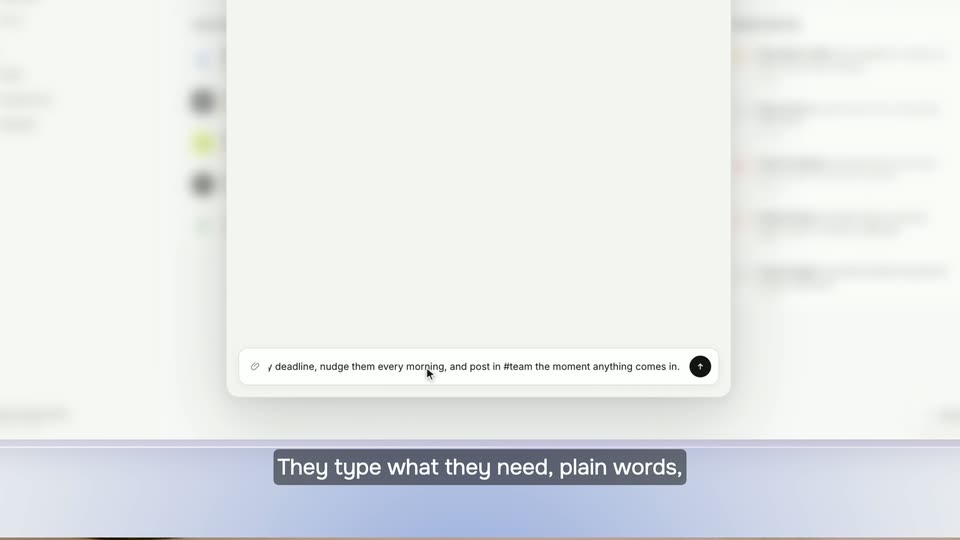
A man with glasses holds a tablet and points at its screen while a second man leans in close to look, in a bright office with floor-to-ceiling windows. A studio light fixture stands at the left edge. White subtitles on a dark bar appear at the bottom as the two talk.
On-screen text: “Hey Alex, look”, “shouldn't you say”, “we raised 140 million dollars here?”
Camera: Static
Two men on a studio set, a standing man in a gray shirt leans over a seated man in a black tee who holds a tablet. The standing man gestures with pinched fingers while the seated man looks at the screen then up. Subtitles caption the exchange at the bottom.
On-screen text: “No, we actually added”, “140 million dollars in ARR.”
Camera: Push in
A man with glasses leans over a tablet, gesturing as he talks to a seated man in a sunlit office with large windows; a NANLUX studio light stands at the left. Subtitles caption the exchange at the bottom of the static frame.
On-screen text: “140 million dollars in ARR.”, “In 90 days?”, “Yeah.”, “Are you serious?”, “Yeah.”
Camera: Static
A man in a black T-shirt sits in a bright office, speaking to camera. A translucent chart card scales in on the left, its purple line drawing up to a $140M badge, while the headline 'In just 90 days.' pops in word by word on the right.
On-screen text: “Yeah.”, “Deel just added over $140M”, “in ARR in just 90 days.”, “In just 90 days.”
Techniques: Kinetic type
Camera: Pull out
A man in a black tee sits in a sunlit office speaking to camera. A flat line chart of revenue and team size hovers at left; a yellow line and a yellow Employee headcount tag draw in over the rising purple revenue line. White subtitle lines swap at the bottom.
On-screen text: “in ARR in just 90 days.”, “All this while working”, “from home and without”, “increasing our team size.”
Camera: Push in
A man in a black t-shirt sits in a chair by a window, speaking to camera. A line chart of revenue and team size overlays left, then gives way to a white rounded-square icon with purple bars, and the white wordmark 'akai' appears beside it.
On-screen text: “increasing our team size.”, “We've been using our automation”, “platform called the Akai.”, “akai”
Camera: Pull out
A man in a black t-shirt sits in a black office chair, talking to camera. The background is a soft-focus office with floor-to-ceiling windows, potted plants and a two-globe lamp. White subtitles on black bars appear at the bottom. The frame stays locked-off.
On-screen text: “platform called the Akai.”, “And here's how it works.”
Camera: Static
A man in a black t-shirt sits in a chair in a plant-filled room with floor-to-ceiling windows, gesturing as he talks. The camera holds a locked medium shot. White subtitles on black bars appear at the bottom in three cuts.
On-screen text: “Say I want to stop writing”, “up every sales call”, “by hand 10 times a day.”
Camera: Static
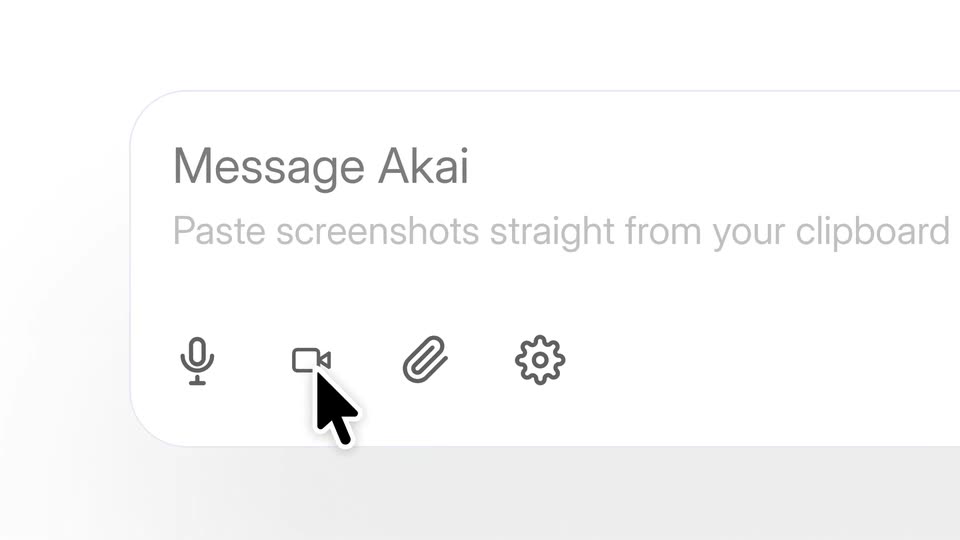
Close-up of a white message input on a pale background, with a name header and a placeholder line above a row of four gray line icons. A black cursor arrow hovers over the second icon, the video camera, and nudges to click it.
Techniques: Cursor demo
Camera: Pull out
A recording-settings modal floats over a dimmed app screen. A black cursor glides to the blue Start recording button and clicks it, dismissing the panel and exposing the Message Akai message bar below.
Techniques: Cursor demo
Camera: Push in
A white recording card, titled and with a blue Stop & build button, sits centered on a gray field, then scales down to reveal the Gong browser window behind it, with a conversation list left and a network panel right. A dark caption box holds the line at the bottom.
On-screen text: “I'm recording myself pulling”
Camera: Pull out
A screen capture of the Gong conversation view with the browser network panel open on the right. The framing tightens onto the transcript and event log while a bottom caption reads out the action being performed.
On-screen text: “I'm recording myself pulling”, “the transcript from Gong,”
Techniques: Kinetic type, UI zoom
Camera: Pan
A screen recording of a Salesforce leads list sits beside a browser dev-tools panel listing captured API requests. The view pans right to bring the request list into focus. A dark caption bar reading “creating the record on” anchors the bottom, above a red-dot recording pill.
On-screen text: “creating the record on”, “Akai is recording your screen”
Techniques: UI zoom
Camera: Push in
A screen recording of a Salesforce leads table sits beside a developer network panel. A cursor clicks New, opening a lead form, then the view reframes onto the contact rows. A dark caption pill at the bottom cycles through phrases.
On-screen text: “Salesforce, enriching it”, “with new findings, and”, “pinging the right AE if”, “there is a cross-sell”
Techniques: Cursor demo, UI zoom
Camera: Pull out
A screen recording shows a CRM leads table on the left and a browser network panel on the right, both scrolling, as the view zooms out to reveal the full browser window. A dark caption box reading 'there is a cross-sell' sits at the bottom center.
On-screen text: “there is a cross-sell”
Techniques: UI zoom
Camera: Pull out
A browser window shows a leads table on the left and a network request log on the right, with a white caption on a dark pill reading “opportunity in the call.” at the bottom. The frame holds still.
On-screen text: “opportunity in the call.”
Camera: Pull out
A 3x3 grid of app screens, each with a colored name tag and cursor, zooms out into a dense tiled wall. A dark caption box at bottom center shows “We had a 1,200 people”, then swaps to “doing this 10 times a day.”
On-screen text: “We had a 1,200 people”, “doing this 10 times a day.”
Techniques: UI zoom
Camera: Pull out
A cursor selects a video file in a Finder window, then the file drifts into the Message Akai box as the view reframes onto it. Screenshot thumbnails line up in the input row while a spinner reads Extracting screenshots.
On-screen text: “doing this 10 times a day.”, “Then I show it to Akai.”, “Akai grabs my voice.”
Techniques: Cursor demo, UI zoom
Camera: Push in
A browser Network tab fills the frame as its request list refreshes row by row, each showing method, status and time. A top banner with a pulsing red dot marks capture, and white caption lines on a dark pill cycle across the bottom.
On-screen text: “Akai grabs every request”, “And watches every request my”, “my browser makes to understand”, “exactly what's happening.”
Camera: Pan
A workflow diagram on a white background builds itself step by step: a trigger node branches into parallel API steps, and new nodes plus connector lines appear as the flow extends downward. A dark subtitle bar at the bottom reads the caption.
On-screen text: “Then it writes the whole thing out,”
Camera: Push in
A white workflow canvas assembles a node graph: blocks and connectors pop in row by row, a left navigation panel slides in, and a gray caption bar with white text holds the bottom of the frame.
On-screen text: “Then it writes the whole thing out,”
Camera: Pull out
A workflow builder screen fills the frame, a node graph on the left and a step editor panel on the right, with a blue-outlined node at the graph's bottom. A dark caption bar at the bottom center shows white text that updates phrase by phrase.
On-screen text: “Then, it writes the whole thing out, step by step, and builds the connectors itself.”
Techniques: Kinetic type
Camera: Pull out
A white Connections panel lists integrations such as Gong, SAP and Salesforce. Rows flip from red Not connected to green Connected while the list scrolls down to add Clay, Gmail and OpenSanctions. A dark caption bar at the bottom carries the narration.
On-screen text: “step by step, it builds”, “it figured out to skip”
Camera: Pull out
A light workflow editor fills the frame, a left sidebar lists menu items above a recents panel, and the view pulls back to reveal more of the principles document. A dark caption bar at the bottom carries the line.
On-screen text: “It figured out it should skip”
Techniques: UI zoom
Camera: Push in
A workflow editor screen shows a markdown document titled Workflow Memory & Guardrails with one rule line highlighted in blue. Below it, a dark rounded caption types out the phrase word by word in three steps.
On-screen text: “It figured out it should skip”, “internal calls and send a rep”, “a summary of what it wrote in”
Techniques: Kinetic type
Camera: Pull out
Two Workflow editor panels sit side by side, the left listing guardrails markdown and the right showing the prepare-salesforce-record step; both scale in and out slightly. A gray caption bar at the bottom carries the spoken line.
On-screen text: “Salesforce because it has the”
Techniques: Split screen
Camera: Pull out
A man in a black t-shirt sits in a metal chair in a plant-filled loft with floor-to-ceiling windows, speaking to camera and gesturing. A laptop rests on a small table beside him. White subtitles on a black bar appear at the bottom.
On-screen text: “Salesforce because it has the”, “common sense of understanding”, “how businesses are”, “actually running.”
Camera: Pull out
A light pink Aka dashboard with a dotted pause logo and the heading 'Start automating with Aka' zooms in tighter. The bottom chat bar fills with six email chips and a 'Sales team - 200 people' pill. Gray caption boxes read 'Now I'll add my 200 person', then 'sales team to use it.'
On-screen text: “Now I'll add my 200 person”, “sales team to use it.”, “actually running.”
Techniques: UI zoom
Camera: Push in
A row of circular user avatars spans a white background behind a black button reading Add 200 people, which stretches from a short pill into a wide bar as a black cursor hovers over it. A gray caption below reads sales team to use it.
On-screen text: “sales team to use it.”
Techniques: Cursor demo
Camera: Static
The workflow canvas zooms into a Team suggestions panel, where a user request and the agent's added-step replies appear in a chat list. White captions in a dark bar narrate the sequence.
On-screen text: “They can watch a run live,”, “can say things like”, “Now also take their company”, “size from LinkedIn and make”, “the automation more complete”
Techniques: UI zoom
Camera: Push in
A split product interface shows a node-based workflow editor on the left and a team chat on the right. New workflow nodes and chat messages populate the panels as the view pulls back, with caption bars at the bottom.
On-screen text: “the automation into a complete”, “and jump in to fix it.”
Techniques: Split screen, UI zoom
Camera: Pull out
On a plain white background, a dark gray sans heading slides in, then a large purple $190K slides in below it with a soft offset shadow, and the line in employee time per year. appears word by word. A gray caption bar at the bottom shows the voiceover text.
On-screen text: “This agent alone saves us”, “This agent alone saves us”, “$190K”, “$190,000 in employee time”, “in employee time per year.”, “every single year.”
Techniques: Kinetic type
Camera: Static
A man in a black T-shirt sits in a chair in a bright, plant-filled office in front of floor-to-ceiling windows, speaking to the camera and gesturing with his hands. White subtitles at the bottom of the frame carry his words line by line.
On-screen text: “Technically, you could build”, “a one-off skill on the”, “cloud to do this, but Akai”
Camera: Static
A product interface shows a workflow graph on the left and a self-learning panel on the right. The panel refreshes, inserting a new highlighted learned card with a New badge at the top of its list, while a dark caption at the bottom carries the voiceover line.
On-screen text: “cloud to do this, but Akai”
Camera: Pull out
Dozens of small cards with initials, numbers, and colored bars form a grid linked by dashed lines; a Self-Learning document panel sits in the center. A dark caption bar at the bottom swaps “point across hundreds of” for “thousands of employees and” as the view eases out.
On-screen text: “point across hundreds of”, “thousands of employees and”
Techniques: Kinetic type
Camera: Pull out
A flat grid of small workflow cards, each with colored status bars, fills the frame. The view zooms into the central card, revealing a Self-Learning panel with a left sidebar and two score rings on the right. A dark lower-third caption updates phrase by phrase.
On-screen text: “thousands of employees and”, “thousands of runs,”, “and it self-learns”
Techniques: UI zoom
Camera: Pan
A white Health scores modal sits centered over a blurred lavender app screen. A line chart draws in and fills with a gradient that shifts from purple to peach to pink as the tabs switch, while a bold caption bar at the bottom cycles through phrases.
On-screen text: “As a result, its agent improved”, “its task completion rate”, “to 98%, and it then figures out”, “how to reduce the token spend.”, “Act more autonomously”, “and improve adherence”, “to each guardrails.”
Camera: Pull out
A man in a black T-shirt sits in a chair by floor-to-ceiling windows, gesturing while he speaks. White rounded-square icons, an orange pixel creature and a blue terminal cloud, float at his shoulders, then disappear as the shot tightens to a locked-off medium frame. Subtitles appear at the bottom.
On-screen text: “Claude Code and Codex”, “cannot do this unless you”, “spend thousands of hours”, “building and maintaining”, “your own agents.”
Camera: Static
A low-poly purple iceberg floats in rippling purple water on white. Above the line, a Surface-level automation card holds two icons; below, a white stack icon is ringed by dark pill labels popping in one by one. White caption lines swap at the bottom in sync with the voiceover.
On-screen text: “Akai does it all”, “fully autonomously”, “and has a self-improving loop.”, “It's collaborative”
Camera: Static
A man in a black t-shirt sits in a black chair and speaks in a sunlit office, gesturing as he talks. Behind him a window wall, a two-globe lamp and potted plants stay softly blurred. The locked-off medium shot holds while white subtitles on black bars change at the bottom.
On-screen text: “It's collaborative for”, “hundreds of people and become”, “cheaper on every single run.”, “That is how you can make AI”, “truly work for your company.”
Camera: Pull out
A man in a black t-shirt sits in a metal chair before a wall of windows and plants, gesturing with both hands while speaking to camera. A closed laptop sits on a low table to his left. White captions swap at the bottom of the frame.
On-screen text: “truly work for your company.”, “But every company we talk to”, “always says the same thing:”
Camera: Static
On a plain white background, the headline “Where should we start?” builds up word by word in large black serif type, while a gray caption box at the bottom cycles through the spoken lines.
On-screen text: “always says the same thing:”, “Where should we start?”, “where should we start?”, “Don't try to automate sales.”
Techniques: Kinetic type
Camera: Static
A low-poly purple iceberg illustration sits half-submerged in a wavy violet sea. Department names and task pills swap above and below the waterline, pairing strategic work with repetitive manual work, while bold white captions cycle through automation tips at the bottom.
On-screen text: “Don't try to automate sales.”, “Automate CRM maintenance.”, “Don't try to automate spend decisions.”, “Automate reconciliation.”, “Start with the repetitive backend tasks.”
Techniques: Kinetic type
Camera: Pull out
A man in a black t-shirt sits in a chair in a sunlit loft with floor-to-ceiling windows and potted plants, gesturing with both hands as he talks. A subtitle line sits at the bottom of the frame.
On-screen text: “That's where you start.”
Camera: Pull out
A white chat feed scrolls upward as employee messages about tedious tasks slide in from the bottom, each with avatar, name, timestamp and reaction pills. A dark gray caption box at the bottom center swaps its text phrase by phrase to match the voiceover.
On-screen text: “We launched Akai internally”, “asked people what part of the job”, “did they hate the most,”, “and we were humbled.”
Camera: Push in
A man in a black t-shirt sits in a chair before a window with a city view, speaking to camera and gesturing with both hands. A laptop rests on a small table to his left. White subtitles on black bars appear at the bottom of the frame.
On-screen text: “Honestly, we thought it”, “wouldn't handle much,”, “but then as soon as we let it”
Camera: Static
A white Connections panel scrolls down a list of app integrations, each row switching from a purple Connecting spinner to a green Connected badge. A dark caption bar at the bottom cycles through phrases over blurred workflow cards behind.
On-screen text: “connect to every system we use,”, “including our oldest”, “internal tool that don't”
Camera: Pull out
A man in a black t-shirt sits in a chair in a sunlit room, gesturing with his right hand as he speaks. A laptop rests on a small table beside him, with plants and a city skyline visible through large windows behind.
On-screen text: “even have working APls”
Camera: Static
A man in a black t-shirt sits in a leather chair and speaks, gesturing with open hands, in a bright room with blurred windows and plants behind him. White subtitle captions appear at the bottom of the frame.
On-screen text: “even have working APls”, “the magic happened.”
Camera: Static
A man in a black t-shirt sits in a chair in a sunlit office with floor-to-ceiling windows and plants, talking to camera. Large white stat numbers count up across the frame, each with a small label, while caption lines change at the bottom.
On-screen text: “the magic happened.”, “Our team has built over”, “10,000+”, “agents”, “thousands of Akai agents”, “across finance, payments,”, “regulatory operations.”, “250,000+”, “cases”, “Handling over 250,000 cases every single month.”
Techniques: Kinetic type
Camera: Static
A man in a black t-shirt sits in a black chair, speaking to camera in front of a blurred window with plants and a two-bulb lamp. White subtitles on black boxes change at the bottom of the frame.
On-screen text: “and for other large businesses.”, “Also, with Akai”
Camera: Static
A white card holds a 2x4 grid of black-and-white headshots, each captioned Forward Deployed Engineer. A gray box at the bottom center displays white text that swaps from you get a dedicated team to that helps you build, while the grid stays static.
On-screen text: “you get a dedicated team”, “that helps you build,”
Camera: Pull out
A man in a black t-shirt sits in a black leather chair, talking to camera in a bright office with a blurred window, plants and a two-globe lamp behind him. White subtitle lines swap in at the bottom of frame as he speaks, the camera locked off.
On-screen text: “that helps you build,”, “deploy, and maintain”, “all of your workflows forever.”, “You just have to pay”, “for the platform.”, “*for illustration purposes only”
Camera: Static
A man in a black t-shirt sits in a chair in a sunlit room with floor-to-ceiling windows and plants, gesturing as he speaks. A large white headline scales in over him while captions track his speech along the bottom.
On-screen text: “for the platform.”, “Today, we're making a bold move.”, “Automation guarantee”, “We're announcing our”, “automation guarantee.”
Techniques: Kinetic type
Camera: Static
Bold black headline lines blur in word by word on a white background, stacking into a four-line refund promise. A small gray footnote holds at bottom left. The headline fades as a gray pill with a blue Book a demo button and the caption So, if you're an executive appear.
On-screen text: “*Only for qualified customers.”, “If our engineers can't automate a thousand hours of work in your first 30 days, you get a full refund.”, “Book a demo”, “So, if you're an executive”
Techniques: Kinetic type
Camera: Static
A static CTA bar sits centered on a plain white background, with the URL on a gray field and a blue button on the right. Subtitle captions cycle at the bottom in sync with the voiceover.
On-screen text: “So, if you're an executive”, “at a company with upwards”, “of a 100 employees,”, “you should definitely book a demo.”
Camera: Static

