1:37

Y Combinator - .@Samora_AI's voice agents speak local dialects, complete tasks, lear
Samora AI · B2B · Mar 2026
AutoSitu’s 1:32 launch film runs 28 scenes, about 3.3 s each. The product shows up at 0:23 and 2 features are revealed. The call to action lands at 1:26 (93% in), over a voiceover. The video opens with a live-action problem statement on a San Francisco street, then hands off to one pastel-grid motion system where 3D UI cards, checklists and blueprint sheets float, tilt and snap into focus. Signature moves are line-drawn logo builds, pill-to-card expansions, typed-in text and four-point star pops that punctuate each beat at a steady mid-tempo pulse.
Is this your launch? to your site or press kit.
Samora AI · B2B · Mar 2026
Base93 · Nov 2026
Giga (Scout) · Jun 2026
Films whose music sounds like this one, voice left out
Microsoft · Electronic, Lo-fi Hip-hop, Chillwave
Single Brain · Upbeat electronic / synth-pop
Oboe · Instrumental electronic, blending chillwave and lo-fi elements
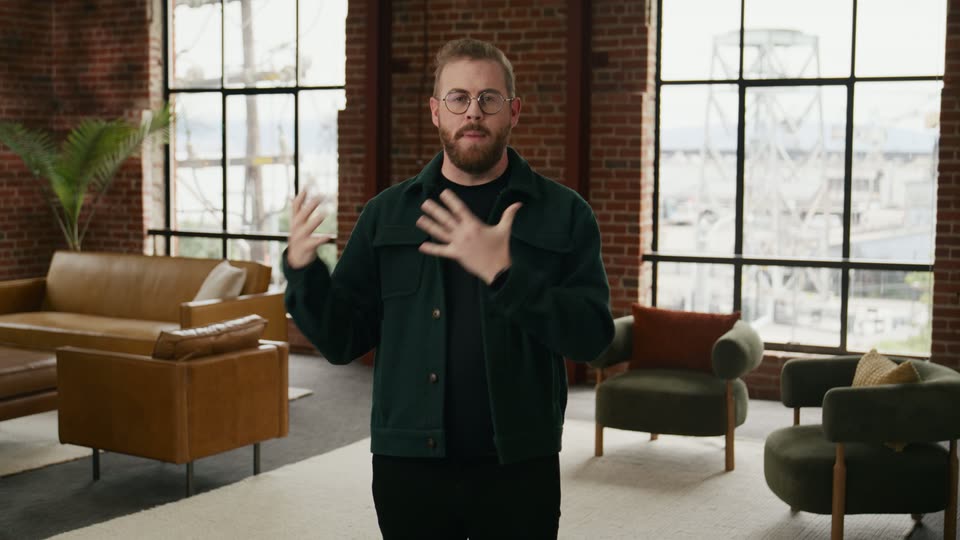
A man in a black turtleneck and light trousers stands on a sidewalk on a hilly residential street, talking to the camera and gesturing with both hands. The camera drifts slowly, reframing him against a parked silver hatchback and houses on the hillside.
Camera: Push in
A man in a dark turtleneck and white pants stands on a San Francisco sidewalk, gesturing with open hands as a silver hatchback sits parked behind him. A vertical wipe slides in a second street view from the left edge.
Techniques: Masking
Camera: Static
A man in a black leather jacket and gray sweatpants stands on a residential sidewalk, palms open, talking to the camera. A wide-angle lens slowly pushes in as pastel houses and parked cars recede behind a street tree.
Camera: Push in
A man in a black leather jacket stands on a quiet residential street, gesturing with both hands toward the camera. He lowers his arms beside a white car and a dark sedan as the image darkens and fades to black.
Camera: Static
A man in a dark green turtleneck and light pants stands centered on a sidewalk in a hilly residential street, speaking and gesturing to camera. The camera slowly pushes in. Near the end he turns and points down the street as the frame dissolves.
Camera: Push in
A man waves on a street, then the scene cuts to a website landing page displaying a URL and headline text.
On-screen text: “https://autositu.com”, “AutoSitu-A Plan Review Before City Submission”, “Join thousands of developers and architects reviewing plans before submission”, “Catch zoning, fire, and site compliance issues in minutes before they cost you”
Techniques: Cursor demo, Kinetic type
Camera: Static
A tilted close-up of a webpage with shallow depth of field, the right edge blurred. A white hand cursor hovers over the blue underlined AutoSitu link, then presses it as the page text stays locked in frame.
On-screen text: “https://autositu.com”
Techniques: Cursor demo
Camera: Static
A small gray spinner spins at center on white, then a blue line draws itself into a large K-shaped logo as the background shifts to a pale gradient with a faint grid.
Techniques: Masking
Camera: Static
A thin blue line draws a building footprint on a pale grid background, then a dark rounded panel fades in at center listing three plan names, with a small white dot marking the active line.
Camera: Static
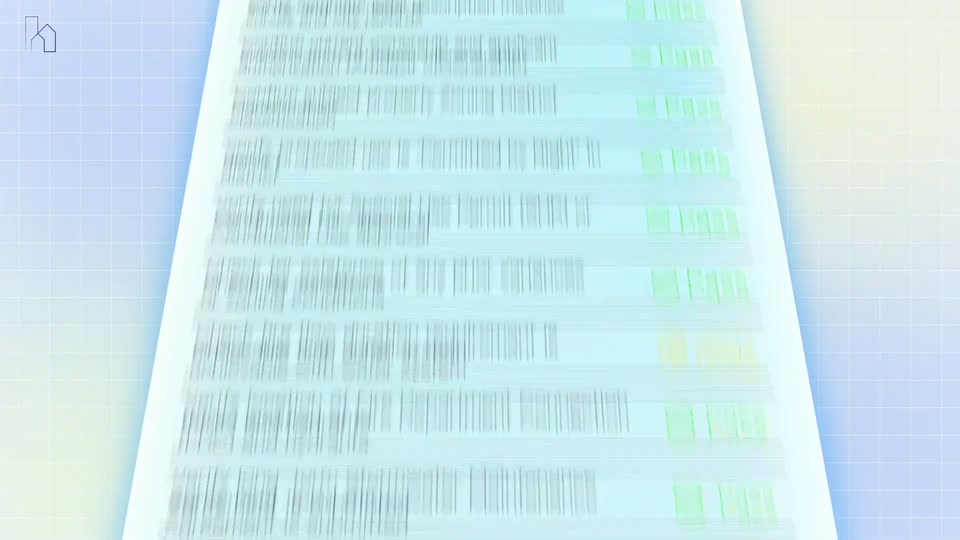
On a black field, a vertical list of plan titles in orange and blue sans-serif scrolls upward past a small white dot marker on the left, then the whole list rotates into a diagonal tilt. A thin house line icon sits in the top-left corner.
On-screen text: “Utility Plan”, “Grading Plan”, “Drainage Plan”, “Circulation Plan”, “Landscape Plan”, “Lighting Plan”, “Fire Access Plan”, “Erosion Control Plan”, “Utility Plan”
Techniques: Kinetic type
Camera: Static
A gradient wipe clears to a white file-upload card with a dashed drop zone and PDF icon on a soft grid background. A thin progress line fills left to right while a cursor hovers at the right edge, then the card tilts into 3D and slides away.
On-screen text: “Lighting Plan”, “Landscape Plan”
Techniques: 3D mockup, Cursor demo
Camera: Pan
A rounded white progress card with four blue checkmark steps floats tilted in 3D over a pastel grid background. The camera pulls back from a tight close-up of the first step to a flat, centered view, revealing the labels Completeness Review, Compliance Review, Jurisdiction Insights and Completed.
Techniques: UI zoom, 3D mockup
Camera: Push in
Compliance and Completeness pills float on a pastel grid; a 3D puzzle piece nudges the Compliance pill, which stretches into a tilted checklist card with green Pass and red Fail rows, then tips into 3D as a blueprint floor plan with a red pin.
Techniques: Morph, 3D mockup
Camera: Pull out
Two architectural floor plans float tilted in 3D perspective over a pale blue grid. Red rounded callout pills with leader lines pop in over the drawings, pointing to specific details, while the camera slowly pushes in on the sheets.
Techniques: 3D mockup
Camera: Push in
A 3D blueprint sheet stands on a blue grid and turns like a page, the white floor plan rotating with motion blur to reveal a new sheet. Red rounded callout labels with white text point to specific notes on the drawing.
On-screen text: “Door swing encroaches into required accessible route clearance”, “Make Up Air Louver too close to Trash Room”, “Use graphic scale bar”
Techniques: 3D mockup
Camera: Push in
A light grid background with soft blue and yellow gradient blobs holds the centered tagline, which scales up from a soft blur into focus. Small blue and teal star shapes drift around it, and blue curved lines and blobs slide in at the frame edges.
On-screen text: “We go beyond correctness”
Techniques: Kinetic type
Camera: Push in
On a pastel grid with drifting blue shapes, two open arcs close into pill outlines as 3D cursors tap them. A Jurisdiction Insight card tilts into view, its text typing in line by line, while a blurred duplicate drifts behind and the camera pushes in.
Techniques: Cursor demo, Morph, 3D mockup, Kinetic type, Parallax
Camera: Push in
Translucent blue text cards hover over a wireframe grid floor in 3D perspective. A spiral of thin ellipses and a cyan four-point star anchor the center as the camera pushes forward, the cards and grid drifting past at different depths.
Techniques: 3D mockup, Parallax
Camera: Push in
A soft blue and cream gradient with a faint grid fills the frame. A cyan four-pointed star glides left across concentric teal rings that pulse outward, while blurred interface shapes drift in the background.
Camera: Static
On a pale grid background with faint teal rings, a row of rounded project cards in 3D perspective fades in, the central K-12 Schools card in sharp focus with a blue glow while the side cards blur.
Techniques: 3D mockup
Camera: Static
A horizontal carousel of rounded white cards, each with a building photo and a category label, scrolls across a pale grid background; the center card stays large and sharp while the neighbors shrink and blur. The row then lifts up and defocuses out of the top of frame.
Camera: Pan
A pastel grid gradient holds a small line logo top-left as the bottom of a white 3D object slides off the top edge. Sparkles twinkle around the center while Catch Issues Early scales in, then crossfades to Fewer Resubmissions as a large blue star pops in below.
On-screen text: “Catch Issues Early”, “Fewer Resubmissions”
Techniques: Kinetic type, Particles
Camera: Push in
A soft blue-and-cream gradient grid holds the gray headline “Fewer Resubmissions” beside a blue four-point star. The line scrolls left out of frame while a new purple-and-gray word slides in from the right, small stars drifting across the background.
On-screen text: “Fewer Resubmissions”
Techniques: Kinetic type, Particles
Camera: Static
A soft blue-to-white gradient with a faint grid holds the dark navy headline “Faster Approvals” centered. The line sharpens from a blur while a bright starburst glints on the right and small teal diamonds drift across the frame.
On-screen text: “Faster Approvals”
Techniques: Particles
Camera: Pull out
A URL types out character by character with a blue cursor on a soft blue gradient that holds small sparkle shapes, then settles to plain white. A small house logo sits in the top left corner throughout.
On-screen text: “https://autositu.com/l”
Camera: Static
A white rounded address bar floats on a light gray field with a soft rainbow glow behind it. The URL types out letter by letter while a glossy 3D blue cursor arrow settles at the right edge by the search icon.
On-screen text: “https://autositu.com/l”
Techniques: Kinetic type, 3D mockup
Camera: Static
A pale blue field holds a rounded search bar with the URL and a magnifier icon. The bar fades and its outline redraws into a large line-drawn K logo, capped by a yellow top line. A small K mark stays in the top-left corner.
On-screen text: “https://autositu.com/l”
Techniques: Morph
Camera: Static
A centered line-drawn logo reading as the letter K, with a house-shaped right stroke, sits on a plain light-lavender field. Its multiple offset strokes converge into a single clean line, while a small copy of the mark stays fixed in the top-left corner.
Camera: Static