2:40

Music Education Software Explainer Video | MusicFirst x MotionCue
MusicFirst · Oct 2026
Oboe · Nov 2026 · 0:49 · AI-annotated
Oboe’s 0:49 launch film runs 28 scenes, about 1.8 s each. The product shows up at 0:02 and 5 features are revealed. The call to action lands at 0:47 (95% in). Warm, editorial, and unhurried: a cream graph-paper stage, a single rust-orange accent word per headline, and a hand-drawn isometric board world that bookends the video. The structure is a strict alternation of locked-off serif headline cards and front-facing phone mockups, where each game change is a vertical scroll or crossfade inside the device, so the whole edit reads as one continuous swipe through the app.
Is this your launch? to your site or press kit.
MusicFirst · Oct 2026
Pitch · Productivity · Mar 2020
Jinko · Nov 2026
An isometric illustration of many game boards, chess, Go and hex grids, drifts slowly beneath a centered cream card. The card holds the two-line headline while the illustrated world scrolls gently behind it.
On-screen text: “Your new favorite”, “way to scroll.”
Camera: Static
An isometric field of game boards scrolls upward, carrying the cream headline card out of the top of frame and bringing a second card into view at the bottom.
On-screen text: “Your new favorite”, “way to scroll.”
Camera: Pan
A front-facing phone mockup on a cream grid background shows an anagram screen; letter tiles slide to rearrange from HNOEY to HONEY. The phone then shrinks and fades as a large serif headline, “Swipe through endless puzzles and games,” fades in over it.
On-screen text: “Swipe through endless puzzles and games.”
Camera: Static
A centered serif headline reads “Swipe through endless puzzles and games.” on a cream graph-paper background, with the word “games” set in orange. The frame stays locked off, no motion.
On-screen text: “Swipe through endless puzzles and games.”
Camera: Static
A front-facing phone on a beige grid background shows the Oboe Mahjong Match game. Two gourd tiles are highlighted, then the board reshuffles into bells and trees with a green-outlined gourd and the caption updates to a cleared count.
On-screen text: “Swipe through”, “endless puzzles”, “and games.”
Camera: Pan
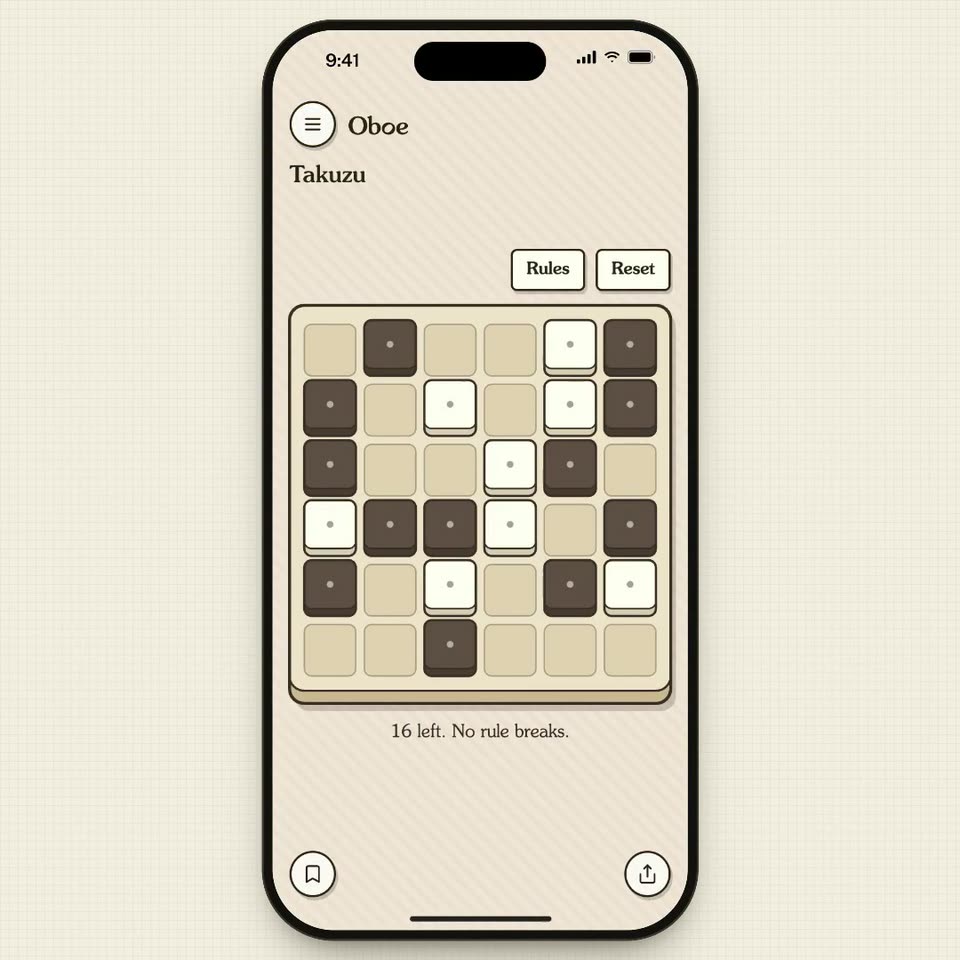
A flat phone on graph paper shows a Takuzu puzzle. A dark panel with bell tiles slides up out of frame to reveal the beige grid, while loose tiles drop and rotate into cells. The serif Oboe and Takuzu header holds still and a status line settles at the bottom.
Camera: Static
A flat phone mockup on cream grid paper displays a Takuzu puzzle; one cell toggles while the counter reads 16. The phone dissolves to a faint ghost as a two-line serif headline, with 'challenge' in orange, fades in over it.
On-screen text: “Every card is a new challenge.”
Camera: Static
A two-line serif headline holds centered on a cream grid background. The words 'Every card is a new' appear in dark brown while 'challenge.' is set in orange. The text stays still for the full duration.
On-screen text: “Every card is a new challenge.”
Camera: Pan
A flat phone mockup sits on a cream grid background. A puzzle grid screen labeled Oboe is covered as a blue panel slides up from the bottom, revealing a dark grid and the title Laser Mirrors.
Camera: Pan
A flat phone mockup on beige grid paper shows the Oboe laser puzzle. A mirror slides into the red beam, redirecting it up to light the target. Red and yellow beams radiate across the screen, then the buttons swap to Next round and Retry.
On-screen text: “Put the mirror in the beam to light the target.”, “Target lit in 2 moves, the fewest.”
Techniques: Light sweep
Camera: Static
A cream grid-paper background holds a centered dark serif tagline. The first line, “Play the ones you like.”, sits static while a second line fades in beneath it, with the word “don’t” set in orange.
On-screen text: “Play the ones you like.”, “Swipe past the ones you don’t.”
Techniques: Kinetic type
Camera: Static
A front-facing iPhone mockup sits on cream grid paper; its screen scrolls vertically from a blue laser-puzzle board with red beams and mirrors to a cream Rectangles grid with circled numbers and Rules, Hint, Reset buttons.
Techniques: UI zoom
Camera: Pan
A flat iPhone mockup sits centered on a cream graph-paper background. The screen shows the Oboe app's Rectangles puzzle: a bordered grid holding circled numbers, three small buttons above it, and a line of instruction text below. The interface content drifts a few pixels upward across the clip.
Camera: Static
A phone mockup on graph paper shows the Oboe app's Colour the Map puzzle. A circular tap marker hops across the map as regions fill with yellow, green and red, the status line updates, and a crossfade from a grid screen opens the shot.
Techniques: Cursor demo
Camera: Static
A cream grid-paper background holds a centered two-line headline, with the word everyone in orange. The type stays locked off and static for the full shot.
On-screen text: “Something for everyone.”
Camera: Static
A flat phone mockup on a cream grid-paper background, locked off. The screen cross-dissolves from a coloured map game with a row of pencils into a Spanish word-pairs matching board, two columns of blue and yellow puzzle tiles. A tagline reads over the layout.
On-screen text: “Something”, “for everyone.”
Camera: Pan
A flat phone mockup sits centered on a cream grid background, showing a Spanish word-pair matching grid of yellow and blue puzzle tiles. The interface holds still, then the tile block shifts up slightly as a small circle and a yellow bar fade in along the bottom edge.
Camera: Static
A smartphone mockup on a grid-paper background cross-dissolves between two app screens. A bilingual word-matching grid of blue and orange tiles fades into a sign-language screen, where a green line-drawn hand forms a letter inside a dark display.
Camera: Pan
A flat phone mockup on a cream grid background displays the Obee sign-language app. A green line-drawn hand sits on a dark typewriter screen, while the three keys C, L, O fade from faint to solid black beneath it.
Camera: Static
A flat orange phone mockup sits on a beige grid background. The app screen inside scrolls vertically, carrying the sign-language hand prompt and its C, L, O letter buttons upward to reveal a second section titled Find the Countries with a map at the bottom.
Camera: Pan
A front-facing phone mockup on a cream grid-paper background displays a map app screen. The screen settles into place, the orange header band and map card sliding up to their final positions above a pastel South America map and a row of country chips.
Camera: Pan
A centered serif headline sits on a cream grid-paper background, the word offline set in rust orange against dark brown text. The frame is locked off and the type holds still for the full shot.
On-screen text: “No ads, and it works offline.”
Camera: Static
A flat phone mockup on a cream grid background. The screen content scrolls vertically, swapping a pastel South America map with country chips for a yellow Untangle puzzle board dotted with colored pegs and Rules and Reset buttons.
On-screen text: “No ads, and it”, “works offline.”
Camera: Pan
A phone mockup on a beige grid shows the Untangle puzzle. A white peg slides from the top right to the middle left, and the magenta crossing lines snap into green, untangled paths. The status text updates to “Untangled in 1 move, the fewest.”
Camera: Static
A centered serif headline reads “Save your favorites to come back to.” on a cream grid background, with the word “favorites” set in orange. The frame holds static for the full duration.
On-screen text: “Save your favorites to come back to.”
Camera: Static
A flat phone mockup on a cream grid background shows the Oboe app. The screen scrolls upward, the blue Untangle board sliding off the top, to settle on a Tower of Hanoi card with a red disc on a wooden base and three pegs.
Camera: Static
A front-facing phone mockup on grid paper shows the Tower of Hanoi puzzle; three wooden disks hop between pegs as the move counter ticks up. A Saved sheet slides up with a grid of game icons, then the frame pulls out into an isometric spread of game boards.
Techniques: 3D mockup
Camera: Pan
An isometric board of mini-games, with chess, hex grids and a Ferris wheel, animates gently in the background. A cream rounded card with a dark outline fades in at center, revealing the headline “Get the app” above the orange URL “oboe.com”.
On-screen text: “Get the app”, “oboe.com”
Camera: Static