1:16

BabyLoveGrowth | Grow Your Traffic with AI | Motion Design Video
BabyLoveGrowth · Oct 2026
Jinko · Nov 2026 · 1:14 · AI-annotated · YC Fall 2026
The video runs as a three-act arc: a typed user request, a sterile robot-grid problem act, then a sunny meadow feature tour built from frosted UI cards and pixel icons. Signature moves: typewriter text, shatter-to-squares transitions, and the contrast between the white robot rooms and the bright landscape.
BabyLoveGrowth · Oct 2026
MusicFirst · Oct 2026
Opti · Oct 2026
On a plain white background, a thin gray diagonal stroke grows into a thick black line. A second black line crosses it to form an X, and the pair rotates slightly so the mark reads as a plus sign.
Camera: Static
Close-up of a white search bar on a pale background. A prompt types out letter by letter with a blinking caret, the line scrolling left as it grows. A skyline, a sun and balloon digits pop in beside the matching words. A black circle wipes the frame.
Techniques: Kinetic type, Masking
Camera: Static
A black frame holds, then a dark blue smoky glow fades in behind centered white text that scales up to read “Simple request, right?”.
On-screen text: “Simple request, right?”
Techniques: Kinetic type
Camera: Static
A white humanoid robot with a glossy black head sits at a white desk in a plain white room, tapping a silver laptop keyboard. The shot opens soft and blue-tinted, sharpens, and the camera orbits from a side angle to a front view.
On-screen text: “Simple request, right?”
Techniques: 3D mockup, Kinetic type
Camera: Push in
A white humanoid robot with a glossy black head sits at a white desk facing a silver laptop in a bright, minimalist white room. The framing tilts up as the laptop drops out of view, centering the robot's torso against the plain wall.
Camera: Static
High-angle view of a grid of white rooms, each holding a black-headed robot at a laptop. The frame opens soft and close, then pulls back to sharpen into the repeating cells, with DESTINATION, DATES, PRICE and LAYOVERS printed on the walls.
On-screen text: “DESTINATION”, “DATES”, “PRICE”, “LAYOVERS”
Techniques: Parallax
Camera: Pull out
Close-up of a white humanoid robot with black hands typing on a silver laptop in a white room, shallow depth of field. Labels DESTINATION, PRICE, DATES, LAYOVERS appear in sequence; DESTINATION scales while the others hold still.
On-screen text: “DESTINATION”, “PRICE”, “DATES”, “LAYOVERS”
Techniques: Kinetic type, 3D mockup
Camera: Static
A white robot with a black mesh crown and glossy visor sits centered at a laptop in a bright white room. The visor reflects a travel booking screen: a Vienna destination card and a calendar grid. The blurred laptop lid fills the foreground.
Camera: Static
A laptop in 3D perspective shows a Vienna travel booking page with a September calendar and a flight list, while two articulated robotic hands rest on the keyboard. The office background stays out of focus.
Techniques: 3D mockup
Camera: Static
A laptop in 3D perspective on a desk displays a Barcelona travel page with a date calendar and flight list, while a black robotic hand rests over the keyboard as if typing. The shot holds still against a blurred office background.
Techniques: 3D mockup
Camera: Static
Close-up of a tablet booking screen: a September 2024 calendar with a price tag on every date, a green-highlighted 12, and a flight list at the right. A black-and-white robotic arm slides in from the lower left and rests on the selected date.
Camera: Static
A flat calendar grid of date tiles fills the frame, each tinted green, gray or red by price, with shallow focus blurring the outer edges. The 12th, $315, sits highlighted in dark green with white numerals while the surrounding tiles hold still.
Camera: Static
Macro close-up of a screen showing a grid of rounded date tiles with numbers and dollar amounts in green, red and gray. The view zooms in and shifts focus from a dark-green tile reading 14 to one reading 27, edges blurred.
Techniques: UI zoom
Camera: Static
A laptop on a desk shows a white screen with a red circular warning icon and red error text, while two white-and-black robotic hands rest on the keyboard in the soft-focus foreground. The locked-off shot holds still with shallow depth of field.
Techniques: 3D mockup
Camera: Static
A white humanoid robot with a glossy black head sits at a white desk in a plain room, both hands raised in a shrug toward an open silver laptop. The camera is locked off as the robot's fingers shift slightly.
On-screen text: “Error”, “Too many requests.”, “You have been banned.”
Techniques: 3D mockup
Camera: Static
The frame fades up from black into a deep blue gradient sky scattered with small white star dots, holding on the static field.
Camera: Static
A humanoid robot with a black head and white body reaches a black hand toward a laptop. A hinged lid opens to show a metal plate with the Jinko logo and a round brushed button. The finger presses it, a blue ring glows, and a bright flare floods the frame.
Techniques: 3D mockup, Light sweep
Camera: Pan
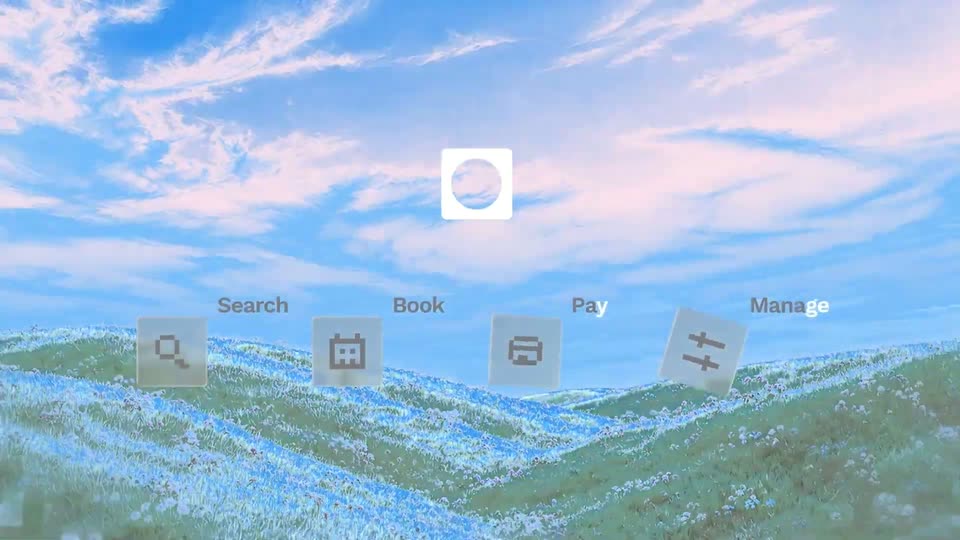
A white rounded-square logo with a circle scales up in a bright blue sky over a flower-dotted grassy hill. A row of four tilted feature icons, each with a label, fades in below it.
On-screen text: “Search”, “Book”, “Pay”, “Manage”
Techniques: 3D mockup
Camera: Pull out
A green meadow under a blue sky fills the frame while four frosted icon tiles, labeled Search, Book, Pay and Manage, float above the hills. A white logo tile hovers over them, joined by dashed lines. The camera tracks right as the labels grow and slide.
On-screen text: “Search”, “Book”, “Pay”, “Manage”
Techniques: Parallax
Camera: Push in
A slow push-in over rolling green meadows under a blue sky. A white pixel-icon list of flight, hotel, car, train and activity scrolls up through a centered focus bracket of four corner squares, each label locking into the middle as it passes.
On-screen text: “flight”, “hotel”, “car”, “train”, “activity”, “Book”, “Pay”, “Manage”
Techniques: Kinetic type
Camera: Pull out
A green flower-dotted meadow under a pale blue sky fills the frame. In the sky, white pixel icons of a face and a bar chart sit beside the words train and activity, framed by four corner brackets. The overlay slides upward as the frame blurs into a fast exit.
On-screen text: “train”, “activity”
Techniques: Kinetic type
Camera: Static
A frosted glass panel slides in over a blurred 3D landscape of green hills and blue sky. The travel request types out word by word as a red Flights tag, paperclip and send button sit inside the card.
Techniques: Kinetic type
Camera: Pull out
A frosted-glass search bar with a travel prompt and a red Flights chip floats over a 3D flower meadow, then the scene shatters into flying square tiles as the captions Searching for tools and Working... slide in on the left.
On-screen text: “Searching for tools”, “Working...”, “Cheapest flights to Europe”
Techniques: 3D mockup, Particles
Camera: Pull out
On a plain white background, three process rows slide in from the left, each pairing a thin line icon and a label with a rounded grey text pill. Small photo thumbnails of an airplane and an airport terminal fade in on the right as the labels settle into place.
On-screen text: “Searching for tools”, “Cheapest flights to Europe”, “Working...”, “Finding Destinations”, “Europe airports”, “Checking”
Techniques: Kinetic type
Camera: Static
On a white background, three interface rows stack vertically, each pairing a line icon, a gray label, a light pill tag and a small photo thumbnail. The top row slides in with a blur, then the list locks off.
Camera: Static
A pixel mosaic dissolves into a chat panel floating over a sunny flower meadow. A list of European cities with prices scrolls up while the assistant's replies type out word by word, the view slowly zooming in on the conversation.
On-screen text: “Searching for tools Cheapest flights to Europe”, “Checking Flight Calendars 10 day trip flexible summer dates”
Techniques: Masking, Kinetic type, UI zoom
Camera: Push in
A translucent Lisbon flight-price card settles over a blurred green-hill backdrop. The line chart draws in with a $537 marker, then a forecast sentence and a Track and book button fade in above an input bar holding a Flights chip.
Camera: Static
A travel agent chat overlay scrolls up over an aerial Lisbon view at sunset. Messages confirm a booked flight, then three hotel cards slide in at the bottom, the middle one highlighted with a Book button.
Camera: Push in
A chat bubble and three hotel cards float over a dusk cityscape photo. The middle card, Lisbon Palace Hotel, shows a green Booked button. The frame pushes in on the cards as the chat bubble and input bar slide out of view.
Techniques: UI zoom
Camera: Push in
A frosted-glass payment card hovers over an aerial pan across a sunlit hilltop city. A white bar wipes left to right as the percentage counts from 6 to 100, flipping the Agentic payment label from white to black. Or virtual credit card rests beneath the card.
Techniques: Masking
Camera: Pull out
A mint-green glass banner with a white checkmark and the words Payment confirmed hovers over a sunlit hillside town at dusk. The banner eases down a few pixels while the cityscape and sky stay locked off.
On-screen text: “Agentic payment”, “Or virtual credit card”, “Payment confirmed”
Camera: Pull out
A coral pixel arrow logo settles in the center of a white frame as the post-booking headline scales in below it. Four pink labels with small icons slide into a row, blurred colored tiles exit to the right, and a large gray shape enters from the left.
On-screen text: “Payment confirmed”, “Cancellation”, “Modification”, “Refund”, “Schedule change”, “And we cover everything post-booking”
Techniques: Kinetic type
Camera: Pull out
On a white background a small headline scales in above a large dark gray 24/7 that scales into focus, while four pink icon labels, Cancellation, Modification, Refund and Schedule change, slide into a row beneath it.
On-screen text: “And we cover everything post-booking”, “24/7”, “Cancellation”, “Modification”, “Refund”, “Schedule change”
Techniques: Kinetic type
Camera: Pull out
A large 24/7 holds a blue sky while four service labels slide in at the bottom; white squares then converge into the Jinko mark. Over green hills, the wordmark, tagline and a CONNECT JINKO TODAY button appear as a cursor approaches.
On-screen text: “24/7”, “Cancellation”, “Modification”, “Refund”, “Schedule change”, “Jinko”, “Travel infrastructure for AI agents”, “CONNECT JINKO TODAY”
Techniques: Kinetic type, Particles, Cursor demo
Camera: Pull out