0:31
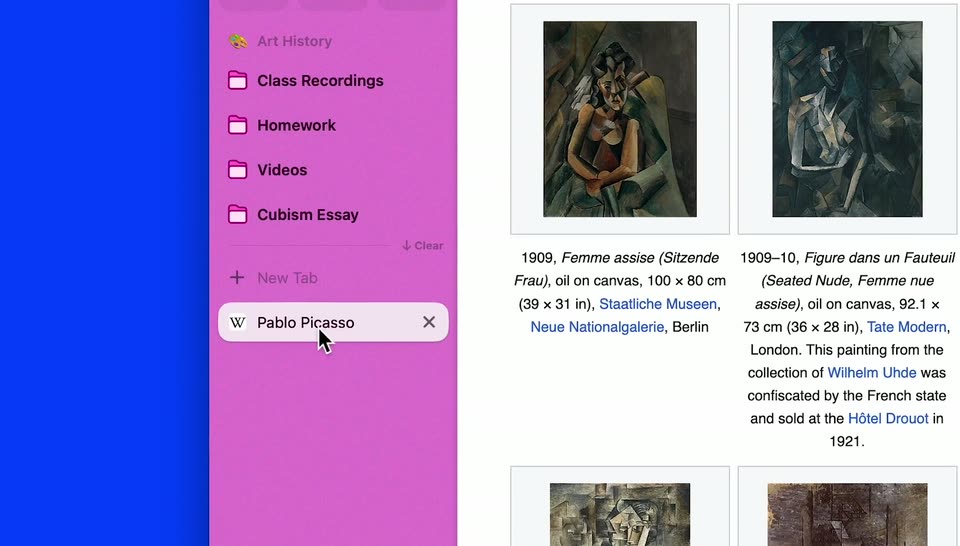

Arc for Students | Everything in its right place
The Browser Company · Productivity · Sep 2023
Opti · Oct 2026 · 1:26 · AI-annotated
studio SaaS Animate
The video is built as a chaptered tour tracked by a bottom tab bar: a logo open, a problem montage, four feature blocks each led by a headline card and a UI demo, and a closing CTA card. Its signature style is clay-style 3D characters and a blue cat mascot intercut with flat white UI cards on warm cream and orange sets, with bold headline type that types, scrolls, or scales in at a brisk tempo.
The Browser Company · Productivity · Sep 2023
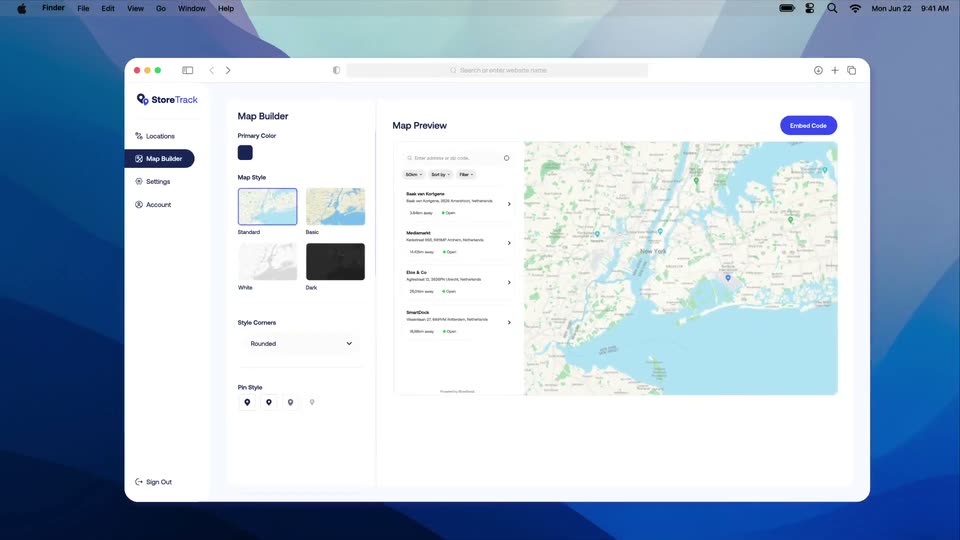
StoreTrack · Jun 2026
Notion · Productivity · Feb 2026
Thin gray line strokes sketch a rounded abstract mark on a beige field, then the outline fills with off-white and an orange base as a vertical bar and dot settle in to complete the logo.
Techniques: Morph
Camera: Static
On a cream field, the rounded wordmark Arc masks a sunlit 3D desk scene: a monitor with a list UI, a keyboard, and a blue cat statue. The scene first shows only through the letterforms, then fills the frame as the letters solidify into a beige mask.
Techniques: Masking, 3D mockup
Camera: Push in
A 3D office desk holds a copper iMac showing a task board, beside a blue cat figure. Brand logos and avatar groups with changing user counts float around the screen on curved lines. The cat's eyes spin into spirals as the camera pushes in and back out.
On-screen text: “What is Opti?”, “Risk Visibility”, “Intelligent Ac”, “Automated User Access”, “Visit Opti”
Techniques: 3D mockup, Parallax
Camera: Push in
A 3D desk with a monitor shows an employee card for Alex Morgan, flagged as having left six months ago, with software access chips. A cursor taps the chips while the avatar stack updates. A second card for new hire Emma Williams pops in over it.
On-screen text: “What is Opti?”, “Risk Visibility”, “Intelligent Access”, “Automated User Access”, “Visit Opti”
Techniques: Cursor demo
Camera: Pull out
Two white employee profile cards float over a 3D desk with a monitor, keyboard and mouse. The front card shows a new hire with software access pills, one pending in yellow. A black cursor hovers beside them while two small avatars and an orange X sit at the right edge.
On-screen text: “What is Opti?”, “Risk Visibility”, “Intelligent Ac”, “Automated User Access”, “Visit Opti”
Techniques: 3D mockup
Camera: Static
A flat white profile card for Alex Morgan slides in over a blurred office set, showing a team-move notice and a row of yellow software-access pills. A cursor glides down across the pills while a bottom navigation bar keeps the first section highlighted.
On-screen text: “What is Opti?”, “Risk Visibility”, “Intelligent A”, “Automated User Acces”, “Visit Opti”
Techniques: Cursor demo
Camera: Static
Over a blurred office backdrop, two white profile cards list software-access chips with pending and old-team tags, while warning triangles pop in around them. A dark headline types out at the top and settles on 'You Know The Problem'.
On-screen text: “Not Seen Yet”, “You Know The Problem”
Techniques: Kinetic type
Camera: Static
A 3D figure in an orange hoodie with blue skin rests a hand on its face as flat app icons float around it. The top line reads “You’ve seen” while the bottom line cycles “The Tools”, “Meant to”, “Fix Them” as the camera pushes in.
On-screen text: “You’ve seen”, “The Tools”, “Meant to”, “Fix Them”
Techniques: Kinetic type
Camera: Static
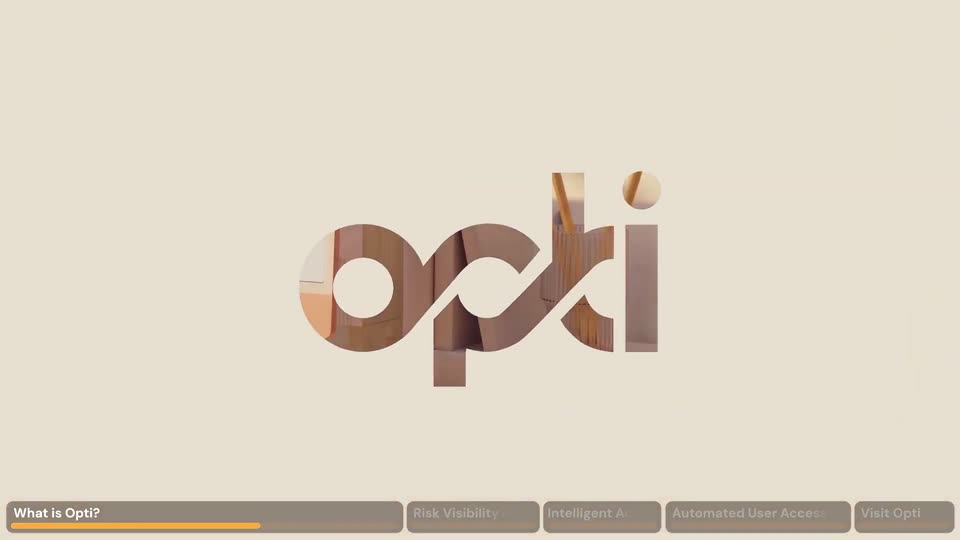
The brown opti wordmark assembles on a cream field, then the camera zooms into the letters, which open as a mask revealing a desk with pencils and a notebook. A dark chapter bar with an orange underline runs along the bottom.
On-screen text: “What is Opti?”, “Risk Visibility”, “Intelligent A”, “Automated User Acces”, “Visit Opti”
Techniques: Masking
Camera: Push in
A laptop mockup on a warm wooden desk shows the Opti connections screen as a large white shape slides away to reveal it. A cursor hovers over the app cards while a bottom navigation bar highlights “What is Opti?”.
On-screen text: “What is Opti?”, “Risk Visibility”, “Intelligent Ac”, “Automated User Access”, “Visit Opti”
Techniques: Masking, 3D mockup, Cursor demo
Camera: Push in
A 3D-tilted screen of the Opti connectors page sits over a blurred warm background. The camera zooms into the card grid as a cursor glides across, highlighting Workday, Active Directory and Microsoft Entra with colored overlays. A brown chapter bar runs along the bottom.
On-screen text: “What is Opti?”, “Risk Visibility”, “Intelligent A”, “Automated User Acces”, “Visit Opti”
Techniques: 3D mockup, Cursor demo, UI zoom
Camera: Pan
A gradient cream-to-orange background. The word Granular in orange sits centered, then expands into the full headline Granular, Continuously Up-to-Date View as a thin white line draws across, forming a line drawing of a person's head. A bottom nav bar with chapter tabs and an orange progress line stays fixed.
On-screen text: “Granular, Continuously Up-to-Date View”, “What is Opti?”, “Risk Visibility”, “Intelligent Ac”, “Automated User Access”, “Visit Opti”
Techniques: Kinetic type
Camera: Static
A rounded UI window on a blurred warm background shows a node graph. John Doe's node links to five Okta group nodes and an application node as lines draw in. The view pans right to reveal entitlement and resource columns, some nodes highlighted orange and yellow.
On-screen text: “What is Opti?”, “Risk Visibility”, “Intelligent A...”, “Automated User Access”, “Visit Opti”
Techniques: UI zoom
Camera: Pull out
A 3D figure in an orange cap and sweater types on a laptop at a white desk before an orange panel. The navy headline 'Most Tools' slides down into place as the orange words 'Surface Risk' blur up from the bottom, and the figure lifts a white ball.
On-screen text: “Most Tools”, “Surface Risk”
Techniques: Kinetic type
Camera: Pull out
A blue 3D figure in an orange hoodie sits at a desk with a laptop, raising a white ball against an orange block on a cream field. The words “Most Tools” and “Surface Risk” sit above and below in dark navy type.
On-screen text: “Most Tools”, “Surface Risk”
Camera: Static
A user-access list with color-coded risk pills scrolls up as the cursor clicks the Open button on the Critical row. A white panel slides in from the right listing three suggested actions; the cursor clicks Revoke, which fills blue with a check mark.
Techniques: Cursor demo
Camera: Pull out
A security dashboard fades in, severity charts left, account list right. A cursor clicks Open, sliding in an Opti card listing three actions, then clicks Approve, turning it into a blue checkmark.
On-screen text: “What is Opti?”, “Risk Visibility & Remediation”, “Intelligent A”, “Automated User Access”, “Visit Opti”
Techniques: Cursor demo
Camera: Pull out
On an orange background, a white profile card for Max Taylor (Junior Developer) with a green New badge sits centered. A second card, Max Taylor as Head of Marketing, slides in from the lower right. The cards separate side by side as gray placeholder pills fill the access rows.
Camera: Static
Two white profile cards sit side by side on orange, each showing a Max Taylor with photo and role. Gray placeholder pills resolve into app chips one by one: the left fills with GitHub, Slack and pending Jira and AWS, the right with nine marketing tools.
Camera: Pan
A headline line scrolls left across a cream grid of faint squares and dots. The words sit in dark navy with a few in orange. A small cluster of dark dots plus a few red and orange dots drift in the background.
On-screen text: “Right Access From Day One, And Every Day After”
Techniques: Kinetic type
Camera: Pan
A spreadsheet of employee records fills the frame, thin black curves linking cells across the grid. The view pulls back from the Position column to the full table as two circular headshots hover over the rows and a cursor drifts between cells.
Techniques: UI zoom, Cursor demo
Camera: Push in
A silver laptop on a sunlit wooden desk opens its lid to reveal a dashboard of donut charts and bar graphs, while a cursor glides across the screen. A bottom navigation bar highlights the active section.
On-screen text: “What is Opti?”, “Risk V”, “Intelligent Access Adminis”, “Automated User Access Reviews”, “Visit Opti”
Techniques: 3D mockup, Cursor demo
Camera: Push in
A silver laptop on a warm-lit desk shows an access-management dashboard in 3D. The view reframes upward to reveal four KPI tiles while a black cursor drifts across the charts. A bottom chapter bar keeps 'Automated User Access Reviews' highlighted in orange.
On-screen text: “What is Opti?”, “Risk V”, “Intelligent Access Adminis”, “Automated User Access Reviews”, “Visit Opti”
Techniques: 3D mockup, Cursor demo, UI zoom
Camera: Static
A laptop on a sunlit wooden desk displays the Opti dashboard; the screen cuts from a metrics view with donut and bar charts to a top-risk-users table as a cursor hovers. A bottom tab bar highlights Automated User Access Reviews.
On-screen text: “What is Opti?”, “Risk V”, “Intelligent Access Administr”, “Automated User Access Reviews”, “Visit Opti”
Techniques: 3D mockup, Cursor demo, Light sweep
Camera: Push in
A laptop mockup on a beige desk shows the Opti access-review dashboard. A white modal with the Opti cat logo scales in at center screen, then a cursor clicks the Generate button, which turns orange with a loading spinner.
On-screen text: “What is Opti?”, “Risk V”, “Intelligent Access Administra”, “Automated User Access Reviews”, “Visit Opti”
Techniques: 3D mockup, Cursor demo
Camera: Static
On an orange panel, a tilted white access-certification card stacks over a second one, marked with a red APPROVED stamp. A 3D wooden rubber stamp floats at the right. Large dark words 'Less Admin' then 'Less Rubber Stamping' slide in from the corners and settle into place.
On-screen text: “Less Admin”, “Less Rubber Stamping”
Techniques: Kinetic type, 3D mockup
Camera: Pull out
A 3D office set with a stylized figure in an orange sweater typing at a desk, a blue cat beside them, and a monitor showing a data dashboard. The camera slowly pushes in as the cat's eyes open and thin curved lines with dots sweep across the screen.
On-screen text: “What is Opti?”, “Risk V”, “Intelligent Access Administr”, “Automated User Access Reviews”, “Visit Opti”
Techniques: 3D mockup
Camera: Push in
A stylized opti wordmark in dark navy with a faint gradient sits centered on a cream field, settling from a metallic sheen into solid color. A rounded outline button reading Visit Opti.ai is locked below it.
On-screen text: “Visit Opti.ai”
Camera: Static