0:53

Uplane - Marketing will never be the same
Uplane · B2B · Oct 2025
Atlassian · Dec 2024 · 1:00 · AI-annotated
studio What a Story · director Ruchi · producer Vikas T
Atlassian’s 1:00 launch film runs 22 scenes, about 2.7 s each. The product shows up at 0:04 and 3 features are revealed. The call to action lands at 0:54 (90% in), over a voiceover. The video is built as a chain of feature beats: a question hook, a product intro, then three feature reveals for Release Pages, subscriptions and Widgets, each opened by a title card and demoed with flat cards and 3D device mockups, closed by a logo and button CTA card. The signature moves are soft floating cards that assemble and collapse, 3D tilts and slow camera pushes over a pale blue gradient, and small rounded live-action clips of people inserted into the motion graphics.
Is this your launch? to your site or press kit.
Films whose music sounds like this one, voice left out
e2e · Upbeat electronic
Fronter · Upbeat electronic
A light blue gradient background with faint concentric curves. At the bottom center a green pill badge reading Patch Update, a white card and an orange circle with a white envelope icon slide into place side by side.
On-screen text: “Patch Update”
Camera: Static
On a light blue gradient, a circular diagram of flat cards and colored icon badges assembles, linked by thin dashed lines. White cards with photo, text lines and a play button pop in around orange, blue, pink and green pills, while the camera eases out to reveal the full loop.
On-screen text: “Bug Fixed”, “Weekly Recap”, “Patch Update”, “Release v0.1”, “Customer”
Camera: Push in
Floating widget cards and pill labels drift across a blue field, then settle into a tidy cluster beside the white headline “Release Pages & Widgets.” A rocket badge anchors the top-left as the camera slowly pushes in.
On-screen text: “Release Pages & Widgets”
Techniques: Kinetic type, Parallax
Camera: Push in
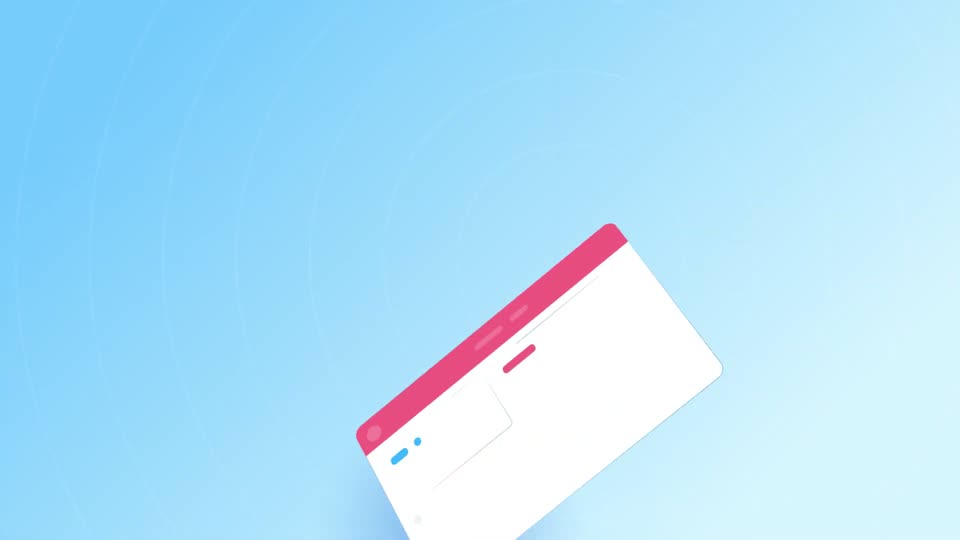
White interface cards with pink and blue headers and skeleton lines float over a light blue background of concentric circles, then tilt and rotate apart in 3D space.
Techniques: 3D mockup
Camera: Static
Four flat browser-window illustrations with pink, orange and blue title bars start fanned on a diagonal, then rotate and slide into a tidy horizontal cascade on a light blue gradient with faint ring lines.
Camera: Pull out
Four white cards with colored headers fan out diagonally on a light blue background, then collapse into a single centered card where a text field begins typing a label.
Techniques: Morph
Camera: Static
A white release-page mockup titled Release v1.2 floats in 3D perspective over a light blue gradient. The camera pushes in and levels the tilt, revealing two cards with blue and pink pill shapes above gray placeholder lines.
Techniques: 3D mockup, UI zoom
Camera: Push in
On a pale blue gradient with faint ring lines, a white pill toggle flips from off to on, reading Share Publicly. A row of three rounded contact avatars pops in above it, then two slide away, leaving a single green avatar at the right.
Camera: Static
A white rounded card holding a blue circular icon drifts up on a light blue gradient as a dashed circle draws around it. Below, a white pill with a teal toggle reads Restricted to acme.com. A yellow card slides in from the bottom right.
On-screen text: “Restricted to acme.com”
Camera: Static
A white app icon with a blue reticle mark hovers above a dotted circle on a light blue gradient. Three flat cards with pink, orange, and blue headers slide in from the edges, then the view zooms in on a small video of a man at a laptop.
Techniques: UI zoom
Camera: Pull out
Light blue gradient. A rounded frame holds a clip of a man on a laptop while white headline text slides in at left. A dark arrow points to the frame, then a white card with a pink button typing Subscribe slides in from the left.
On-screen text: “Keep your”, “Users Informed”
Techniques: Kinetic type
Camera: Push in
On a light blue field, a white page mockup with grey placeholder bars slides left off frame while a red Subscribe pill and a small video thumbnail of a man with headphones drift right. A black cursor hovers at the button's edge as it settles with a soft glow.
Techniques: Cursor demo
Camera: Static
A white card slides in from the left on a blue ringed background, filling with “Check our new features” and gray bars. An orange envelope badge and a small video of a man at a laptop sit right; a toggle with a red knob slides in at the end.
On-screen text: “Check our new features”
Camera: Static
A white pill card with the question sits centered on a light blue gradient with faint concentric rings. A red circular megaphone icon slides in from the left, pauses beside the card, then glides across to its right edge.
On-screen text: “What about in-app updates?”
Camera: Static
A blue “What's New?” pill and two white cards with pink NEW and green FIX badges fade in and stack on a light blue gradient, then the group tilts into a 3D angle over a faint line-art dashboard.
Techniques: 3D mockup
Camera: Pull out
Two tilted white cards with NEW and FIX badges float in 3D over a faint desktop wireframe, then the camera pulls back to reveal a phone mockup on the right showing the same widget. The motion is quick, settling on a web plus mobile layout.
Techniques: 3D mockup
Camera: Static
Two device mockups in 3D perspective, a laptop and a phone, display a What's New notification panel. The panel shrinks to one floating card, then a yellow announcement bar slides in across the laptop screen.
Techniques: 3D mockup
Camera: Push in
A flat line-art illustration of a laptop and a phone sits on a light blue background, both showing abstract white UI blocks. An orange bar on the laptop and a red bar on the phone slide in the text, then hold on a locked-off frame.
On-screen text: “Crucial bug fix”
Camera: Pull out
A light-blue backdrop with faint concentric rings holds a flat web card and a phone mockup, each showing a colored 'Crucial bug fix' banner. The camera pushes in as small rounded video tiles of people holding phones and a face pop in, each ringed by a blue loading arc.
Techniques: Masking
Camera: Static
Three rounded video clips of people using phones float on a light blue background, each tagged with a colored bell badge. White notification cards with headings pop in beside them, then the whole collage drifts gently.
On-screen text: “Crucial Bug fix!”, “What's new?”, “Upgrade Summary”
Techniques: Kinetic type, Parallax
Camera: Push in
On a light blue gradient with faint rings, a video card of a woman holding a phone, a white card reading Upgrade Summary, and a pink bell badge sit together. The group collapses into a single rounded square holding a blue rocket and the words AI POWERED, then shrinks to a dot.
On-screen text: “What's new?”, “Upgrade Summary”, “AI POWERED”
Techniques: Morph
Camera: Static
A white app icon card with a rocket, globe and “AI POWERED” sits top center on a light blue gradient with faint ripple rings. A blue pill with the white headline fades in below it, then a white “Try Now” pill fades in, and the frame holds.
On-screen text: “Automated Release Notes & Reports for Jira”, “Try Now”
Camera: Static