1:15


Stunning Video Commercials for @LOPUS AI
Lopus · B2B · Apr 2025
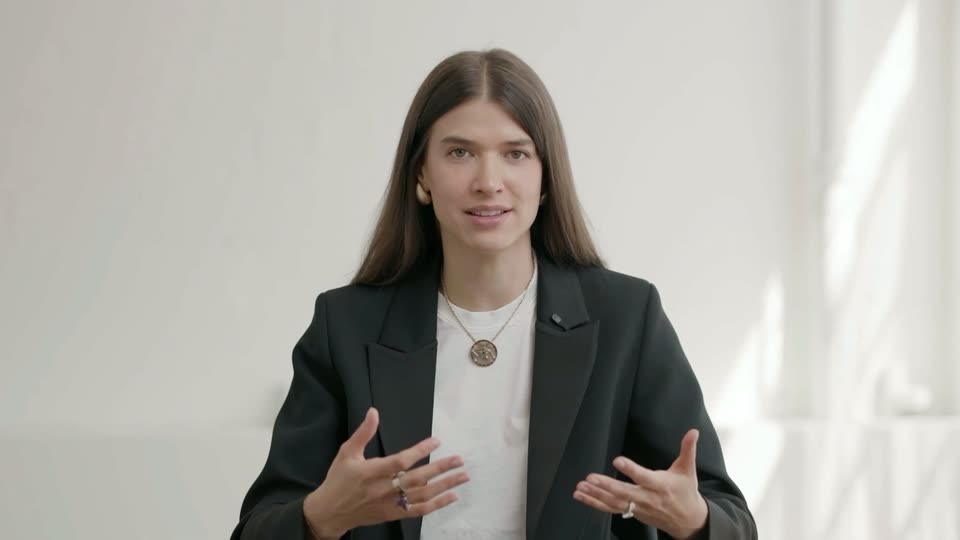
e2e’s 1:30 launch film runs 40 scenes, about 2.3 s each. The product shows up at 0:10, with social proof. The call to action lands at 1:24 (94% in), over a voiceover. Alternates a founder speaking to camera in a brick loft with 3D UI cards that slide, tilt and blur over a dark dotted grid, cutting at about 13 cuts per minute to a 120 bpm bed. Signature moves: a white outline cursor gliding to buttons, heavy motion-blur slide transitions between panels, and the pixel tester face recurring as mascot, skull badges and logo.
Is this your launch? to your site or press kit.
Lopus · B2B · Apr 2025
Street Talk · Sep 2026
Preambient · Nov 2026
Films whose music sounds like this one, voice left out
Hubble · Upbeat electronic
Superblocks · Electronic
Taste Labs · Upbeat electronic
A sentence is typed into a dark gray prompt field on a near-black background, the caret blinking as the words appear. A white outline cursor glides in and hovers over the orange up-arrow button.
Techniques: Kinetic type, Cursor demo
Camera: Static
A dark test-description panel with white body copy and a cursor on the orange send button sits centered on black, then slides right to reveal a man in a dark shirt standing before a brick wall and window.
Techniques: Cursor demo
Camera: Static
A young man in a black shirt stands in a brick-walled loft, speaking to camera while app screens and cards float in 3D around him, drifting slowly at different depths. The floating mockups fade out, leaving him alone in the room.
Techniques: 3D mockup, Parallax
Camera: Pull out
A young man in a black polo shirt speaks directly to the camera, framed chest-up against a red brick wall with a bright window behind him. A blurred plant sits at the left edge. He nods slightly and gestures with his mouth as he talks, the shot holding steady.
Camera: Static
A young man in a black shirt stands in a dim loft with exposed brick walls and tall windows, speaking directly to the camera. He gestures with both hands as he talks, while a blue couch and a leafy plant sit softly out of focus behind him.
Camera: Static
A young man in a black shirt sits in a softly lit room, speaking to camera over a faint grid of pixelated face icons. The words “Tester” and “Army” appear on either side of him, then merge into “TesterArmy” at the bottom center.
On-screen text: “Tester”, “Army”, “TesterArmy”
Techniques: Kinetic type
Camera: Static
A young man in a black polo sits in a brick-walled loft with tall windows, speaking to camera and gesturing with both hands. A white caption reads across the lower third while he talks.
On-screen text: “So We Built One”
Camera: Static
A young man in a black polo shirt speaks to camera with a still headline, “So We Built One,” in a brick office. A globe tile labeled “Web App” fades in left, a phone tile “Mobile App” scales in right, then both fade out as the camera pulls back.
On-screen text: “So We Built One”, “Web App”, “Mobile App”
Techniques: Kinetic type
Camera: Pull out
A young man in a black polo shirt faces the camera and speaks, centered in a medium close-up. The background is a brick wall with a bright window and a leafy plant on the left. He holds a steady, direct address with small head movements.
Camera: Push in
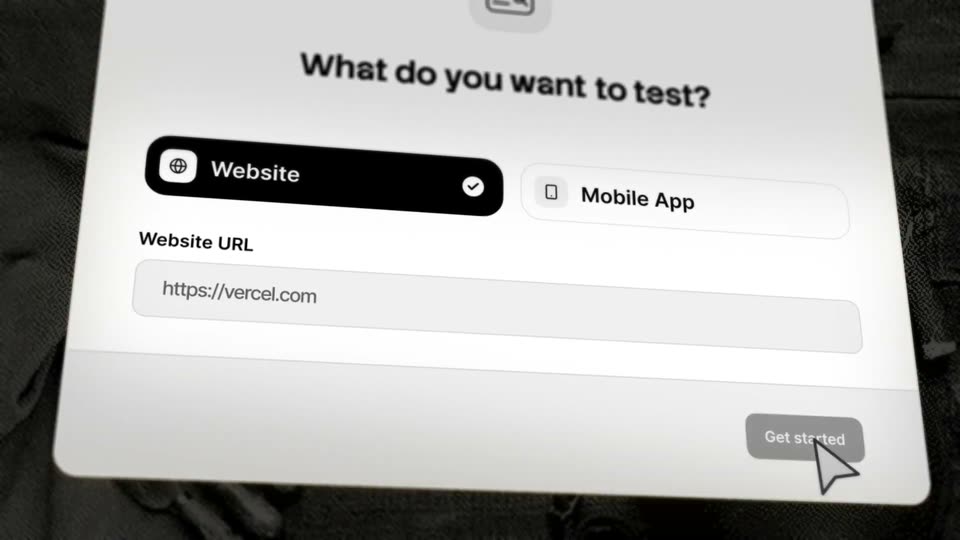
A white onboarding card floats over dark cloth in 3D perspective. The camera pushes in as a URL is typed and a cursor hovers over Get started. A second panel appears, a user flow is typed, the cursor moves to Run, and the frame fades to black.
Techniques: 3D mockup, UI zoom, Cursor demo
Camera: Push in
A dark Vercel web page is shown tilted in 3D perspective, the camera easing toward a straighter front view. A white headline sits above two pill buttons, and a wireframe pyramid logo glows over a multicolor gradient at the bottom.
Techniques: 3D mockup
Camera: Static
A zoomed-in Vercel homepage pulls back to show it on a laptop beside two phone mockups with app screens, arranged in 3D over a dark grayscale smoke texture. The laptop screen glows with a multicolor gradient behind a white pyramid.
Techniques: UI zoom, 3D mockup
Camera: Pull out
A dark landing-page interface is framed in close-up over a receding dotted grid backdrop. A white cursor glides in from the right and settles on the Ask AI button at the top of the panel.
Techniques: Cursor demo
Camera: Pan
A phone screen sits on a dark patterned background, showing an onboarding form. A cursor types into the search field, and the category list collapses to one selected item with a green check.
On-screen text: “Build and deploy on the AI Cloud.”
Techniques: Cursor demo
Camera: Static
A white profile dropdown settles into place over a dark dotted chart texture, showing a username, a dollar balance and a list of options, as a black cursor glides up the list to hover over Invite Friends.
Techniques: Cursor demo
Camera: Static
A dark dotted grid background holds a row of white interface cards. The camera pans right, starting on a profile menu showing a name, price and options, then sliding past a card with a green button. A white cursor hovers over the menu.
Techniques: Cursor demo
Camera: Push in
A white login dialog mockup sits centered on a dark dotted background, its text doubling as two states overlap. The window then slides left with heavy motion blur while a second panel enters from the right edge.
Camera: Pull out
A white verification window with a hand logo, a code field and a dark pill button settles into the center of a dark dotted backdrop. A cursor arrow hovers at the edge of the Verify code button.
Techniques: Cursor demo
Camera: Pan
A white upload dialog card slides in from the right and sharpens into focus against a dark patterned background. It shows a green dashed drop zone, two file rows with icons and a black Upload button. A blurred second card sits at the left edge.
Camera: Pan
A blurred white phone list slides out left on a dark dotted grid as focus pulls to a centered reCAPTCHA card. The cursor moves in and clicks the checkbox, the checkmark fills and the card sharpens.
Techniques: Cursor demo, Parallax
Camera: Static
A checked reCAPTCHA widget with a cursor on its box slides left with motion blur over a dark dotted backdrop, as a white email inbox panel with a window header slides in from the right edge.
Techniques: Cursor demo
Camera: Static
A white email client window, initially blurred and off-frame, sharpens and scales up to fill the screen over a dark patterned backdrop. It lands on a two-pane inbox with a Vercel Team invite selected and a cursor resting on the list.
Techniques: UI zoom
Camera: Push in
White UI cards float at different depths over a dark halftone texture, drifting into place as the camera pushes in. The Morning Standup card moves to the front, framed by a dashed selection box with a small div tag, while the background dissolves into a pixel mosaic.
Techniques: 3D mockup, Parallax, UI zoom
Camera: Push in
A white calendar card titled Morning Standup sits centered on a dark dotted grid, framed by a dashed selection box with a day tag. A second white card slides up from the bottom edge into frame.
Camera: Static
Two white interface cards float over a dark dotted grid. The lower card, a checklist titled Behavioral Smoke Test, scrolls its rows upward while a code panel slides in from the left to cover the upper card.
Techniques: Parallax
Camera: Pan
A white test-runner panel titled Behavioral Smoke Test sits over a dark dotted grid, listing numbered steps with green check marks and timestamp buttons. A code card with JSON peeks out from behind the left edge, where a soft glow pulses.
Camera: Static
Three white interface cards float in 3D over a dark dotted grid. A code snippet card drifts at top left while a test-list card slides down and blurs, and a standup card rises to center and sharpens.
Techniques: 3D mockup, Parallax
Camera: Pan
A white Morning Standup card sits on a dark grid field as a green scan bar sweeps across it. An orange dashed frame and Problem Detected note flag the faint Join Zoom call link. It becomes a blue button, then a green All Issues Resolved badge appears.
On-screen text: “Problem Detected”, “The CTA button is too inconspicuous and appears inaccessible.”, “All Issues Resolved”
Techniques: Light sweep, UI zoom
Camera: Pull out
A GitHub pull request page tilts in 3D, then the camera pushes in and flattens onto a test report comment. Three status circles on the right fill with green checkmarks as the view settles.
Techniques: 3D mockup, UI zoom
Camera: Push in
Over a grainy black-and-white sky, a test-list card and a monitoring card slide into frame beside an orange countdown ring ticking from 00:10:54. The scene cuts to a white terminal window centered on a dark dot-grid background.
Camera: Pull out
A white terminal card in the center types a curl webhook command, then shrinks and slides to the top left as a dark run status card and a Test run started notification pill appear on the right.
Camera: Static
Three notification and terminal cards float over a dark code-pattern background, drifting at slightly different speeds. A spinner turns in the center card and the timestamp ticks from 05:19 to 05:20.
Techniques: Parallax
Camera: Static
A dark, grainy backdrop holds a centered 3D phone mockup showing the TesterArmy app with a dithered face and the line 'Start monitoring critical user flows in minutes.' Circular white logos of Vercel, Discord, GitLab, Slack, Expo, Linear and GitHub float around it while the headline 'Setup takes minutes' fades in at the top.
On-screen text: “Setup takes minutes”, “Vercel”, “Discord”, “GitLab”, “Slack”, “Expo”, “Linear”, “GitHub”
Techniques: 3D mockup, Kinetic type
Camera: Static
A GitHub pull request page sits on a dark grid background, slightly blurred at first, then sharpens as a Stack notification card slides in at the top right. The main UI blurs out to keep focus on the card.
Techniques: UI zoom
Camera: Static
A young man in a black polo shirt sits in a brick-walled loft with tall windows, speaking to camera. A white headline appears behind him in two lines, then a glowing tagline slides in at the bottom center.
On-screen text: “Some of the World's Largest Companies”, “Solve It Properly”
Techniques: Kinetic type
Camera: Static
A young man in a black polo shirt speaks to the camera in a brick-walled loft with tall windows. The caption “Backed by Y Combinator” with an orange Y logo appears at the bottom, then the tagline “Solve It Properly” slides in.
On-screen text: “Backed by Y Combinator”, “Solve It Properly”
Camera: Static
A young man in a black polo stands in a brick loft, speaking to camera. Pixelated white skulls assemble from scattered dots around him, then green Passed badges with checkmarks pop in beside each skull.
On-screen text: “Backed by”, “Combinator”, “Passed”
Techniques: Particles, Morph
Camera: Static
A young man in a black polo shirt stands centered in a brick-walled room, speaking directly to camera. Bright daylight fills the windows behind him, a plant sits blurred at left. He holds a steady medium close-up as he talks.
Camera: Static
A young man in a black shirt stands centered in a dim brick-walled room, speaking to camera. White text reads Try It above a larger tester.army that scales in, while black panels slide across the frame as a mask.
On-screen text: “Try It”, “tester.army”
Techniques: Kinetic type, Masking
Camera: Static
A pixel-art face with an orange helmet sits left of the white wordmark on a near-black background with a faint dotted grid. The lockup holds still in a locked-off frame for the full duration.
On-screen text: “TesterArmy”
Camera: Static