1:17

Reconero: Supercharge your police force with AI
Reconero · Government · Oct 2026
Armature · May 2026 · 1:09 · Full motion · AI-annotated
Armature’s 1:09 launch film runs 32 scenes, about 2.2 s each. The product shows up at 0:27 and 5 features are revealed. The call to action lands at 1:01 (89% in), over a voiceover. The video alternates black diagnostic grids with cream product panels, using hard cuts, word-by-word type builds, and orange underlines to mark key phrases. Signature moves are glitchy scanline reveals, sliding cards with hard shadows, and a pixel alien mascot that returns to personify the agent.
Is this your launch? to your site or press kit.
Reconero · Government · Oct 2026
Char · B2B · Aug 2025
Films whose music sounds like this one, voice left out
ElevenLabs · Modern electronic
August · Modern electronic
Visually · Modern, upbeat electronic
A dark interface window sits at the center of a grid, linked by dashed lines to small icon tiles. Green progress bars fill its panels as a cursor moves to a green Push MCP button, then the view zooms in and a white circle marks the click.
On-screen text: “Mm.”, “After weeks rebuilding and testing this for AI agents,”, “this better actually work for my users.”
Techniques: UI zoom, Cursor demo
Camera: Push in
The word OHHHH in large white type holds center on a black field, ringed by faint dark app icons and a small red square after the last letter. The type stays static throughout.
On-screen text: “OHHHH.”
Camera: Pan
On a dark grid, red-outlined failure labels slide in on the left, each linked by dashed lines to a column of AI icons on the right. The diagram then tilts and fades; a gray *Frustated* caption holds at the bottom.
On-screen text: “*Frustated*”, “× Low-value answer”, “× Wrong action”, “× Task-path failure”, “× Failed”, “× Didn't even try”
Techniques: Kinetic type
Camera: Pull out
Black grid backdrop; a faint row of dark red capsule shapes and small white dots drifts behind 'Let's be honest', which holds with a red underline before fading to the rule. Then 'You thought once agents started failing' builds word by word, red underline under 'failing', cursors flicking at the edges.
On-screen text: “Let's be honest”, “You thought once agents started failing”, “Task-path failure”
Techniques: Kinetic type
Camera: Static
On a black grid, a red Why? button sits beside a dark robot tile. A white cursor clicks it, a ring ripples, and a dark panel slides in showing red monospace text: Used: search_leads, Instead of: get_lead_ by_email. A bottom caption reads it'd be easy to see why.
On-screen text: “You thought once agents started failing”, “it'd be easy to see why.”
Techniques: Cursor demo, Masking
Camera: Static
A dark log panel fills the frame with monospace lines sliding in: a red Why? header, white and red code lines for the used and replaced function, then a solid red block holding the white Nature label. A small caption sits at the bottom edge.
On-screen text: “it'd be easy to see why.”
Techniques: Kinetic type
Camera: Static
On a black background, a dark code block with red monospace lines and an orange bar labeled Nature : tool ambiguity slide upward. Below, the large white word INSTEAD. sits still with a red period, its letters clearing from horizontal scanline glitch bands.
On-screen text: “Used: search_leads”, “Instead of: get_lead_”, “by_email”, “Nature : tool ambiguity”, “INSTEAD.”
Camera: Pan
A large white word INSTEAD. with a red dot sits over a black grid, then exits as a smaller white headline types out word by word. Below, a dark card holds a red Why? label and two lines of placeholder text being typed.
On-screen text: “INSTEAD.”, “Why?”, “Hmmm blabloub”, “Impossible to see what the agent was trying to do”, “Vadadadid gloublibloubla”
Techniques: Kinetic type
Camera: Pan
A white headline slides in from the left over a black grid background, a red underline draws beneath the final words, and a dark chat card with red monospace text fades in below.
On-screen text: “Impossible to see what the agent was trying to do”
Techniques: Kinetic type
Camera: Push in
Two dark panels compare 'What the LLM faces', red distress boxes, with 'What you receive', a green pixel invader and 'All good'. The panels drift up and fade as 'Just blindness' slides in with a red underline, then 'while confused agents quietly kill' settles in.
On-screen text: “even notice when it failed at all”, “Just blindness”, “while confused agents quietly kill”
Techniques: Split screen, Kinetic type
Camera: Pull out
Over a dark grid, the headline builds word by word, a red underline sliding under “customer trust”. Avatar cards with star ratings drift past as the stars turn red and a line chart below shifts from green to red. The text blurs out at the end.
On-screen text: “while confused agents quietly kill”, “customer trust”
Techniques: Kinetic type
Camera: Push in
A motion-blurred fragment snaps into the ARMATURE logo, which locks off center frame. The headline scales in above as a diagram assembles below: a robot card, a node grid, and a checkmark card joined by thin lines.
On-screen text: “A”, “A ARMATURE”, “makes sure agents actually know”, “makes”
Techniques: Speed ramp, Kinetic type
Camera: Push in
A two-line dark sans headline scales in at the top of a cream background, an orange underline drawing beneath the second line. Below, a card diagram: an orange pixel-creature card, three stacked orange-square cards, and a checkmark card that fills green as thin connector lines extend.
On-screen text: “makes sure agents actually know”, “how to use your product”
Techniques: Kinetic type
Camera: Pull out
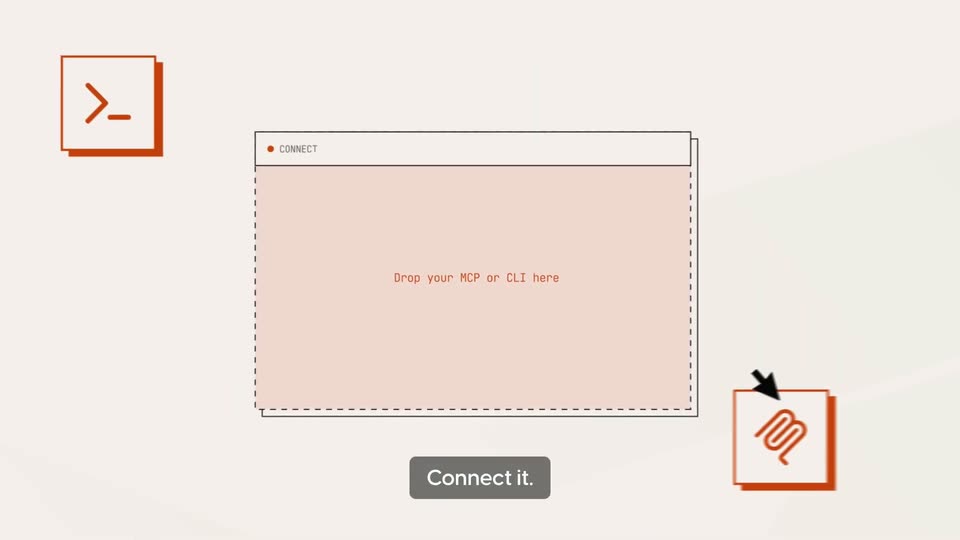
A dashed drop zone reading 'Drop your MCP or CLI here' sits above a dark Connect it. button. A black cursor drags an orange squiggle icon into the zone, which fills with a peach highlight, then the icon vanishes and the zone resets.
Techniques: Cursor demo
Camera: Pull out
A flat browser mockup with a CONNECT tab shows a fading line burst around the words MCP connected. An orange terminal icon slides off to the left, the heading That's it slides in from the left above the window, and a gray pill caption That's it. sits below.
On-screen text: “That's it”, “That's it.”
Techniques: Kinetic type
Camera: Pan
A dashboard in 3D tilt straightens to a flat front view while the headline appears word by word. The dashboard fades out and three stacked notification cards for Slack, Email and PagerDuty slide in with offset black shadows.
On-screen text: “Our AI monitors your MCP in production”, “alerts your team the moment agents fail”
Techniques: 3D mockup, Kinetic type
Camera: Pan
A dark gray headline with an orange underline sits above three flat notification cards for Slack, Email and PagerDuty, each with red status text. The headline slides up and out as the cards shift upward and a live agent run bar enters at the bottom.
On-screen text: “alerts your team the moment agents fail”
Camera: Pan
A beige interface panel slides up into frame, header showing an orange dot, LIVE AGENT RUN, and Onboard Tom Bryant as a new customer. Centered below, an orange pixel space-invader icon sits over the Claude Code label, while a small create_user chip fades in at the right.
Camera: Push in
A flat LIVE AGENT RUN panel lists numbered onboarding steps. The view scrolls down as each step stamps an orange check, ending on an orange success banner. The camera zooms onto the banner, then reframes to the full panel as the caption real user workflows appears under the headline.
On-screen text: “Then it discovers”, “real user workflows”
Techniques: UI zoom
Camera: Push in
A tilted 3D table of green check and red cross cells swings to a flat frontal view while a bold headline types in above it and an orange underline draws under the final words.
On-screen text: “tests them across all models and harnesses”
Techniques: 3D mockup, Kinetic type
Camera: Pan
A cream backdrop holds a bold black headline, the last two words underlined in orange. Beneath it, a results grid with small model icons across the top and rows of green check cells and red cross cells scales down to settle, casting a hard drop shadow.
On-screen text: “tests them across all models and harnesses”
Camera: Static
A beige benchmark table eases in with motion blur, then pans left to reveal the AVG TOKENS column. Below, the caption types out word by word and an orange underline draws under the final phrase.
On-screen text: “benchmarks performance against competitors”
Techniques: Kinetic type
Camera: Pan
A benchmark table and the caption 'benchmarks performance against competitors' sit on a cream background, then the block slides up as 'Then turns this' appears top left and two action cards with orange icons rise into view, their text revealing letter by letter.
On-screen text: “benchmarks performance against competitors”, “Then turns this”
Techniques: Kinetic type
Camera: Static
A dark sans headline with an orange underline fades in on a cream background. Three white cards with black borders and drop shadows, each with an orange lightbulb icon, slide into a vertical stack. A gray pill caption 'This is the shift.' appears at the bottom.
On-screen text: “Then turns this into actionable recommendations”, “This is the shift.”
Techniques: Kinetic type
Camera: Pull out
On a black field with a faint grid, the word SHIFT in large white type slides into center, finishing with a small orange square dot after the T. A white caption This is the shift. sits below.
On-screen text: “SHIFT”, “This is the shift.”
Techniques: Kinetic type
Camera: Static
On a black grid, the oversized white word SHIFT with an orange dot slides hard left with motion blur. A small photo of a man slides in from the right edge as a gray word Your fades in at the top.
On-screen text: “SHIFT”, “This is the shift.”, “Your next user is your customer's agent,”, “Your”
Techniques: Kinetic type
Camera: Pan
On a black grid, 'Your next user' scales up at top with an orange underline. An orange pixel alien tile slides to center as a headshot of a smiling man slides in from the right. A large white word with an orange dot exits left; the subtitle fades.
On-screen text: “Your next user”, “Your next user is your customer's agent,”
Techniques: Kinetic type
Camera: Pan
A white headline reads they're already here, words entering in sequence with orange underlines sliding in, set over a slowly rotating dotted sphere traced with orange dashed orbital lines on a black grid background.
On-screen text: “they're already here”
Techniques: Kinetic type
Camera: Pan
On a plain cream field, a bold black sans line assembles word by word, first “See what agents see,” then “before they decide your product isn't worth using,” while a thin orange underline tracks the newest words and stops under the last three.
On-screen text: “See what agents see”, “before they decide your product isn't worth using”
Techniques: Kinetic type
Camera: Static
A single line of bold dark text on a cream background, with an orange underline beneath the final words, slides right and blurs out of frame.
On-screen text: “before they decide your product isn't worth using”
Techniques: Kinetic type
Camera: Static
The ARMATURE logo mark shrinks and the wordmark letters slide in, then an orange Start testing button slides in from the left. A black cursor with an orange click ring moves across the button, and a gray pill caption Set up in two minutes. scales in below.
On-screen text: “Set up in two minutes.”
Techniques: Cursor demo
Camera: Static
The black lowercase wordmark armature.tech holds center on a cream field as a gray button and a cursor arrow scale out. A pale diagonal band of light then drifts across the upper right corner.
On-screen text: “armature.tech”, “Set up in two minutes.”
Techniques: Light sweep
Camera: Static