1:17
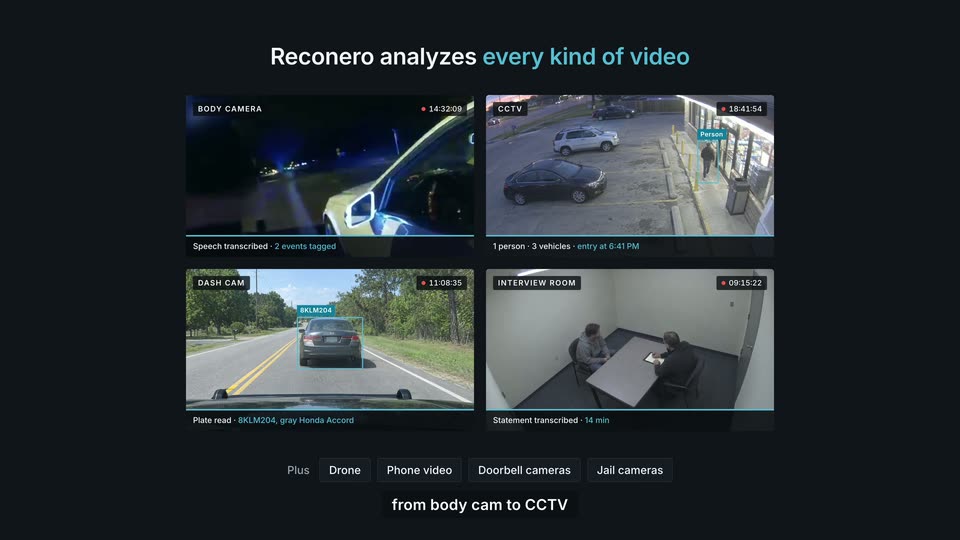

Reconero: Supercharge your police force with AI
Reconero · Government · Oct 2026
Armature · May 2026 · 1:09 · AI-annotated
Armature’s 1:09 launch film runs 38 scenes, about 1.8 s each. The product shows up at 0:27 and 6 features are revealed. The call to action lands at 1:01 (89% in), over a voiceover. The film hard-cuts from a black-grid failure story told in a first-person developer monologue to a cream-field feature tour, where each feature is announced with a bold headline plus orange underline and demoed in flat, hard-shadow UI cards. Signature moves are the dashed grid with traveling light pulses, giant single words capped by an orange square period, and the pixel invader that flips from gray error icon to orange agent.
Is this your launch? to your site or press kit.
Reconero · Government · Oct 2026
RamAIn · B2B · Feb 2026
On a black grid, two dim interface panels sit center frame as dashed lines branch out to small hexagon and gear icons. Green light pulses travel along the lines' outer ends while a white cursor hovers over the top panel.
On-screen text: “Mm.”
Camera: Static
A dark grid diagram shows a central browser mockup with an MCP icon, linked by dashed lines to six small icon nodes. Green pulses travel along the lines as a cursor moves, then the camera zooms in on a green Push MCP button that the cursor clicks.
On-screen text: “Mm.”, “After weeks rebuilding and testing this for AI agents,”, “this better actually work for my users.”
Techniques: Cursor demo, UI zoom
Camera: Push in
A black grid background holds faint scattered glyphs while huge white letters spell OHHH, the final H completing and a red period popping in at the right edge.
On-screen text: “OHHHH.”
Techniques: Kinetic type
Camera: Pan
Five red-outlined monospace failure labels type in down the left column, each joined by a dashed line to an icon tile on the right that brightens in turn. The whole stack then tilts clockwise. A static *Frustated* caption sits at the bottom.
On-screen text: “*Frustated*”, “Low-value answer”, “Wrong action”, “Task-path failure”, “Failed”, “Didn't even try”
Techniques: Kinetic type
Camera: Pull out
On a black grid background, the white headline rotates and scales into the center, settling flat while a thin red underline draws beneath the word honest. The frame stays locked off as the line locks in.
On-screen text: “Let's be honest”
Techniques: Kinetic type
Camera: Static
On a black grid background, the phrase Let's be honest sits center-right with a red underline under honest. It is replaced by You thought once agents started failing, which scales in and then slides left while a small white arrow shape appears at the right edge.
On-screen text: “Let's be honest”, “You thought once agents started failing”
Techniques: Kinetic type
Camera: Static
A pixel icon tile and a red Why? button sit on a black grid as a white cursor hovers the button. The view zooms into a dark panel reading Used: search_leads and Instead of: get_lead_by_email in red monospace, while a circular cursor glides over the text.
On-screen text: “You thought once agents started failing”, “it'd be easy to see why.”
Techniques: UI zoom, Cursor demo
Camera: Static
A dark card holds monospace lines, Used: search_leads and Instead of: get_lead_by_email in white and red, with a red bar reading Nature : tool ambiguity. A huge dark word Instead sits behind the card, and a small white caption it'd be easy to see why. anchors the bottom.
On-screen text: “Instead”, “Why?”, “Used: search_leads”, “Instead of: get_lead_by_email”, “by_email”, “Nature : tool ambiguity”, “it'd be easy to see why.”
Techniques: Kinetic type
Camera: Static
A monospace code log scrolls upward over a dark grid: gray and red lines read 'Used: search_leads' and 'Instead of: get_lead_by_email', and a red bar labels 'Nature : tool ambiguity'. The large white word INSTEAD. holds the lower half of the frame.
On-screen text: “Used: search_leads”, “Instead of: get_lead_by_email”, “Nature : tool ambiguity”, “INSTEAD.”
Techniques: Kinetic type
Camera: Push in
A huge blurred white word INSTEAD. fills the top and scales out as a white headline builds word by word below it. A dark card slides up holding a red Why? label and two lines of placeholder text, the second fading in.
On-screen text: “INSTEAD.”, “Impossible to see what the agent was trying to do”, “Why?”, “Hmmm blabloub”, “Vadadadid gloublibloubla”
Techniques: Kinetic type
Camera: Pan
A white headline scales up over a black grid background, above a dark message card. The card's red header slides in beside a small red square, over three lines of red monospace text.
On-screen text: “Impossible to see what the agent was trying to do”
Techniques: Kinetic type
Camera: Static
A bold white headline reads “Impossible to see what the agent was trying to do”, underlined in red, on a dark grid background. A dark terminal card with a red icon and red monospace text sits below. The shot zooms in, scaling the headline and sliding the card off the left edge.
On-screen text: “Impossible to see what the agent was trying to do”
Techniques: Kinetic type
Camera: Push in
On a black grid, the white line 'even notice when it failed at all' fades in with a red underline. Two panels compare stacked red error boxes against a green check and 'All good' box. The panels dim as 'Just blindness' scales up center with its own red underline.
On-screen text: “even notice when it failed at all”, “Just blindness”
Techniques: Kinetic type, Split screen
Camera: Pull out
A dim grid and blurred red and green UI cards sit in the background. The caption “Just blindness” holds centered, “blindness” bold with a red underline, then scales and fades to gray and black as the scene ends.
On-screen text: “Just blindness”, “while confused agents quietly kill”
Techniques: Kinetic type
Camera: Static
On a dark grid, scattered agent headshots with star ratings drift and turn red as a line graph draws across the bottom from green to red. The headline builds word by word, then 'customer trust' slides in underlined in red while the avatars fade away.
On-screen text: “while confused agents quietly kill”, “customer trust”
Techniques: Kinetic type
Camera: Push in
On a pale beige background, two dark gray angled bars rotate together into an open A mark that scales to center, then the word ARMATURE slides in from the right to complete the lockup.
Camera: Static
The ARMATURE mark and wordmark slide up and out at the top while the headline makes sure agents actually know scales in centered. Below it, a flow diagram of white cards with orange icons and a checkmark assembles from a scattered stack into an aligned row.
On-screen text: “makes sure agents actually know”
Techniques: Kinetic type
Camera: Push in
A cream background holds a two-line dark gray headline above a flowchart of white square cards with black shadows. An orange pixel invader sits left, three orange squares center, a checkmark card right that turns green. The first line scales in; an orange underline draws under the second.
On-screen text: “makes sure agents actually know how to use your product”
Techniques: Kinetic type
Camera: Pull out
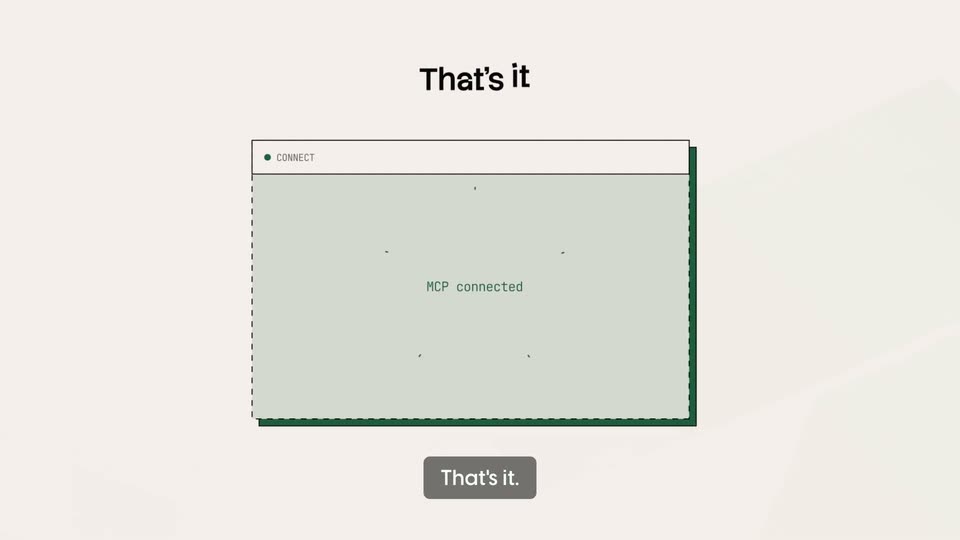
A blurred browser window sharpens into focus as two orange icon tiles fly in and settle at the corners. A green panel slides in over the white drop zone, revealing a spinner and the status text, while the headline appears above.
On-screen text: “That's it”
Techniques: Masking
Camera: Pull out
A dark gray headline, 'Our AI monitors your MCP in production,' scales up and sharpens into focus on a pale pink background. Below it, a 3D-tilted Insights dashboard fades in, revealing metric cards, line charts and a digest row, with a cursor at the top right.
On-screen text: “Our AI monitors your MCP in production”
Techniques: Kinetic type, 3D mockup
Camera: Pan
A flat product dashboard sits on a pale pink background beneath a large black headline. The headline resolves from overlapping glyphs into clean type, then a gray second line drops in. A Slack alert card slides into the center of the dimmed dashboard.
On-screen text: “Our AI monitors your MCP in production”, “alerts your team”
Techniques: Kinetic type
Camera: Pan
Three flat notification cards for Slack, Email and PagerDuty slide up from an overlapping stack into a clean vertical list on a cream background. Above them a black headline finishes with the word fail underlined in orange. Each card shows a red dot and a monospace alert line.
On-screen text: “alerts your team the moment agents fail”
Techniques: Kinetic type
Camera: Push in
A cream background holds three stacked alert cards, Slack, Email and PagerDuty, each with a red incident line and a hard offset shadow. The bold headline scrolls up out of frame as the list shifts upward, revealing a new live agent run card at the bottom.
On-screen text: “alerts your team the moment agents fail”
Camera: Pan
A light beige panel slides up from the bottom, its header bar reading LIVE AGENT RUN and Onboard Tom Bryant as a new customer. An orange pixel robot icon sits above the labels Claude Code and SONNET 4.6, with a small create_user tag appearing on the right.
Camera: Push in
The headline “Then it discovers” fades in above a tilted 3D agent-run window; the view pans down its numbered task list as checkmarks appear, landing on an orange success banner, and the caption “real user workflows” slides up below.
On-screen text: “Then it discovers”, “real user workflows”
Techniques: 3D mockup, UI zoom
Camera: Push in
A bordered panel of monospace workflow cards, numbered three to five with check marks, slides left across a light gray field, the bottom card in solid orange. The caption 'real user workflows' tracks beneath it with an orange underline.
On-screen text: “real user workflows”
Camera: Pan
A pale gray interface shows a branching grid of small green and red chips marked with checks and crosses. The camera drifts across the diagram while a gray caption sits in the upper left.
On-screen text: “tests them across all models and harnesses”
Camera: Pan
A cream backdrop holds a static black headline, “tests them across all models and harnesses”, with an orange underline under the last words. Below, a comparison grid of green check and red X cells scrolls left, topped by small model icons.
On-screen text: “tests them across all models and harnesses”
Camera: Pan
A flat benchmark results table slides left across a cream background, revealing its score, tool call and token columns as a black offset shadow drops in. Below, the caption builds word by word and an orange underline draws under the final phrase.
On-screen text: “benchmarks performance against competitors”
Techniques: Kinetic type
Camera: Pan
The frame opens blurred and zoomed in, then pulls back to a cream slide: a bold headline with an orange underline above three stacked white cards, each with a lightbulb icon and a code-style fix. A gray caption, This is the shift., appears at the bottom.
On-screen text: “Then turns this into actionable recommendations”, “This is the shift.”
Camera: Pull out
The word SHIFT in oversized white sans-serif slides across a black, faintly gridded background and settles center frame, while the small caption This is the shift. holds still at the bottom.
On-screen text: “SHIFT”, “This is the shift.”
Techniques: Kinetic type
Camera: Static
SHIFT, a huge white word with an orange square dot, slides left and blurs out over a black grid. The caption below changes to “Your next user is your customer's agent,” and a man's headshot slides in from the right.
On-screen text: “SHIFT”, “This is the shift.”, “Your next user is your customer's agent,”
Techniques: Kinetic type
Camera: Pan
On a black grid, the white headline 'Your next user' slides in with an orange underline as a prior word exits left. An orange pixel-alien icon in a dark card and a photo of a smiling man in glasses hold the center, with a white caption along the bottom.
On-screen text: “Your next user”, “Your next user is your customer's agent,”
Techniques: Kinetic type
Camera: Pan
A dark dotted globe with orange nodes and dashed orange arcs sits at the bottom over a faint grid. A small blurred image of a person at the top fades out. The phrase they're already here builds word by word in the upper left.
On-screen text: “they're already here”
Techniques: Kinetic type
Camera: Static
A 3D globe of gray squares crossed by orange dashed arcs and nodes sits low on a black grid, rotating slowly. The white headline “they're already here” holds at top while orange underlines slide in beneath “already” and “here”.
On-screen text: “they're already here”
Camera: Static
A centered dark gray bold sans headline reads “See what agents see” on a plain field, an orange underline drawing under the last two words. It is replaced by “before they decide your product isn't worth using”, sliding in with an underline, then two gray 3D bars pop in.
On-screen text: “See what agents see”, “before they decide your product isn't worth using”
Techniques: Kinetic type
Camera: Static
The gray ribbon A mark shrinks and slides left as the black ARMATURE wordmark appears, then an orange CTA button drops in below. A cursor clicks the button, triggering an orange ring ripple, and a gray pill caption scales in at the bottom.
On-screen text: “Set up in two minutes.”
Techniques: Cursor demo
Camera: Static
A black wordmark sits centered on a cream field, flanked by two orange triangles, with a cursor arrow and a gray pill button scaling in below. The cursor and button exit, leaving the wordmark alone as a soft diagonal light band sweeps the top-right corner.
On-screen text: “armature.tech”, “Set up in two minutes.”
Techniques: Cursor demo, Light sweep
Camera: Static