0:27

Introducing the Refreshed Uniswap Web App
Uniswap · Feb 2023
Anthropic · Apr 2025 · 0:34 · Full motion · AI-annotated
Anthropic’s 0:34 launch film runs 7 scenes, about 4.9 s each. The product is on screen from the first frame and 1 feature is revealed. There is no explicit call to action. A single continuous UI walkthrough in which white rounded cards scale in and out on a flat beige canvas to mark each step of creating a study project. Pacing is slow and deliberate, driven by a hand cursor, and the closing title card mirrors the opening card to bookend the demo.
Is this your launch? to your site or press kit.
Uniswap · Feb 2023
Perplexity · AI · Feb 2026
Films whose music sounds like this one, voice left out
Instacart · R&B / Lo-fi Hip-hop
Craft · Lo-fi hip-hop
ZeroEntropy · Lo-fi hip-hop, jazz, chillwave
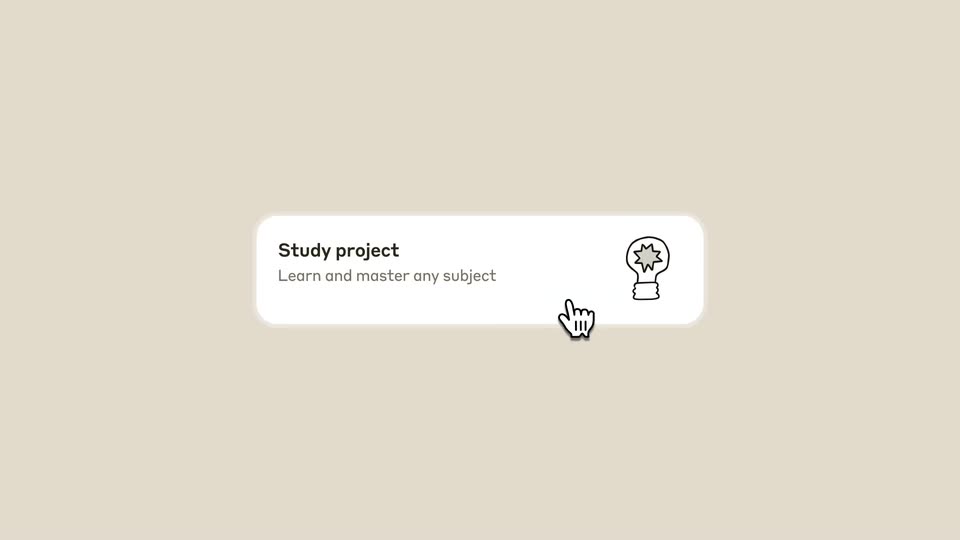
A white rounded card reading Study project with a line-drawn lightbulb icon sits centered on a beige background; a hand cursor clicks it and the card scales into a Create a study project modal with an input field and Cancel and Create project buttons.
Techniques: Cursor demo
Camera: Static
A white dialog card on a beige background scales in, headed by a serif title. A hand cursor taps the input field, types a course name, then slides to the black button and presses it.
Techniques: Cursor demo
Camera: Static
A product form titled Add reference materials sits centered on a beige background. A hand cursor drops a stack of four files into the drop zone, which fills with three file cards, then the cursor clicks Continue and the view cuts to a project overview page.
Techniques: Cursor demo
Camera: Static
The Psychology 101 project page of a chat app, with a reference materials panel on the right. The view zooms into the left column as a hand cursor taps the Create a study guide chip, typing a prompt into the input, then moves to the send button.
Techniques: UI zoom, Cursor demo
Camera: Push in
A cursor taps the orange send button in a wide prompt box, which morphs into a tall chat card on a beige background. The reply types out word by word beneath the prompt with a small orange sparkle, then a 'Drafting artifact' panel with a spinner slides in above the reply field.
Techniques: Cursor demo, Morph
Camera: Static
Locked-off split view of a chat app on a beige background. The left panel shows a user prompt, an assistant reply, and a document artifact card, while the right panel streams in a study guide document and scrolls down through its sections.
Camera: Static
A white rounded card on a beige background shrinks from a wide empty rectangle into a compact horizontal pill. As it settles, a bold title, a lighter subtitle, and a line-art lightbulb icon with a star inside appear on the left and right.
On-screen text: “Study project”, “Learn and master any subject”
Techniques: Morph
Camera: Static