1:37
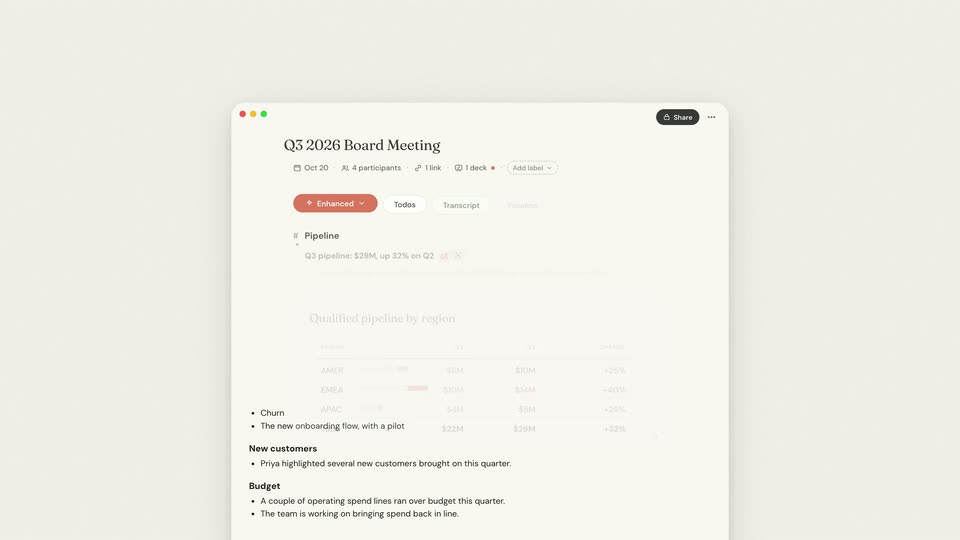
Nutmeg - The notetaker for meetings with screenshares
Nutmeg · Nov 2026
Anglera · Jun 2025 · 0:36 · Full motion · AI-annotated
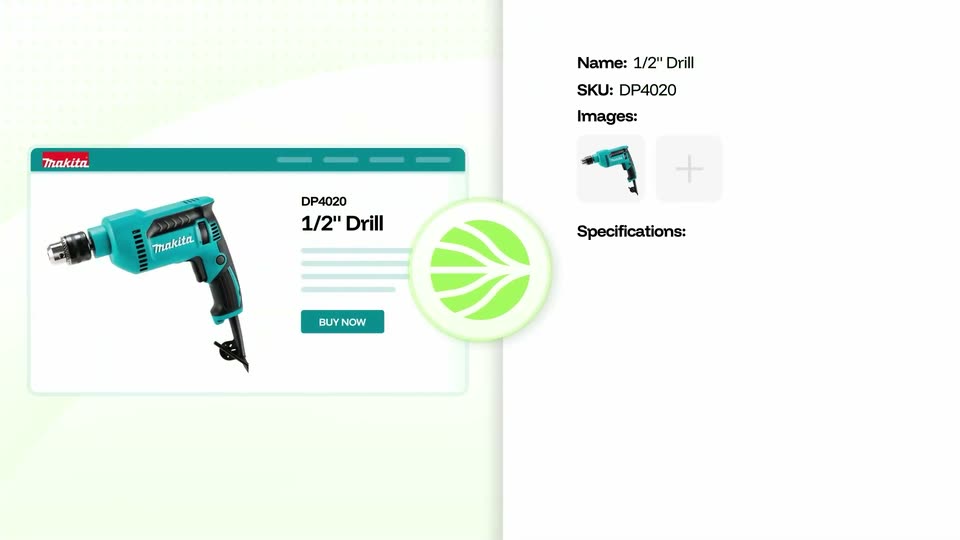
Anglera’s 0:36 launch film runs 15 scenes, about 2.4 s each. The product shows up at 0:08 and 1 feature is revealed. The call to action lands at 0:29 (80% in), over a voiceover. The video runs a compact problem-to-solution arc: question cards, a 3D spreadsheet pain shot, a logo sting, a split-screen extraction demo, a dashboard pass, and a URL call to action. Pacing tracks a 118 BPM beat with quick text cards and 3D-tilted interface shots that snap to flat, while the green-glow logo returns as the signature move.
Is this your launch? to your site or press kit.
Nutmeg · Nov 2026
Replit · Developer tools · Sep 2025
Carousel Technologies · B2B · May 2025
Films whose music sounds like this one, voice left out
OpenAI · Modern electronic
Sable · Upbeat electronic
Tesla · Modern electronic
A light gray sans-serif phrase, “Struggling with”, sits centered on a plain off-white background. The text slides across the locked-off frame.
On-screen text: “Struggling with”
Techniques: Kinetic type
Camera: Static
A faded product spreadsheet sits behind the frame as the gray words “Struggling with” lock at the top. A green outlined box holding the dark blue word “incomplete” and a hand pointer slides down, then the gray line “product data?” fades in at the bottom.
On-screen text: “Struggling with”, “incomplete”, “product data?”
Techniques: Kinetic type
Camera: Pan
A spreadsheet fills the frame, its Specification, SKU and Image columns dotted with red question marks. A green selection box holding the word incomplete and a hand cursor sits above, while gray text product data? scales in at the bottom.
On-screen text: “incomplete”, “product data?”
Techniques: Kinetic type
Camera: Static
A 3D-tilted browser window shows a product data table with empty specification cells. The camera zooms in as a cursor hovers a row, opening a tooltip that reveals POWER, RUN TIME and CONTROL lines. The window straightens to a flat frontal view, then a white panel wipes across it.
Techniques: 3D mockup, UI zoom, Cursor demo
Camera: Pull out
Glowing white nodes and thin curved lines drift across a dark green field, converging toward the center. They gather into a soft green circle marked with white dashes.
Camera: Pan
A bright green glow on a dark radial background resolves into the green circular logo and white ANGLERA wordmark, which scale in, with the tagline fading in below. The wordmark fades out, the logo shrinks to a small circle, and a white shape rises from the bottom edge.
On-screen text: “ANGLERA”, “Source & Enrich Product Data Automatically”
Techniques: Kinetic type, Masking
Camera: Pull out
A flat mockup splits the frame: left, a browser card with a Makita drill product slides in, then a PDF manual replaces it; right, a form fills with the name, SKU, and drill image. A green circular badge with a white arrow sits between them.
Techniques: Split screen
Camera: Push in
A split layout: left, a fanned stack of Makita manual pages slides out as a 2x2 grid of drill photos slides in; right, a data sheet fills in as spec lines type themselves and thumbnails pop into the Images row, a green leaf logo dividing the panels.
Techniques: Kinetic type, Split screen
Camera: Push in
A white interface panel tilted in 3D perspective against a green dotted backdrop straightens to face the camera, revealing a tools table with product rows and a 100 percent progress bar, while a round green logo hovers in front.
Techniques: 3D mockup
Camera: Pull out
A tablet on a green dotted backdrop shows a product data table in 3D perspective. The view zooms into the rows, then pulls back. The tablet slides down to reveal a duplicate below as 'Book your demo' fades in.
On-screen text: “Book your demo”
Techniques: 3D mockup, UI zoom
Camera: Pan
On a pale gray field, the gray words Book your demo sit left of a white pill holding today; both sharpen from a soft blur while a green glow builds around the pill.
On-screen text: “Book your demo”, “today”
Camera: Static
A white search bar with a soft green glow expands left to right on a light gray background, revealing the URL anglera.com. A small gray 'at' slides in to its left, and the green magnifier button slides right with the bar's edge.
On-screen text: “at”, “anglera.com”
Techniques: Masking, Kinetic type
Camera: Static
A bright green circle scales up from a small dot to a large glowing disc at the center of a dark green field with faint concentric rings. The URL anglera.com is revealed as the circle grows, while small text fragments slide in.
On-screen text: “at”, “anglera.com”, “Q”
Techniques: Kinetic type
Camera: Static
A glowing green circle with a fish emblem sits on a dark green radial field as bright lines converge into it from the left. The logo then shifts left and the white word ANGLERA slides in from the right beside it.
On-screen text: “ANGLERA”
Techniques: Kinetic type
Camera: Pull out
A green circular leaf mark sits left of the white word ANGLERA on a dark green field with faint concentric rings. The logo and wordmark slide horizontally into the center of the frame.
On-screen text: “ANGLERA”
Techniques: Kinetic type
Camera: Static