1:20
Y Combinator - .@usegrade is building payroll for performance, helping companies pay
Grade · Fintech · Feb 2026
Nutmeg’s 1:37 launch film runs 46 scenes, about 2.1 s each. The product shows up at 0:10 and 6 features are revealed. The call to action lands at 1:24 (86% in), over a voiceover. A presenter-driven launch that alternates brick-wall and Golden Gate outdoor talking heads with clean UI demos on pale cream fields, moving between them with vertical wipes and split screens. Signature moves: oversized italic serif words dropping into frame, thin orange lines linking the note to the source visuals, and tilted product windows that rotate flat to face the camera.
Is this your launch? to your site or press kit.
Grade · Fintech · Feb 2026
Alt-X · Fintech · Mar 2026
FlexDental · Jul 2026
Films whose music sounds like this one, voice left out
Logical · Upbeat electronic
Skydive · Upbeat electronic
Luminai · Modern corporate electronic
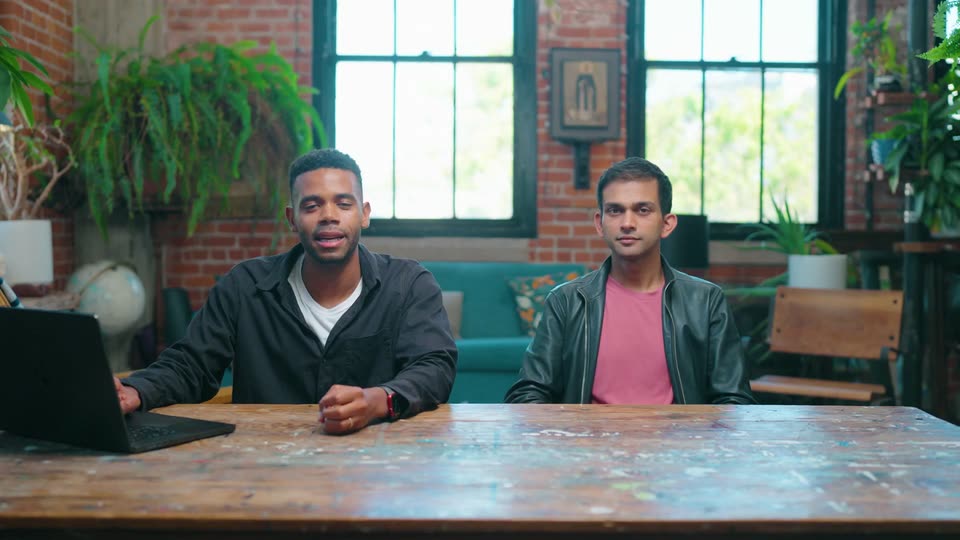
A curly-haired man in a gray t-shirt sits at a wooden table against a red brick wall, speaking to camera. The white sans-serif 'Your AI notetaker' enters at left, then a large italic serif 'is' drops top-left and a large serif 'BLIND' scales in at bottom-right, partly off frame.
On-screen text: “Your AI notetaker”, “is”, “BLIND”
Techniques: Kinetic type
Camera: Pull out
A man in a gray tee sits at a table before a brick wall, talking to camera. A video-call window with a spreadsheet and attendee list slides in at left, a note panel appears at right, and the caption your meeting is locked at lower left.
On-screen text: “your meeting”
Camera: Static
A man sits at a wooden table before a brick wall while a dark video-call window and a white notes document slide apart to opposite edges of the frame. The captions “your meeting” and “note you got” sit at the bottom.
On-screen text: “your meeting”, “note you got”
Techniques: Split screen
Camera: Static
A presenter sits at a table against a brick wall on the left as a vertical wipe opens the right half to a desktop. The desktop shows a sunset mountain wallpaper with a video call window of six participant tiles.
Techniques: Split screen, Masking
Camera: Static
Split screen: a man in a gray tee speaks at a desk against a brick wall on the left; a dark video-call window with four avatar tiles sits on a mountain wallpaper on the right. A white caption reads at the bottom right.
On-screen text: “wasn't said out loud”
Techniques: Split screen
Camera: Static
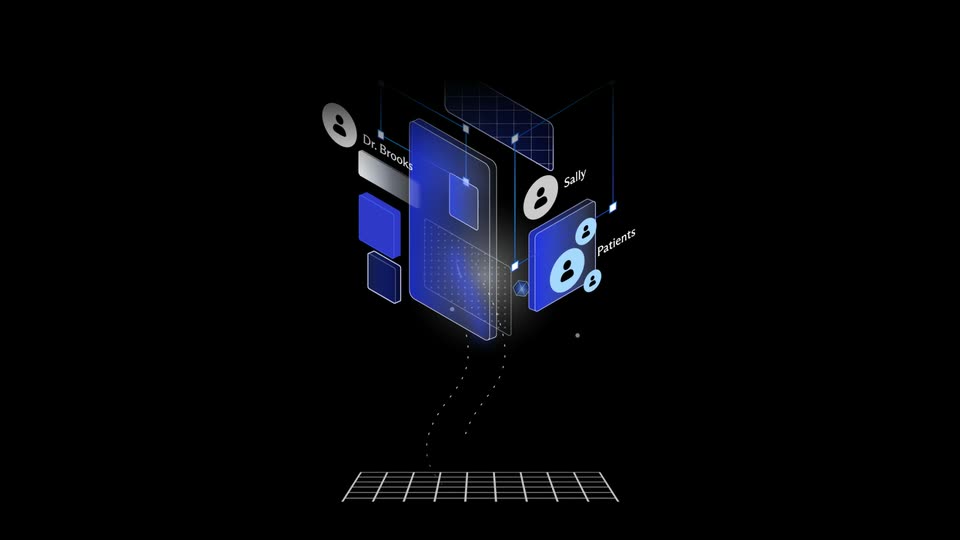
Split screen: a man in a grey t-shirt talks at a desk against a red brick wall on the left. On the right, a 3D dashboard window with a growing bar chart and floating avatar panels animates over a foggy mountain wallpaper, while white captions swap from 'wasn't said out loud' to 'It was shown'.
On-screen text: “wasn't said out loud”, “It was shown”
Techniques: Split screen, 3D mockup
Camera: Static
A curly-haired man in a gray t-shirt sits before a red brick wall, talking to an off-screen interviewer. The right edge shows a product screen with a bar chart sliding out. A bracketed lower-third types his name and credits, then fades.
On-screen text: “It was shown”, “SAM KARU”, “Founder, Nutmeg · Logical”, “YC F25”, “ex-NVIDIA”
Techniques: Split screen, Kinetic type
Camera: Static
A man with curly dark hair in a gray t-shirt sits at a wooden table against a red brick wall, speaking to the camera. A small dark chat window mockup appears at the left, with a white letter a below it.
On-screen text: “a”
Camera: Static
A man in a gray tee sits at a wooden table against a brick wall, speaking to camera. A dark meeting app window floats to his left, showing a spreadsheet and a column of participant cards that update. The white caption a visual meeting sits below it.
On-screen text: “a visual meeting”
Camera: Static
A man in a gray t-shirt sits at a wooden table against a red brick wall, speaking to camera. A dark meeting panel floats left, a lighter board-meeting card with a bar chart slides in right, joined by a dashed orange line. White captions anchor the bottom corners.
On-screen text: “a visual meeting”, “a visual note”
Camera: Static
A man in a grey tee sits at a table against a brick wall, speaking to camera. A dark meeting panel and a white chart card flank him with captions, then rows of white rounded bars slide in from the right, wiping the panels and text away.
On-screen text: “a visual meeting”, “a visual note”
Techniques: Kinetic type, Masking
Camera: Pan
A blurred close-up of a notes document zooms out to reveal the full card on a pale background. The page shows a meeting title, bullet key points, and a regional revenue table with a caption line.
Techniques: UI zoom
Camera: Pull out
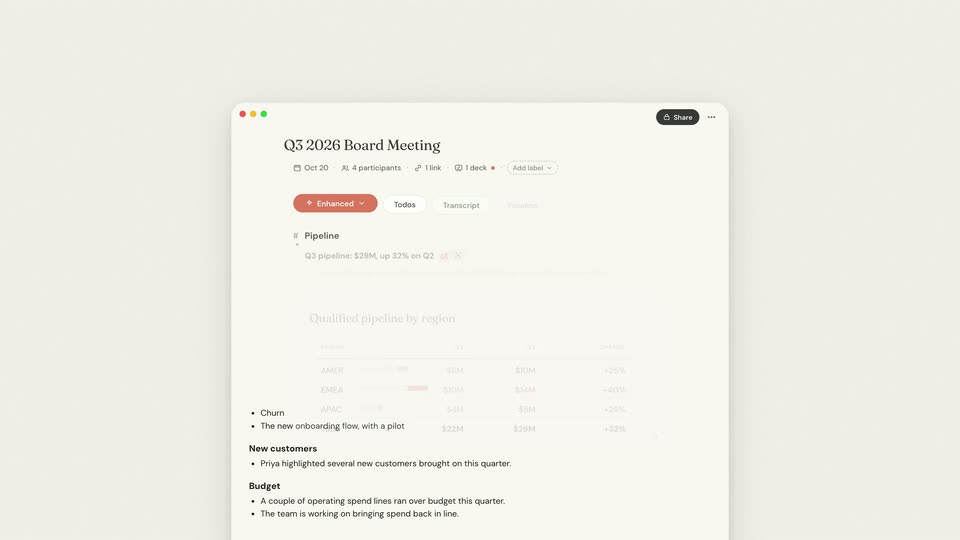
A product document window titled Q3 2026 Board Meeting sits under the nutmeg logo, its body text ghosted then sharpening into focus. The window scales back and right as a white card with the serif headline rebuilds the visuals and a small peach dot scales up in front.
On-screen text: “rebuilds the visuals”
Techniques: Kinetic type
Camera: Push in
A white table card titled 'Qualified pipeline by region' floats over a blurred backdrop. It scales up to fill the frame while a black caption at the bottom fades out.
On-screen text: “rebuilds the visuals in screenshares”
Techniques: UI zoom
Camera: Push in
A macOS meeting window shows a pipeline table and a participant sidebar. The window sharpens and settles into frame as a dashed box around the table turns solid. A white caption reads rebuilds the visuals in screenshares at the bottom.
On-screen text: “rebuilds the visuals in screenshares”
Camera: Pull out
A macOS presentation window showing a pipeline table slides left and shrinks while a Nutmeg notes window slides in from the right, rebuilding the same table with colored bars and a summary line. The notes window settles centered as the presentation recedes.
Techniques: Morph
Camera: Pan
The app's left sidebar slides out left, centering the 'Qualified pipeline by region' table card on a cream background. The card then slides right and exits, leaving the headline 'into your notes' and a small summary line beneath it.
On-screen text: “into your notes”
Camera: Static
A pale notes page displays a region pipeline table with a thin red line down its left edge. The frame zooms in on the table, the red line sliding to the screen's left edge and a dark highlight box appearing on the Change column.
On-screen text: “into your notes”
Techniques: UI zoom
Camera: Pull out
Split screen: a man in a gray tee talks against a brick wall on the left; on the right, a note UI card swaps from a Key points list with thumbnails to a video player. The headline changes from 'Not a screenshot stapled to your note' to 'Not a screen recording', then the panel pans to a blurred background.
On-screen text: “Not a screenshot”, “stapled to your note”, “Not a screen recording”
Techniques: Split screen, Kinetic type
Camera: Static
A live-action presenter on the left wipes out to the left, revealing a cream layout where the headline “Real graphs” fades in beside a bar-chart card on a soft faded backdrop.
On-screen text: “Real graphs”
Techniques: Kinetic type, Masking
Camera: Static
A white card on the right crossfades from a bar chart to a region table, while the large left headline swaps from “Real graphs” to “Real tables”. The background is a soft, blurred pastel wash.
On-screen text: “Real graphs”, “Real tables”
Techniques: Kinetic type
Camera: Static
A large black heading “Real tables” sits left of a floating white data table card titled “Qualified pipeline by region” over a soft blurred color-field background. Both settle into place with a brief slide-in at the start.
On-screen text: “Real tables”
Techniques: Kinetic type
Camera: Static
A blurred warm-toned background sits behind a left-aligned black headline that slides up out of a mask. On the right, a white card holding an ARR line chart slides in and settles, its green actual and orange projected lines running from 2025 to 2027.
On-screen text: “Real numbers”
Techniques: Masking
Camera: Static
A white card holding the bold headline Real numbers covers the left, its right edge torn like paper. The tear wipes open to reveal a man in a tan jacket standing in greenery before a city skyline, while a white line-chart card floats over the right.
On-screen text: “Real numbers”, “ARR: steady growth, on track for $35M”
Techniques: Masking
Camera: Static
A man in a tan jacket walks through a hedge with a city skyline behind him. A blurred right panel builds an audio waveform, three chart cards joined by orange lines, timecode pills and a chat bubble. Captions read “correlates every key visual”, then “to moment it was discussed”.
On-screen text: “correlates every key visual”, “to moment it was discussed”
Techniques: Masking, Split screen
Camera: Pan
A flat white board-document card with a regional pipeline table sits on a light gray field, a thin live-action strip of a pedestrian at the left edge. The card settles from a brief double-exposure dissolve while a dark caption builds up at the bottom.
On-screen text: “says $40M instead of $14M”
Techniques: Kinetic type
Camera: Static
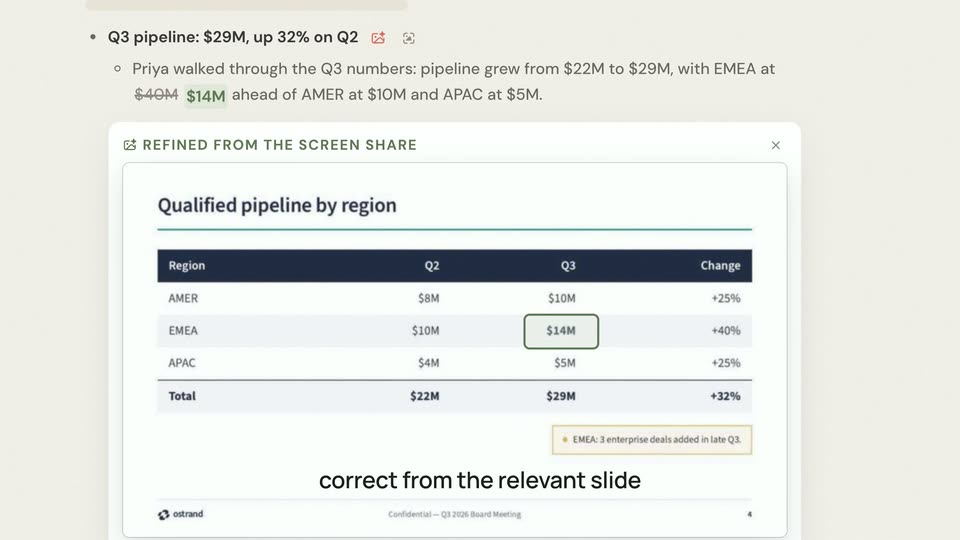
A screen-share card shows a pipeline table; doubled text resolves, a green box highlights the $14M cell, then the card zooms in as a red arrow links the bullet to it. The view reframes to reveal a person in a brown jacket on the left.
On-screen text: “says $40M instead of $14M”, “cross-check”, “correct from the relevant slide”
Techniques: UI zoom
Camera: Pull out
A curly-haired man in a tan jacket talks to camera against a blurred waterfront skyline. A product panel holding a pipeline table floats at his right, its text doubling mid-transition. A white caption reading no more chasing the deck sits at the lower left.
On-screen text: “no more chasing the deck”
Camera: Static
A man in a tan jacket gestures on the left, while the right side shows a blurred city skyline. Chat bubbles pop up sequentially, followed by a slide deck preview overlapping them.
On-screen text: “no more chasing the deck”
Techniques: Split screen
Camera: Static
A beige backdrop holds a centered headline that fades from gray to black. Below, a 3D-tilted deck window rotates flat to face the camera while its slide switches from a navy title card to an ARR line chart with four stat tiles.
On-screen text: “clean-cut decks in your note”
Techniques: 3D mockup
Camera: Static
A dark sans headline reads “clean-cut decks in your note” above a tilted 3D note window that rotates flat, revealing a slide deck with a pipeline table and a film strip of thumbnails.
On-screen text: “clean-cut decks in your note”
Techniques: 3D mockup
Camera: Push in
A man in a tan jacket stands before a blurred city skyline, gesturing as he speaks. To his right, a floating document card connects by orange lines to four app icons that pop in around it, and the caption 'available to your agents' appears at lower left.
On-screen text: “available to your agents”
Camera: Pull out
A white network diagram with an orange hub and four icon tiles hovers over a filmed man in a tan jacket. The focus racks from the man to the diagram, blurring him, while a white caption sits bottom left.
On-screen text: “available to your agents”
Camera: Static
A cream background holds a hub diagram: a central orange logo tile links by thin orange lines to four white app tiles, each tagged with a green check badge. The frame zooms in and a cursor arrow glides to point at the black knot tile.
Techniques: Cursor demo
Camera: Push in
A close-up of a white chat input bar over a blurred forest-and-clouds background. The question 'Which items went over budget in Tuesday's review?' is typed out, a black send button appears, and the camera pans right while the caption 'Ask ChatGPT' holds below.
On-screen text: “Ask ChatGPT”
Techniques: UI zoom
Camera: Push in
A chat note in a desktop app displays a budget table. Two rows light up with an orange fill and red outline, then the view scrolls down to reveal a one-line summary of the overruns.
Techniques: UI zoom
Camera: Pull out
A man in a tan jacket stands on a hill before a blurred San Francisco skyline, speaking and gesturing to camera. On the right, italic serif words fade in line by line, building the phrase NO BOT JOINING YOUR CALLS.
On-screen text: “NO BOT”, “JOINING”, “YOUR”, “CALLS”
Techniques: Kinetic type
Camera: Pan
A man in a tan jacket leans on a railing beside a long concrete staircase, gesturing as he talks. A white caption builds word by word at the lower left, then three dashed boxes with orange corner brackets pop in around the frame, each holding a word.
On-screen text: “if your meetings have”, “pitches”, “reviews”, “updates”
Techniques: Kinetic type
Camera: Static
A man in a tan jacket sits on outdoor concrete stairs, gesturing with both hands. Three white lowercase words in dashed orange boxes float around him: pitches at left, reviews top right, updates center, the boxes pulsing and the updates label sliding.
On-screen text: “pitches”, “reviews”, “updates”
Camera: Static
A man in a tan jacket sits on outdoor concrete stairs, gesturing as he talks, while a cluster of floating meeting UI windows, charts and participant cards hovers at an angle to his left. White caption text builds word by word at the lower left.
On-screen text: “missing the best part”
Techniques: Kinetic type, 3D mockup
Camera: Static
A man in a tan jacket stands in a green field with the Golden Gate Bridge blurred behind him, gesturing as he speaks. Above him, “Your meetings were” fades in, then “never just talk” slides in below in italic serif. The captions clear by the end.
On-screen text: “missing the best part”, “Your meetings were”, “never just talk”
Techniques: Kinetic type
Camera: Static
A man in a tan jacket stands in a grassy field, gesturing as he speaks, with a blurred red bridge and palm trees behind him. White text on the left reads 'Your notes' and 'shouldn't be either', the second line sliding in.
On-screen text: “Your notes”, “shouldn't be either”
Techniques: Kinetic type
Camera: Static
A man in a tan jacket stands on a beach with the Golden Gate Bridge behind him, talking and gesturing as the shot pulls back to a wide frame. 'shouldn't be either' slides out left, 'goes live today' scales in, then 'nutmeg.so' types itself in letter by letter.
On-screen text: “Your notes”, “shouldn't be either”, “goes live today”, “nutmeg.so”
Techniques: Kinetic type
Camera: Pull out
A curly-haired man in a tan jacket stands in a dry field with the Golden Gate Bridge and bay behind him, gesturing as he addresses the camera. A white two-line headline slides left across the waterline.
On-screen text: “See what you've been missing”, “nutmeg.so”
Techniques: Kinetic type
Camera: Push in
Out of focus, a person in a tan jacket stands at the left edge of a wide view of the Golden Gate Bridge and bay. The camera tilts up, dropping the bridge toward the bottom of frame and filling the view with pale sky and thin clouds.
Camera: Push in
A wide locked-off shot of the Golden Gate Bridge under a pale blue sky holds the nutmeg leaf mark and wordmark centered. During the first second the wordmark letters settle from light gray and brown tints into solid dark, then the frame holds still.
On-screen text: “nutmeg”
Camera: Static