1:22


Introducing Lumi, the Product Adoption Agent | Userlens
Userlens · Nov 2026
Carousel Technologies · May 2025 · 1:26 · AI-annotated
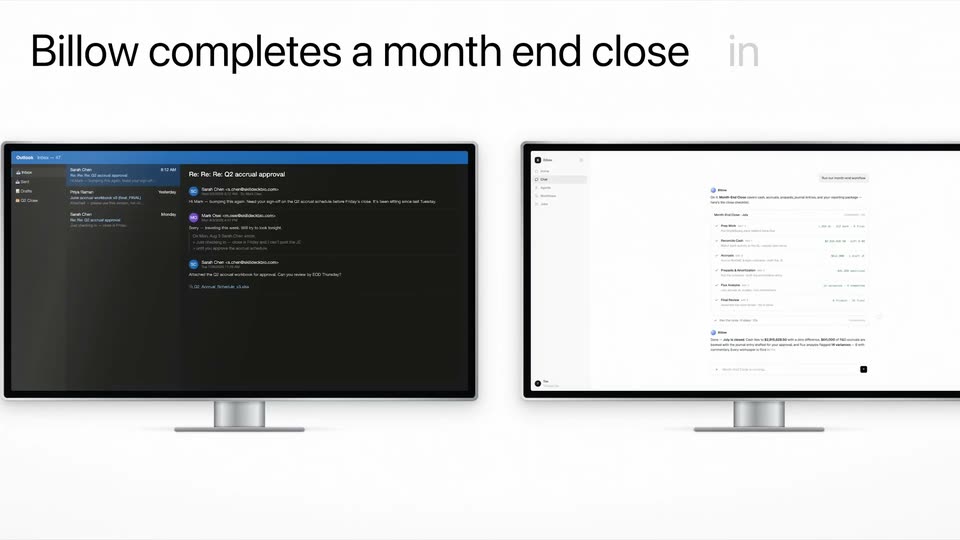
Carousel Technologies’s 1:26 launch film runs 30 scenes, about 2.9 s each. The product shows up at 0:16 and 4 features are revealed. The call to action lands at 1:17 (89% in), over a voiceover. The video runs a problem-to-solution arc: a logo-evolution hook, a pain montage over a blurred spreadsheet, the Meet Carousel intro, four feature reveals cut from screen recordings and flat icon graphics, a benefits recap, and an open-beta CTA with URL. Its signature moves are 3D-tilted Excel windows rising into frame, flat icon animations on a pale lavender field, and lower-third captions that track the voiceover line by line.
Is this your launch? to your site or press kit.
Userlens · Nov 2026
Billow AI Labs · B2B
Pomerado · B2B · Oct 2026
Films whose music sounds like this one, voice left out
Aina · Electronic dance music
Luminai · Modern corporate electronic
Alkera AI · Upbeat, modern electronic promotional music
On a plain off-white background, the vintage 1985 Microsoft Excel mark sits centered above the year 1985. A modern green Excel tile slides down from the top edge and settles in the center, replacing the old mark as the year changes to 2003.
On-screen text: “1985”, “2003”
Camera: Static
The green Excel app icon sits centered on a white background, the word Excel fading in above it. Below, the caption Today gives way to Powerful but demanding, each word fading in in turn.
On-screen text: “Today”, “Excel”, “Powerful but demanding”
Camera: Static
A close-up of an Excel spreadsheet fills the frame, columns of dollar values under headers like EndSchedBal and OriginalBalCalc, one cell outlined in blue. A caption at the bottom reads We've all been there... then swaps to Staring at formulas, as a small tutorial thumbnail slides into the lower-left corner.
On-screen text: “We've all been there...”, “Staring at formulas,”
Techniques: UI zoom
Camera: Static
A blurred Excel sheet fills the frame, its blue cell selection jumping between rows of dollar figures while a cursor drifts across it. Tutorial thumbnails pop in one by one around the edges, and black captions cycle at the bottom.
On-screen text: “staring at formulas,”, “formatting cells,”, “copying data from reports...”
Techniques: Cursor demo
Camera: Static
A black sentence sits left of center on a plain white frame. A purple phrase completes the line, then a tilted Excel window with a green title bar slides in from the bottom-left corner.
On-screen text: “What if you could have an expert by your side,”, “ready to do the heavy lifting?”
Techniques: Kinetic type, 3D mockup
Camera: Static
A two-tone headline sits on a white background as a 3D-tilted Excel window rises from the bottom, its green ribbon bar and a purple pointer arrow coming into view.
On-screen text: “What if you could have an expert by your side, ready to do the heavy lifting?”
Techniques: 3D mockup
Camera: Pan
A black headline reads “Meet” over a tilted 3D view of an Excel window; the word “Carousel” and a purple logo slide in beside it as a purple cursor glides across the ribbon.
On-screen text: “Meet”, “Carousel”
Techniques: 3D mockup, Kinetic type, Cursor demo
Camera: Static
A white header reads Meet Carousel above an Excel window. A purple cursor clicks the Carousel ribbon tab, switching the toolbar to its AI tools, while a caption bar sits along the bottom.
On-screen text: “Meet Carousel”, “The AI Assistant that transforms how you work in Excel.”
Techniques: Cursor demo
Camera: Static
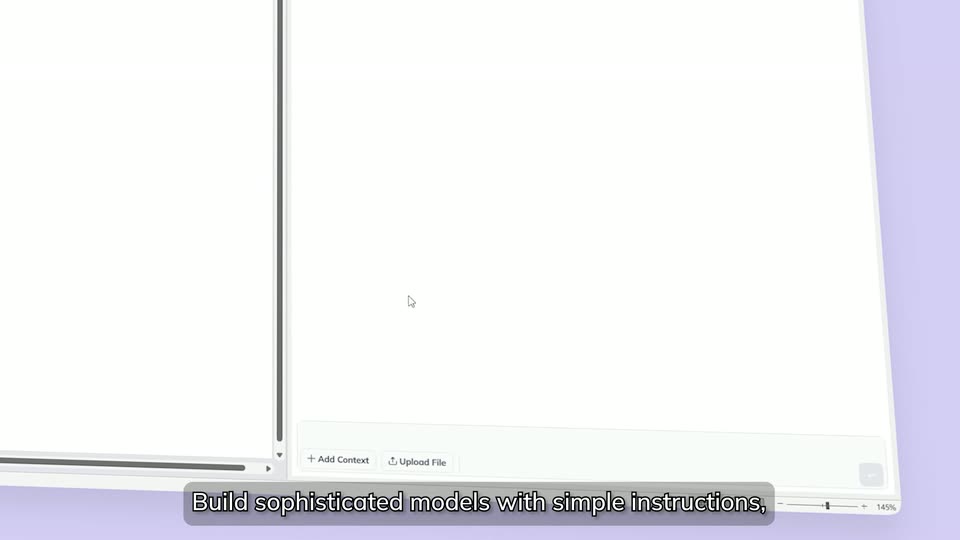
A spreadsheet interface sits at a 3D angle, its prompt box filled with plain-text business instructions. A cursor drifts across the panel and rests on a purple send button as a static caption reads at the bottom.
On-screen text: “Build sophisticated models with simple instructions,”
Techniques: 3D mockup, Cursor demo
Camera: Static
A spreadsheet and a chat panel sit side by side on a pale purple backdrop. A prompt bubble holds the restaurant P&L request. The sheet's tables fill in row by row as the chat lists steps with checkmarks. A bottom caption swaps lines.
On-screen text: “build a P&L model for a seasonal on-mountain restaurant in Big Sky, Montana.”, “Build sophisticated models with simple instructions,”, “no Excel expertise required.”
Camera: Pull out
A spreadsheet app fills the screen with a chat panel docked on the right, while a white prompt bubble with the purple logo sits top left. The bottom caption reads 'Just describe what you need,' and the chat text scrolls slightly as the assistant builds sheets.
On-screen text: “build a P&L model for a seasonal on-mountain restaurant in Big Sky, Montana.”, “no Excel expertise required.”, “Just describe what you need,”
Camera: Push in
A spreadsheet interface displays a restaurant revenue model, then switches to a cost model. A chat prompt at the top requests a P&L model, while captions at the bottom explain the process.
On-screen text: “build a P&L model for a seasonal on-mountain restaurant in Big Sky, Montana.”, “Just describe what you'd need,”, “and Carousel builds it,”
Camera: Push in
A spreadsheet fills the frame with a restaurant P&L model, rows of revenue and food costs across months. A chat prompt box with a purple icon and the user's request sits at top left. A lower-third caption reads 'intelligently asking for clarification when needed.' A cursor rests near the bottom.
On-screen text: “intelligently asking for clarification when needed.”
Camera: Static
A full Excel window showing a financial statement reframes into a close-up of a selected cell range, where a cursor hovers over an Add to Chat menu. A bottom caption reads 'Need to fix something fast?' then swaps to 'Select any range,'.
On-screen text: “Need to fix something fast?”, “Select any range,”
Techniques: UI zoom, Cursor demo
Camera: Push in
A spreadsheet displays raw financial data. A cursor clicks a button in a floating command box, which then types a formatting prompt. The table transforms into a clean layout with blue headers and alternating row colors.
On-screen text: “hit Ctrl+Enter and describe what you want.”, “Carousel handles the tedious formatting and restructuring in seconds.”
Techniques: Cursor demo
Camera: Pull out
A dense financial spreadsheet with a green ribbon and yellow-highlighted cells fills the frame. The view zooms into the top-left block, the case title and transaction assumptions, while a caption bar holds the bottom center.
On-screen text: “Understand complex spreadsheets at a glance.”
Techniques: UI zoom
Camera: Push in
A light spreadsheet grid sits centered on a lavender field, slightly blurred, then sharpens as a white callout box carrying the active formula scales in above it. A gray caption bar at the bottom explains the feature while the sheet content stays static.
On-screen text: “Carousel explains formulas in plain English, showing you how data”
Techniques: Masking
Camera: Pan
On a lavender background, a spreadsheet app window with a K33 Walkthrough panel shrinks to a small centered card. A white box at the top keeps the cell formula in view, and a dark caption bar sits at the bottom.
On-screen text: “=INDEX(L33:M33,1,MATCH(Exit_Scenario,L32:M32,0))”, “Carousel explains formulas in plain English, showing you how data”
Techniques: UI zoom
Camera: Static
On a lavender background, a white walkthrough card scales up, revealing a color-coded formula and plain-English text, while a formula strip scales in at the top. The card then fades out, leaving the formula block centered.
On-screen text: “=INDEX(L33:M33,1,MATCH(Exit_Scenario,L32:M32,0))”, “Carousel explains formulas in plain English, showing you how data flows through your model, turning confusion into clarity.”
Techniques: UI zoom
Camera: Pull out
On a white background, a purple stacked-sheets logo and five file icons (DOCX, PDF, CSV, PPTX, XLSX) shift positions: the DOCX icon slides right, the CSV icon slides left, and the logo drifts upward. A gray caption bar sits at the bottom.
On-screen text: “Stop copying data manually.”
Camera: Static
On a flat lavender background, file icons (DOCX, PPTX, XLSX) shrink and stack behind a purple layered logo, then fan out into an arc with arrows feeding the logo and pointing to a spreadsheet icon; a browser window fades in behind the logo.
On-screen text: “Stop copying data manually.”, “Carousel pulls information”, “directly from your documents, citing sources automatically.”
Camera: Push in
Screen recording of a spreadsheet with an AI side panel: the chat reply streams in, the balance sheet grid fills with numbers, and a yellow citation chip pops over the cells as the cursor hovers. A lower-third caption swaps between two lines.
On-screen text: “directly from your documents, citing sources automatically.”, “Let AI handle the boring work.”
Techniques: Cursor demo
Camera: Static
A stick-figure org chart, a plus sign, the purple Carousel logo and an equals sign form an equation on white. The result is the same chart with flexing figures, each gaining a small purple shield badge. A gray caption bar runs along the bottom.
On-screen text: “Using Carousel feels like giving every team member their own intelligent, hardworking intern.”
Camera: Static
A flat Excel-style window with a green title bar rests on a lavender background, its right edge filled by a Carousel chat panel listing PDF file attachments. The window eases slightly smaller while the caption stays fixed at the bottom.
On-screen text: “With Carousel, you'll:”
Camera: Pull out
A green-themed spreadsheet with a chat panel fills the frame over a lavender background, a smaller copy of the same window sits behind it at left. A headline sits at the top while benefit lines appear at the bottom, the second sliding in.
On-screen text: “With Carousel, you'll:”, “analyze data faster,”, “create beautiful outputs,”
Techniques: Kinetic type
Camera: Pull out
A lavender background holds a black headline above two flat spreadsheet views, one with an AI chat panel and one with a data table. Benefit captions sit beneath each view and along the bottom; the right caption slides in while the rest hold still.
On-screen text: “With Carousel, you'll:”, “analyze data faster,”, “create beautiful outputs,”, “and free your team to focus on what truly matters”
Techniques: Kinetic type
Camera: Pull out
A lavender background holds two spreadsheet screenshots side by side under the heading With Carousel, you'll:. Captions sit beneath each view, and the right caption create beautiful outputs, slides in while the others stay still.
On-screen text: “With Carousel, you'll:”, “analyze data faster,”, “create beautiful outputs,”, “and free your team to focus on what truly matters”
Techniques: Kinetic type, Split screen
Camera: Static
A light lavender card with two blurred spreadsheet mockups on either side. The headline “making decisions,” in black and purple sharpens out of a blur, then “not spreadsheets.” fades in below it.
On-screen text: “With Carousel, you'll:”, “analyze data faster,”, “create beautiful outputs,”, “and free your team to focus on what truly matters”, “making decisions,”, “not spreadsheets.”
Techniques: Kinetic type
Camera: Static
A blurred lavender backdrop with faint spreadsheet windows and the tagline “making decisions, not spreadsheets.” dissolves to a plain field. Centered “Carousel’s open beta” and purple “starts today” fade in, then “for individuals & enterprises” appears below.
On-screen text: “making decisions, not spreadsheets.”, “Carousel’s open beta”, “starts today”, “for individuals & enterprises”
Camera: Static
On a pale lavender field, the black headline “Experience the future of” holds at the top. A white pill with the green Excel logo appears beneath it, then “at” and a second pill carrying the purple usecarousel.com logo fade in, reaching full opacity by 2.5 s.
On-screen text: “Experience the future of”, “at”, “usecarousel.com”
Camera: Static