
0:35
Explore
What's New in Views for 2021 | Airtable
Airtable · Dec 2021 · 3:08 · Full motion · AI-annotated
- Length
- 3:08
- Scenes
- 21 · 9.0 s avg
- Product on screen
- 0:21
- Features shown
- 3
- Call to action
- 2:52 · 92%
- Voiceover
- Yes
- Views
- 2.7K on YouTube
as of November 27, 2026
00:00:00 / 03:08:05
- Length
- 3:08
- Scenes
- 21 · 9.0 s avg
- Product on screen
- 0:21
- Features shown
- 3
- Call to action
- 2:52 · 92%
- Voiceover
- Yes
- Views
- 2.7K on YouTube
as of November 27, 2026
Airtable’s 3:08 launch film runs 21 scenes, about 9.0 s each. The product shows up at 0:21 and 3 features are revealed. The call to action lands at 2:52 (92% in), over a voiceover. The video alternates full-screen screen recordings on a dark field with flat mint cards, and a three-item numbered agenda reappears to announce each feature. Signature moves are crossfades between the list and the interface, a sliding green progress bar, and a rotating 3D cube that resolves into the logo at the end.
No filming indicatedEstimated needs: 5 capture groups — your screens or recordings · 1 official logo — reused across the film · 2 3D passages — build or supply
Is this your launch? to your site or press kit.
More like this



What's New in Views for 2021 | Airtable, scene by scene
· 21 scenes as text
01 · Hook · 0:00–0:02
A framed Airtable interface with a green header displays a campaign table grouped by status. A cursor moves down the left sidebar from the status view to the gallery view and clicks it.
Techniques: Cursor demo
Camera: Static
02 · Hook · 0:02–0:05
The Airtable Campaign tracker screen sits on a dark background, showing a gallery of furniture cards. A cursor hovers over Campaign gallery in the left views list, then slides down and clicks Campaign calendar, highlighting it while the card grid stays in place.
Techniques: Cursor demo
Camera: Static
03 · Hook · 0:05–0:08
A Notion-style campaign tracker opens on a June 2021 calendar view with yellow and green event bars. A cursor hovers over the Campaign calendar item in the left sidebar, revealing action icons, then clicks a checkmark to confirm the view as a loading bar clears.
Techniques: Cursor demo
Camera: Static
04 · Hook · 0:08–0:13
A flat UI screen of a campaign tracker kanban board on a dark background. A cursor hovers over the Campaign pipeline row in the left sidebar, a yellow outline flashes around the sidebar, then two checkmarks appear on the row.
Techniques: Cursor demo
Camera: Static
05 · Hook · 0:13–0:21
A screen recording of a campaign tracker app on a dark background. A cursor hovers over the sidebar as a Gantt chart with green, orange and yellow task bars loads, then clicks Timeline and the panel switches to a timeline grouped by channel.
Techniques: Cursor demo
Camera: Static
06 · Product intro · 0:21–0:25
On a pale green background, a MacBook Pro in 3D perspective on the right shows an Airtable board view. On the left, a green bar, the dark headline 'What's new in views', and a green '2021' pill fade in, with the Airtable logo at bottom left.
On-screen text: “What's new in views”, “2021”
Techniques: 3D mockup
Camera: Static
07 · Product intro · 0:25–0:26
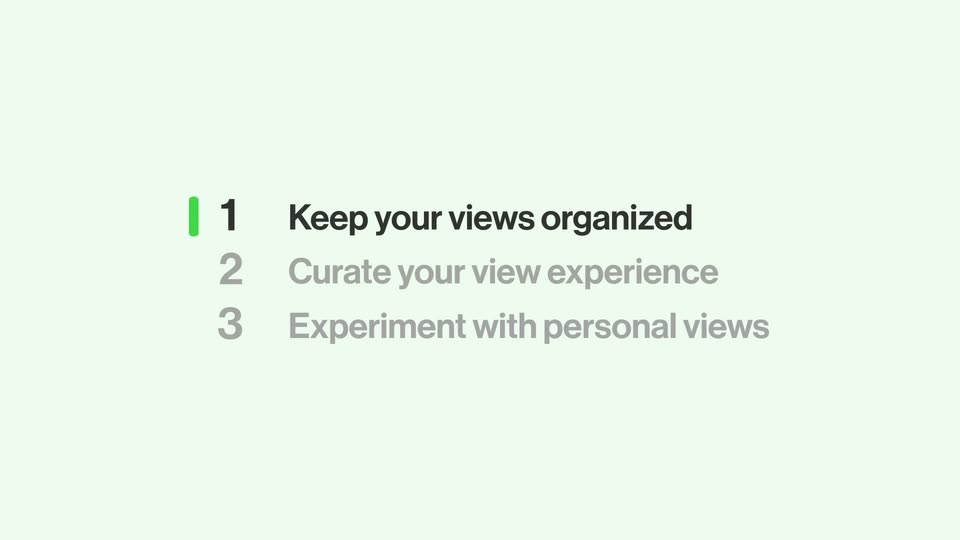
On a pale green background, the heading 'What's new in views' with a green 2021 pill sits left of a 3D MacBook showing the Airtable table view. The card crossfades to a faint numbered list of three items.
On-screen text: “What's new in views”, “2021”, “Airtable”, “1 Keep your views organized”, “2 Curate your view experience”, “3 Experiment with personal views”
Techniques: 3D mockup
Camera: Static
08 · Feature reveal · 0:26–0:31
A pale mint background holds a static three-line numbered list. Line one is dark with a green vertical bar beside the number, while lines two and three sit in light gray. The frame is locked off with no camera movement.
On-screen text: “1 Keep your views organized”, “2 Curate your view experience”, “3 Experiment with personal views”
Camera: Static
09 · Feature reveal · 0:31–0:32
A three-item numbered list sits on a pale green field, the first line in dark bold type with a green bar and the rest in gray. The list scales up as a product dashboard window fades in behind it.
On-screen text: “1 Keep your views organized”, “2 Curate your view experience”, “3 Experiment with personal views”
Techniques: Kinetic type
Camera: Static
10 · Feature reveal · 0:32–0:33
A green campaign-tracker table fills the frame, its rows and left views panel in focus. Three white numbered tips sit over the right half at the start, then clear away, leaving the clean grid with a cursor hovering by the sidebar.
On-screen text: “1 Keep your views organized”, “2 Curate your view experience”, “3 Experiment with personal views”
Camera: Static
11 · Feature reveal · 0:33–1:10
A green-headed project interface on a dark backdrop. A cursor clicks New section in the left sidebar and types a name, creating a collapsible section. It opens a menu to collapse or expand all sections, a yellow outline frames the sidebar. The cursor opens a view-settings dropdown with collaboration options.
Techniques: Cursor demo
Camera: Static
12 · Feature reveal · 1:10–1:12
Locked-off flat view of the Airtable Campaign tracker with two dropdown menus open; a cursor hovers over the view options. Three numbered white captions fade in over the table rows.
On-screen text: “1 Keep your views organized”, “2 Curate your view experience”, “3 Experiment with personal views”
Techniques: Cursor demo, Kinetic type
Camera: Static
13 · Feature reveal · 1:12–1:16
A campaign tracker table fades out to a pale mint background, leaving a numbered list. A green bar slides from item 1 to item 2 as that line darkens and the others fade to gray.
On-screen text: “1 Keep your views organized”, “2 Curate your view experience”, “3 Experiment with personal views”
Techniques: Kinetic type
Camera: Static
14 · Feature reveal · 1:16–1:17
A numbered list of three feature lines sits on a pale mint background, item 2 in bold black with a green tick. A full-screen screenshot of the campaign tracker database view fades in behind the text, while the first line scales.
On-screen text: “Keep your views organized”, “Curate your view experience”, “Experiment with personal views”
Techniques: Kinetic type
Camera: Static
15 · Feature reveal · 1:17–2:04
A campaign tracker interface fills the frame. A cursor hovers the left sidebar, opens a context menu, and the view list reorganizes into My views and All views sections. The cursor clicks the plus button, selects a view type, and a Create new view dialog opens.
On-screen text: “2 Curate your view experience”
Techniques: Cursor demo
Camera: Static
16 · Feature reveal · 2:04–2:05
A screen recording of a campaign tracker app shows a July calendar grid with a left sidebar of views. A centered white dialog titled Choose date fields holds a blue Done button, with a cursor at its lower left and a purple status bar along the bottom.
Techniques: Cursor demo
Camera: Static
17 · Feature reveal · 2:05–2:26
A mint-green list highlights three numbered points in sequence, then cuts to an Airtable interface where a cursor scrolls the views sidebar, selects a Kanban view, and opens its settings menu.
On-screen text: “1 Keep your views organized”, “2 Curate your view experience”, “3 Experiment with personal views”
Techniques: Kinetic type, Cursor demo
Camera: Static
18 · Feature reveal · 2:26–2:32
A flat UI screen shows a project board dimmed behind an Assign new owner dialog. A cursor clicks the dropdown, a name list drops open, picks Elza Lambergs, then hits the blue Confirm assign view button.
Techniques: Cursor demo
Camera: Static
19 · Feature reveal · 2:32–2:52
A screen recording of an Airtable kanban board. A cursor hovers over a card, then clicks the plus icon next to Grid in the left sidebar. A dialog titled Dany's Grid opens with visibility options, and the cursor moves toward the Create new view button.
Techniques: Cursor demo
Camera: Static
20 · CTA · 2:52–3:04
A screen recording of a campaign tracker app on a dark backdrop. A cursor clicks a view in the left sidebar, and the flat grid reorganizes into rows grouped under status headers. The grouped view holds while the cursor rests at the left edge.
Techniques: Cursor demo
Camera: Static
21 · Outro · 3:04–3:08
On a white background, a 3D isometric cube with orange, pink, and blue faces rotates and flattens into the Airtable logo mark, while the wordmark slides in from the right and settles. The lockup then holds static.
On-screen text: “Airtable”
Techniques: Morph, Kinetic type
Camera: Static