2:05
Explore
00:00:00 / 00:58:21
- Length
- 0:58
- Scenes
- 31 · 1.9 s avg
- Product on screen
- 0:00
- Features shown
- 4
- Call to action
- 0:49 · 85%
- Voiceover
- No
- Views
- 1.7K on YouTube
as of November 28, 2026
Aina’s 0:58 launch film runs 31 scenes, about 1.9 s each. The product is on screen from the first frame and 4 features are revealed. The call to action lands at 0:49 (85% in). Built as a black title reveal of the product name, then a chain of feature blocks each opened by a centered light-type card and demonstrated in a warm-lit 3D desk scene, closing with an app montage and an order card. Its recurring moves are slow 3D orbits and focus racks on the small keypad, with locked-off text cards on pure black pacing the cuts.
No filming indicatedEstimated needs: 1 capture group — your screens or recordings · 1 official logo — reused across the film · 20 3D passages — build or supply
Is this your launch? to your site or press kit.
More like this


Similar soundtrack
Films whose music sounds like this one, voice left out
0:56

Lottielab - Introducing Magic Animator beta 3.0✨ Prompt and edit animations in F
Lottielab · Electronic, Trap, Dubstep, Chiptune
0:44

ty - Meet AutoRouter, the most intelligent way to pick models You’re wast
AutoRouter · Electronic, Trap, Lo-fi Hip-Hop
1:00

Microsoft Edge - Features for Work
Microsoft · Latin dance, electronic dance music
Introducing Dune | Automate dev workflows & meetings with context-aware Mac keypad, scene by scene
· 31 scenes as text
01 · Product intro · 0:00–0:02
On black, the gray word Introducing fades in at center, then the frame cuts to a tight 3D close-up of a textured black device angled diagonally, with the wide-tracked letters DUNE overlaid across it.
On-screen text: “Introducing”, “DUNE”
Techniques: 3D mockup
Camera: Static
02 · Product intro · 0:02–0:04
A diagonal macro of a dark, grainy device surface with two oval cutouts fills the frame on black. The title DUNE holds centered in light gray, wide-tracked letters. The shot is locked off with no motion.
On-screen text: “DUNE”
Camera: Static
03 · Product intro · 0:04–0:05
A black field holds a single centered line of gray text, Context Aware Keypad for Mac, which fades in and stays locked. The frame remains still with no camera move.
On-screen text: “Context Aware Keypad for Mac”, “UNE”
Camera: Static
04 · Product intro · 0:05–0:07
Gray text 'Context Aware Keypad for Mac' holds centered on a black background, locked off. In the final beat, a dark slab with a thin copper edge slides in diagonally from the top right corner.
On-screen text: “Context Aware Keypad for Mac”
Camera: Static
05 · Product intro · 0:07–0:08
On a black background, a small 3D device, a gray rounded slab with a tan top face and a circular disc, slides in from the top right and settles in the upper center.
Techniques: 3D mockup
Camera: Static
06 · Product intro · 0:08–0:09
A brushed-metal bar with a row of gold oval cutouts rotates in 3D against a black background, starting small in the upper right and turning to reveal its full length.
Techniques: 3D mockup
Camera: Static
07 · Product intro · 0:09–0:10
A black device is shown in 3D perspective, its side edge lined with a row of silver keys bearing circular indents. The camera orbits the object against a dark gray gradient, tilting the profile from diagonal to vertical.
Techniques: 3D mockup
Camera: Pan
08 · Demo · 0:10–0:13
A black screen holds, then a single line of white text fades in at the center and stays locked, static for the rest of the clip.
On-screen text: “That Adapts to What You're Doing”
Camera: Static
09 · Demo · 0:13–0:15
A dark laptop rests on a wooden desk in warm side light, framed at a low angle. A small metallic USB-C hub with dark ports slides into the side port. Books and a mesh pen holder sit at the left edge. The frame stays locked off.
On-screen text: “That Adapts to What You're Doing”
Techniques: 3D mockup
Camera: Static
10 · Feature reveal · 0:15–0:16
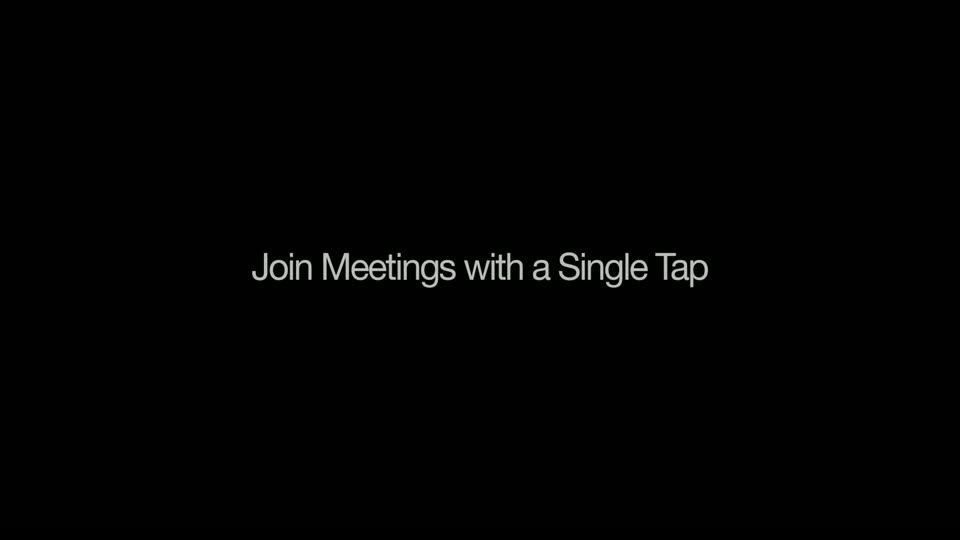
A black frame holds a centered white headline that fades in from nothing. The text stays static and locked once revealed, with no other motion or elements on screen.
On-screen text: “Join Meetings with a Single Tap”
Camera: Static
11 · Feature reveal · 0:16–0:17
Locked-off close-up of a phone screen angled in 3D against a dark, soft abstract background. A white notification card with a blue video icon slides in from the left, revealing the meeting title and countdown.
On-screen text: “Join Meetings with a Single Tap”
Camera: Static
12 · Feature reveal · 0:17–0:19
A small two-button device is plugged into the side port of a laptop on a wooden desk, shot in tight 3D perspective. A thin ring pulses outward from the copper button while the screen glows softly in the background.
On-screen text: “Design Review @12:00”, “Meeting starting in 2 minutes”
Techniques: 3D mockup
Camera: Static
13 · Feature reveal · 0:19–0:21
A 3D desk scene shows a laptop in angle with a small three-button dongle plugged into its side port. On the screen, three pill-shaped action labels sit in a left column. The camera slowly pushes in and racks focus to the dongle, blurring the screen.
On-screen text: “Send ”, “Running Late”, “Open Calendar”, “Join Meeting”
Techniques: 3D mockup
Camera: Static
14 · Feature reveal · 0:21–0:23
A black frame holds a centered two-line headline that fades in from dim gray to bright white, then holds still on a locked-off shot.
On-screen text: “Bring Meeting Window to the”, “Foreground with One Tap”
Camera: Static
15 · Feature reveal · 0:23–0:24
A dark laptop sits on a wooden desk in 3D perspective, a small silver dongle plugged into its side port, its screen showing a video call. A thin ring pulses around one of the dongle's round buttons. The frame stays locked off.
On-screen text: “Bring Meeting Window to the Foreground with One Tap”
Techniques: 3D mockup
Camera: Static
16 · Feature reveal · 0:24–0:25
A laptop rests on a wooden desk at a steep angle, its keyboard sharp in the foreground and the screen softly out of focus. The screen shows a video call with a man in a blue suit and a person in orange, the tiles updating as the clip plays.
Techniques: 3D mockup
Camera: Pan
17 · Feature reveal · 0:25–0:26
A laptop sits angled on a wooden desk, its screen showing a Zoom call with a man in a blue suit waving and a woman in an orange top. The keyboard is soft-focused in the foreground while the two video tiles and the control bar stay sharp.
Techniques: 3D mockup
Camera: Static
18 · Feature reveal · 0:26–0:28
A black screen holds the white headline “Automate Developer Workflows” centered. The line fades in from dim gray to full white over the first half, then stays locked and still for the rest of the clip.
On-screen text: “Automate Developer Workflows”
Camera: Static
19 · Feature reveal · 0:28–0:32
A 3D laptop on a wooden desk beside stacked books shows a GitHub commit list. Review buttons slide in on the left of the screen while a white GitHub logo watermark fades in at the lower left, then fades out; the camera drifts slowly.
On-screen text: “Automate Developer Workflows”
Techniques: 3D mockup
Camera: Pan
20 · Feature reveal · 0:32–0:36
A laptop on a wooden desk in 3D perspective shows a dark task list. Three pill buttons, Accept, Reject, Check Limits, pop in down the left as the Claude wordmark and orange asterisk fade in at lower left, then out.
On-screen text: “Claude”
Techniques: 3D mockup
Camera: Pan
21 · Feature reveal · 0:36–0:39
A close-up 3D shot of a laptop on a wooden desk beside stacked books; the dark editor screen shows three pill buttons popping in, while a blue VS Code logo and label fade in at lower left then out, as the camera drifts slowly left.
On-screen text: “Visual Studio Code”
Techniques: 3D mockup, Parallax
Camera: Pull out
22 · Demo · 0:39–0:39
A black screen holds the white text “And More” centered; the text scales gently in place on a locked-off frame.
On-screen text: “And More”
Techniques: Kinetic type
Camera: Static
23 · Demo · 0:39–0:40
A 3D smartphone mockup on a wooden desk fills the left third, its dark screen showing control buttons, while the right two thirds stay black as the white caption And More scales in at center.
On-screen text: “And More”
Techniques: Split screen, 3D mockup, Kinetic type
Camera: Static
24 · Demo · 0:40–0:41
Two 3D tablet mockups sit on a wooden desk, side by side, one showing a black command panel with white pill buttons and the other a spreadsheet with a context menu. White text scales in on the black right panel.
On-screen text: “And More”
Techniques: 3D mockup, Split screen, Kinetic type
Camera: Static
25 · Demo · 0:41–0:42
Three smartphones stand in 3D perspective on a wooden desk, each displaying a different app with rounded action buttons and a small logo at the base. The locked-off frame holds while a caption scales in.
On-screen text: “And More”
Techniques: 3D mockup, Kinetic type
Camera: Static
26 · Demo · 0:42–0:43
Four iPhone mockups stand angled in a row on a wooden desk, each in 3D perspective showing a different app screen with floating pill-shaped command buttons. A small colored brand logo sits at the bottom corner of each device.
Techniques: 3D mockup
Camera: Static
27 · Feature reveal · 0:43–0:44
On a black background, the title sits on the right while a small 3D device with three rounded keys rises from the dark on the left, angled in perspective.
On-screen text: “Customise Shortcuts”
Techniques: 3D mockup
Camera: Pan
28 · Feature reveal · 0:44–0:47
A small metallic device with three round keys rests on a glowing platform in 3D perspective against black. The right-side headline changes from Build Your Own Workflows to Run Custom Agents as the platform light fades to dark.
On-screen text: “Customise Shortcuts”, “Build Your Own Workflows”, “Run Custom Agents”
Techniques: 3D mockup
Camera: Pan
29 · Other · 0:47–0:49
A plain black screen. The centered white tagline “One Keypad, Infinite Possibilities” fades in, holds for a beat, then fades out.
On-screen text: “Run Custom Agents”, “One Keypad,”, “Infinite Possibilities”
Techniques: Kinetic type
Camera: Static
30 · CTA · 0:49–0:54
On a black background, the centered tagline 'One Keypad, Infinite Possibilities' gives way to 'Order Now', then the white lowercase mirage wordmark, then the small URL. Each element appears and holds on a locked-off frame in a slow end-card sequence.
On-screen text: “One Keypad,”, “Infinite Possibilities”, “Order Now”, “www.projectmirage.ai”
Camera: Static
31 · CTA · 0:54–0:58
A white URL sits centered on a plain black background, locked off and still. The text holds for the duration of the clip, then fades to black in the final second.
On-screen text: “www.projectmirage.ai”
Camera: Static