2:59
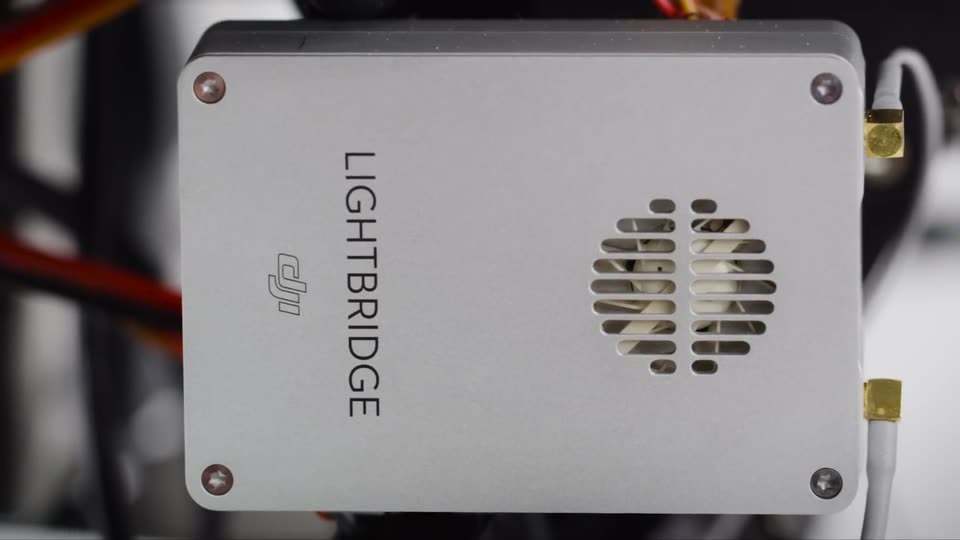

DJI - Introducing Lightbridge 2
DJI · Hardware · Sep 2015
Aina’s 1:21 launch film runs 41 scenes, about 2.0 s each. The product shows up at 0:02 and 3 features are revealed. The call to action lands at 1:18 (96% in), over a voiceover. A black-field product film that alternates locked-off gray title cards with slow 3D macro renders of three small hardware devices, each introduced by an 'Introducing' card and then demonstrated on a warm wooden desk with thin white leader-line callouts and floating glass panels. The pacing is deliberate and symmetrical: a centered text beat, a beauty pass, a feature beat, a use-case demo, repeated per device, bookended by white pedestal lineup shots and a final lowercase brand wordmark.
Is this your launch? to your site or press kit.
DJI · Hardware · Sep 2015
Polestar · Jan 2024
Films whose music sounds like this one, voice left out
Imagine AI · Electronic dance music
The phrase Reimagining Interfaces appears centered on a black background and holds still for the duration of the clip, with no camera movement or additional elements.
On-screen text: “Reimagining Interfaces”
Camera: Static
Two white pedestals hold a tablet and a small black device in a dark void, lit from one side. The frame tracks right to isolate the small device as a dimmer second line fades in beneath the centered title.
On-screen text: “Reimagining Interfaces”, “For an AI Powered World”
Camera: Static
Centered on a black field, two lines of gray sans-serif text fade in and hold, then fade out as the single word Introducing fades in at low opacity.
On-screen text: “Reimagining Interfaces”, “For an AI Powered World”, “Introducing”
Techniques: Kinetic type
Camera: Static
A black frame holds, then “Introducing” fades in centered in light gray. It stays locked as a faint dark ribbon drifts across and “RADIANCE” fades in large and dim behind it.
On-screen text: “Introducing”, “RADIANCE”
Techniques: Kinetic type
Camera: Static
A thin white device tilts and rotates in 3D on a black field, its edge and a small ribbed knob catching the light, while the word RADIANCE holds steady in the center.
On-screen text: “RADIANCE”
Techniques: 3D mockup, Light sweep
Camera: Static
A low-angle close-up of a dark control surface with a ribbed metal knob and white keys, edged by a bright rim light on black. The gray word RADIANCE holds center stage, then fades out as the device remains static.
On-screen text: “RADIANCE”
Techniques: 3D mockup
Camera: Static
A black frame holds while the white line “AI Powered Console” fades in at the center and stays locked, with no other elements or motion.
On-screen text: “AI Powered Console”
Camera: Static
A macro camera glides across the metallic keys of a console, an orange key giving way to silver, while a giant numeral 7 scales in over the static label AI Powered Console.
On-screen text: “AI Powered Console”, “7”
Techniques: 3D mockup, Kinetic type
Camera: Pull out
A macro close-up of a brushed-metal device back with horizontal ridges sits in a white recessed tray. The camera tilts downward, focus softens, and the frame dissolves into the plain white surface.
Camera: Pull out
On a black background, the white text “For your Meetings” fades in at the center of the frame and holds on a locked-off shot.
On-screen text: “For your Meetings”
Camera: Static
A 3D render of a light wooden desk: a laptop sits behind a compact controller with a knurled metal knob, a red light strip and a row of pale pads. The camera slowly pushes in on the device while the caption stays fixed.
On-screen text: “For your Meetings”
Techniques: 3D mockup
Camera: Push in
A low-angle close-up of a control panel with Mute, Power and Join the Meeting keys, a red and white indicator strip, resting on a wooden desk. The camera pans, blurring the wood grain while the panel stays sharp.
Techniques: 3D mockup
Camera: Static
A 3D desk renders a laptop and a small metallic controller with a black knob. A floating video-call grid fades in above the keyboard over a bar of red icons. White callouts with thin leader lines point to the device, cycling through Auto Join Meetings, Camera and Mic.
On-screen text: “Auto Join Meetings”, “on your Calendar”, “Camera”, “Mic”
Techniques: 3D mockup
Camera: Pull out
A 3D desk scene shows a laptop running a four-person video call, with a small control deck on the wooden table in front. The camera slowly pans right as white callout labels with leader lines point to the mic icon and a deck button, and a translucent AI Notes panel fades in beside the laptop.
On-screen text: “Mic”, “AI Notes”, “Voice Modulation”
Techniques: 3D mockup, Masking
Camera: Pull out
A phone with a metal volume knob and a floating waveform panel sits in 3D perspective on a desk, a laptop video call blurred behind it. A hand types on the laptop keys. The caption fades in at right.
On-screen text: “Sound fresh on your morning calls”
Techniques: 3D mockup, Light sweep
Camera: Static
A 3D laptop sits on a wooden desk with a video call on its screen. A translucent panel rises from the keyboard, displaying an audio waveform that shifts from a smooth sine wave to a jagged signal. A white caption holds on the right.
On-screen text: “Sound fresh on your”, “morning calls”
Techniques: 3D mockup
Camera: Pull out
On a black screen, the word Introducing fades in at center and fades out, then SHIFT fades in larger and holds. A black phone with a white band and two amber lights rotates in from the right edge as the title lingers.
On-screen text: “Introducing”, “SHIFT”
Techniques: Kinetic type, 3D mockup
Camera: Static
A black module with a clear acrylic top and two standoffs rests on a white ledge, an amber light glowing inside. The frame opens tight and dark, then pulls back to a three-quarter view. The word SHIFT sits faint and centered in the first frame.
On-screen text: “SHIFT”
Techniques: 3D mockup
Camera: Static
A dark 3D device outline glows faintly in the top-left corner, then the frame settles to black. The title appears centered in gray and holds still.
On-screen text: “One-Click Agentic Button”
Camera: Static
A black frame holds the centered light gray line One-Click Agentic Button, static and locked off for the full shot.
On-screen text: “One-Click Agentic Button”
Camera: Static
A small black module with a clear top and two metal posts sits in 3D perspective on a dark surface, an amber glow inside. A diagonal white beam crosses the frame as the camera pushes in toward the top corner.
On-screen text: “One-Click Agentic Button”
Techniques: 3D mockup
Camera: Static
On a black background, a faint dark angular shape with a pale gray face and a small peach dot sits at center-right. The gray headline 'For your Everyday Apps' fades in at the center and holds still on a locked-off frame.
On-screen text: “For your Everyday Apps”
Camera: Static
A black background holds one centered line of gray text that fades up to white, then holds static. The frame is locked off with no camera movement.
On-screen text: “For your Everyday Apps”
Camera: Static
A small dark square device sits on a light wood surface, first seen at an angle, then the camera settles top down. White caption text fades in at the upper left over the wood.
On-screen text: “Now”, “Capturing your trip”, “From the very beginning”, “to its very last step.”
Techniques: 3D mockup
Camera: Pull out
A translucent Uber card hovers above a small black device on a wooden desk, with a caption “Book Uber to Work” pointing to it. The card updates from a trip confirmation to a booked ride with plate and ETA, a light glint sweeps across, then it fades out.
On-screen text: “Book Uber to Work”
Techniques: 3D mockup, Light sweep
Camera: Pull out
A small square smart display sits on a white table beside a magazine and vase. A translucent DoorDash confirmation card with a progress tracker fades in above the device, then fades out. A white 'Order Pizza' caption with a leader line points to the puck. The camera stays locked off.
On-screen text: “Order Pizza”
Techniques: 3D mockup
Camera: Pan
A small square smart speaker with a metal base sits on a wooden counter, a bowl of vegetables behind it. A caption line points to a glowing ring on the device, then a frosted glass card scales up above it with an Instacart order confirmation and delivery tracker.
On-screen text: “Order Weekly Groceries”
Techniques: 3D mockup
Camera: Pan
On a black field, the gray word Introducing fades in at center and holds, then gives way to DUNE in larger uppercase gray letters that scale up before the frame fades back to black.
On-screen text: “Introducing”, “DUNE”
Techniques: Kinetic type
Camera: Static
A dark, textured panel with two oval recesses lies at a diagonal as a soft light sweep reveals its grain. The word DUNE scales up in thin white letters at the center of the locked-off frame.
On-screen text: “DUNE”
Techniques: Kinetic type, Light sweep
Camera: Static
Macro close-up of two dark, textured keyboard keys with oval indentations, angled in 3D perspective, with a faint DUNE wordmark. It cuts to a black screen where the gray caption “Contextual Keys that Change Meaning” sits centered.
On-screen text: “DUNE”, “Contextual Keys that Change Meaning”
Techniques: 3D mockup
Camera: Static
A black void holds a small 3D key block that rotates in the top right corner, its top face pale and sides amber. The centered headline 'Contextual Keys that Change Meaning' glows faintly and fades out.
On-screen text: “Contextual Keys that Change Meaning”
Techniques: 3D mockup
Camera: Static
A dark rectangular device with a row of copper-toned circular caps tilts and rotates in 3D. The camera orbits it as the background shifts from black to gray, and a glint runs along the metallic edges.
Techniques: 3D mockup, Light sweep
Camera: Pan
A black background holds a single centered line that fades up from dark to light gray, then holds still on a locked-off frame.
On-screen text: “Based on What You Do”
Camera: Static
A dark laptop rests on a wooden desk at a low 3D angle, its screen showing a photo file browser. A small silver USB drive is plugged into the side port. A context menu with Copy, Paste and Import slides onto the screen as the camera drifts slightly.
Techniques: 3D mockup
Camera: Pan
A dark laptop rests on a wooden desk in 3D perspective, its screen filled with a photo editor showing a filmstrip and a properties menu. A small silver USB drive is plugged into the side port. The camera slowly pulls back to bring the keyboard into frame.
Techniques: 3D mockup
Camera: Static
A 3D laptop sits angled on a desk with a small USB stick plugged into its side. The screen switches from a dark code console to a white spreadsheet, and a floating glass panel of command chips updates to match. The camera slowly pushes in and orbits.
Techniques: 3D mockup, Parallax
Camera: Push in
A laptop on a wooden desk in 3D perspective shows a spreadsheet grid with checkmarks. A floating 3D panel at the screen's right edge lists three dark pill labels beside a column of color swatches. A small rectangular accessory with a peach button plugs into the side port. The frame stays locked-off.
Techniques: 3D mockup
Camera: Static
A near-black frame holds, then the right edge brightens to reveal a sliver of a white spreadsheet panel with a dark table block and small feature labels.
Camera: Static
Three white pedestals stand in a black void, each holding a small black device: a keypad slab on the left, a rounded puck on the right, and a watch on a lower block. The camera pans left to bring the keypad pedestal into frame.
Techniques: 3D mockup
Camera: Pull out
A camera rises from a low angle to a high three-quarter view over white pedestals on a black backdrop. A silver module with a black knob and a row of keys sits on the largest block; two smaller metallic parts with copper accents rest on the right.
On-screen text: “1”
Camera: Pull out
The white lowercase mirage wordmark holds centered on a black field, then dissolves as the line Join the Community fades in at the same center. Locked-off frame, slow pace.
On-screen text: “Join the Community”
Camera: Static