1:02

Fenrock AI - back office AI agents for banks and private lenders
Fenrock AI · Fintech · Mar 2026
Aglide · Jun 2024 · 3:15 · Full motion · AI-annotated
Aglide’s 3:15 launch film runs 11 scenes, about 18 s each. The product is on screen from the first frame. The call to action lands at 3:03 (94% in), over a voiceover. The video is one continuous screen recording with a fixed circular facecam in the lower right, walking the A Glide SSO product from the app list, through an Okta login, to admin controls. Pacing is steady and conversational, holding on static UI while the presenter narrates each step.
Is this your launch? to your site or press kit.
Fenrock AI · Fintech · Mar 2026
Clearfork Intelligence · Nov 2026
Films whose music sounds like this one, voice left out
A static dashboard screen titled Team Members fills the frame, showing a grid of member cards with avatars, names, and activity status. A circular video bubble in the lower right holds a blond man in a dark jacket who talks and gestures. The interface stays still.
Camera: Static
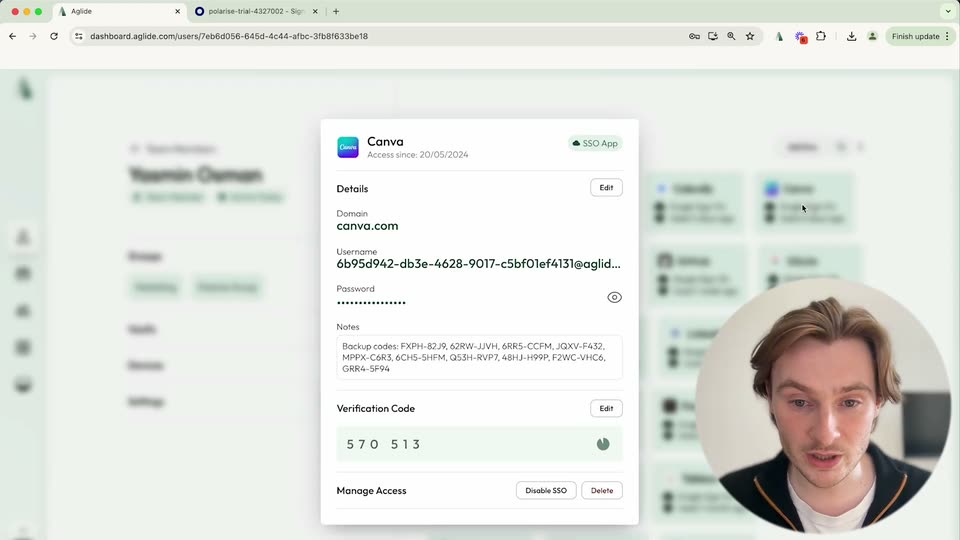
A browser shows a team member page with a grid of SSO app tiles; the cursor hovers the tiles and opens a Canva details modal over a blurred background, while a presenter talks in a circular video bubble at the bottom right.
Techniques: Cursor demo
Camera: Static
A static dashboard screen shows a team member profile with a grid of SSO app cards, while a circular webcam inset in the lower right shows a man speaking. Near the end, a cursor moves to the browser tab.
Techniques: Cursor demo
Camera: Static
A browser window plays through an Okta login: the cursor enters a username, clicks Next, types a password and verifies, then the dashboard's My Apps grid of tiles appears. A circular webcam of a man speaks in the lower-right corner.
Techniques: Cursor demo
Camera: Static
A Mac browser window shows the Canva loading page, a green circular logo above the centered text Logging you in. A circular webcam overlay of a man looking at the screen sits in the lower right corner. The active tab title updates as the page loads.
Camera: Static
A browser window shows the Canva homepage loading, shifting from a gray skeleton layout to the full purple dashboard. A circular webcam feed of a man's face stays fixed in the lower right corner. The frame is locked off.
Camera: Static
The Canva home page fills the browser window, its gradient hero and template row static. A circular webcam of a man in a dark jacket sits in the lower right, talking to camera and gesturing with his hands throughout the clip.
Camera: Static
A screen recording of the Agile dashboard shows a user profile beside a grid of app tiles, with a circular webcam of a gesturing man in the corner. The cursor clicks Manage to open a settings modal, then clicks Freeze, flipping the status badge to orange.
Techniques: Cursor demo
Camera: Static
A full browser window shows the Canva home page with its search banner and template cards. A circular facecam of a man sits in the bottom right corner. The mouse cursor moves from the tab bar into the address bar, which clears to an empty field.
On-screen text: “canva.com”
Techniques: Cursor demo
Camera: Static
A browser window shows the Canva homepage: a centered headline, a purple button, and a row of colorful template cards. A circular webcam feed of a talking man overlays the bottom right corner. Near the end, a white login panel slides in from the top right.
Camera: Static
A static browser screen shows a 'Manage Yasmin's Aglide' settings modal over a blurred dashboard, while a circular video of a man talks and gestures in the bottom-right corner.
Camera: Static