
0:41
Explore
Approved Content, Faster: Introducing Veeva PromoMats in Adobe Express
Adobe · Nov 2026 · 1:13 · Full motion · AI-annotated
- Length
- 1:13
- Scenes
- 16 · 4.6 s avg
- Product on screen
- 0:00
- Call to action
- 1:07 · 92%
- Voiceover
- Yes
- Views
- 351 on YouTube
as of November 26, 2026
00:00:00 / 01:13:12
- Length
- 1:13
- Scenes
- 16 · 4.6 s avg
- Product on screen
- 0:00
- Call to action
- 1:07 · 92%
- Voiceover
- Yes
- Views
- 351 on YouTube
as of November 26, 2026
Adobe’s 1:13 launch film runs 16 scenes, about 4.6 s each. The product is on screen from the first frame. The call to action lands at 1:07 (92% in), over a voiceover. The video is a linear how-to: a bright orange title card names the product, a single cursor then walks through the Adobe Express editor while the camera zooms and pans to follow each click, and a dark dotted globe plus a co-brand lockup close the piece. Pacing is even at about 78 bpm, with slow drifts on the logo cards and quick zooms on the UI; the signature moves are the V-to-A logo morph and the cursor-tracked camera.
No filming indicatedEstimated needs: 4 capture groups — your screens or recordings · 1 official logo — reused across the film
Is this your launch? to your site or press kit.
More like this
0:52


What is Codespaces?
GitHub · Developer tools · Nov 2022
2:08


Superhuman AI 2.0
Superhuman · Productivity · Feb 2024
Similar soundtrack
Films whose music sounds like this one, voice left out
2:30

item YC Launch!
Item · Upbeat electronic and lo-fi hip-hop
0:53


Devin Developers - Introducing Windsurf 2.0. Manage all your agents from one place and
Windsurf · Corporate tech
1:55

Replit Desktop | Agent meets your work where it already is
Replit · Upbeat corporate tech
Approved Content, Faster: Introducing Veeva PromoMats in Adobe Express, scene by scene
· 16 scenes as text
01 · Product intro · 0:00–0:03
On an orange field with halftone dot clusters in the corners, white bold sans-serif text builds in the center line by line: 'Introducing the', then 'Veeva PromoMats add-on', then 'for Adobe Express.' The dot pattern drifts slowly.
On-screen text: “Introducing the”, “Veeva PromoMats add-on”, “for Adobe Express.”
Techniques: Kinetic type
Camera: Push in
02 · Product intro · 0:03–0:04
A white rounded-square icon bearing a gray V and a gray triangle sits centered on a flat orange field with a faint dot grid. The icon scales up gently while the frame stays locked off.
Camera: Static
03 · Product intro · 0:04–0:06
On a flat orange field, a white rounded tile holding a dark V emblem shrinks toward center, then morphs into a black rounded tile carrying a rainbow gradient A emblem, which holds still.
Techniques: Morph
Camera: Static
04 · Demo · 0:06–0:07
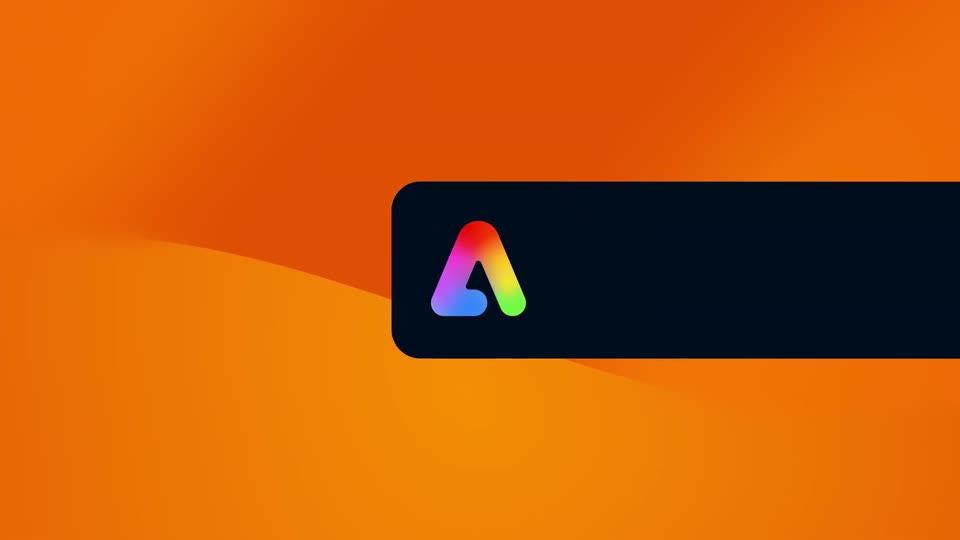
A dark navy interface card slides in from the right over a warm orange gradient. Its header carries a rainbow gradient “A” logo, a back arrow, the title “Untitled”, and a cloud icon.
Camera: Static
05 · Demo · 0:07–0:09
A dark, blurred preview of a Nyxis sleep-ad closes to reveal the Adobe Express editor on a solid orange background. The ad page sits centered in the canvas; a white cursor drifts down the empty right margin.
Camera: Pull out
06 · Demo · 0:09–0:16
A cursor clicks the Add-ons icon in the left sidebar of a design tool, types Veeva PromoMats into the search box, and clicks Add, opening a sign-in panel on the right. The camera zooms in to follow the cursor over a Nyxalis document on the canvas.
Techniques: UI zoom, Cursor demo
Camera: Push in
07 · Demo · 0:16–0:17
A design tool screen with a dark top toolbar and a white canvas. A black cursor moves from the canvas to the purple Sign In button in the right-hand Veeva PromoMats panel, which lists asset thumbnails.
Techniques: Cursor demo
Camera: Static
08 · Demo · 0:17–0:18
A white login modal is centered in a browser window. The view zooms out to reveal the application's sidebar and a right-hand panel where a cursor hovers over a Sign In button.
Techniques: UI zoom, Cursor demo
Camera: Pull out
09 · Demo · 0:18–0:21
A sign-in modal for Veeva PromoMats floats over a dimmed design editor. An email address types into the field, then a cursor glides to the blue Continue button and clicks it.
Techniques: Cursor demo
Camera: Static
10 · Demo · 0:21–0:22
A browser window shows a document editor with a white page on the left and a Weeva PromoMats side panel on the right listing filter dropdowns. The view slowly pans right to frame the panel as a column of asset thumbnails sits between them.
Techniques: UI zoom
Camera: Push in
11 · Demo · 0:22–0:35
A cursor works the Veeva PromoMats side panel: it clicks My documents, hovers the filter dropdowns, then clicks a skater thumbnail that swaps into the canvas. It then selects Import text, and the view reframes onto a selected warning text block on the page.
Techniques: Cursor demo, UI zoom
Camera: Pull out
12 · Demo · 0:35–0:43
In a design editor on an orange background, a warning text block is resized and dropped into the bottom of a Nyxalis poster. The view then zooms to the top toolbar, the cursor clicks Share, and a share dialog opens where the cursor hovers over Convert to template.
Techniques: UI zoom, Cursor demo
Camera: Push in
13 · Demo · 0:43–1:04
A design editor opens a context menu, then a Veeva PromoMats export panel where the cursor selects PNG and Content Module and clicks Export to PromoMats. A green confirmation toast appears. The editor window shrinks onto a dark dotted globe, becomes the Veeva review screen, then the Veova logo.
Techniques: Cursor demo
Camera: Pull out
14 · Outro · 1:04–1:07
A rainbow-gradient A logo in a dark rounded square scales up gently at center, then holds, while a white dotted globe turns slowly on the right against a dark blue background.
Camera: Static
15 · CTA · 1:07–1:08
A white card fills the frame with the co-brand lockup centered: red Adobe, black Express, a thin vertical divider, orange Veeva. The lockup sharpens from a soft blur to crisp as the dark card border recedes.
On-screen text: “Adobe Express | Veeva”
Camera: Static
16 · Outro · 1:08–1:13
A static lockup of two brand wordmarks on a white field: Adobe Express in red and black on the left, Veeva in orange on the right, split by a thin gray vertical line, centered and held without motion.
Camera: Static