
0:44
Explore
00:00:00 / 00:56:10
- Length
- 0:56
- Scenes
- 48 · 1.2 s avg
- Product on screen
- 0:01
- Features shown
- 8
- Voiceover
- Yes
- Views
- 216K on YouTube
as of November 25, 2026
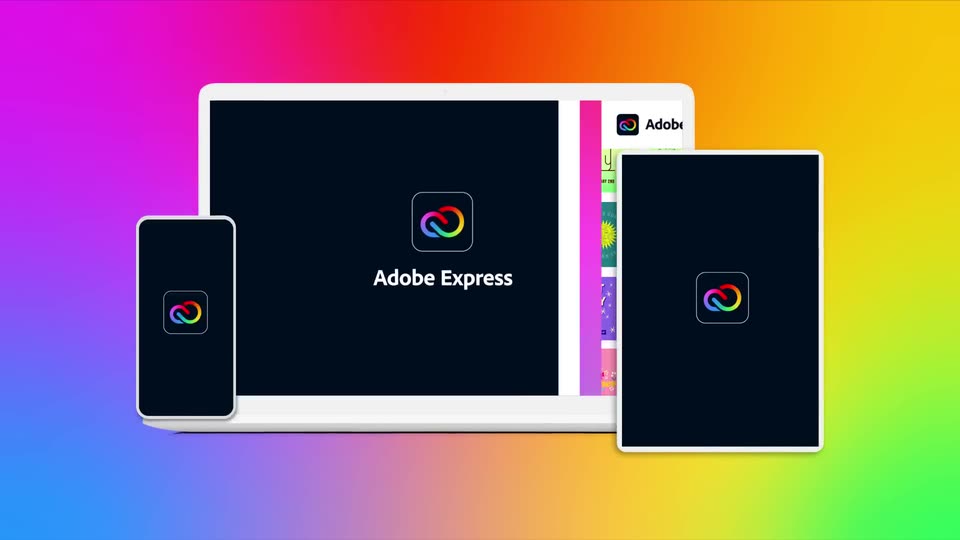
Adobe’s 0:56 launch film runs 48 scenes, about 1.2 s each. The product shows up at 0:01 and 8 features are revealed. There is no explicit call to action; a voiceover carries the film. The video opens on a dark navy field with a gradient wordmark, then cuts to a fast montage of the editor where each tool (templates, text, icons, backgrounds, colors, animation, photos, logos) gets a 2 to 5 second beat. Signature moves are the diagonal pan of the tilted template wall that pushes into the canvas, the 3D tilt of device mockups, and the rainbow gradient that shifts hue behind every scene, all synced to a 140 BPM track.
Footage neededEstimated needs: 7 capture groups — your screens or recordings · 1 official logo — reused across the film · 3 filmed passages — shoot, supply or replace · 4 graphic passages — draw or supply · 14 3D passages — build or supply
Is this your launch? to your site or press kit.
More like this

0:22
HyperFrames - we couldn't get the day off to play GTA VI, so we found a way to play
HyperFrames · Nov 2026
1:21

All the launches at Config 2025 | Figma
Figma · Design · May 2025
Similar soundtrack
Films whose music sounds like this one, voice left out
2:33
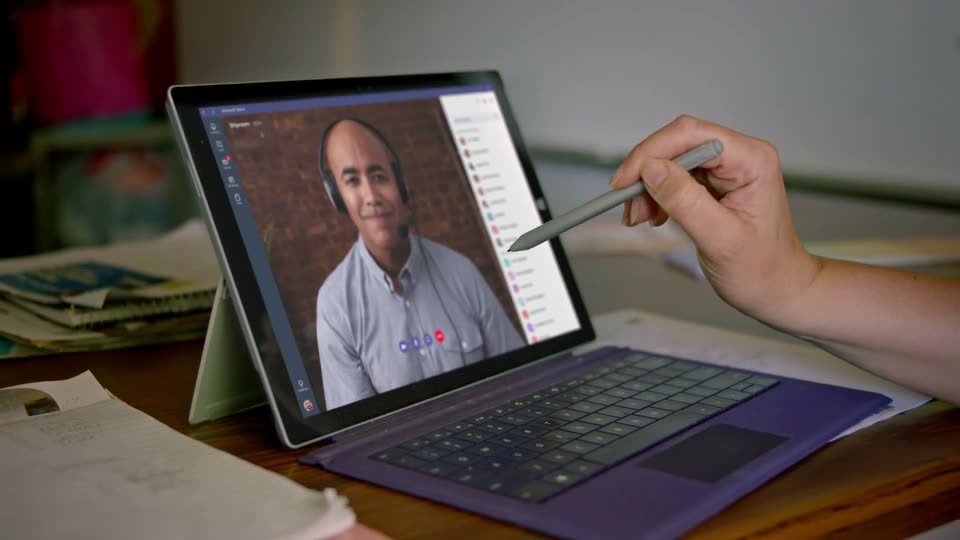

Introducing classroom experiences in Microsoft Teams
Microsoft · Modern corporate promotional music with elements of upbeat electronic, indie rock, and alternative.
1:00


Introducing Subscribe with Google
Google · Upbeat electronic
3:45


EcoVadis Ratings Solution Overview - About Page
Ecovadis · Upbeat corporate electronic
Introducing Adobe Express | Adobe Express, scene by scene
· 48 scenes as text
01 · Hook · 0:00–0:01
A bold gradient word sits centered on a dark navy background. The text remains static in a locked-off frame.
On-screen text: “Introducing”
Camera: Static
02 · Product intro · 0:01–0:02
On a dark navy field, a rounded-square app icon draws its rainbow loop in the center as the gradient word Introducing holds above it. Below, the white and gradient wordmark Adobe Express scales up into place.
On-screen text: “Introducing”, “Adobe Express”
Techniques: Kinetic type
Camera: Static
03 · Product intro · 0:02–0:03
A rainbow gradient fills the frame behind a row of flat device mockups, a laptop flanked by a phone and a tablet. Each dark screen shows the colorful Adobe Express icon and wordmark, which scales up on the laptop as the tablet slides in from the right.
Camera: Pull out
04 · Feature reveal · 0:03–0:04
On a rainbow gradient, a white laptop, phone and tablet sit in 3D perspective, each screen showing the Adobe Express logo on black. The devices then shift apart and their screens fill with colorful template grids.
Techniques: 3D mockup
Camera: Static
05 · Feature reveal · 0:04–0:05
A white laptop mockup sits centered on a vivid rainbow gradient. Its screen shows the Adobe Express template grid scrolling upward, cycling through rows of colorful design thumbnails.
Techniques: 3D mockup
Camera: Pan
06 · Feature reveal · 0:05–0:06
A front-facing white laptop mockup sits on a gradient background that shifts from magenta and orange to yellow and green. The screen shows the Adobe Express home view with a dense grid of colorful design templates, static throughout.
Camera: Push in
07 · Feature reveal · 0:06–0:07
A design tool screen on a warm orange gradient: a square 'ANNUAL SALE' poster shows a man in a hat over liquid yellow, blue and cream shapes. The shapes shift and the type repositions while the right sidebar of social media icons scrolls upward.
Camera: Static
08 · Feature reveal · 0:07–0:08
A design editor screen shows a right-side panel of social media format icons. The central canvas holds a sale poster with a man in a hat and abstract shapes; the poster tilts and zooms slightly as the layout reflows.
Camera: Static
09 · Feature reveal · 0:08–0:09
A design tool screen shows a vertical sale poster on an orange gradient canvas beside a right panel of social format icons. A diagonal pink band sweeps across the canvas as the whole frame tilts slightly.
Camera: Static
10 · Feature reveal · 0:09–0:10
A tilted grid of colorful story templates scrolls diagonally across the frame in a steady pan, revealing posters with bold headlines, product photos, and playful illustrations.
Camera: Pan
11 · Feature reveal · 0:10–0:10
A diagonal grid of bright social post templates tilts and drifts, then a purple diagonal mask wipes across, covering half the collage and exposing an editable template panel with placeholder text.
Techniques: Masking
Camera: Push in
12 · Feature reveal · 0:10–0:13
A fashion ad canvas with a pink bag sits behind a white Edit text panel that scrolls through a font list. As rows highlight, the large BAGS headline on the left swaps to match the selected typeface.
On-screen text: “BAGS”, “NEW COLORS”, “ELLES FASHION CO.”
Camera: Static
13 · Feature reveal · 0:13–0:13
A design canvas shows a fashion poster with a pink handbag and the headline BAGS, while a white font-selection panel on the right wipes out to the right, swapping the BAGS typeface. The NEW COLORS and ELLES FASHION CO. captions stay fixed.
On-screen text: “BAGS”, “NEW COLORS”, “ELLES FASHION CO.”
Techniques: Masking
Camera: Static
14 · Feature reveal · 0:13–0:16
A white laptop on a blue-to-pink gradient shows a design tool. A panel of vacuum line-icons slides away, revealing a blue canvas with the headline CLEAN AS CAN BE above a row of icons and the caption CLEANING SERVICES. The camera pulls back, exposing faint line-art vacuums in the background.
Techniques: Parallax
Camera: Pull out
15 · Feature reveal · 0:16–0:17
A laptop mockup on a purple-to-pink gradient shows a cleaning-services poster with line-art vacuums and mops. The screen content lifts out and settles as a flat paper poster with curled edges, centered over matching line-art icons.
Techniques: 3D mockup, Morph
Camera: Static
16 · Feature reveal · 0:17–0:18
A tilted grid of colorful poster templates scrolls diagonally across a purple backdrop, each card showing a different layout: study clubs, holiday greetings, brand cards and a portrait. The cards stay flat on a slanted plane as the grid pans, revealing new designs.
Techniques: 3D mockup
Camera: Static
17 · Feature reveal · 0:18–0:19
A tilted wall of colorful social-post templates in 3D perspective pushes in on the central card, which resolves into a white tablet mockup standing on a purple gradient.
Techniques: UI zoom, 3D mockup
Camera: Push in
18 · Feature reveal · 0:19–0:20
A front-facing laptop mockup sits on a pink-purple gradient with white scratch lines. On its screen, a design tool shows a man's photo on a canvas; the background behind him swaps from a blue pattern to a pink gradient as a white selection box frames him.
Techniques: 3D mockup
Camera: Static
19 · Feature reveal · 0:20–0:20
A laptop mockup in 3D perspective rests on a pink and orange gradient. Its screen shows a design tool: a left icon column, a strip of colorful thumbnails, and a canvas with a portrait photo in a selection box over a blue field of pink cubes and spheres.
Techniques: 3D mockup
Camera: Static
20 · Feature reveal · 0:20–0:22
A white laptop mockup on a pink-to-orange gradient tilts into 3/4 perspective. Its screen shows a design editor with a sidebar and asset column; on the canvas, a photo of a person with colorful eyeshadow sits under three stacked white SMILE lines with smiley icons.
On-screen text: “hey”
Techniques: 3D mockup, Kinetic type
Camera: Static
21 · Feature reveal · 0:22–0:23
A white design-tool card with a blue FISH MARKET poster tilts into 3D perspective and settles flat, centered on a purple-to-pink gradient. Faint white fish line art sits at the frame edges, and the Colors tool is highlighted in blue.
Techniques: 3D mockup
Camera: Static
22 · Feature reveal · 0:23–0:24
Two rounded cards on a purple-pink gradient with faint fish line art. The left blue card shows four engraved fish and the title FISH MARKET, with FISH sliding in. The right white panel shows a fish preview above a Color label and swatches that cycle through palettes.
On-screen text: “FISH”, “MARKET”
Techniques: Kinetic type
Camera: Static
23 · Feature reveal · 0:24–0:25
Two flat phone mockups sit on a pink-to-orange gradient with faint fish line art. The left screen shows a red poster with cream FISH MARKET type and blue fish, the FISH word sliding slightly. On the right, a color swatch row under a Color label shifts its blue selection ring to the next swatch.
Camera: Static
24 · Feature reveal · 0:25–0:26
A pink-to-yellow gradient with faint fish line-art holds two rounded app cards. The left yellow screen shows a green FISH MARKET title and blue fish that shuffle into new positions. The right color-picker card slides up, pushing a row of orange bars into view at the bottom.
Camera: Static
25 · Feature reveal · 0:26–0:27
A tilted phone mockup displays a photo app with a gradient image and tool icons, set on a blue-to-magenta field of large outline letters. The device rotates slightly toward upright while a circular play button holds at the right edge.
Techniques: 3D mockup
Camera: Pan
26 · Feature reveal · 0:27–0:30
A flat phone mockup on a blue-to-magenta gradient with oversized outlined letters. Inside, a bulldog FALL SALE design is edited: the Animation tool highlights, a preset panel of Hello, Hola, Ciao thumbnails slides up, and a play badge at right flips to pause.
On-screen text: “00”
Techniques: Cursor demo
Camera: Static
27 · Feature reveal · 0:30–0:31
A flat phone mockup sits centered on a blue-to-purple gradient filled with outlined SALE letters. The screen swaps from an animation panel of text boxes to a row of Design assets and Photos labels, while a 00 timer badge holds in the corner.
On-screen text: “00”
Camera: Static
28 · Feature reveal · 0:31–0:33
A smartphone mockup floats in 3D over a blue-purple gradient background of large outlined SALE lettering. Its screen shows a FALL SALE banner with a dog that slides up to reveal a grid of icons, while a gray circle highlights the Photos icon.
On-screen text: “00”
Techniques: 3D mockup
Camera: Static
29 · Feature reveal · 0:33–0:33
A phone mockup of a stock-photo app tilts from a 3D angle to a flat front view over a warm gradient. The app shows a sunglasses search grid, with the title scaling and the search term sliding into place. A small 00 badge sits on the right edge.
On-screen text: “00”
Techniques: 3D mockup
Camera: Static
30 · Feature reveal · 0:33–0:34
A white panel with the 'Edit image' heading and a 'Remove background' button sits left over a yellow-green gradient. The Adobe Stock card with a 'sunglasses' search slides off as the selected photo of a woman with an afro and round sunglasses expands to fill the right.
Techniques: UI zoom
Camera: Push in
31 · Feature reveal · 0:34–0:35
A woman's street photo fills the right half as its background dissolves into a transparency checkerboard. On the left, a white panel with an Edit image heading and a Remove background button fades out while patterned color blocks slide in from the edge.
Techniques: Split screen, Morph
Camera: Static
32 · Feature reveal · 0:35–0:35
A woman with an afro and round sunglasses stands centered against a pink backdrop, wearing an orange ribbed sweater and denim overalls. Four patterned swatches stack vertically along the left edge. The shot holds still with only subtle movement.
Camera: Static
33 · Feature reveal · 0:35–0:37
A woman in round sunglasses and an orange top stands before a blue doodle pattern that flips to orange suns. Four color swatches on the left slide away, then bold white text NEW SUNNIES ARE HERE pops in beside her.
On-screen text: “NEW”, “SUNNIES”, “ARE HERE”
Techniques: Kinetic type
Camera: Push in
34 · Feature reveal · 0:37–0:38
A woman in round sunglasses poses on an orange sun-patterned background while the white headline NEW SUNNIES ARE HERE scales and slides. A green diagonal band wipes across to a red headline and a Glow and Ready sticker.
On-screen text: “NEW”, “SUNNIES”, “ARE HERE”, “Glow and Ready”
Techniques: Kinetic type, Masking
Camera: Static
35 · Feature reveal · 0:38–0:39
A diagonal grid of colorful post templates, tilted at an angle, pans across a yellow-green field. Cards show holiday greetings, a sale, a leaf logo and photos of people, all sliding together as one flat collage.
Camera: Pan
36 · Feature reveal · 0:39–0:40
A green square card holding a lime logo and curved “JUICE PRESS CO.” text sits centered on a yellow-green gradient. Large “JUICE PRESS CO.” and “YOUR COMPANY” letters rotate and scale up around the card as the card shrinks, with a small apple icon popping in top right.
On-screen text: “JUICE PRESS CO.”, “YOUR COMPANY”
Techniques: Kinetic type, Morph
Camera: Static
37 · Feature reveal · 0:40–0:41
A design-tool screen with a left asset panel listing fruit illustrations and a canvas holding an orange tile. The curved “JUICE PRESS CO.” wordmark and flat fruit graphics slide into place on a yellow background.
Camera: Static
38 · Feature reveal · 0:41–0:42
A design editor fills the frame, a sidebar and fruit list left of a yellow canvas. An apple-slice icon scales up to the center of an orange tile and locks into a selection box as the arched wordmark letters slide into place.
Camera: Static
39 · Feature reveal · 0:42–0:43
A design editor shows a left icon rail and a Design Assets panel listing fruit illustrations. The rail and panel slide out left as the orange canvas zooms in on a circular apple logo reading Juice Press Co.
Techniques: UI zoom
Camera: Pan
40 · Feature reveal · 0:43–0:45
A yellow square card holds the Juice Press Co. logo as a white ring draws itself around it and the wordmark slides into place. The scene then cuts to a laptop on a wooden desk displaying the Fresh Juice Daily website with a grid of citrus photos.
On-screen text: “JUICE PRESS CO.”
Techniques: Kinetic type, 3D mockup
Camera: Pull out
41 · Feature reveal · 0:45–0:46
A white laptop mockup on an orange-to-yellow gradient shows the Juice Press Co site. The page scrolls up so the round strawberry logo slides off the top edge while the heading and fruit photo grid stay in view, and the laptop drifts as a white panel slides in from the right.
Camera: Pan
42 · Outro · 0:46–0:48
On a dark navy field, a yellow bar wipes in from the left edge as the gradient headline is revealed. The fill shifts from yellow-green to magenta-orange, then the second line appears below it.
On-screen text: “Now anyone with an idea”, “can express it.”
Techniques: Masking, Kinetic type
Camera: Static
43 · Outro · 0:48–0:50
A dark navy background holds the white word Adobe. The word Express slides in from the right in a pink-to-green gradient to complete the centered logo.
On-screen text: “Adobe Express”
Techniques: Kinetic type
Camera: Static
44 · Outro · 0:50–0:51
A blue-to-orange horizontal gradient fills the frame behind the centered Adobe Express wordmark. The wordmark vanishes as the logo mark, a rounded cross and an orange block, scales up to fill the screen.
On-screen text: “Adobe Express”
Camera: Static
45 · Outro · 0:51–0:52
A rainbow gradient tagline reading “Creativity for all.” sits centered on a plain white background. The bold sans-serif line scales down from a large size to a smaller one over the shot.
On-screen text: “Creativity for all.”
Techniques: Kinetic type
Camera: Static
46 · Outro · 0:52–0:53
Centered on a pale yellow field with a diagonal white light streak, the rainbow-gradient tagline scales up, then the frame fills with large smooth cyan and green gradient shapes.
On-screen text: “Creativity for all.”
Techniques: Kinetic type
Camera: Static
47 · Outro · 0:53–0:54
A red 3D letter A logo with rainbow gradient inner edges. The camera pulls back from a tight crop of the angled edges to reveal the full mark centered on white, settling with a soft drop shadow.
Camera: Static
48 · Outro · 0:54–0:56
The red Adobe A mark sits centered on a plain white background with the red Adobe wordmark beneath it. The logo eases into place with a soft shadow, then settles and holds on a locked-off frame.
On-screen text: “Adobe”
Camera: Static