1:06
Seyi - Introducing Showroom, an app that lets you see your designs in every
Showroom · Oct 2026
Motionfly · Nov 2026 · 0:30 · AI-annotated
Motionfly’s 0:30 launch film runs 18 scenes, about 1.7 s each. The product shows up at 0:05 and 3 features are revealed. The call to action lands at 0:24 (81% in), over a voiceover. Built as a tight promise-to-proof arc: a typewriter hook, a logo sting, a prompt-field demo, a 3D generation showcase, two benefit cards and a CTA, cut at roughly ten cuts per minute. Signature moves are word-by-word text builds, parallax app icons over defocused beach footage, a 3D phone tilt and a rotating ring of thumbnails, all set on generous white space.
Is this your launch? to your site or press kit.
Showroom · Oct 2026
ChatGPT Atlas · Oct 2025
On a plain white background, a centered headline builds word by word: a purple O appears, then One prompt., then Full launch video. with video in purple. Four small gray squares mark the corners of the growing line, spreading outward as the text fills in.
On-screen text: “One prompt. Full launch video.”
Techniques: Kinetic type
Camera: Static
Over a sunny beach with the Golden Gate Bridge, a blurred row of app icons sharpens into focus; the Pr icon scales up and gains a black underline while the others line up beside it.
On-screen text: “One prompt. Full launch video.”
Camera: Static
Adobe app icons for Premiere, After Effects and Photoshop slide left at a steady pace through the mid-frame over a defocused beach with mountains and a flock of birds, a thin white underline tracking the centered icon.
Camera: Push in
A soft-focus bay with gulls overhead; three rounded app icons float at mid-height, the center one carrying the brand logo above a thin white line. The icons shuffle sideways and whip into motion blur as a dark disc slides in from the lower left.
Techniques: Speed ramp
Camera: Static
On a near-black field, a rounded-square logo with a thin white outline holds four white diamond shapes in a ring. The word MOTIONFLY scales up beneath it in small caps.
On-screen text: “MOTIONFLY”
Camera: Static
A large arched purple word “Introducing” fills a white field, then shrinks toward center as it straightens. It gives way to the Motionfly logo, a purple rounded square with white diamonds, set beside a dark gray “Motionfly” wordmark.
On-screen text: “Introducing”, “Motionfly”
Techniques: Kinetic type
Camera: Static
On a plain off-white field, a black rounded-square icon with four white diamonds sits beside the wordmark Motionfly. The icon lifts and tilts upward while the wordmark slides into its final position.
On-screen text: “Motionfly”
Techniques: Kinetic type
Camera: Static
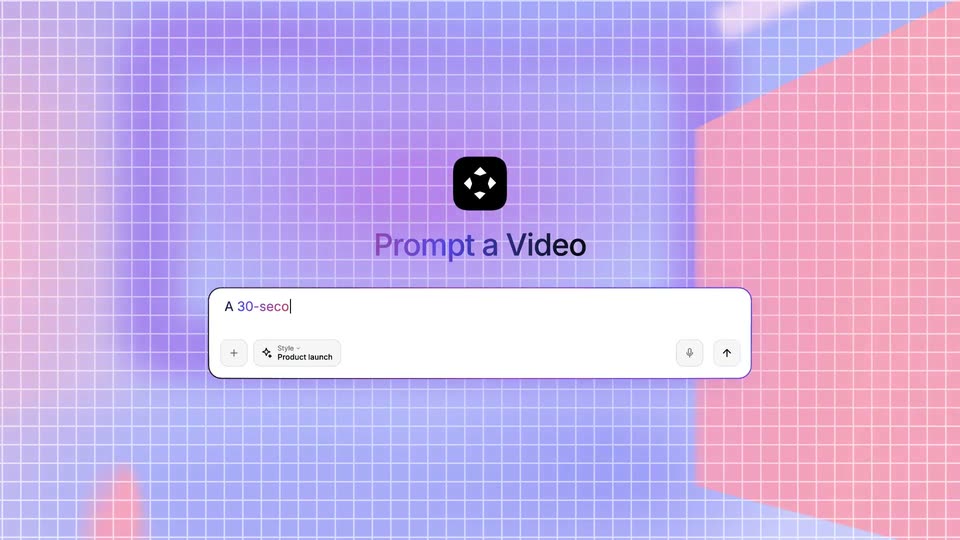
A white prompt field with a Product launch chip sits on a pale grid. The background floods with a purple-to-pink gradient, the black app icon and field scale up, and the heading Prompt a Video pops in above as the field fills with typed text.
On-screen text: “Prompt a Video”
Techniques: Kinetic type
Camera: Static
A black rounded icon and the bold headline “Prompt a Video” sit above a purple-outlined prompt field on white; text types out left to right as a caret follows, while small pill buttons rest in the field’s bottom row.
Techniques: Kinetic type
Camera: Push in
A cropped black heading 'Prompt a Video' tops a white prompt field with a purple gradient border. The typed text finishes as 'upbeat and modern' while the mic icon fades and a red send button appears. A large purple cursor arrow slides in to point at the button.
Techniques: Cursor demo
Camera: Static
A close-up of a rounded prompt field with a violet border. A large purple cursor taps the blue send button, which fades to a pale shade, and the typed prompt text scales down slightly inside the field.
Techniques: Cursor demo
Camera: Static
A white interface shows a gray chat bubble with a prompt at the top right. On the left, a vertical list of purple steps appears one by one, each paired with a small line icon.
Camera: Static
A light panel shows a prompt box and a step checklist with purple check icons, then the frame shifts to a dark phone tilted in 3D perspective, its white screen listing morning habits. The pace is brisk.
Techniques: 3D mockup
Camera: Pull out
A smartphone mockup in 3D perspective shows a habit tracker screen with a greeting and three habit rows. The phone tilts gently against a plain light background.
Techniques: 3D mockup
Camera: Pull out
A 3D phone mockup of a habit tracker app rotates from a steep side angle to face the camera as the line “Every launch video” appears under the greeting. Small rounded photo thumbnails pop in and scatter in a loose ring around the device on a plain white background.
On-screen text: “Every launch video”
Techniques: 3D mockup
Camera: Static
A ring of small photo thumbnails, landscapes, laptop desks, boats, green leaves, rotates slowly counterclockwise around the centered black text on a white background, then scales up until the cards reach the frame edges.
On-screen text: “Every launch video type.”
Camera: Push in
On a white background a black headline types out behind a blinking cursor, then a gray second line completes it. Small colored pill tags labeled Script, 3D mockups, ACD20 and Music & SFX drift to new spots around the text, and the whole composition tilts diagonally at the end.
On-screen text: “Polished video in seconds.”, “In minutes, not days.”, “Script”, “3D mockups”, “ACD20”, “Music & SFX”, “Every launch video type.”
Techniques: Kinetic type
Camera: Pan
A black rounded-square icon with four white diamonds spins into an upright position at center. The wordmark Motionfly writes in letter by letter, then a black Get Started for Free button and the URL motionfly.co fade in below.
On-screen text: “Motionfly”, “Get Started for Free”, “motionfly.co”
Techniques: Kinetic type
Camera: Static