1:06
Seyi - Introducing Showroom, an app that lets you see your designs in every
Showroom · Oct 2026
Upstash · Aug 2026 · 0:45 · AI-annotated
Upstash’s 0:45 launch film runs 17 scenes, about 2.7 s each. The product shows up at 0:02 and 1 feature is revealed. The call to action lands at 0:41 (89% in). The video is built as one continuous shallow-focus demo: a word card and logo reveal over a 3D laptop, then a long walkthrough of the browser agent fixing a chair drawing and merging a pull request, ending on a handwritten tagline card. Its signature moves are rack-focus pulls from soft to sharp, macro close-ups of the dark UI, and slow 3D tilts of the laptop against a plain off-white field.
Is this your launch? to your site or press kit.
Showroom · Oct 2026
Anthropic · AI · Jan 2026
Airtable · Productivity · Sep 2021
The word “Introducing...” sits centered on a plain off-white background with a soft vignette. The first letters open in heavy black and ease into a uniform medium gray over the hold, while the frame stays locked off.
On-screen text: “Introducing...”
Camera: Static
A green cube icon with the black Upstash Box wordmark and a green Web Browser line sits centered on a white field. Small green tick accents flash to the left of the icon and fade, while a blurred laptop keyboard slides up along the bottom edge.
On-screen text: “Upstash Box”, “Web Browser”
Camera: Static
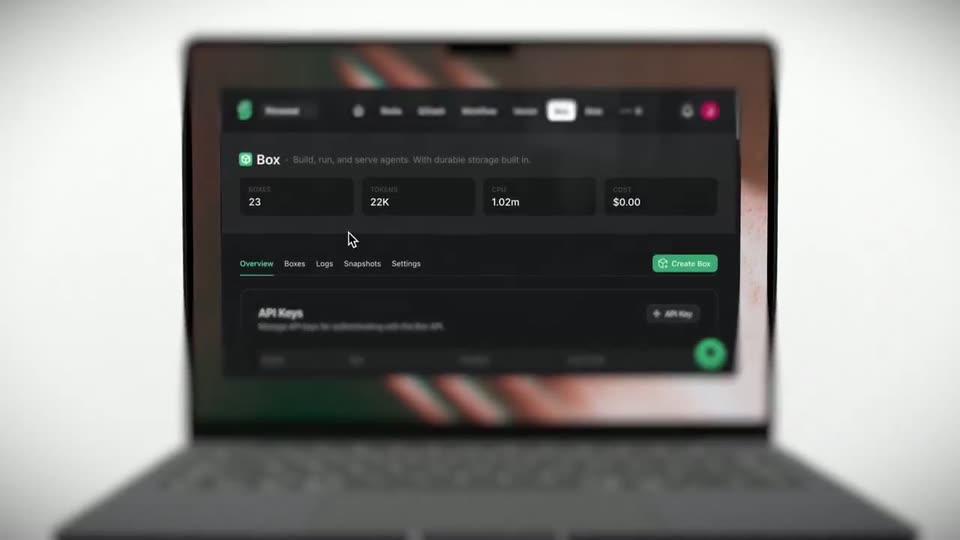
A green cube logo and the title Upstash Box Web Browser sit over a blurred laptop on a white background. The focus pulls to the screen, revealing the dark Upstash Box dashboard with a cursor and a green Create Box button.
On-screen text: “Upstash Box”, “Web Browser”
Techniques: 3D mockup
Camera: Static
A laptop mockup sits centered on a plain light background, its screen showing a dark Box dashboard with stat cards, tabs and an API Keys panel. The shot opens out of focus and racks into sharp focus on the display.
Techniques: 3D mockup
Camera: Pull out
A laptop mockup sits in 3D perspective on a white background, its dark dashboard in soft focus. A Create Box modal opens on the screen and a cursor moves into the Name field to type a value.
Techniques: 3D mockup, Cursor demo
Camera: Push in
Macro shot of a laptop screen in shallow focus. A dark Create Box modal scrolls down as the camera pushes in; a white cursor glides to the Browser toggle and a hand cursor clicks it, turning the row green.
Techniques: UI zoom, Cursor demo
Camera: Pan
A shallow-focus close-up of a laptop screen racks from soft to sharp. On the dark panel, a white headline with one green word sits beside a thin white line drawing of a chair drawn stroke by stroke. A cursor arrow drifts, then an I-beam appears in the right input field.
Techniques: Cursor demo
Camera: Static
A dark terminal line types out a command, agent:/workspace/home> there is an excess line at the top of the chair, remove it, then PR and include a screenshot so I can verify. A running spinner appears as the frame pulls back to reveal the tab bar and a chair sketch.
Techniques: UI zoom
Camera: Pull out
A close-up of a dark interface showing a list of tasks, with one entry in sharp focus and the surrounding UI blurred.
Camera: Push in
A shallow-focus close-up of a laptop screen shows a dark pull-request list. A cursor hovers over the row titled Remove stray line at top of hero chair, and a tooltip reading You opened this pull request fades in above it. The image racks from soft to sharp.
Techniques: Cursor demo
Camera: Push in
A tight, soft-focused close-up of a GitHub pull request page on a laptop screen. The camera racks focus and pulls back to reveal the full screen in 3D perspective, while a cursor drifts over the Commits tab.
Techniques: Cursor demo, UI zoom, 3D mockup
Camera: Static
A dark pull request page on a laptop screen scrolls down, moving from the header and tabs to a full-page website preview, with a cursor visible near the right sidebar.
Camera: Pull out
A dark website mockup sits at a 3D angle, its right edge glowing blue and softly blurred. A white cursor drifts leftward across the screen past a thin line drawing of a chair frame, while the headline and a column of words stay fixed.
Techniques: 3D mockup, Cursor demo
Camera: Push in
A tilted close-up of a dark GitHub merge dialog. A white cursor clicks the green Merge button, the view shifts to the confirm screen, the cursor moves into the description box and onto Confirm merge as the top of the frame racks into blur.
Techniques: 3D mockup, Cursor demo
Camera: Pan
A laptop in 3D perspective shows a dark pull-request view, the screen angled with shallow depth of field. A purple Merged pill scales in beside the commit title Remove stray line at top of hero chair #1.
Techniques: 3D mockup
Camera: Static
A dark laptop mockup tilts slowly in 3D against a white background as the camera racks focus from soft to sharp. The screen shows a pull request page where a purple Merged badge pops in and scales up.
Techniques: 3D mockup
Camera: Static
A plain off-white frame holds the centered line “build exceptional cloud agent experiences”, with “exceptional” in green, while a casual handwritten note writes itself in below, completing “FOR YOURSELF OR FOR YOUR USERS!”. A blurred dark device edge sits at the bottom.
On-screen text: “build exceptional cloud agent experiences”, “FOR YOURSELF”, “OR FOR YOUR USERS!”
Techniques: Kinetic type
Camera: Static