
0:26
Explore
Motion Graphics SaaS Promo/Demo Video | ZoomInfo
ZoomInfo · Oct 2025 · 1:05 · Code only · AI-annotated
studio Astra Motion
- Length
- 1:05
- Scenes
- 40 · 1.6 s avg
- Product on screen
- 0:06
- Features shown
- 3
- Call to action
- 1:01 · 94%
- Voiceover
- No
- Views
- 7.6K on YouTube
as of November 27, 2026
00:00:00 / 01:05:13
- Length
- 1:05
- Scenes
- 40 · 1.6 s avg
- Product on screen
- 0:06
- Features shown
- 3
- Call to action
- 1:01 · 94%
- Voiceover
- No
- Views
- 7.6K on YouTube
as of November 27, 2026
ZoomInfo’s 1:05 launch film runs 40 scenes, about 1.6 s each. The product shows up at 0:06 and 3 features are revealed, with social proof. The call to action lands at 1:01 (94% in). Dark navy stage with neon red and purple accents, white sans type, and a fast 135 bpm cut rhythm that snaps between kinetic type cards and 3D-tilted UI mockups. Each feature is announced by a single punchy tagline card then proven with a typed prompt and a generated document, capped by a flowing-line data montage and a JUST GO. close.
No filming indicatedEstimated needs: 3 capture groups — your screens or recordings · 1 official logo — reused across the film · 7 graphic passages — draw or supply · 8 3D passages — build or supply
Is this your launch? to your site or press kit.
More like this


Similar soundtrack
Films whose music sounds like this one, voice left out
0:45


Nixo - The first ops platform for FDEs
Nixo · Latin-infused electronic dance music (Moombahton)
0:53


OpenSea - OpenSea has evolved. Beta complete. Full token universe unlocked. N
OpenSea · Electronic dance music
1:12
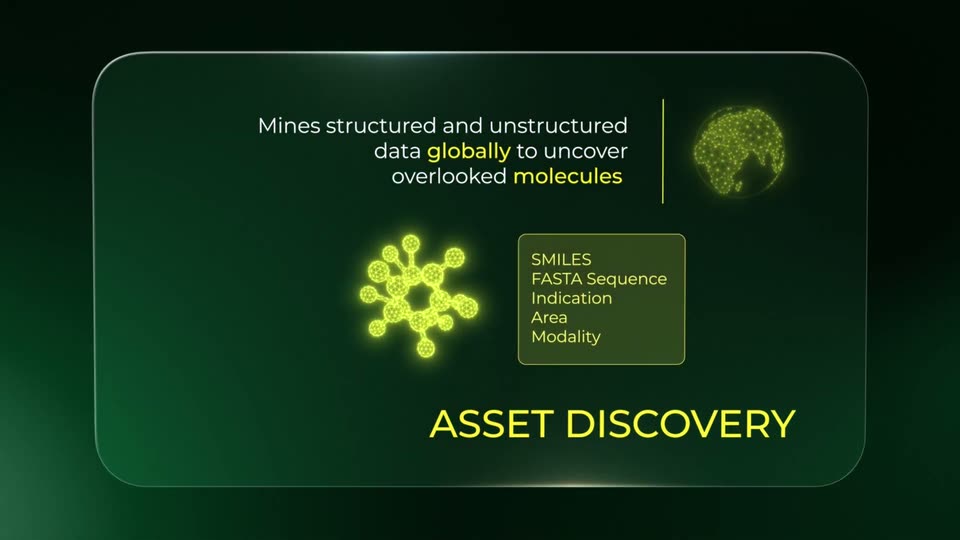

Convexia, An AI-Maximalist Pharma Company
Convexia · Electronic, Funk, Disco
Motion Graphics SaaS Promo/Demo Video | ZoomInfo, scene by scene
· 40 scenes as text
01 · Hook · 0:00–0:01
A dark frame holds two thin neon rings, one purple and one red, that converge from offset positions into concentric circles. The white text “What if” sharpens from motion blur into the center as the rings lock around it.
On-screen text: “What if”
Camera: Static
02 · Hook · 0:01–0:02
On a dark navy field with red concentric ripple rings at left, an oversized white “What if” zooms past in heavy motion blur and exits frame. A small “all your” holds center-left while a grey list of task labels slides up into the middle and sharpens.
On-screen text: “What if”, “all your”, “win loss analysis”, “account planning”, “meeting prep”, “account research”, “prospecting”, “ai emailing”
Techniques: Kinetic type, Speed ramp
Camera: Static
03 · Hook · 0:02–0:03
A dark navy field with concentric red rings on the left. The phrase “all your account planning” holds center, then blurs and scales into “all your account notes,” while a faint list of task words scrolls down behind it.
On-screen text: “all your account planning”, “all your account notes”, “buyer group mapping”, “deck automation”, “ai emailing”, “win loss analysis”, “meeting prep”, “account research”, “prospecting”
Techniques: Kinetic type
Camera: Static
04 · Hook · 0:03–0:04
Dark navy field with thin concentric red and magenta rings. The line “all your” holds while “buyer group mapping” slides in, faint stacked words (deck automation, account notes, ai emailing) fade below, then the phrase swaps to “sales execution”, which lands with a soft white glow.
On-screen text: “buyer group mapping”, “deck automation”, “account notes”, “ai emailing”, “all your sales execution”
Techniques: Kinetic type
Camera: Static
05 · Hook · 0:04–0:06
On a dark grid with magenta neon corner lines, the word 'happened' glows white at center, then the line scales out to read 'happened in one place?' as the remaining words snap in. The frame stays locked off throughout.
On-screen text: “all your sales execution”, “happened in one place?”
Techniques: Kinetic type
Camera: Static
06 · Product intro · 0:06–0:08
A red rounded-square logo with a white diagonal arrow and corner brackets scales up from a small tilted mark to a large centered icon, floating above expanding red ripple rings on a dark background, as a purple light flare glows in at the left edge.
Camera: Static
07 · Product intro · 0:08–0:10
A glowing white Z scales down at center on a near-black field as a thin arc grows into a purple gradient ring. The wordmark zoominfo Copilot resolves, then Workspace joins and the full lockup scales to rest.
On-screen text: “Z”, “zoominfo Copilot”, “zoominfo Copilot Workspace”
Techniques: Kinetic type
Camera: Pull out
08 · Feature reveal · 0:10–0:12
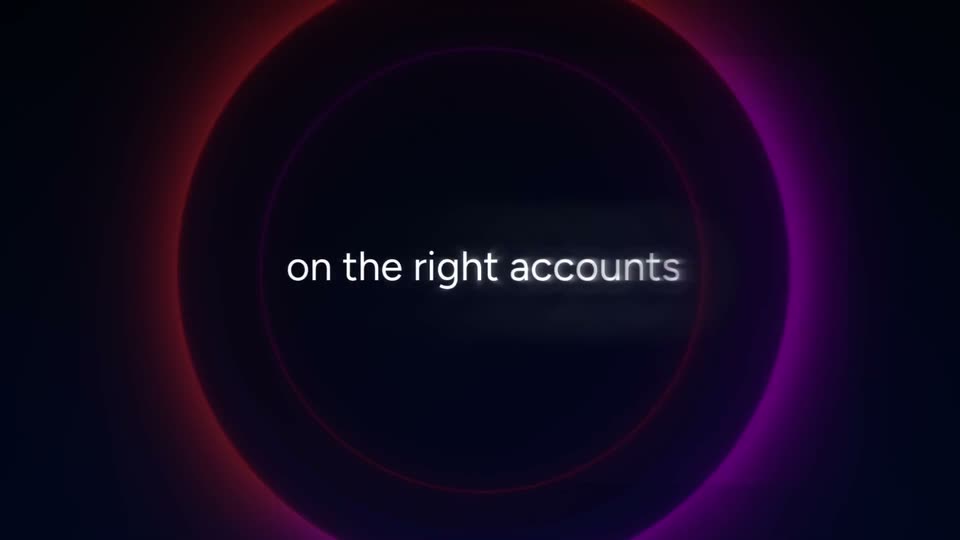
A white headline zooms in with heavy motion blur over a black field ringed by a thin red and purple circle, then locks into sharp type. The line is replaced by a smaller glowing caption that grows while the ring widens, and the frame ends on the empty ring.
On-screen text: “zoominfo Copilot Workspace”, “Zero in”, “on the right accounts”
Techniques: Kinetic type, Speed ramp
Camera: Pull out
09 · Feature reveal · 0:12–0:13
A 3D-tilted workspace interface floats on a dark purple field with a pink glow along its top edge. A query box types out a sentence about Q4 opps while a row of recommended cards sits below the input.
Techniques: 3D mockup
Camera: Push in
10 · Feature reveal · 0:13–0:15
A Copilot Workspace home view with a typed question in the search box reframes into a white results card titled Relevant account found (7), showing a Nutanix row tagged Evaluating BrightPath with an Add to CRM button.
Techniques: UI zoom
Camera: Pull out
11 · Feature reveal · 0:15–0:16
A glassy white card holding a company table tilts in 3D and flattens toward the camera as rows fade in, then a blue outline highlights the first row.
Techniques: 3D mockup
Camera: Push in
12 · Feature reveal · 0:16–0:17
A results table with company rows sits on a pink to purple gradient. The top Nutanix row detaches, lifts with a blue outline and shadow, and floats up left as a card while the rest of the list fades to white and the view zooms in.
Techniques: UI zoom
Camera: Pan
13 · Feature reveal · 0:17–0:19
A white rounded input field with a glowing blue and pink border floats on a dark gradient background. The prompt types out letter by letter with a blinking cursor, then the frame holds.
Techniques: Kinetic type
Camera: Static
14 · Feature reveal · 0:19–0:22
A white document on a pink-to-purple gradient scrolls up on a locked-off frame. Two file cards sit above a purple Competitive Talk Track heading; numbered sections with bold headings and body copy reveal in sequence.
On-screen text: “Create a competitive pitch deck for Nutanix”
Camera: Pan
15 · Feature reveal · 0:22–0:23
A white headline slides in from the left over a near-black background and locks off, while a glowing neon line in red and purple extends beneath it into an angular underline.
On-screen text: “Automate research and call prep”
Techniques: Kinetic type
Camera: Static
16 · Feature reveal · 0:23–0:24
A white rounded input field with a thin blue outline floats on a soft pink-to-purple gradient. Dark blue text types out inside it, a blinking cursor trailing the last character, as the field settles into place.
On-screen text: “Automate research and call prep”, “Draft a solution proposal for Ravvi”
Techniques: Kinetic type
Camera: Static
17 · Feature reveal · 0:24–0:26
A search-style prompt bar types a query over a pink gradient while a small source pill updates beneath it, then the frame zooms into an email draft card showing the message body and recap bullets.
Techniques: UI zoom
Camera: Pull out
18 · Feature reveal · 0:26–0:28
A product view shows a generated email draft in a white card: recipient, subject line, bulleted body, and a closing question with Yes and No buttons. The heading scales in at the top while the frame drifts down to reveal the buttons.
Techniques: UI zoom
Camera: Pull out
19 · Feature reveal · 0:28–0:29
On a soft pink-to-purple gradient, an email draft card sits above a 'Do you want me to send it?' prompt and a Yes button. The card eases upward into frame as a black cursor rests at the lower left corner.
Techniques: Cursor demo
Camera: Pull out
20 · Feature reveal · 0:29–0:30
A dark-navy sentence sits in a rounded outline over a soft pink and purple blur, a caret blinking at its end. A white document card titled Ravvi Account Plan slides up from below, revealing a revenue figure and a date line.
On-screen text: “Now let's create an account plan”
Camera: Static
21 · Feature reveal · 0:30–0:32
A white Ravvi Account Plan document with metric boxes and an overview sits on a pink-to-purple gradient behind a soft circle. The view pushes in slowly, the card growing until the body text runs off the bottom edge.
Camera: Pull out
22 · Feature reveal · 0:32–0:34
White centered text scales down from oversized to a locked size on a dark navy background. Thin pink neon lines trace angular paths into the top-left and bottom-right corners as the text settles.
On-screen text: “Spot risks and monitor account health”
Techniques: Kinetic type
Camera: Static
23 · Feature reveal · 0:34–0:34
On a near-black background, neon corner brackets in magenta and orange draw inward around a glowing orange dot. The dot shrinks into a ring as the white neon outline text In real ignites at the center, the whole group scaling up slightly.
On-screen text: “Spot risks and”, “monitor account health”
Techniques: Kinetic type, Masking
Camera: Static
24 · Feature reveal · 0:34–0:35
A white bold title reads “In real time” centered on a dark navy background, with a red dot to its left and thin neon corner brackets in purple and red framing the line. The frame is locked off and the text holds still.
On-screen text: “In real time”
Camera: Static
25 · Feature reveal · 0:35–0:37
A 3D-tilted interface card glows on a dark background, then the camera zooms into the assistants row. The first card, Account health analyst, expands while a cursor slides toward its Run analysis button and the caption In real time fades in at the right.
On-screen text: “In real time”
Techniques: 3D mockup, UI zoom, Cursor demo
Camera: Static
26 · Feature reveal · 0:37–0:39
A blue “Run analysis” button scales up and drifts upward on a dark panel outlined in glowing blue, while a white cursor arrow hovers at its lower right. A magenta line runs horizontally across the background.
Techniques: Cursor demo, UI zoom
Camera: Static
27 · Feature reveal · 0:39–0:41
A white task card floats in 3D on a dark glowing background. List items type in line by line and the source counter climbs from one to five. The card swings to face the camera as a Run analysis button scales up at the bottom.
Techniques: 3D mockup, Kinetic type
Camera: Push in
28 · Feature reveal · 0:41–0:42
A product interface displays a table of accounts with health scores and engagement insights. The view pans right to reveal an analyst panel listing signal types and sources.
Techniques: UI zoom
Camera: Push in
29 · Feature reveal · 0:42–0:43
A light product screen shows a signal table on the left and an Account health analyst panel on the right. The panel's loading spinner resolves into an At-risk accounts card as the source count rises, while the frame drifts right to center the panel.
Techniques: UI zoom
Camera: Pan
30 · Feature reveal · 0:43–0:45
A product dashboard splits into a scrolling signal table on the left and a chat panel on the right. The chat lists an at-risk accounts card and asks whether to create an action plan. A cursor slides from the feedback icons to the Yes button.
Techniques: Cursor demo
Camera: Pull out
31 · Feature reveal · 0:45–0:46
A light product interface shows an accounts table with health scores on the left and an AI chat panel on the right. A cursor glides down the column of action buttons, moving from the outreach option to the follow-up option.
Techniques: Cursor demo
Camera: Static
32 · Feature reveal · 0:46–0:49
A two-panel product interface, an AI email composer beside an assistant chat, floats in 3D perspective against a dark backdrop with a glowing red edge. The frame pulls back from a tight crop to reveal the full rounded card and its neon border.
Techniques: 3D mockup
Camera: Pull out
33 · Social proof · 0:49–0:55
Flowing red and purple lines swirl around a dark void while white headline phrases scale in one after another. App logo tiles in rounded squares slide in around the edges and drift with the lines.
On-screen text: “Fueled by your CRM...”, “every buyer conversation...”, “and the best”, “500,000,000+ contacts”
Techniques: Kinetic type
Camera: Pull out
34 · Social proof · 0:55–0:57
Flowing purple and magenta lines twist into a rotating square tunnel on a dark background. The white headline sharpens in at center as three stat badges and the red ZoomInfo logo settle into the corners while the camera slowly pushes in.
On-screen text: “and the best B2B data in GTM”, “500,000,000+ contacts”, “1,000,000,000+ buying signals”, “100,000,000+ companies”
Techniques: Kinetic type
Camera: Push in
35 · Social proof · 0:57–0:58
A white headline and three stat cards sit over a frame of flowing red and purple lines on black. The camera pulls back as the text dissolves and a tilted 3D window of the product home screen fades into the center.
On-screen text: “best B2B data in GTM”, “500,000,000+ contacts”, “1,000,000,000+ buying signals”, “100,000,000+ companies”
Techniques: Kinetic type, 3D mockup
Camera: Push in
36 · Demo · 0:58–0:59
A white dashboard interface floats in 3D perspective over a dark purple wavy background. The panel tilts gently, showing a headline, a search field and a row of recommendation cards. The motion is slow and subtle.
Techniques: 3D mockup
Camera: Push in
37 · Demo · 0:59–1:00
A tilted 3D mockup of a CRM home screen floats on a dark purple field with a glowing edge. Overlapping text resolves into a clean layout: a heading, a search bar, three chips and four recommendation cards. The panel eases to a steady angle.
Techniques: 3D mockup
Camera: Pull out
38 · Demo · 1:00–1:01
Swirling magenta and purple lines form a tunnel around a dark central void as the light gray headline scales down from full width to a small centered line.
On-screen text: “One place to work”
Techniques: Kinetic type
Camera: Pull out
39 · CTA · 1:01–1:02
On a dark field of concentric purple and red rings, a glowing neon letter J holds center, then the JUST GO. wordmark appears in white and red while the tagline One place to work scales in.
On-screen text: “One place to work”, “JUST GO.”
Techniques: Kinetic type
Camera: Static
40 · Outro · 1:02–1:05
On a black space background, the tagline JUST GO. holds on a locked-off frame, then the words zoominfo Copilot Workspace scale up from a small glowing cluster to full size, a purple star hovering above, while a pink planet horizon rises from the bottom.
On-screen text: “JUST GO.”, “zoominfo Copilot Workspace”
Techniques: Kinetic type
Camera: Pull out