1:16
Best AI SaaS Product Launch Video | Covu
Covu · Apr 2026
Bolt · Mar 2026 · 0:54 · AI-annotated
Bolt’s 0:54 launch film runs 37 scenes, about 1.5 s each. The product shows up at 0:06 and 2 features are revealed, with social proof. The call to action lands at 0:49 (90% in). Black canvas with a deep blue glow, white sans-serif headlines that slide, strike through, and reflow, plus a cyan accent on key words. Pacing is steady at about 117 bpm with a cut every second or two; signature moves are the horizontal text slides, the blue selection boxes dragged on a grid, and the 3D browser mockup that rotates into view. The structure is a tight promise-to-proof arc: hook, design-system pitch, agent import, prompt-to-page demo, merge-to-prod, logo wall, and a two-beat close.
Is this your launch? to your site or press kit.
Covu · Apr 2026
Watch.fun · Jun 2026
Aside · Consumer · Jun 2026
A giant white “Say” slides across the black frame, then a blue-to-cyan “goodbye” slides in and the phrase scales down to “Say goodbye to.” A faint second line “AI slop code” fades in below as blurred color orbs drift into the corners.
On-screen text: “Say goodbye to”, “AI slop code”
Techniques: Kinetic type, Light sweep
Camera: Pull out
The white title 'AI slop code' sits centered on black, brightening and scaling in as four corner gradient blobs snap from soft blur into sharp spheres. The top-left blob morphs into a spiky splash.
On-screen text: “AI slop code”
Techniques: Kinetic type, Morph
Camera: Static
A black screen holds the white headline in the center, framed by four orange-to-purple gradient splats in the corners. The bottom-left shape morphs from a smooth sphere into a jagged splash while the frame stays locked off.
On-screen text: “AI slop code”
Techniques: Kinetic type, Morph
Camera: Static
On a black field with a soft blue glow, the headline builds in two centered lines. 'There's' lands first in white, then 'a better' and 'way to build' slide in, the trailing words dimmed gray before brightening.
On-screen text: “There's a better”, “way to build”
Techniques: Kinetic type
Camera: Static
On a black background, the white line “Using your team's” holds steady at center while the line “way to build” slides horizontally across the frame. The camera stays locked off, so the moving line carries the rhythm against the static text.
On-screen text: “way to build”, “Using your team's”
Techniques: Kinetic type
Camera: Static
A near-black gradient warms to a blue glow at the top right as the white line 'Using your team's' holds, then 'Design System' slides in on the same centered line, taking its place.
On-screen text: “Using your team's”, “Design System”
Techniques: Kinetic type
Camera: Static
A white headline “Design System” slides in on a locked-off black frame, then crossfades to “Build with the same tools” as a dashed wireframe form slides in from the right edge.
On-screen text: “Design System”, “Build with the same tools”
Techniques: Kinetic type
Camera: Static
A dark blue gradient holds the centered white headline “Build with the same tools”. Dashed-outline UI elements animate around it: three buttons populate the top-left box, a toggle knob fills the bottom-left slider, and a right-side input field types out a name.
On-screen text: “Build with the same tools”
Camera: Static
On a dark blue gradient, the white headline “Build with the same tools” sits among wireframe UI components (buttons, input fields, a slider). The components are replaced by code test panels with checkmarks as the headline swaps to “and standards”, then the panels drift upward.
On-screen text: “Build with the same tools”, “and standards”
Techniques: Kinetic type
Camera: Pull out
A dark gradient background holds a centered white lowercase headline, your engineering team requires., that slides into place. Below, a rounded outline pill reveals three blue checkmark circles before the monospace words Build, Test, Deploy.
On-screen text: “your engineering”, “team requires.”, “Build”, “Test”, “Deploy”
Techniques: Kinetic type
Camera: Static
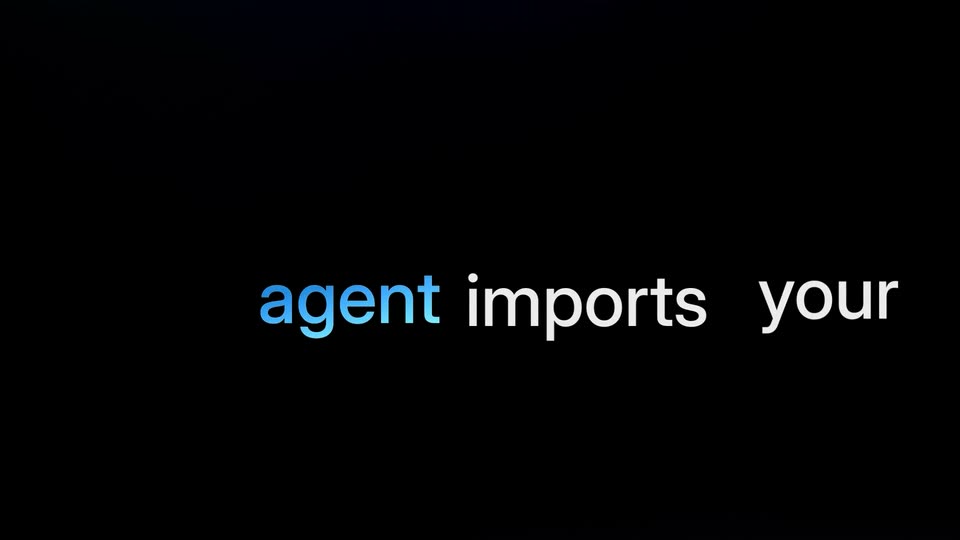
On black, a two-line headline appears: 'Our design system' holds still while the second line slides left to reveal 'agent imports your engineering team requires.', with 'agent' in blue. At 2.0s it cuts to a dark panel listing CSS Files, npm packages, UI components, UX guidelines, branding, enterprise requirements, storybook site, and prod codebase, with a glowing blue edge on the left.
On-screen text: “Our design system”, “agent imports your engineering team requires.”
Techniques: Kinetic type
Camera: Static
White feature labels float on a dark field and gain blue highlight bars. The view swings through them, tilting the planes into 3D perspective as they drift apart, then a glowing blue b logo scales up at center.
On-screen text: “CSS files”, “branding”, “npm packages”, “storybook site”, “enterprise requirements”, “UI components”, “prod codebase”, “UX guidelines”
Techniques: Parallax
Camera: Pull out
A glowing cyan lowercase b logo sits centered on a black background with a small lens flare at its lower left. The shot pushes in tightly on the letter's bowl and stem, filling the frame with a dark blue gradient.
Camera: Static
A thin dark bar on a black grid shows 'Your custom design system agent is ready', with 'design system' in cyan and a green check badge at the right. The glyphs hold, then overlap into a quick scramble near the end.
On-screen text: “Your custom design system agent is ready”
Techniques: Kinetic type
Camera: Static
A near-black field with drifting horizontal light streaks shows a small static caption, 'Your custom design system agent is ready.' The line 'Then just start prompting' types out letter by letter behind a blue caret, sliding left then locking in place.
On-screen text: “Your custom design system agent is ready”, “Then just start prompting”
Techniques: Kinetic type
Camera: Pull out
A white pill-shaped prompt bar floats on a dark blue gradient, a blue send icon at its right end. Black text types out the request inside the bar while a caret blinks, and a static caption sits on the field.
On-screen text: “start prompting”
Techniques: Kinetic type
Camera: Static
A white pill prompt bar holding the typed command sits on black above a dim browser window. The bar slides away and the 3D browser mockup brightens, revealing a Porsche GT3RS landing page with a blue car, headline and body copy.
On-screen text: “Make a landing page for the new gt3rs”
Techniques: 3D mockup
Camera: Pan
A 3D browser mockup of the Porsche GT3 RS configurator page, with a blue car and white headline, rotates from a steep angled view to a near-frontal view over a dark blue gradient.
Techniques: 3D mockup
Camera: Pan
A dark product webpage scrolls down vertically, passing a blue sports car hero image and headline, a row of large performance numbers, and an aerodynamics section with an interior photo. The motion is a steady continuous scroll.
Camera: Pan
A website scrolls upward, leaving a dark section with a red race car on a track and two stat figures, then revealing a light section titled Engineered Without Compromise with a cockpit photo and an engine photo side by side.
Camera: Pull out
White sans-serif text on a dark blue gradient. The phrase 'Your prototype is thrown away' holds, then a line strikes through 'thrown away' as it fades, and the text reflows to read 'Your prototype is the product'.
On-screen text: “Your prototype is”, “thrown away”, “is the product”
Techniques: Kinetic type
Camera: Static
A white two-line headline, “Your prototype is the product”, holds centered on a black background, then cuts to a glossy blue pill button reading “Merge” with a white branch arrow, also centered and static.
On-screen text: “Your prototype is the product”
Camera: Static
A blue pill button reading Merge with a merge arrow icon sits centered on black. A white hand cursor rises, taps the button, and a dark ripple ring expands as the button compresses.
Techniques: Cursor demo
Camera: Static
A glossy blue pill button labeled Merge with a branch arrow rests on black. A white hand cursor hovers at its right edge, then vanishes as the button scales up to dominate the frame.
Techniques: Cursor demo, UI zoom
Camera: Static
A blue pill button labeled Merge with a white arrow slides right across a black background, then shrinks and docks at the left while the word Merge appears on the right in light gray.
On-screen text: “Merge”
Camera: Static
A white merge arrow icon holds left of center on a black background as the headline Merging slides in from the right edge, the word to following behind it. The frame stays locked off.
On-screen text: “Merging”, “to”
Techniques: Kinetic type
Camera: Static
A white branch icon and the line “Merging to prod” slide in on a dark gridded background; the text settles to “Merged to prod” beside a green check badge, then swaps to “This is how” in a blue selection box with a right arrow.
On-screen text: “Merging to prod”, “Merged to prod”, “This is how”
Techniques: Kinetic type
Camera: Static
On a black grid, white text reads “This is how” inside a blue selection box with corner handles. A white hand cursor drags the box edges as the text swaps and slides to “AI native teams.”
On-screen text: “This is how”, “AI native teams”
Techniques: Kinetic type, Cursor demo
Camera: Pull out
A white hand cursor with a blue drag line pulls the word Prototype, enclosed in a blue selection box with square corner handles, down a black grid canvas. The locked-off frame holds while the text and box slide toward the bottom edge.
On-screen text: “Prototype”
Techniques: Cursor demo
Camera: Static
Three lines of white bold sans text sit inside blue selection boxes with corner handles, staggered diagonally on a dark grid background with a blue glow. The lines slide into place while a white hand cursor icon hovers beside the middle line.
On-screen text: “This is how”, “AI native teams”, “Prototype”
Techniques: Kinetic type
Camera: Static
A black frame with a soft blue glow at the bottom. A line reading “This is how” inside a blue selection box exits as two white lines slide in: “Engineers love it.” above “Product teams want it.”
On-screen text: “This is how”, “Engineers love it.”, “Product teams want it.”
Techniques: Kinetic type
Camera: Static
Two lines of white text slide from left to right across a black background with a soft blue glow at the bottom. The frame stays locked off while the lines drift rightward in unison.
On-screen text: “Engineers love it.”, “Product teams want it.”
Techniques: Kinetic type
Camera: Static
On a black background, two lines of white text, Engineers love it. and Product teams want it., slide off frame; a centered line, 75% of the, then holds still, the number in pale blue and the rest in gray.
On-screen text: “Engineers love it.”, “Product teams want it.”, “75% of the”
Techniques: Kinetic type
Camera: Static
On a black background, the white headline '75% of the' sits above blue 'Fortune 500' as company logos pop into the corners and edges: Microsoft top-left, Citi top-right, Amazon bottom-left, Glencore bottom-center, a red-and-blue chevron bottom-right. The logos scale or slide in around the static text.
On-screen text: “75% of the”, “Fortune 500”, “GLENCORE”, “citi”, “amazon”
Camera: Pull out
Brand logos (BMW, Shell, Citi, Apple, Amazon, Microsoft, and a blue-and-red stacked chevron) float on black around the white 'trust bolt.new' wordmark. The view pulls back, then zooms into the bolt mark as a white cutout wipes in, cutting to 'are you ready?' over a dark blue glow.
On-screen text: “trust bolt.new”, “are you ready?”
Techniques: Parallax, Masking
Camera: Pull out
The phrase 'are you ready?' is centered on a black field with a soft blue glow along the bottom. It holds in sharp focus, then the whole frame falls out of focus into a blur.
On-screen text: “are you ready?”
Camera: Static
A metallic blue 3D letter b spins and tilts in perspective, then morphs into the flat white bolt.new wordmark. The wordmark holds centered on a dark blue gradient that fades to black at the top.
On-screen text: “bolt.new”
Techniques: Morph
Camera: Static