0:59
Zach Moskow - Introducing Concentrate AI (@concentrateai), the first HIPAA-complian
Concentrate AI · Nov 2026
ZeroDrift’s 1:09 launch film runs 35 scenes, about 2.0 s each. The product shows up at 0:07 and 6 features are revealed. The call to action lands at 1:02 (90% in). The video alternates flat violet title cards with off-white dotted-grid UI demos, each feature opened by a high-contrast serif headline that wipes in line by line beside the message bar list and its traveling scan line. Pacing is slow and deliberate, holding locked-off frames between quick zooms into Slack and dashboard UI to carry each demo.
Is this your launch? to your site or press kit.
Concentrate AI · Nov 2026
Apple · Hardware · Mar 2026
Films whose music sounds like this one, voice left out
Flowtica · Upbeat, modern electronic
Claude · Lo-fi hip-hop
Boxes.dev · Modern electronic
On a white dotted background, a large black serif number counts up from 20,667 to 34,061 while the gray caption “Slack messages this week.” fades in below. The caption then exits and the number fades to gray, shifting to the upper left.
On-screen text: “20,667”, “Slack messages this week.”, “26,157”, “34,061”
Techniques: Kinetic type
Camera: Static
A gray counter ticks up beside a serif headline that builds word by word, black 'People move fast.' then red 'Mistakes happen.' On the right, a message list highlights one row in red, which expands into a chat card with a message being typed.
On-screen text: “People move”, “fast.”, “Mistakes happen.”
Techniques: Kinetic type, Morph
Camera: Static
A single chat message card with a thin red border sits centered on a white dotted grid. It holds a brown avatar, a sender name and time, a line of body copy, and a pink-highlighted masked card number. The card eases in with a slight scale.
Camera: Static
A pale lavender panel with a fine dot grid slides off to the left, uncovering the large white serif word “Introducing” centered on a violet field. The word holds still while the panel exits frame left.
On-screen text: “Introducing”
Techniques: Masking
Camera: Static
A white high-contrast serif word 'Introducing' sits centered on a flat violet background, then the frame cuts to the ZERO DRIFT logo: a white sunburst circle beside a letter-spaced sans wordmark.
On-screen text: “Introducing”
Camera: Static
On a solid purple field, a white segmented ring icon and the word ZERODRIFT scale up and lock into a centered lockup. The ring's radial spokes rotate while the letters track into place, then the whole mark holds still.
On-screen text: “ZeroDrift”
Camera: Static
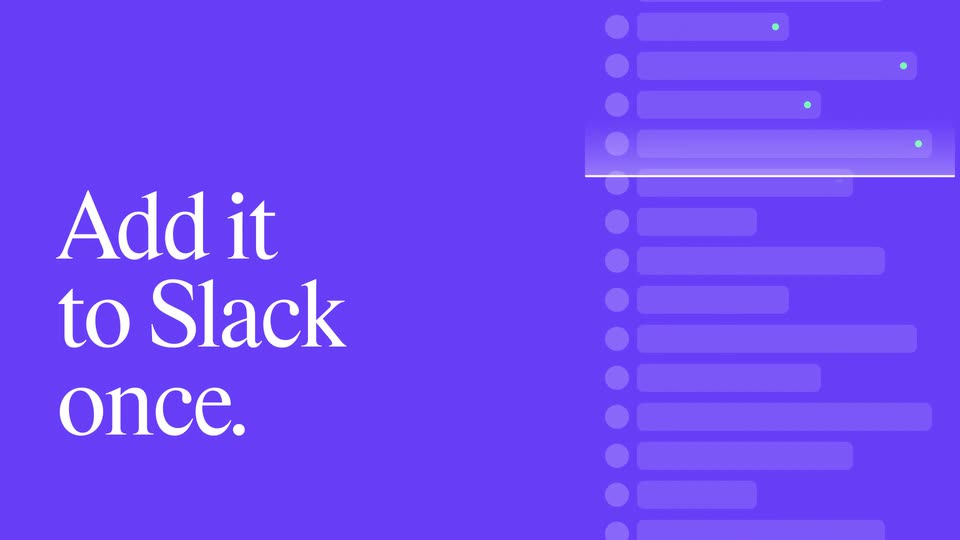
A white serif headline scales in beside a scrolling skeleton list with a green dot and a moving scan line. The headline swaps to “Add it to Slack once.” as the words slide in, then a blank white card slides in from the right over a dotted cream backdrop.
On-screen text: “ZeroDrift for Slack”, “Add it to Slack once.”
Techniques: Kinetic type, Masking
Camera: Static
A Slack-style workspace opens on the Apps panel; the cursor types zerodrift in the search field and a ZeroDrift result card fades in. The view zooms onto the card, the cursor clicks the green Add to ZD Invest button, which flips to Added with a check, then the frame pulls back to a toast.
On-screen text: “to Slack”, “Add it”, “once.”
Techniques: Kinetic type, Cursor demo, UI zoom
Camera: Static
A messaging app panel titled Channels to watch lists seven channels. A cursor moves down the list, ticking each checkbox in sequence until every channel is selected.
Techniques: Cursor demo
Camera: Static
A flat violet field holds a large white serif headline, revealed line by line by a right-to-left wipe. On the right, an abstract list of rounded bars with small green dots sits still while a thin white line travels down the list.
On-screen text: “Catch honest mistakes early.”
Techniques: Masking
Camera: Push in
A purple field shows a white serif headline on the left and a list of rounded bars on the right, one row underlined in white; a white UI panel with a presence-icon header slides in from the right edge, covering part of the list.
On-screen text: “Catch honest mistakes early.”
Camera: Static
A chat thread shows a card number pasted into a message; a banner flags it and the line is edited away. The view zooms in, then a purple card wipes in and a large serif headline slides across.
On-screen text: “Compliance is your team's back.”, “Catch honest mistakes early.”
Techniques: UI zoom, Masking, Kinetic type
Camera: Push in
A purple chat interface with a white channel sidebar that slides off to the left, leaving a large white serif headline on the left and an abstract list of message bars with green dots on the right.
On-screen text: “Compliance has your team's back.”
Camera: Static
White serif headline sits left on a purple field while an abstract checklist of rounded bars and green dots drifts slowly on the right, one row highlighted with a white underline.
On-screen text: “Compliance has your team's back.”
Camera: Static
A purple field holds a white serif headline on the left, locked off. On the right, an abstract list of purple bars is covered as a white product panel slides in from the right edge, revealing a task list with names and timestamps.
On-screen text: “Compliance has your team's back.”
Camera: Static
A flat compliance dashboard fills the frame beneath a still tagline. The view zooms into the activity list, the cursor selects a flagged Slack message row, and a detail panel slides in from the right showing the message.
On-screen text: “Compliance”, “has your”, “team's back.”
Techniques: UI zoom, Cursor demo
Camera: Push in
A light dashboard. The right detail panel updates its header to a flagged status and scrolls down, revealing two broken-rule rows and a Slack message card with a pink-highlighted card number. The left activity list scrolls up in sync.
Camera: Static
A product audit screen shows an event list beside a flagged-message detail card, then the screen becomes a lavender panel where a white serif caption sits left of a wireframe line-art of the same interface, accented by small green dots.
On-screen text: “an audit”
Camera: Static
A purple background holds a large white serif headline on the left and an abstract list of rounded bars with green dots on the right. A thin white line sweeps down the list while the headline slides up into place.
On-screen text: “Run an audit”, “any time.”
Techniques: Kinetic type
Camera: Static
A white serif headline holds still on the left over a purple field as a list of rounded bars with green dots slides right, revealing a white dotted panel with a bell and menu icon.
On-screen text: “Run an audit”, “any time.”
Camera: Static
A light app panel runs an audit: a large serif number ticks up to 612,480 as a purple bar fills, then reflows into three stat cards with green and gold figures while the frame pushes in. A still headline reads “Run an audit any time.”
On-screen text: “Run an audit”, “any time.”
Techniques: Kinetic type, UI zoom
Camera: Push in
A product dashboard with an audit list and message counters slides out to the left, uncovering a purple field holding a column of rounded bars with green dots. The white serif headline stays fixed on the left throughout.
On-screen text: “Put it on a schedule.”
Techniques: Masking
Camera: Push in
A solid purple background holds white serif text on the left while a stylized schedule list of rounded bars and dots drifts slowly on the right. Small green icons sit at the bar ends, and a thin white line marks one row.
On-screen text: “Put it on a schedule.”
Camera: Static
A violet panel holding a white serif headline sits on the left while a column of pill-shaped list bars and a white stats interface slide in from the right at different speeds, revealing numbers and labels.
On-screen text: “Put it on a schedule.”
Techniques: Parallax, Masking
Camera: Static
A tight crop of a Slack-style dashboard shows audit stat numbers and two scheduled rows filling in, then the frame pulls back to reveal the whole app inside a browser window while a cursor hovers the top tabs.
Techniques: UI zoom, Cursor demo
Camera: Pull out
A Slack workspace view with the ZeroDrift app open on the Messages tab. A cursor taps the tab, then a second audit message card fades in below the first, its text resolving line by line.
Techniques: Cursor demo
Camera: Static
A light messaging screen with a left nav and a Messages tab holds two ZeroDrift audit notes and a three-figure stats card. In the first moment the numbers and lines crossfade from a previous set of values, then the frame holds steady.
Camera: Static
A white navigation sidebar with menu labels slides off the left edge of a flat purple field, leaving a static white serif headline and a right column of pill-shaped list rows with small green and blue status dots.
On-screen text: “Every channel.”, “Every team.”
Camera: Static
A solid purple field holds two lines of large white serif text on the left. On the right, a vertical column of light purple rounded bars with small green dots scrolls steadily upward, like a stylized message list.
On-screen text: “Every channel.”, “Every team.”
Camera: Static
A purple field holds a white two-line serif headline on the left while a column of pale-purple pill bars with small green dots slides out to the right, uncovering a light gray backdrop. The text stays locked in place throughout.
On-screen text: “Every channel.”, “Every team.”
Camera: Static
On a cream dot-grid background, the serif headline stays fixed while six channel rows, each with a colored bar and a purple LIVE dot, fade in one after another from top to bottom.
On-screen text: “Every channel. Every team.”, “# sales”, “Keeps promises accurate”, “LIVE”, “# support”, “Keeps customer details private”, “LIVE”, “# hiring”, “Keeps hiring fair and confidential”, “LIVE”
Techniques: Kinetic type
Camera: Static
A violet grid of placeholder rows, each a circle beside a rounded bar, holds still in three columns. Two white lines sweep down the frame, and the center row they reach fills orange with a black dot at its right end.
Camera: Static
A purple field of rounded list bars, one highlighted orange, sits behind large white serif type. “Your whole team.” slides in from the left as a thin line sweeps down, then “Protected.” appears below it on a locked-off frame.
On-screen text: “Your whole team.”, “Protected.”
Techniques: Kinetic type, Masking
Camera: Static
A segmented white ring assembles at center on black, then shrinks and slides left as the ZERODRIFT wordmark appears. The lockup rises, an x and the Slack mark and word join it, then the large serif line Book a demo appears before the frame cuts to black.
On-screen text: “ZERODRIFT”, “x”, “Slack”, “Book a demo”
Camera: Static
A black title card holds a ZeroDrift x Slack lockup across the top. The large white serif headline Book a demo reveals left to right over the first second, then the small URL ZERODRIFT.COM fades in below. The frame stays locked off for the remainder.
On-screen text: “ZERODRIFT”, “Slack”, “Book a demo”, “ZERODRIFT.COM”
Techniques: Kinetic type
Camera: Static