
3:44
Explore
00:00:00 / 02:31:13
- Length
- 2:31
- Scenes
- 19 · 8.0 s avg
- Product on screen
- 0:00
- Features shown
- 1
- Call to action
- 2:18 · 92%
- Voiceover
- Yes
- Views
- 17 on YouTube
as of November 27, 2026
Zep AI’s 2:31 launch film runs 19 scenes, about 8.0 s each. The product is on screen from the first frame and 1 feature is revealed. The call to action lands at 2:18 (92% in), over a voiceover. Minimalist cream-and-indigo explainer that builds every idea as a flat line diagram or a live terminal trace, with serif titles, monospace labels, and a single recurring node-graph motif. Pacing is slow and deliberate: diagrams draw themselves left to right, nodes fill indigo in sequence, and code types character by character, so the signature move is the progressive line-draw that reveals the retrieval path.
No filming indicatedEstimated needs: 2 capture groups — your screens or recordings · 7 graphic passages — draw or supply
Is this your launch? to your site or press kit.
More like this



Zep Smart Query: Agentic Retrieval for Multi-Hop Questions, scene by scene
· 19 scenes as text
01 · Feature reveal · 0:00–0:23
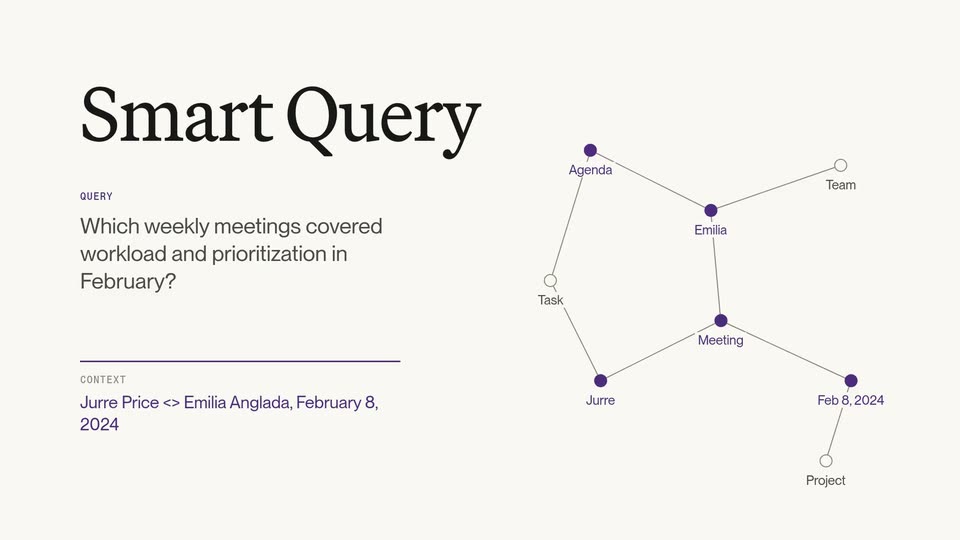
On a cream field, a node graph assembles at right: labeled circles fade in, thin lines draw between them, then the connected nodes fill indigo. At left the serif title and a sample query fade in, and a context line appears under a drawn rule.
On-screen text: “Smart Query”, “QUERY”, “Which weekly meetings covered workload and prioritization in February?”, “CONTEXT”, “Jurre Price <-> Emilia Anglada, February 8, 2024”
Camera: Static
02 · Feature reveal · 0:23–0:37
Under a locked SINGLE-SHOT RETRIEVAL title, a flat diagram builds left to right: a Query box branches into curves reaching rows of tan dashes labeled EDGES, NODES, EPISODES, then ALL RECORD TYPES, converging into a CONTEXT BLOCK card, with FAST fading in below.
On-screen text: “SINGLE-SHOT RETRIEVAL”, “CONTEXT BLOCK”, “FAST”, “MULTI-HOP QUERY”
Camera: Static
03 · Feature reveal · 0:37–0:37
A flat flow diagram on a cream background. A Query box on the left connects via curved lines to four labeled rows (Edges, Nodes, Episodes, All Record Types), which converge into a Context Block box on the right. The Multi-hop Query label darkens and a Search box fades in below the Query box.
On-screen text: “SINGLE-SHOT RETRIEVAL”, “MULTI-HOP QUERY”, “Query”, “EDGES”, “NODES”, “EPISODES”, “ALL RECORD TYPES”, “CONTEXT BLOCK”, “FAST”, “Search”
Camera: Static
04 · Feature reveal · 0:37–0:54
Top-left label MULTI-HOP QUERY over a cream field. A Search box and three circles labeled Agenda email, Meeting, Feb 8, 2024 sit on a dashed line. A solid line draws left to right, filling each circle and fading in a step caption below it.
On-screen text: “MULTI-HOP QUERY”, “Search”, “Agenda email”, “Meeting”, “Feb 8, 2024”, “1 · SEARCH”, “2 · NAMED IN THE AGENDA”, “3 · DATE OF THE MEETING”
Camera: Static
05 · Feature reveal · 0:54–0:55
On a plain cream field, a small query diagram assembles: the caption “MULTI-HOP QUERY” holds still while node circles and labels for “Search”, “Agenda email”, “Meeting” and “Feb 8, 2024” pop in with a scale. The “FAST MODE” tag sits small in the upper left as the nodes settle.
On-screen text: “MULTI-HOP QUERY”, “Search”, “Agenda email”, “Meeting”, “Feb 8,2024”, “FAST MODE”, “Agenda email”
Techniques: Kinetic type
Camera: Static
06 · Feature reveal · 0:55–1:09
A FAST MODE timeline with three labeled nodes fills left to right as its dashed line draws solid. Below, a DEEP MODE section appears: a name node points to a dot grid that fills row by row, then 47 meetings complete fades in. The scene fades out.
On-screen text: “FAST MODE”, “Agenda email”, “Meeting”, “Feb 8, 2024”, “DEEP MODE”, “Emilia Anglada”, “47 meetings”, “complete”
Techniques: Masking
Camera: Static
07 · Feature reveal · 1:09–1:09
A plain cream frame holds a small gray monospace caption that fades in at the top left, reading the agenda date.
On-screen text: “AGENDA EMAIL, 2024-02-08”
Camera: Static
08 · Feature reveal · 1:09–1:29
A white email card titled AGENDA EMAIL sits at left on a cream field. A line draws from the card to a meeting node, then a node graph of employees and tasks assembles on the right with edge labels, and the scene fades to white.
On-screen text: “AGENDA EMAIL, 2024-02-08”, “1 OF 353 DOCUMENTS - 264 EMAILS - 32 INVITES - 29 AGENDAS - 15 MINUTES”
Camera: Static
09 · Feature reveal · 1:29–1:37
A dark code window on a cream background fades in. Gray highlight boxes appear one by one over the argument lines, graph_uuids, query, and mode, then the for loop line. The panel fades back to gray at the end.
Camera: Static
10 · Feature reveal · 1:37–1:41
A dark terminal screen holds a monospace prompt at the lower left. A command is typed out character by character across two lines, then a block of structured output streams in beneath it. The frame stays locked off throughout.
Techniques: Kinetic type
Camera: Static
11 · Feature reveal · 1:41–1:49
A dark terminal fills the frame with a Python get_context command and its XML-style output block. At the bottom a grep line already waits; its result, a lone 0, then appears and the frame holds still.
Camera: Static
12 · Feature reveal · 1:49–1:50
A dark terminal view fills the frame, showing a Python command and its XML output in light monospace text on near-black. At the bottom a new command types itself out character by character behind a blinking block cursor.
Camera: Static
13 · Feature reveal · 1:50–1:55
A dark terminal fills the frame with light lavender monospace text. A query command types in, its structured output prints line by line, and the view scrolls up as new lines appear. The final answer line lands, then the whole screen dims.
Techniques: Kinetic type
Camera: Pan
14 · Feature reveal · 1:55–2:04
A dark terminal occupies the lower left of a near-black frame. A command line types out character by character, then timestamped search log lines stack below it in sequence, ending with a result sentence at the bottom.
Techniques: Kinetic type
Camera: Static
15 · Feature reveal · 2:04–2:09
A dark terminal shows a fast query log with timestamped search lines and a result sentence, then a new deep query command types out character by character on the bottom line. A block cursor blinks at the prompt above the log.
Techniques: Cursor demo
Camera: Static
16 · Feature reveal · 2:09–2:11
A dark terminal window on a near-black purple background. A prompt with a blinking block cursor sits at the top, then log lines print in one by one, showing timestamps, search arrows and record counts for a smart_query.py run, ending with a summary line and a second command.
Camera: Static
17 · Feature reveal · 2:11–2:18
A dark terminal on a near-black background types a Python query and its log lines, a block cursor at the top prompt, the text scrolling up as new timestamps appear, then holding and fading to black.
Techniques: Kinetic type
Camera: Pan
18 · CTA · 2:18–2:19
A light gray code block appears on a plain off-white background, displaying white monospace code for a client.graph.query call with parameters.
Camera: Static
19 · CTA · 2:19–2:31
A dark code block on a cream background holds a ZEP SDK query call, with a gray highlight on the first line. A second highlight appears on the generate_answer line, then a purple URL fades in below the block. The whole frame fades to cream at the end.
On-screen text: “help.getzep.com/querying-a-graph”
Camera: Static