3:07
Explore
Huang Song - The world doesn't need another app that captures every "um," "like,"
Typeless · Feb 2026 · 3:44 · AI-annotated
- Length
- 3:44
- Scenes
- 12 · 18.7 s avg
- Product on screen
- 0:00
- Features shown
- 3
- Call to action
- 3:40 · 98%
- Voiceover
- Yes
00:00:00 / 03:44:12
Typeless’s 3:44 launch film runs 12 scenes, about 19 s each. The product is on screen from the first frame and 3 features are revealed. The call to action lands at 3:40 (98% in), over a voiceover. The video is a founder-led walkthrough built in four beats: a circular-portrait intro that names the product, then three feature blocks (Dictate, Edit, Translate), each pairing a static black heading and the product label on the left with a flat phone UI on the right over a soft blurred backdrop. Pacing is slow and steady with only a few cuts per minute, and the signature moves are the word-by-word rolling green-outlined captions, the clean flat phone mockups that animate the mic button and the
Footage neededEstimated needs: 3 capture groups — your screens or recordings · 2 filmed passages — shoot, supply or replace
Is this your launch? to your site or press kit.
More like this
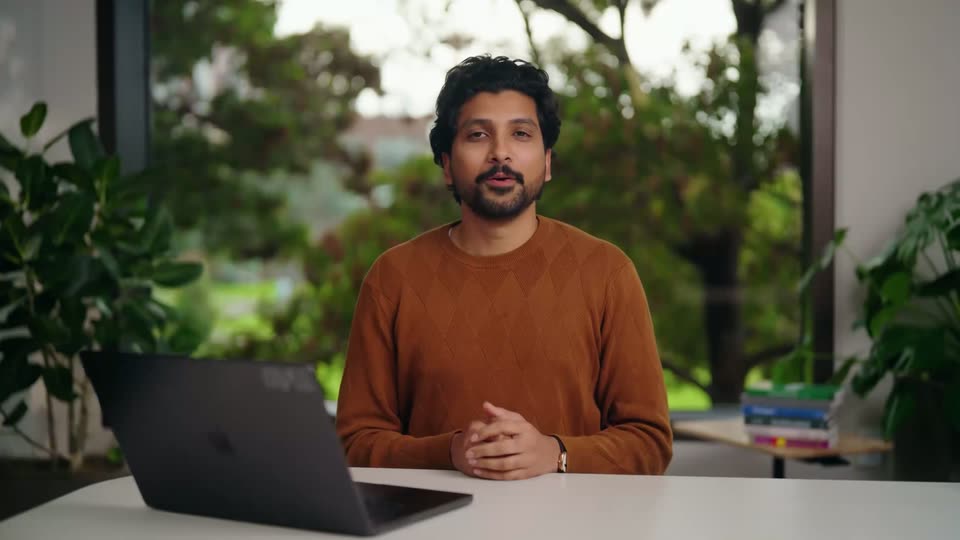
0:17
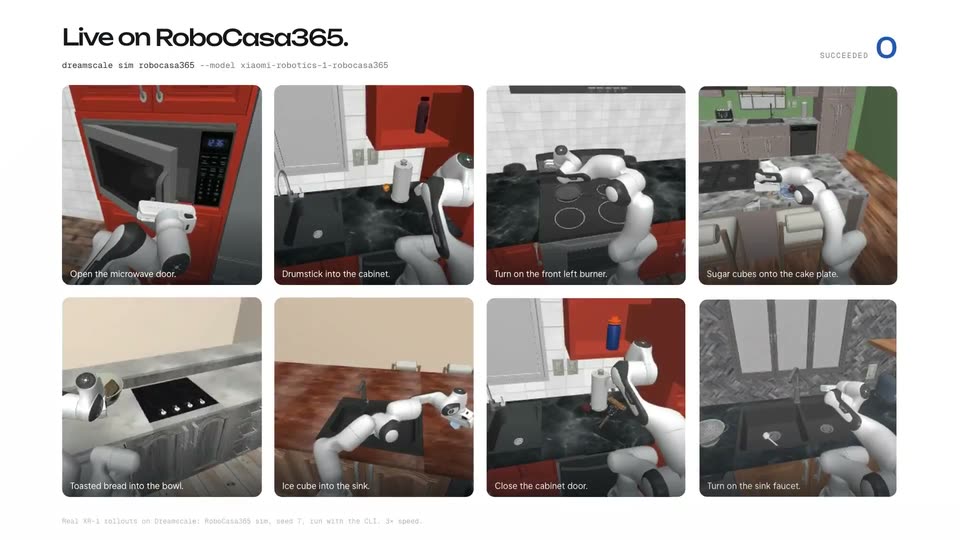

Dreamscale Labs (YC F26) - XR-1 by @XiaomiTech_ is now live!
Dreamscale Labs · Industrials · Nov 2026
0:21

Introducing Orior in Claude
Orior AI · AI · Oct 2026
Huang Song - The world doesn't need another app that captures every "um," "like,", scene by scene
· 12 scenes as text
01 · Product intro · 0:00–0:05
A white title card reads Typeless 1.0.0 Mobile app with a tagline, then cuts to the founder speaking inside a circular mask, upper right. His name and title stay locked lower left while green-outlined subtitles cycle along the bottom.
On-screen text: “Typeless 1.0.0”, “Mobile app”, “Your voice just got more powerful.”, “Dictate, Edit, Translate.”, “Huang Song”, “Founder & CEO, Typeless.com”, “Hope you're having an”, “amazing day”, “This is Huang from Typeless”, “I'm excited to introduce”
Techniques: Masking
Camera: Static
02 · Product intro · 0:05–0:24
A man speaks to camera in a circular frame on the right; a flat phone mockup on the left shows the Typeless app, switching from an app-store card to Dictate, Edit and Translate tiles tapped by a hand cursor. Green-outlined subtitles roll along the bottom.
On-screen text: “Huang Song”, “Founder & CEO, Typeless.com”, “I'm excited to introduce”, “Typeless 1.0.0 for mobile”, “It offers 3 features: Dictate”, “Edit”, “Translate”, “All done with your voice”, “Typeless 1.0.0 for iOS”, “and Android is like', 'a powerful writing assistant' — wait, keep separate entries”
Techniques: Split screen, Cursor demo
Camera: Static
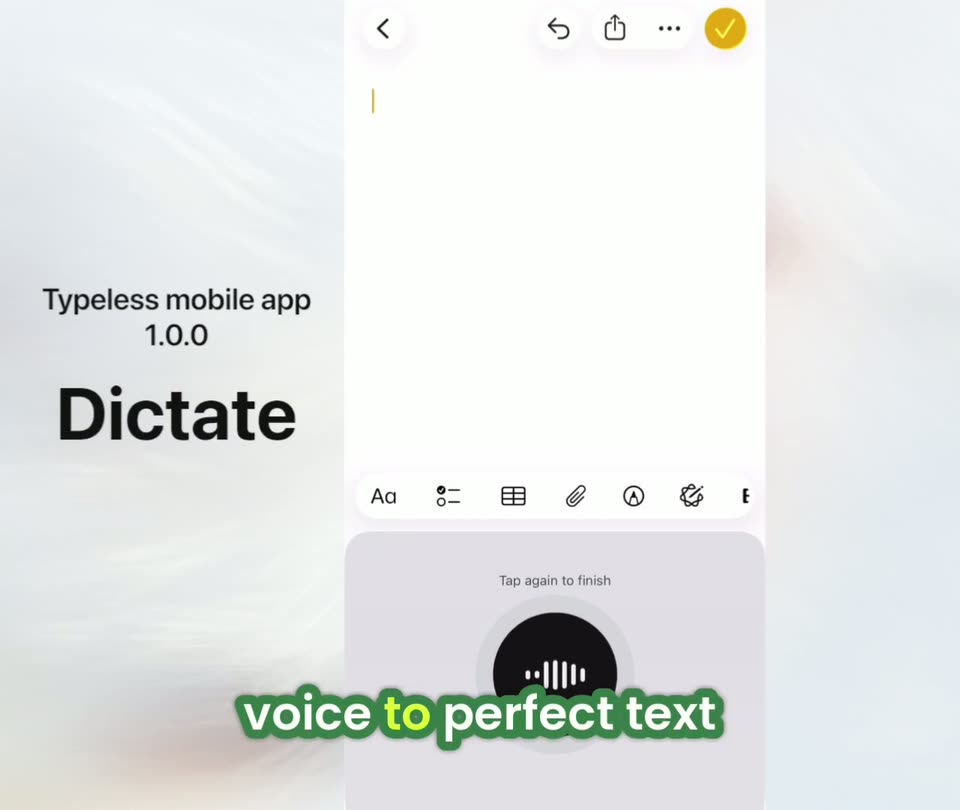
03 · Feature reveal · 0:24–0:36
A flat phone screen of the Typeless app shows an empty note and a black record button that animates into a waveform. On the left, a static title reads Dictate while green-outlined captions roll across the bottom word by word.
On-screen text: “Typeless mobile app 1.0.0”, “Dictate”, “Typeless is”, “a voice keyboard that's”, “actually intelligent”, “voice to perfect text”, “that works everywhere”, “and here's why you'll like it”
Techniques: Kinetic type
Camera: Static
04 · Feature reveal · 0:36–1:00
A flat mobile app screen with an empty note field and a pulsing mic button sits beside a bold “Dictate” label on a soft blurred background. Green-outlined white captions enter phrase by phrase along the bottom, tracking the voiceover.
On-screen text: “Typeless mobile app 1.0.0”, “Dictate”, “it edits”, “it removes your filler”, “words and repetitions”, “it auto edits when”, “you change your mind”, “it auto formats for you”, “and it finds the”, “perfect words for you”
Techniques: Kinetic type
Camera: Static
05 · Feature reveal · 1:00–1:36
A mobile app screen with a formatted document and a voice keyboard panel sits on the right over a blurred backdrop; a bold black heading on the left reads Dictate, then swaps to Edit at 11 s. Green-outlined captions roll across the bottom, phrase by phrase, with the voiceover.
On-screen text: “Typeless mobile app 1.0.0”, “Dictate”, “Here we go”, “We've got a very clean”, “piece of text that's”, “perfectly formatted and polished”, “that's ready to send”, “Edit”, “Typeless also allows you”, “to make edits just using your voice on your phone. It's a very powerful feature that literally makes your phone just as powerful as your desktop for writing and”
Techniques: Kinetic type
Camera: Static
06 · Feature reveal · 1:36–1:56
A static “Edit” label sits left of a phone editor. The document is highlighted yellow with a cut-copy menu, and green outlined captions pop in phrase by phrase at the bottom. The keyboard bar then swaps to a “Speak to edit” panel, and a “Thinking” pill fades in.
On-screen text: “Typeless mobile app 1.0.0”, “Edit”, “I will just select everything”, “And I could tap”, “the pen button”, “at the bottom right corner”, “and start to say”, “my changes and tap”, “the button again to finish”, “Translate this to Japanese', 'make it shorter', 'and add some emojis”
Techniques: Kinetic type
Camera: Static
07 · Feature reveal · 1:56–2:00
A flat mobile app screen sits on the right over a blurred background, showing a Japanese note and the Typeless voice keyboard. On the left, a black title reads Typeless mobile app 1.0.0 Edit. White caption words with green outlines pop in at the bottom, matching the voiceover.
On-screen text: “Typeless mobile app”, “1.0.0”, “Edit”, “Here we go”, “And”, “um”
Techniques: Kinetic type
Camera: Static
08 · Feature reveal · 2:00–2:48
Split layout: a light panel with 'Typeless mobile app 1.0.0' and a large 'Edit' sits left of a phone screen. Japanese text fills the document above the Typeless keyboard as green outlined captions appear at the bottom. The text rewrites itself into an English email, then a short Twitter post.
On-screen text: “Typeless mobile app 1.0.0”, “Edit”, “also I'm not”, “select any text and”, “still tap the pen”, “button to speak my changes”, “Typeless is gonna treat”, “my last dictated piece”, “of text or my”, “last edited text as the target text”
Techniques: Split screen, Kinetic type
Camera: Pull out
09 · Feature reveal · 2:48–3:31
Left panel holds a black 'Translate' headline on white; right shows a Japanese X post with the Typeless voice bar. The bar shifts from 'Tap to speak' to a Dictate/Translate swipe, then to an animated waveform, as green outlined captions cycle below, and the reply box fills with Japanese.
On-screen text: “Typeless mobile app 1.0.0”, “Translate”, “Another very useful Typeless”, “feature is real-time translation”, “It empowers you to”, “write in any language”, “you want on your”, “just like a native speaker”, “For example”, “at a post in Japanese”
Techniques: Kinetic type, Split screen
Camera: Static
10 · Feature reveal · 3:31–3:36
A white settings panel fills the right half over a blurred background, showing language rows with Japanese set as the translation target, while a bold black app title sits on the left. Chunky captions with green outlines pop in at the bottom, swapping phrase by phrase.
On-screen text: “Typeless mobile app 1.0.0”, “Translate”, “Just so you know”, “I've set my translation”, “target to Japanese”, “You can easily change”
Techniques: Kinetic type
Camera: Static
11 · Feature reveal · 3:36–3:40
A light panel on the left carries the product name and a large black Translate headline beside the app's Settings screen on the right. At the bottom, white captions with green outlines and yellow highlights roll in phrase by phrase, then fade out.
On-screen text: “Typeless mobile app 1.0.0”, “Translate”, “You can easily change”, “language to any”, “the Typeless settings”
Techniques: Kinetic type, Split screen
Camera: Static
12 · CTA · 3:40–3:44
A static end card on a soft cream gradient holds the headline “Typeless 1.0.0 is now live on all platforms” above two white cards, one for Desktop and one for Mobile with download buttons and a QR code. The frame stays fixed throughout.
On-screen text: “Typeless 1.0.0 is now live on all platforms”
Camera: Static