0:17
XR-1 by Xiaomi Technology is now live! | Dreamscale Labs (YC F26)
Dreamscale Labs · Industrials · Nov 2026
Dreamscale Labs · Nov 2026 · 0:17 · AI-annotated
Dreamscale Labs’s 0:17 launch film runs 7 scenes, about 2.5 s each. The product is on screen from the first frame and 2 features are revealed. The call to action lands at 0:14 (82% in). The video is built as a sequence of locked-off white title cards and UI panels, moving from the product lockup to two feature demos. Its motion relies on scale-in logos, sliding headlines, counting numbers, and grid tiles resolving into success states.
Is this your launch? to your site or press kit.
Dreamscale Labs · Industrials · Nov 2026
Vercel · Developer tools · May 2023
A centered lockup on a plain white field holds the Xiaomi Robotics logo, the headline Xiaomi-Robotics-1, a subtitle line and three pill tags. The orange MI mark scales gently while every other element stays locked off.
On-screen text: “NOW ON DREAMSCALE”, “Xiaomi Robotics”, “Xiaomi-Robotics-1”, “Live on RoboCasa365. A base to fine-tune and deploy.”, “RoboCasa365”, “Fine-tuning”, “Deployments”
Camera: Static
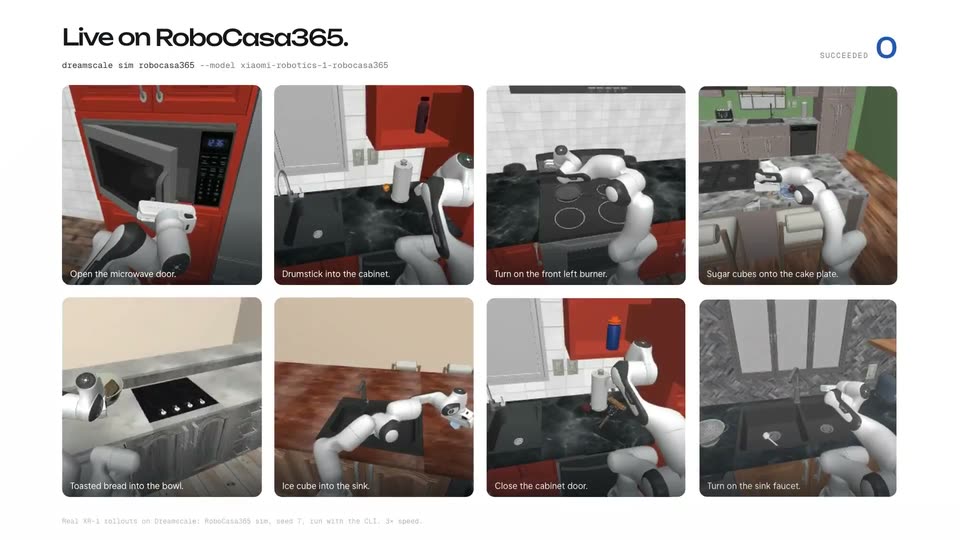
A light title card holds the Xiaomi Robotics lockup, the bold name Xiaomi-Robotics-1 and a tagline, then cuts to a dashboard grid of eight kitchen robot task clips. Each thumbnail carries a short caption while a SUCCEEDED counter sits top right.
On-screen text: “NOW ON DREAMSCALE”, “Xiaomi-Robotics-1”, “Live on RoboCasa365. A base to fine-tune and deploy.”, “RoboCasa365”, “Fine-tuning”, “Deployment”, “Live on RoboCasa365.”
Camera: Static
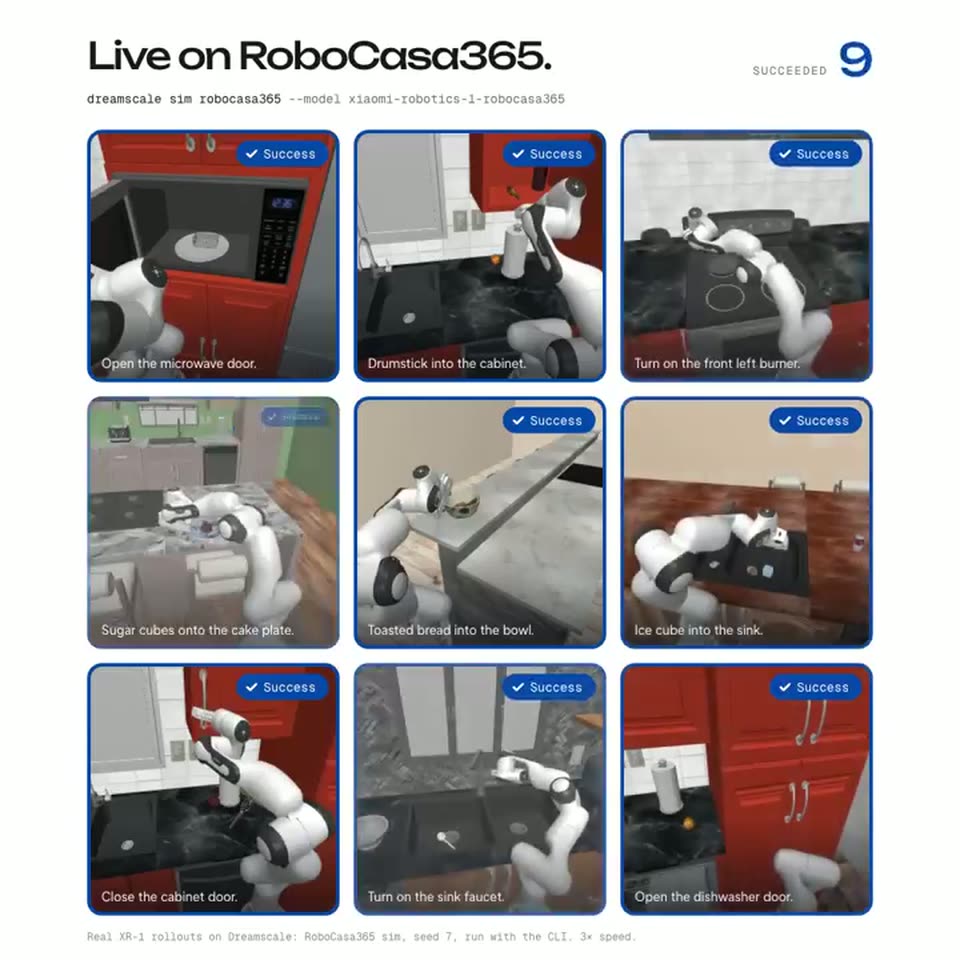
A two-by-four grid of simulation clips shows a white robot arm working in red and grey kitchens. Blue borders and sliding Success badges light up each tile as the SUCCEEDED counter climbs from 0 to 8, then the tiles fade to white leaving the headline.
On-screen text: “Live on RoboCasa365.”
Camera: Static
A headline slides in at top left as a fine-tuning card counts steps to 10,000 and a loss curve draws down. The badge flips to Deployed and a live video of two robot arms fills the empty right panel.
On-screen text: “Fine-tune it. Deploy it.”, “Live on RoboCasa365.”
Techniques: Split screen
Camera: Static
Split layout on a light background: a white fine-tuning card with loss curve and train command sits left, while a live robot arm reaches out and presses the blue button on a control box right. A blue check pill reading 'Blue button pressed' pops in at the bottom of the video.
On-screen text: “Fine-tune it. Deploy it.”, “Real robot: XR-1 fine-tuned on Dreamscale (10,000 steps, 14 h) and run on a bimanual YAM. Policy camera frames, 4× speed.”, “Blue button pressed”
Techniques: Split screen
Camera: Static
A swarm of blue dots condenses into a loop above the frame. The gray wordmark Xiaomi Robotics 1 and the orange mi icon slide up from behind a lower mask onto a white background.
On-screen text: “Xiaomi Robotics 1”
Techniques: Particles, Masking
Camera: Static
A white card centers a dotted blue cloud above the orange Xiaomi MI mark and bold black “Xiaomi-Robotics-1”. Title, gray subline and pale URL pill resolve from blur into sharp focus, the button deepening to solid blue, on a locked-off frame.
On-screen text: “Xiaomi-Robotics-1”, “RoboCasa365, fine-tuning and deployments. Now on Dreamscale.”, “app.dreamscalelabs.com →”
Camera: Static