

0:46
Explore
Graphiti - Temporal Knowledge Graphs for AI Agents
Zep AI · Sep 2024 · 1:12 · Full motion · AI-annotated
- Length
- 1:12
- Scenes
- 14 · 5.2 s avg
- Product on screen
- 0:00
- Features shown
- 1
- Call to action
- 1:08 · 94%
- Voiceover
- Yes
- Views
- 17K on YouTube
as of November 26, 2026
00:00:00 / 01:12:46
- Length
- 1:12
- Scenes
- 14 · 5.2 s avg
- Product on screen
- 0:00
- Features shown
- 1
- Call to action
- 1:08 · 94%
- Voiceover
- Yes
- Views
- 17K on YouTube
as of November 26, 2026
Zep AI’s 1:12 launch film runs 14 scenes, about 5.2 s each. The product is on screen from the first frame and 1 feature is revealed. The call to action lands at 1:08 (94% in), over a voiceover. The video opens on a flat lavender stage where centered text cards blur and slide between the brand mark, the name, and a two-line tagline, then a dark rounded card animates a temporal knowledge graph before the frame cuts to real IDE and graph-database screen recordings of ingestion and search. Pacing is slow with long locked-off holds, and the signature moves are the monospace-to-graph morph, the zoom-out reveal of the browser window, and magenta node accents against the muted field.
No filming indicatedEstimated needs: 1 capture group — your screens or recordings · 1 official logo — reused across the film · 2 graphic passages — draw or supply
Is this your launch? to your site or press kit.


Graphiti - Temporal Knowledge Graphs for AI Agents, scene by scene
· 14 scenes as text
01 · Product intro · 0:00–0:01
A small square app icon with a purple-to-pink gradient and a white robot face sits centered on a pale lavender field. It then gives way to the word Graffiti in gray, centered in the same spot.
On-screen text: “Graffiti”
Camera: Static
02 · Product intro · 0:01–0:02
A pale lavender field holds the word Graphiti in dark gray bold sans. It blurs and slides out as the two-line tagline Build dynamic, temporally aware Knowledge Graphs rushes in and settles, centered.
On-screen text: “Graphiti”, “Build dynamic, temporally aware Knowledge Graphs”
Techniques: Kinetic type, Speed ramp
Camera: Static
03 · Product intro · 0:02–0:05
A plain light lavender background holds a two-line dark gray headline reading “Build dynamic, temporally aware Knowledge Graphs”. The frame is locked off with no motion for the full duration.
On-screen text: “Build dynamic, temporally aware Knowledge Graphs”
Camera: Static
04 · Feature reveal · 0:05–0:05
A centered dark gray headline on a pale lavender background dissolves as a gray rounded card fades in, holding a white monospace message line and a small timestamp.
On-screen text: “Build dynamic, temporally aware Knowledge Graphs”
Camera: Static
05 · Feature reveal · 0:05–0:09
A dark rounded card on a light background holds a white monospace quote, 'Kendra: I love Adidas shoes!', with a small timestamp below. The line dissolves into a shorter sentence, 'Kendra loves Adidas shoes.', with the name and product in pink.
On-screen text: “Kendra: “I love Adidas shoes!””, “2024-09-02T10:17:27Z”, “Kendra loves Adidas shoes.”
Techniques: Morph
Camera: Static
06 · Feature reveal · 0:09–0:24
A dark card on light gray. A monospace sentence, Kendra loves Adidas shoes., gives way to a graph: pink circles Kendra and Adidas Shoes joined by a line labeled loves, with a valid_at stamp. A quote with a crying emoji appears, then the graph returns with a yellow invalid_at line.
On-screen text: “Kendra loves Adidas shoes.”, “Kendra”, “loves”, “Adidas Shoes”, “valid_at: 2024-09-02T10:17:27Z”, “Kendra: 2024-09-03T13:15:22Z”, “My Adidas shoes broke 😭 but Puma are lit!”, “invalid_at: 2024-09-03T13:15:22Z”
Camera: Static
07 · Feature reveal · 0:24–0:30
A static knowledge graph on a dark rounded card: a pink node labeled Kendra links by white lines to pink nodes Puma Shoes and Adidas Shoes, edges marked likes, loves, broke with timestamps. The frame holds with no motion.
Camera: Static
08 · Demo · 0:30–0:31
A code editor window on a light gray background lists a JSON product file with line numbers, then its content swaps to a graph view of connected nodes and labeled edges. A pointer cursor rests near the bottom status bar.
Camera: Push in
09 · Demo · 0:31–0:32
A code editor window shows a JSON product file with a hand cursor, then crossfades into a Python notebook printing a customer chat log. Both frames sit on a light gray background.
Camera: Push in
10 · Demo · 0:32–0:38
A Jupyter notebook cell lists two customer chat conversations. A cursor drags to select the first list, a small menu with Chat and Edit pops up, then the window zooms out.
Techniques: Cursor demo, UI zoom
Camera: Static
11 · Demo · 0:38–0:41
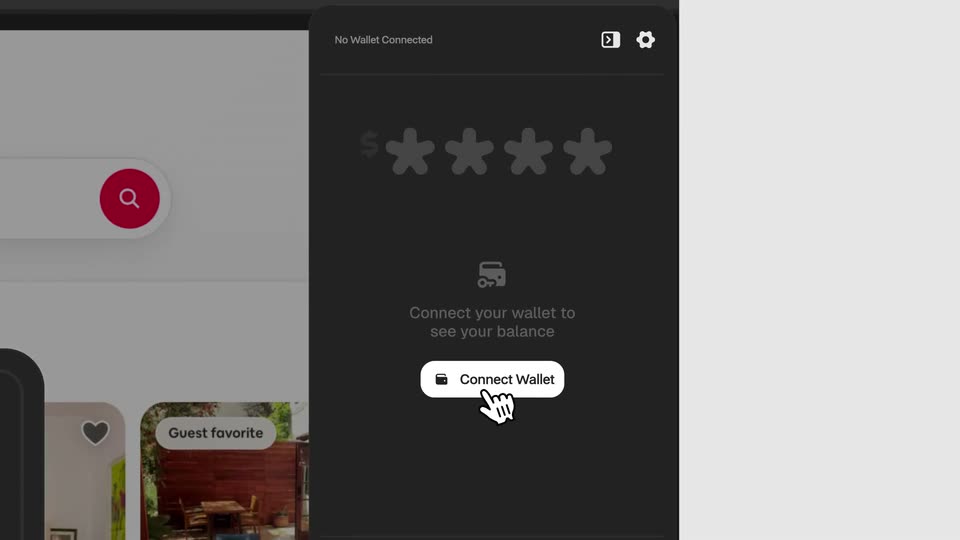
A graph database interface fills the frame, then the camera pulls back to reveal the whole browser window on a pale background. Purple nodes and labeled edges form a network around a central node, while a cursor hovers over an edge and the properties panel on the right.
Techniques: UI zoom, Cursor demo
Camera: Pull out
12 · Demo · 0:41–0:42
A Neo4j graph view fills the screen, magenta and orange nodes linked by labeled edges, with a properties panel at right. A code editor with Python logs then fades in over the graph, which dims to a ghosted backdrop.
Camera: Push in
13 · Demo · 0:42–1:08
A Jupyter notebook in VS Code shows Python search cells. A cursor clicks cells, outlining them in blue, then scrolls down to a new cell and drags a highlight across its text output. The frame zooms out to the full window twice.
Techniques: Cursor demo, UI zoom
Camera: Pull out
14 · CTA · 1:08–1:12
The URL git.new/graphiti sits centered on a pale lavender field, fading in from transparent, holding steady on a locked-off frame, then fading out at the end.
On-screen text: “git.new/graphiti”
Camera: Static