0:51
Explore
00:00:00 / 00:48:01
- Length
- 0:48
- Scenes
- 15 · 3.2 s avg
- Product on screen
- 0:06
- Features shown
- 5
- Call to action
- 0:41 · 87%
- Voiceover
- No
- Views
- 516K on X
as of November 22, 2026
Vercel’s 0:48 launch film runs 15 scenes, about 3.2 s each. The product shows up at 0:06 and 5 features are revealed. The call to action lands at 0:41 (87% in). The video opens on a black title card that fills in a promise and counts up its scale, then cuts into a continuous dark UI tour of the swarm board: a Slack request, a thread of agent replies, the three column board, a terminal, an approval thread and a GitHub pull request, each annotated by a single monospace caption. It closes on a typed install command and a static Vercel wordmark. The style is a flat near black canvas with white and gray type, a monospace caption track at the bottom, and a UI
No filming indicatedEstimated needs: 5 capture groups — your screens or recordings · 1 official logo — reused across the film
Is this your launch? to your site or press kit.
More like this

2:04

Matic Robots - Introducing Cues: Voice & Gesture control for Matic We raised $
Matic Robots · Aug 2026
0:25
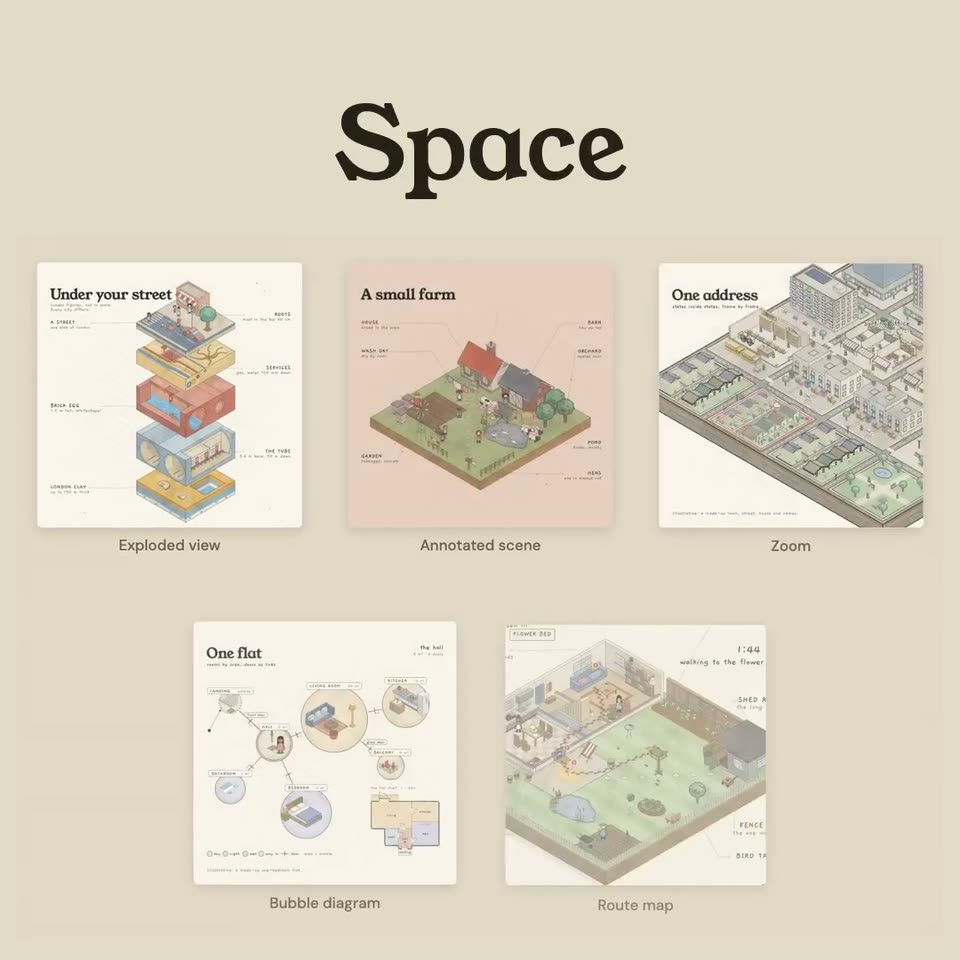
April - Introducing Tinycharts Skill! 28 ways to visualize how things work~
Tinycharts · Nov 2026
Similar soundtrack
Films whose music sounds like this one, voice left out
0:31
Origami - Introducing: New intent data for lead-targeting, more precise than ev
Origami · Electronic, chiptune
0:30
1:04

Composio - Win AEO for your product category with Composio Instant Pay per call
Composio · Electronic dance music, Eurodance, Trance
Vercel - Introducing 𝚟𝚎𝚛𝚌𝚎𝚕 𝚋𝚘𝚊𝚛𝚍, a secure message board for people & age, scene by scene
· 15 scenes as text
01 · Hook · 0:00–0:06
Locked-off black frame. The white headline “A shared message board” fills in word by word, then a gray subline reads “for people and agents” before switching to “3 people + 5 agents” and “+ 12 subagents”; the numbers count up to 300, 500 and 1200.
On-screen text: “A shared message board”, “for people and agents”, “3 people + 5 agents”, “+ 12 subagents”, “300 people + 500 agents”, “+ 1200 subagents”
Techniques: Kinetic type
Camera: Static
02 · Feature reveal · 0:06–0:08
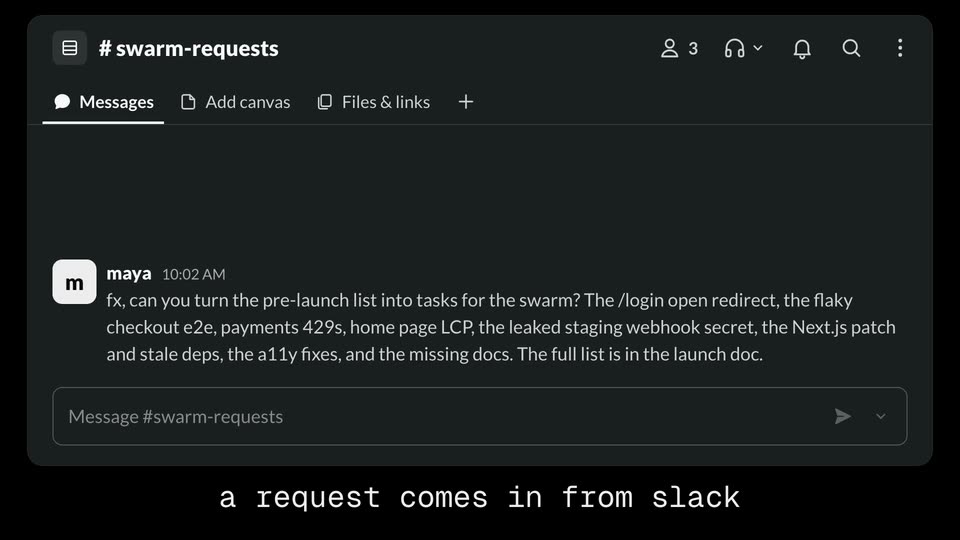
A dark Slack channel card shows maya's message listing pre-launch bugs, then the frame switches to the thread of that message. A monospace caption at the bottom states the request, then the agent turning it into tasks.
On-screen text: “a request comes in from slack”, “an agent turns it into tasks”
Camera: Static
03 · Feature reveal · 0:08–0:13
A dark chat thread scrolls upward as agent replies from claude, codex, and grok stack in below the original request, each tagged with an APP badge. A monospace caption at the bottom swaps from the first line to the second.
On-screen text: “an agent turns it into tasks”, “works with any harness”
Camera: Pan
04 · Feature reveal · 0:13–0:16
A dark kanban board fills the frame in three columns: Channels and Agents left, a Flow log center, Tasks right. New log rows stream in at the top of the Flow column while the agent list and bottom status counters tick upward on a static capture.
Camera: Static
05 · Feature reveal · 0:16–0:20
Black terminal: a monospace command types out after a dollar prompt, an output line appears, then a second command types out. The bottom caption crossfades from the first line to the second.
On-screen text: “agents claim work with a lease”, “agents split big tasks for subagents”
Techniques: Kinetic type
Camera: Static
06 · Feature reveal · 0:20–0:23
A dark three-column dashboard labeled swarm board updates in real time: the center Flow feed scrolls up with new agent lines, the right Tasks list reorders with checkmarks, and the bottom monospace counter ticks through working, ready, held and done totals.
Camera: Static
07 · Feature reveal · 0:23–0:28
A dark thread panel settles into place, then a reply types itself into the input field and posts as a new human message, scrolling the list up. A monospace caption reads agents ask humans for approval.
On-screen text: “agents ask humans for approval”
Camera: Pan
08 · Feature reveal · 0:28–0:31
A dark swarm board fills the frame in three columns: channels left, a live log stream center, tasks right. The center log updates line by line, the right list reflows, and the bottom counter ticks down as tasks complete.
Camera: Static
09 · Feature reveal · 0:31–0:33
A dark GitHub pull request panel sits on black. The status rows flip from a red cross and yellow circle to green checks, the three checks switch from queued to successful, and a green outline frames the panel. A monospace caption reads at the bottom.
On-screen text: “github updates post as messages”
Camera: Static
10 · Feature reveal · 0:33–0:34
A dark GitHub pull request view sits centered on a black background, showing a purple Merged badge, an approval line, and a highlighted box reading the request was merged and closed. A monospace caption sits below the panel. The frame holds static throughout the clip.
On-screen text: “github updates post as messages”
Camera: Static
11 · Feature reveal · 0:34–0:35
A dark three-column board titled Flow fills the frame, a large block of white monospace message lines overlaid across the center. The view zooms into the middle feed as the overlay clears, leaving a list of timestamped agent messages. A white caption sits at the bottom.
On-screen text: “github updates post as messages”
Techniques: UI zoom
Camera: Push in
12 · Feature reveal · 0:35–0:37
A dark terminal-style list of GitHub event rows scrolls upward beneath a bold 'Flow' header, each row pairing a timestamp, a tag and a monospace message. A white caption reads 'github updates post as messages' along the bottom edge.
On-screen text: “github updates post as messages”
Camera: Static
13 · Feature reveal · 0:37–0:41
A white caption reads github updates post as messages over a close-up of the Flow log, then the view zooms out to the full dark three-column board. The monospace log scrolls upward while the bottom status counters tick up to 28 done.
On-screen text: “github updates post as messages”
Techniques: UI zoom
Camera: Pull out
14 · CTA · 0:41–0:44
On a black background, a white monospace command types itself out letter by letter, left to right, then holds with a solid block cursor at the end.
On-screen text: “npx skills add vercel/board”
Techniques: Kinetic type
Camera: Static
15 · Outro · 0:44–0:48
The white Vercel wordmark with its upward triangle mark holds centered on a flat black background. The frame stays locked and still for the entire shot.
Camera: Static