1:22

Dada - introducing free reader. a mac app i made for myself. one simple, c
Free Reader · Sep 2026
Tsenta’s 0:37 launch film runs 15 scenes, about 2.5 s each. The product shows up at 0:02. There is no explicit call to action. Demo-first structure: one continuous desk scene in which a laptop screen signs in and auto-fills a job application end to end, cut between live-action and 3D mockup angles at a steady mid-tempo. Signature moves are the slow camera orbits around the laptop while form fields type themselves, and the closing purple gradient brand card where the tagline appears word by word.
Is this your launch? to your site or press kit.
Free Reader · Sep 2026
Leica Leitzphone · Feb 2026
Reason Machines · B2B · Oct 2026
Films whose music sounds like this one, voice left out
James · Hard rock / Heavy metal
Unitree · Metalcore / Post-hardcore
Vidu · Hard rock / Alternative metal
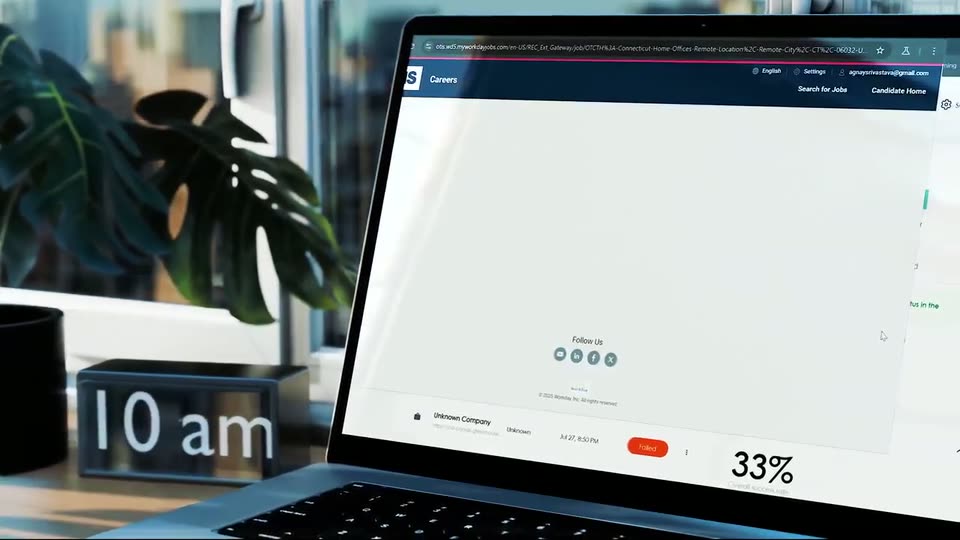
A laptop sits on a wooden desk at a three-quarter angle, its screen filling the right half of the frame. The display shows a dark careers page with a large white hashtag and a multilingual word cloud behind it, while a potted plant and a flip clock reading 10 am sit blurred in the left foreground. The shot holds still.
On-screen text: “33%”
Techniques: 3D mockup
Camera: Static
A laptop on a wooden desk shows a browser with a centered OASIS sign-in modal; the password field fills with dots as the camera slowly pans right past a blurred plant and a 10 am flip clock.
Camera: Static
A 3D laptop mockup on a desk displays a web interface. The screen content transitions from a blank page to a job application form. A flip clock and a plant sit in the blurred background.
Techniques: 3D mockup
Camera: Static
An angled shot of a laptop on a desk shows a job application form. A dropdown opens to pick a country, then the page scrolls down to the legal name fields. A plant and a flip clock sit blurred in the foreground.
On-screen text: “33%”
Techniques: Cursor demo
Camera: Static
A low locked-off shot of a laptop on a wooden desk by a window, with a plant and flip clock on the left and stacked books on the right. The screen shows a web form that scrolls and fills in: a name types into the Legal Name field, then phone and postal code fields, while a progress bar holds at 33%.
Techniques: Cursor demo
Camera: Static
A laptop on a wooden desk faces a window with a blurred city view, its screen showing a contact form with a pink Save and Continue button and a 33% progress bar. A plant and a small clock sit left, stacked books right; the locked-off frame holds still.
Techniques: 3D mockup
Camera: Static
A laptop on a sunlit desk shows a job application form that fills itself: role descriptions and dates type into the work experience fields while the page scrolls down through four entries. The camera drifts slowly left around the laptop against a blurred window.
Camera: Pull out
A laptop on a wooden desk by a window shows a job application form scrolling through questions, the progress bar holding at 33%. The camera orbits from a side angle to a frontal view past a plant, a digital clock, and stacked books.
Camera: Pan
A laptop on a wooden desk faces the camera at a slight angle, its screen showing a job application form with a pink submit button and a 33% progress bar. The form content shifts upward between frames while a monstera plant and a window stay soft and still in the background.
Techniques: 3D mockup
Camera: Static
A laptop on a desk displays a job application page that scrolls down from the role summary to a voluntary disclosures form. A monstera plant and a digital clock reading 10 am sit to the left, a 33 percent object to the right.
Camera: Static
A locked-off shot of a laptop on a desk by a window, its screen scrolling through a job application form. The page advances to the Self Identify section, a dropdown opens, and a checkbox is ticked. A desk clock reads 10 am beside a plant.
Techniques: Cursor demo
Camera: Pull out
A laptop on a desk by a window cycles through application pages on its screen, shifting from a document to a timeline view. A digital clock reads 10 am at left, books stack at right, and a 33% indicator stays fixed at the bottom.
Camera: Static
The camera holds a static frame on a laptop on a desk by a window, with a plant, a flip clock, and books at the sides. The screen changes from a job review form to a dashboard showing a 33% success rate.
Camera: Static
A laptop on a desk in front of a city window displays a job application dashboard. The screen fades and the lid closes as the white AUTOJOBS logo fades in, centered on the window.
On-screen text: “AUTOJOBS”
Camera: Static
A white AutoJobs logo mark and wordmark sit centered on a soft purple gradient. The tagline CLICK APPLY DONE fades in word by word beneath, then the whole lockup dims as the background deepens to indigo.
On-screen text: “CLICK APPLY DONE”
Techniques: Kinetic type
Camera: Static