
1:26
Explore
Dada - introducing free reader. a mac app i made for myself. one simple, c
Free Reader · Sep 2026 · 1:22 · AI-annotated
- Length
- 1:22
- Scenes
- 11 · 7.5 s avg
- Product on screen
- 0:36
- Features shown
- 1
- Voiceover
- No
00:00:00 / 01:22:54
Free Reader’s 1:22 launch film runs 11 scenes, about 7.5 s each. The product shows up at 0:36 and 1 feature is revealed. There is no explicit call to action. The video is built as a stark white stage where lowercase text scatters and reassembles into a question, then a single 3D laptop orbits through the app's screens while short side captions announce each capability. The signature moves are the word-scatter typography and the continuous orbiting laptop, capped by a Didone Reader headline and a deadpan sign-off.
No filming indicatedEstimated needs: 8 3D passages — build or supply
Is this your launch? to your site or press kit.
More like this
0:54
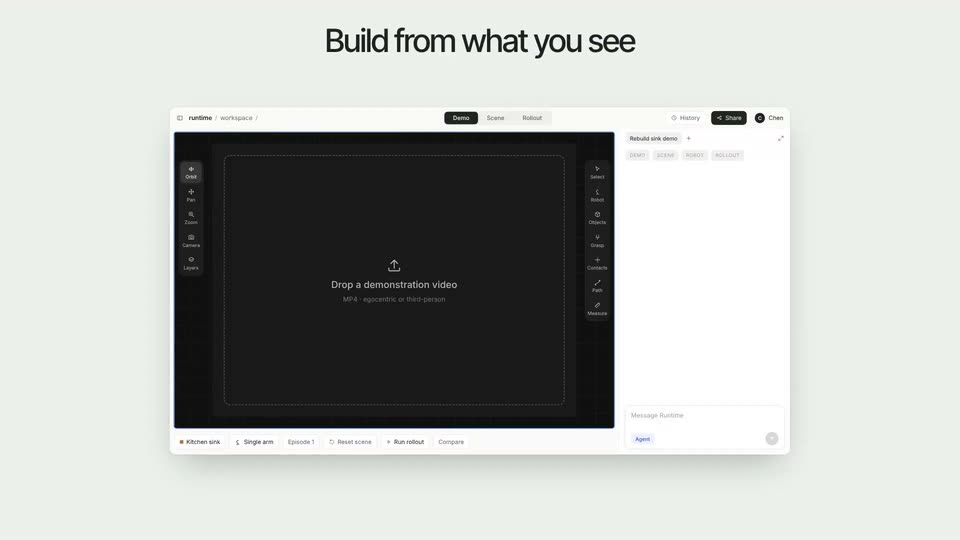

Launch YC: Runtime
Runtime.si · Industrials · Nov 2026
1:18


Operon's New Home: operonsolutions.com | Operon Solutions
Operon · Industrials
Dada - introducing free reader. a mac app i made for myself. one simple, c, scene by scene
· 11 scenes as text
01 · Hook · 0:00–0:05
Small black text on a white field: “Quick question.” fades to “When,” then the line “when was the last time” breaks apart into words scattered around the frame. “a book made you” settles centered, a blank beat follows, then “stop. and think” appears.
On-screen text: “Quick question.”, “When”, “when was the last time”, “a book made you”, “stop. and think”
Techniques: Kinetic type
Camera: Static
02 · Hook · 0:05–0:06
On a white field the gray phrase stop. and think sits centered, then cuts to what and if? split at the edges, before two 3D books, a blue calculus text lying flat and a pink volume tilted above, appear in perspective.
On-screen text: “stop. and think”, “what”, “if?”
Camera: Static
03 · Hook · 0:06–0:08
A stack of colorful hardcover books in 3D perspective sits centered on a white background while the top cover flips through different titles. The words “what” and “if?” hold fixed positions at the left and right edges of the frame.
On-screen text: “what”, “if?”
Techniques: 3D mockup
Camera: Static
04 · Hook · 0:08–0:14
Small black text sits centered on a white field. 'some words deserve …' appears with the bold weight moving from 'some' to 'words', then the phrase swaps to 'more than a highlight.', the bold landing on 'highlight'.
On-screen text: “some words deserve …”, “more than a highlight.”
Techniques: Kinetic type
Camera: Static
05 · Feature reveal · 0:14–0:15
A blank white frame gives way to a silver laptop mockup that scales in at center, open at an angle with the keyboard facing the viewer and the screen a flat white. The device grows slightly larger as it settles into place.
Techniques: 3D mockup
Camera: Static
06 · Feature reveal · 0:15–0:20
A silver laptop mockup on a white background rotates from a three-quarter view to front-on and back to the opposite angle, its screen showing a grid of book covers with a small moving cursor. The phrases “Your books.” and “All here.” appear on either side of the device.
On-screen text: “Your books.”, “All here.”
Techniques: 3D mockup, Cursor demo
Camera: Pan
07 · Demo · 0:20–0:21
A silver laptop mockup floats on a white background, its screen showing a grid of colorful covers. The device rotates in 3D from a front three-quarter view, turning to expose the plain gray back of the lid and its thin side edge.
Techniques: 3D mockup
Camera: Static
08 · Demo · 0:21–0:36
A silver MacBook floats in 3D on a white field, its screen showing a typed novel page. The laptop spins around as side captions read, then settles on a second document layout with a side panel.
On-screen text: “Keep”, “what it says.”, “See it”, “another way.”
Techniques: 3D mockup
Camera: Push in
09 · Product intro · 0:36–0:45
A silver laptop mockup orbits in 3D on white, its screen showing a book reader with a cursor picking a dropdown option, then a split view of the book and a Google page. Captions read “Ask your book.” then “Follow the thought.”, and a serif “Reader” title fades in.
On-screen text: “Ask”, “your book.”, “Follow”, “the thought.”, “Reader”, “An AI workspace for your reading.”
Techniques: 3D mockup, Cursor demo
Camera: Pull out
10 · Product intro · 0:45–0:48
A silver laptop mockup turns from a three-quarter angle to face the camera on a white field, its screen split between a document and a Google page. The serif headline Reader and a sans-serif subhead sit static above it, then the frame fades to white.
On-screen text: “Reader”, “An AI workspace for your reading.”
Techniques: 3D mockup
Camera: Static
11 · Outro · 0:48–1:22
A plain white field holds a small centered line of gray text. 'We left the beat on.' appears, then 'Why not :)' is appended beside it. The line clears and the frame stays empty white for the rest of the scene.
On-screen text: “We left the beat on. Why not :)”
Techniques: Kinetic type
Camera: Static