0:35

Lightreel AI - Introducing the first ZERO-SLOP AI for Meta Ads Just ask Lightreel w
Lightreel AI · Oct 2026
TinyFish · Oct 2026 · 0:36 · Full motion · AI-annotated
TinyFish’s 0:36 launch film runs 11 scenes, about 3.3 s each. The product is on screen from the first frame. The call to action lands at 0:32 (89% in). The video opens with a left-to-right text reveal that names the product, then holds one slow-zoom screen demo of an agent researching a team roster for over twenty seconds, and closes on a tagline card that crossfades into the logo with a typed URL. Signature moves are the halftone orange field, word-by-word typing, and stacked list reveals inside a dark UI panel.
Is this your launch? to your site or press kit.
Lightreel AI · Oct 2026
Agentcard · Fintech · Oct 2026
Audora · Consumer · Oct 2026
Films whose music sounds like this one, voice left out
Edgerun · Synthwave, future bass, and cinematic electronic
Ramp · Corporate / Tech promotional
A dark woven mesh gradient runs from black on the left to bright orange on the right. A single white line of text reveals from left to right across the center, then holds on a locked-off frame.
On-screen text: “TinyFish is now available in ChatGPT”
Techniques: Masking
Camera: Static
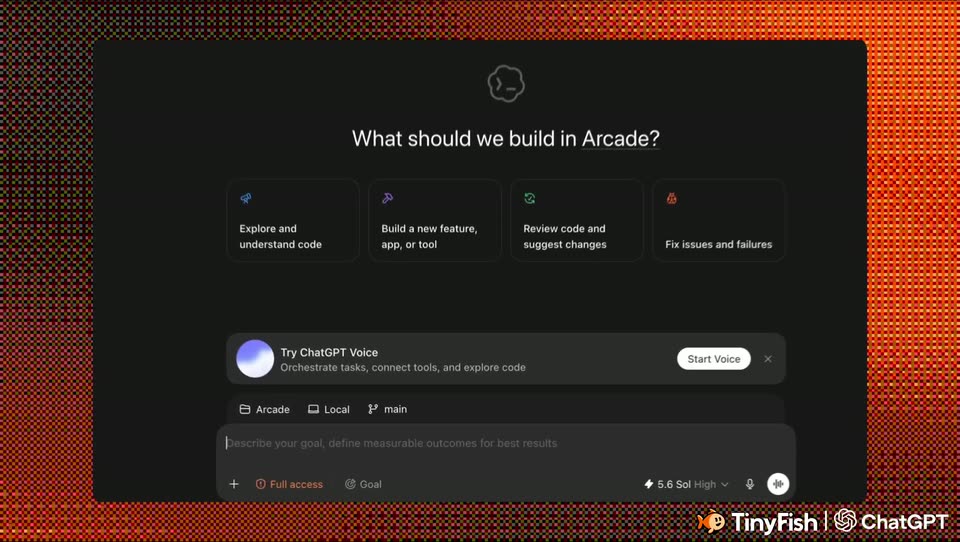
A dark product window sits on an orange halftone dot background, the view slowly zooms into the interface as a prompt types into the input field word by word. Four option cards and a voice row stay fixed while the heading and cards grow larger.
On-screen text: “TinyFish is now available in ChatGPT”
Techniques: UI zoom
Camera: Static
A dark interface panel on an orange pixel background shows the header 'What should we build in Arcade?' while a prompt types itself into the input field. A TinyFish and ChatGPT lockup sits bottom right.
Camera: Static
A dark interface window on an orange pixelated background. The view zooms in on the main panel as text appears, outlining a task. A TinyFish and ChatGPT logo sits in the bottom right corner.
On-screen text: “TinyFish | ChatGPT”
Techniques: UI zoom, Kinetic type
Camera: Static
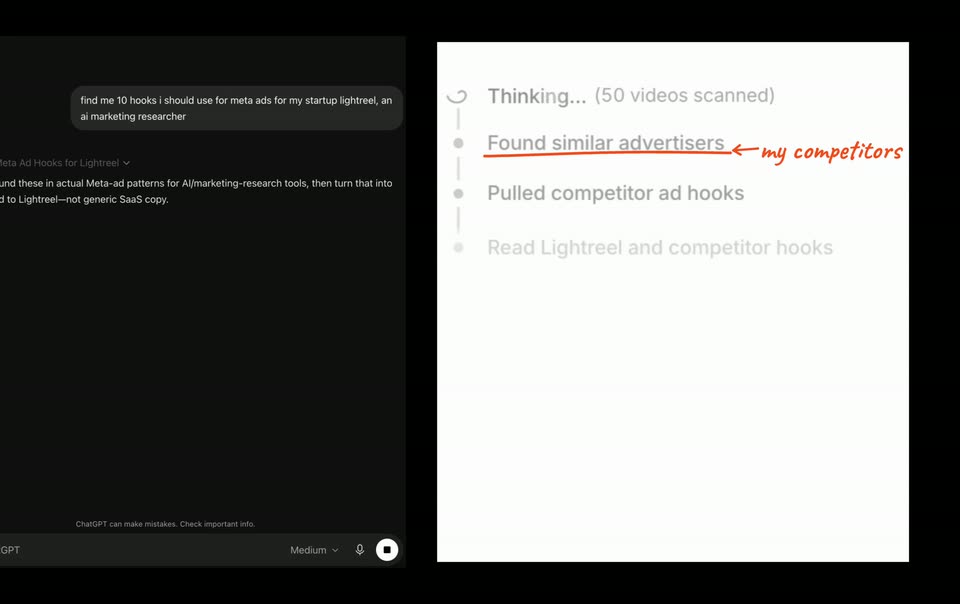
A dark chat panel on an orange dot grid shows a working timer counting up as two paragraphs type in, then a planning line is replaced by a Search step with a small fish icon. TinyFish and ChatGPT wordmarks sit in the bottom-right corner.
On-screen text: “TinyFish”, “ChatGPT”
Camera: Static
A dark chat panel sits on an orange halftone dot field. A working timer counts up at the top while a list of orange Search rows stacks downward one by one, and a TinyFish | ChatGPT lockup stays fixed in the lower right corner.
On-screen text: “TinyFish | ChatGPT”
Camera: Static
A dark AI chat panel sits on an orange halftone dot background. A goal status bar with a running timer sits above a list of Search and Fetch steps, then a paragraph of body copy slides and scales into place as the interface updates.
Camera: Static
A dark app window on a static orange pixel background holds a long document that scrolls upward, revealing a roster table of names and roles. A TinyFish and ChatGPT lockup sits in the bottom right corner.
On-screen text: “TinyFish | ChatGPT”
Camera: Static
A dark chat window floats over a red halftone dot background. Inside, a list of team profiles scrolls up, ending on a bulleted org summary and a completion note. A right sidebar and bottom input bar frame the panel. White TinyFish and ChatGPT wordmarks sit in the lower right corner.
On-screen text: “TinyFish ChatGPT”
Camera: Static
On an orange halftone dot field, a white headline scales in centered above a smaller subtitle, with a blinking caret at the line's end. The text then cross-fades into the large TinyFish wordmark and a tagline beneath it.
On-screen text: “The web toolkit for ChatGPT.”, “Search + Fetch+ Browse + Agent”, “Give AI agents access to the entire Web”
Techniques: Kinetic type
Camera: Static
A logo lockup sits on a woven orange-to-black gradient. The orange fish icon fades from dim to full color while the URL types out letter by letter at the bottom, the wordmark and tagline held static.
On-screen text: “Give AI agents access to the entire Web”, “www.tinyfish.ai/integrations”
Camera: Static