4:48

Friday - Never Check Your Email Again
Freestyle · Consumer · Nov 2024
TectoAI’s 1:27 launch film runs 5 scenes, about 18 s each. The product is on screen from the first frame and 3 features are revealed. There is no explicit call to action; a voiceover carries the film. A single continuous screen capture with a pinned circular webcam bubble, where the cursor walks through the marketplace grid, a request modal, expanded comparison cards and a full-report modal at a steady mid-tempo. Signature moves are cursor-led reveals (tooltips, card expansion, modal open and close) on a calm off-white card grid.
Is this your launch? to your site or press kit.
Freestyle · Consumer · Nov 2024
Supabase · Developer tools · Mar 2025
ClickHouse · Nov 2026
Films whose music sounds like this one, voice left out
Verbiflow · Corporate product demonstration
Replit · Tech product launch / Instructional video
A web dashboard of AI tool cards fills the frame, grouped under Sponsored, Recommended and Explore More, with a circular webcam feed of a woman in sunglasses talking in the lower-left corner. A cursor opens a tooltip on the Recommended info icon, then the grid scrolls down and back up.
Techniques: Cursor demo
Camera: Pan
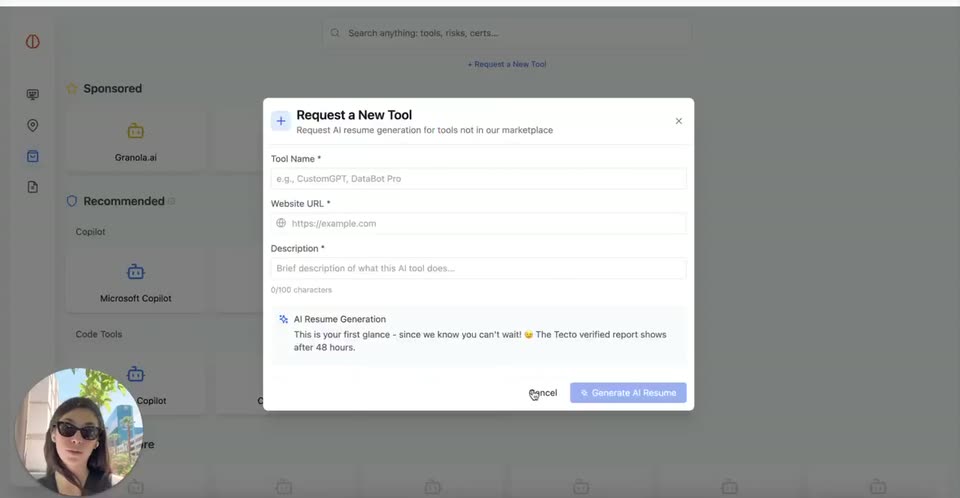
A white 'Request a New Tool' modal with form fields sits over a dimmed marketplace grid of tool cards. A cursor travels from the top link down to the Cancel button. A circular webcam of a woman in sunglasses anchors the lower left corner.
Techniques: Cursor demo
Camera: Static
A light dashboard grid of AI tool cards scrolls down as the cursor moves; clicking three cards expands detail panels beneath them listing compliance scores, risk factors and certifications, while a small circular webcam bubble of a presenter stays in the lower-left corner.
Techniques: Cursor demo
Camera: Pan
A white 'Claude Code - Full Research Report' modal over a dimmed dashboard scrolls its text down through summary, performance and pricing sections. A cursor drifts across the page, then clicks the Close button. A circular webcam feed of a woman in sunglasses stays pinned bottom-left.
Techniques: Cursor demo
Camera: Pan
A cursor closes three expanded tool cards, each shrinking into a small grid tile as the layout reflows, then an Explore More row of extra tool cards appears. The cursor drifts to the sidebar icons. A circular webcam of a presenter sits in the corner.
Techniques: Cursor demo, Morph
Camera: Static