0:52

Quantstruct Launch Video
Quantstruct · B2B · Jan 2025
Synth · Nov 2024 · 3:13 · Full motion · AI-annotated
Synth’s 3:13 launch film runs 22 scenes, about 8.8 s each. The product is on screen from the first frame and 4 features are revealed. The call to action lands at 2:48 (87% in), over a voiceover. Warm cream and peach palette with dark code panels, rounded picture-in-picture founder window, soft zoom and pan transitions between screens. Pacing is slow and conversational at about 112 bpm with few cuts, built as a single continuous screen recording that the founder narrates over.
Is this your launch? to your site or press kit.
Quantstruct · B2B · Jan 2025
OpenAI · AI · Oct 2026
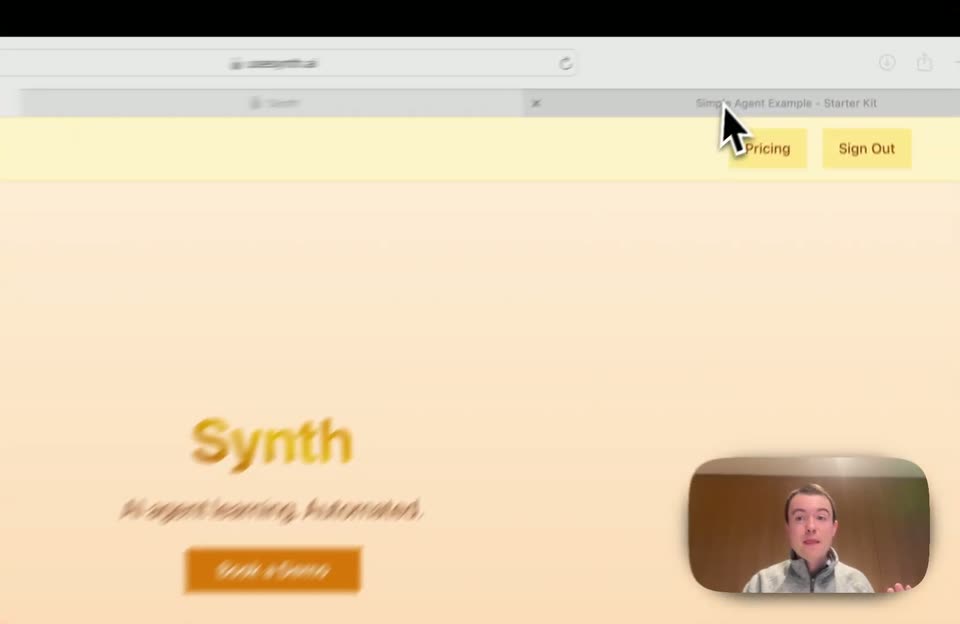
The Synth landing page sits static in a browser, peach gradient with an orange headline and a Book a Demo button. A rounded webcam inset in the lower right shows the founder talking and gesturing; near the end the cursor glides to the button.
On-screen text: “usesynth.ai”
Techniques: Cursor demo
Camera: Static
A browser window shows the Synth website, its orange logo and tagline centered on a cream page, with a cursor resting near the top-right nav. A small rounded video inset of a man speaking sits in the lower right as the view zooms toward the header.
Techniques: UI zoom, Cursor demo
Camera: Push in
A browser window shows a dark code editor beside a documentation page with a small speaker video. The view zooms into the code editor, filling the frame with Python code while the speaker stays in the corner. A cursor moves across the lines.
Techniques: Cursor demo, UI zoom
Camera: Pan
A documentation page shows a Python code panel with a blue-highlighted decorator block. The view zooms out to the full browser and sidebar, a cursor hovers over the block, the code scrolls, then it zooms back in. A speaker sits in a small window at bottom right.
Techniques: UI zoom, Cursor demo
Camera: Pan
A dark code editor fills the left of the frame with a white text caret over a highlighted line, while a small webcam inset of a presenter sits bottom right. The screen cross-dissolves into a light browser window showing a new tab.
Camera: Pull out
A documentation page with a dark code block fills the screen, a presenter's video call window sits in the bottom right corner. The presenter gestures while talking, then a cursor moves to the top left tab and the view zooms in on it.
Techniques: Cursor demo, UI zoom
Camera: Push in
A screen recording of the Synth web app shows the top navigation with Uploads, Analyses and Account tabs. A cursor glides down the cream page and turns into a pointing hand over the Uploads tab, while a small presenter video plays in the bottom right corner.
Techniques: Cursor demo
Camera: Static
A light web interface with a yellow tab bar reading Uploads, Analyses, Account. A hand cursor glides right across the tabs as the view pans and blurs. A small rounded inset of a man speaking sits in the bottom right corner.
Techniques: Cursor demo
Camera: Pan
A product dashboard table with status rows and a Start Analysis button fills the frame; a hand cursor clicks the button, then an arrow cursor scrolls the view up to the browser bar showing the Synth site. A small webcam of a man speaking sits in the bottom-right corner.
Techniques: Cursor demo
Camera: Pan
A close-up of an 'Analysis Status' panel in a web interface lists completed tasks. The view zooms out to show the full browser window with a yellow navigation bar. A presenter talks and gestures in a small video box at the bottom right corner.
Techniques: UI zoom, Cursor demo
Camera: Pull out
A web dashboard shows an Analysis Status list with all steps marked completed, above tabbed panels for Enrichments and Clusters. A presenter talks and gestures in a small rounded video window at bottom right. The cursor clicks the Clusters tab and the view zooms to a table of annotations.
Techniques: Cursor demo, UI zoom
Camera: Pull out
A browser window shows the Clusters tab of a dashboard, a table of annotation rows each tagged Finetune, with green COMPLETED badges above. A man gestures in a rounded webcam window at the bottom right. The page scrolls down at the end to reveal a Book Demo button.
Camera: Static
A browser window shows the Synth app's Clusters table, rows tagged Finetune with a dropdown and View link. A hand cursor sits at the left edge. In a rounded webcam inset at bottom right, a man in a gray hoodie talks and gestures. The interface stays static.
Camera: Static
A browser window shows the Synth app's Clusters table, rows tagged Finetune, with a hand cursor resting at the left margin. A rounded webcam inset in the lower right holds a man in a gray fleece who talks and gestures. The interface stays static throughout.
Camera: Static
A static browser view of a Clusters table lists annotation rows with Finetune tags and a Pull Request dropdown. A hand cursor icon rests at the left margin. In the bottom right, a rounded inset shows a man in a gray sweater talking and gesturing.
Camera: Static
A light dashboard shows a Clusters table with annotation rows and dropdown menus. A hand cursor glides across the screen, tapping the table, the Result tab, and the Generate Synthetic Data button. A man talks in a rounded picture-in-picture window at the bottom right.
Techniques: Cursor demo
Camera: Static
A cream-toned browser window shows the Synth interface on the Clusters tab, with a table of annotation rows and a hand cursor hovering by the tab. A rounded webcam inset in the lower right shows a man in a grey jacket talking and gesturing.
Techniques: Cursor demo
Camera: Static
A browser window shows the Synth app with the Clusters tab open, listing rows of annotation text and Finetune tags. A white hand cursor icon hovers above the tab bar. In the lower right, a rounded video inset shows a man in a grey zip-up speaking and gesturing.
Camera: Static
Browser window shows a yellow dashboard with a Clusters table. A hand cursor clicks the Result tab, and the view blurs and zooms into the Result panel showing a creation date and download link. A small webcam of a man in a gray jacket sits bottom-right.
Techniques: Cursor demo, UI zoom
Camera: Pull out
A screen recording of the Synth results page shows a job details card and a finetuning datasets table, with the cursor resting on the created-at date. A rounded webcam video of a man speaking sits in the bottom-right corner, and he gestures with his hand near the end.
On-screen text: “usesynth.ai”
Techniques: Cursor demo
Camera: Static
A static screen recording of the Synth results page in a browser, with Job Details and a Finetuning Datasets table; a picture-in-picture video of a man in a gray sweater talks and gestures in the bottom right, and a cursor hovers over the table.
Techniques: Split screen, Cursor demo
Camera: Static
A static screen capture shows the Synth dashboard's Result page with a Job Details card and a Finetuning Datasets table, a white cursor hovering over the rows. A rounded picture-in-picture in the lower right shows a man in a gray hoodie gesturing as he speaks.
Camera: Static