
0:36
Explore
Superhuman for Android
Superhuman · Jul 2023 · 0:55 · Full motion · AI-annotated
- Length
- 0:55
- Scenes
- 20 · 2.8 s avg
- Product on screen
- 0:00
- Features shown
- 3
- Call to action
- 0:49 · 90%
- Voiceover
- No
- Views
- 2K on YouTube
as of November 28, 2026
00:00:00 / 00:55:01
- Length
- 0:55
- Scenes
- 20 · 2.8 s avg
- Product on screen
- 0:00
- Features shown
- 3
- Call to action
- 0:49 · 90%
- Voiceover
- No
- Views
- 2K on YouTube
as of November 28, 2026
Superhuman’s 0:55 launch film runs 20 scenes, about 2.8 s each. The product is on screen from the first frame and 3 features are revealed. The call to action lands at 0:49 (90% in). The video opens with a logo reveal and tagline, then alternates blue-gradient promise cards with dark phone-mockup demos of each feature, and closes on a wallpaper montage plus a Google Play call to action. Its signature moves are the blur-in and blur-out text transitions, the 3D phone tilts, and the consistent dark purple palette with a soft corner glow.
No filming indicatedEstimated needs: 2 capture groups — your screens or recordings · 1 official logo — reused across the film · 9 3D passages — build or supply
Is this your launch? to your site or press kit.
More like this

Similar soundtrack
Films whose music sounds like this one, voice left out
1:01

Introducing Microsoft Copilot Studio | Your Copilot, Your Way
Microsoft · High-energy electronic dance music with synthwave and cinematic orchestral elements
1:04

October 2026 Launch: Omni
Airtable · Electronic dance, funk, alternative rock, pop-rock
0:36

Introducing Documents on Morphic
Morphic · Electronic Dance Music
Superhuman for Android, scene by scene
· 20 scenes as text
01 · Product intro · 0:00–0:05
A gradient line-art logo mark fades in at center on a dark purple field, then shrinks and turns white as the wordmark SUPERHUMAN fades in beside it. The lockup blurs out of focus and the tagline The fastest email appears in gray.
On-screen text: “SUPERHUMAN”, “The fastest email”
Camera: Static
02 · Product intro · 0:05–0:09
A dark purple gradient fills the frame as two centered lines of light gray sans-serif text read “The fastest email experience ever made...”, then swap to “is now available on Android” with a small green robot icon.
On-screen text: “The fastest email experience ever made...”, “is now available on Android”
Camera: Static
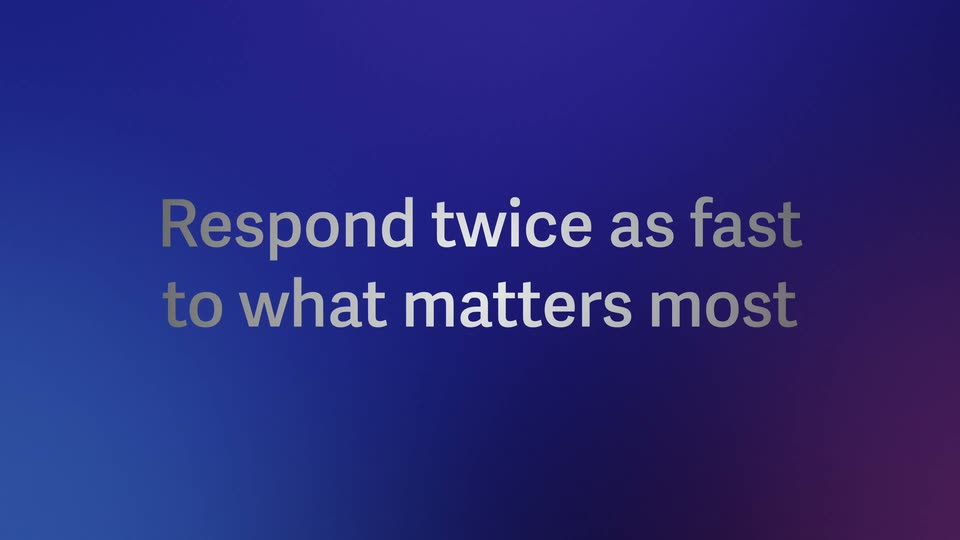
03 · Feature reveal · 0:09–0:11
Two centered lines of text fade in from near-black to white over a dark blue gradient background. The frame stays locked off and the type holds still once fully bright.
On-screen text: “Respond twice as fast”, “to what matters most”
Camera: Static
04 · Feature reveal · 0:11–0:12
A dark gradient background holds a 3D phone mockup on the right, displaying an inbox list. Large text on the left reads 'Automatically triage incoming to what matters most'.
On-screen text: “Automatically triage incoming”, “to what matters most”
Techniques: 3D mockup
Camera: Static
05 · Feature reveal · 0:12–0:18
On a dark gradient, a white three-line headline sits left of a flat phone mockup. The phone's inbox switches tabs, the list and bottom underline moving from Important to Calendar, Docs, then Other.
On-screen text: “Automatically triage incoming email”
Camera: Static
06 · Feature reveal · 0:18–0:20
A blue-purple gradient brightens as the centered two-line headline fades in, holds, then fades out as the background dims back to near black.
On-screen text: “Follow up on time,”, “every time”
Camera: Static
07 · Feature reveal · 0:20–0:29
A tilted phone mockup on a dark background shows an email thread. A reply types itself, then a Remind me sheet slides up and the in 2 days row enlarges into a callout crossing the phone edge. The headline fades in left; the scene ends defocused.
On-screen text: “Never drop the ball again”
Techniques: 3D mockup, UI zoom
Camera: Static
08 · Feature reveal · 0:29–0:33
A light gray two-line headline fades in on a blue-to-purple gradient, holds, then fades out as a dark phone mockup appears showing an email reply screen with a contact and a Send button.
On-screen text: “Automate phrases and entire emails”
Camera: Static
09 · Feature reveal · 0:33–0:38
A dark 3D phone mockup on a purple gradient shows an email reply screen. The body auto-types a greeting as a highlighted Calendar template is picked, the full message with a calendar link fills in, and the Send button pulses with a soft glow.
Techniques: 3D mockup, Kinetic type
Camera: Static
10 · Demo · 0:38–0:38
A blurred email reply window comes into focus, then the interface empties to a dark blue gradient as a centered gray headline fades in.
On-screen text: “Get through your inbox”
Camera: Static
11 · Demo · 0:38–0:41
On a blue-to-purple gradient, the headline “Get through your inbox” fades in, followed by “twice as fast as before” word by word, then both lines fade out to leave the empty gradient.
On-screen text: “Get through your inbox”, “twice as fast as before”
Techniques: Kinetic type
Camera: Static
12 · Demo · 0:41–0:45
A flat smartphone mockup on a dark gradient shows a messaging app. A message from Allie Chan about summer deals is shown, then a second message from Charlie Chan slides in beside a circular send button, and the screen fills with a jellyfish photo.
Camera: Static
13 · Demo · 0:45–0:45
A smartphone in 3D perspective sits centered on a dark purple gradient, its screen showing a drifting jellyfish wallpaper and a status bar. The device holds still while the background glow shifts subtly.
Techniques: 3D mockup
Camera: Static
14 · Demo · 0:45–0:46
A black phone mockup floats centered on a dark purple gradient. Its screen shows a starry night photo of a snow-capped peak over a lake, framed by editor icons: a help circle left, a pencil right. The status bar time 10:30 slides in at the top.
Techniques: 3D mockup
Camera: Static
15 · Demo · 0:46–0:47
A black smartphone mockup stands upright in 3D perspective on a dark gradient background. Its screen shows an underwater photo of a sea turtle gliding over a bed of green seagrass, with a status bar and two line icons at the top. The image drifts slowly, giving a gentle sense of depth.
Techniques: 3D mockup
Camera: Static
16 · Demo · 0:47–0:48
A smartphone mockup floats centered on a dark background, its screen filled with a pink, orange and teal tunnel wallpaper. The device holds a slight 3D tilt while the status bar and corner icons stay fixed along the top edge.
Techniques: 3D mockup
Camera: Static
17 · Demo · 0:48–0:48
A centered smartphone mockup on a dark purple gradient shows a black and white photo of a lit skyscraper spire. A status bar with the time, a help icon and an edit pencil sit over the image. The frame holds still.
Camera: Static
18 · Demo · 0:48–0:49
A smartphone mockup sits centered on a dark gradient background, its screen showing a still photo of a red and yellow parrot perched on a branch, with a status bar and two line icons at the top. The frame holds still.
Techniques: 3D mockup
Camera: Static
19 · CTA · 0:49–0:53
A dark gradient background frames a flat phone mockup on the right, its screen showing a mountain sunset wallpaper. On the left, the headline Get the app today fades in, then a Google Play badge fades in below it. The frame fades to black and the URL superhuman.com/download appears.
On-screen text: “Get the app today”, “GET IT ON Google Play”, “superhuman.com/download”
Camera: Pan
20 · CTA · 0:53–0:55
A dark gradient background with a soft purple glow in the lower right. The URL types in character by character at the center, finishing by the midpoint, then holds on a locked frame.
On-screen text: “superhuman.com/download”
Techniques: Kinetic type
Camera: Static