
0:33
Explore
Superhuman works wherever you do
Superhuman · Apr 2024 · 1:09 · Code only · AI-annotated
- Length
- 1:09
- Scenes
- 23 · 3.0 s avg
- Product on screen
- 0:00
- Features shown
- 6
- Call to action
- 0:59 · 85%
- Voiceover
- No
- Views
- 1K on YouTube
as of November 28, 2026
00:00:00 / 01:09:03
- Length
- 1:09
- Scenes
- 23 · 3.0 s avg
- Product on screen
- 0:00
- Features shown
- 6
- Call to action
- 0:59 · 85%
- Voiceover
- No
- Views
- 1K on YouTube
as of November 28, 2026
Superhuman’s 1:09 launch film runs 23 scenes, about 3.0 s each. The product is on screen from the first frame and 6 features are revealed, with social proof. The call to action lands at 0:59 (85% in). The video is built as a logo sting, a two-line promise, then a parade of single-feature beats, each pairing a bold headline with a floating UI card on a dark gradient. Signature moves are blur-to-sharp text reveals, a glowing white line that traces UI outlines, and depth-of-field drifts of platform icons, all cut at a slow, steady pulse.
No filming indicatedEstimated needs: 5 capture groups — your screens or recordings · 1 official logo — reused across the film · 7 graphic passages — draw or supply
Is this your launch? to your site or press kit.
More like this
0:28

Juicebox | AI Recruiting Platform | Motion Design ADS
Juicebox · Oct 2026
0:55


Y Combinator - HEVN (@hevn_finance) is building a “Brex for non-US companies” — an a
HEVN, inc · Fintech · Apr 2026
Similar soundtrack
Films whose music sounds like this one, voice left out
1:01

Mistral AI - Introducing 20+ connectors powered by MCP and a fully controllable Me
Mistral AI · Lo-fi hip-hop, funk
0:32
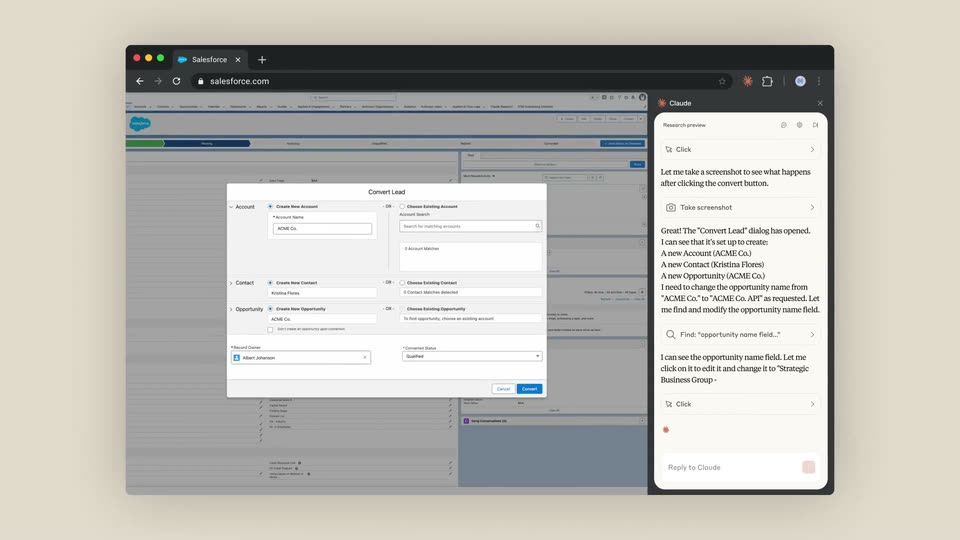

Anthropic - We’ve developed Claude for Chrome, where Claude works directly in you
Anthropic · Lo-fi hip-hop
0:52


Introducing CORSAIR Custom Lab – Your Stage, Your Style
CORSAIR · Instrumental hip-hop transitioning to synthesized video game style
Superhuman works wherever you do, scene by scene
· 23 scenes as text
01 · Product intro · 0:00–0:05
A gradient line-art mark glows at center on a dark purple background, then shrinks and slides left as the wordmark SUPERHUMAN fades in beside it. The lockup blurs out and the gray tagline The fastest email fades in.
On-screen text: “SUPERHUMAN”, “The fastest email”
Camera: Static
02 · Product intro · 0:05–0:06
A dark blue-purple gradient fills the frame behind two centered lines of white headline text. The lines hold static and locked off for the full duration, with no movement or reveal.
On-screen text: “The fastest email”, “experience ever made...”
Camera: Static
03 · Product intro · 0:06–0:09
On a dark purple gradient, the centered white tagline 'The fastest email experience ever made...' crossfades into 'now works wherever you do.' Both lines hold a fixed centered position; only their opacity changes.
On-screen text: “The fastest email experience ever made...”, “now works wherever you do.”
Camera: Static
04 · Feature reveal · 0:09–0:10
On a dark purple gradient, the centered tagline blurs and fades out while three white platform logos, Windows, Chrome and Apple, fade in at scattered positions.
On-screen text: “now works”, “wherever you do.”
Camera: Static
05 · Feature reveal · 0:10–0:11
White Windows, Apple, and Chrome logos on a dark indigo gradient. The three marks hold their size and spacing while drifting in a slow clockwise arc around the frame's center.
Camera: Pan
06 · Feature reveal · 0:11–0:13
White platform logos, Apple, Chrome, Windows and Android, drift through a dark purple void. A shallow depth of field keeps some icons sharp while others blur, as they pass the camera at different depths.
Techniques: Parallax
Camera: Static
07 · Feature reveal · 0:13–0:13
On a dark purple gradient, a white Apple logo and a white Android robot icon drift across the frame, sliding from a top-left and bottom-right arrangement toward opposite corners.
Camera: Static
08 · Feature reveal · 0:13–0:14
Two white logos, an Android robot and an Apple mark, sit side by side on a dark purple gradient. They slide inward and rotate into a centered vertical stack, Android above Apple, over a quick half second.
Camera: Static
09 · Feature reveal · 0:14–0:15
Two rounded-square app icons sit on a dark, blurred purple-blue gradient: a Gmail icon on the left and a blue envelope icon on the right. The Gmail icon slides into place while the frame stays locked off.
Camera: Static
10 · Feature reveal · 0:15–0:19
Gmail and Outlook app icons float side by side on a dark gradient, then slide past each other, swapping top and bottom positions as the receding icon blurs out of focus. Both fade away, leaving the empty dark background.
Techniques: Parallax
Camera: Static
11 · Feature reveal · 0:19–0:24
A blue-violet gradient fills the locked-off frame. White centered text, 'Available for Gmail & Outlook,' slides in, then a second line, 'on all of your devices,' fades in beneath it before both lines fade out.
On-screen text: “Available for Gmail & Outlook”, “on all of your devices.”
Techniques: Kinetic type
Camera: Static
12 · Feature reveal · 0:24–0:25
On a dark blue background, the headline Respond faster sharpens on the left as the word faster slides in with motion blur, while a settings card fades in on the right showing a Split Inbox toggle and its description.
On-screen text: “Respond faster”
Techniques: Kinetic type
Camera: Static
13 · Feature reveal · 0:25–0:26
On a dark navy field, the white headline “Respond faster” holds on the left while a flat Split Inbox panel eases in on the right. Its category list, each row with a check icon, settles from an overlapping state into a clean stack.
On-screen text: “Respond faster”
Camera: Static
14 · Feature reveal · 0:26–0:27
A glowing white line draws the left, bottom and right edges of a rounded rectangle on a dark background, while a faint feature-list panel fades out at the top right.
Camera: Static
15 · Feature reveal · 0:27–0:29
A dark gradient holds a rounded email-list card that scales down and dims. Below it, a large white tagline appears word by word, each term sharpening out of a blur, ending on the full phrase as the scene fades.
On-screen text: “to what matters most”
Techniques: Kinetic type
Camera: Static
16 · Feature reveal · 0:29–0:36
A centered email compose card on a dark purple gradient. A prompt types into the body field, the field shows Writing..., then the full drafted email appears. A white headline Turn an idea into an email blurs in below and fades as the card slides left.
On-screen text: “Turn an idea into an email”
Techniques: Kinetic type
Camera: Pan
17 · Feature reveal · 0:36–0:44
A white headline sharpens over a dark purple email card. A cursor opens a command menu that morphs into a Remind me panel, where typing 2d updates the highlighted row to in 2 days.
On-screen text: “Follow up on time, every time”
Techniques: Light sweep, Cursor demo, Morph
Camera: Static
18 · Feature reveal · 0:44–0:45
On a dark gradient background, the white headline “See your day” sits at center and scales down, shrinking from a large soft blur to a tiny point.
On-screen text: “See your day”
Techniques: Kinetic type
Camera: Pan
19 · Feature reveal · 0:45–0:47
A dark calendar panel on the left lists hourly events as a glowing white border traces its outline, while the headline See your day scales into place on the right against a dark gradient.
On-screen text: “See your day”
Techniques: Kinetic type
Camera: Static
20 · Feature reveal · 0:47–0:50
A weekly calendar grid fades in on the left, its colored event blocks populating the days, beside the white headline “Your week” on the right. The full view holds, then the whole scene fades to a dark purple background.
On-screen text: “Your week”
Camera: Pan
21 · Feature reveal · 0:50–0:55
A glowing white line traces the outline of a phone mockup on a dark gradient, framing an email inbox list. The headline “At home or on the go” fades in above as the screen switches to a search menu, then the frame blurs out.
On-screen text: “At home or on the go”
Camera: Pull out
22 · Social proof · 0:55–0:59
On a blue-to-purple gradient, white centered text reads 'Get 4 hours back every single week.' The two lines fade in, hold steady on a locked-off frame, then fade out to a dark field as the clip ends.
On-screen text: “Get 4 hours back”, “every single week”
Camera: Static
23 · CTA · 0:59–1:09
On a dark blue-to-purple gradient, the URL SUPERHUMAN.COM sits centered in white. The type starts soft and out of focus, snaps sharp by one second, then a soft glint sweeps left to right across the letters mid-clip while the frame stays locked off.
On-screen text: “SUPERHUMAN.COM”
Techniques: Light sweep
Camera: Static