0:36
Explore
Introducing MecAgent Copilot - AI for CAD
MecAgent · Feb 2026 · 1:03 · Full motion · AI-annotated
studio Flowli Studio
- Length
- 1:03
- Scenes
- 37 · 1.7 s avg
- Product on screen
- 0:00
- Features shown
- 5
- Call to action
- 1:00 · 96%
- Voiceover
- No
- Views
- 125K on YouTube
as of November 25, 2026
00:00:00 / 01:03:02
- Length
- 1:03
- Scenes
- 37 · 1.7 s avg
- Product on screen
- 0:00
- Features shown
- 5
- Call to action
- 1:00 · 96%
- Voiceover
- No
- Views
- 125K on YouTube
as of November 25, 2026
MecAgent’s 1:03 launch film runs 37 scenes, about 1.7 s each. The product is on screen from the first frame and 5 features are revealed. The call to action lands at 1:00 (96% in). The video is built as a logo-and-tagline opening followed by a parade of feature reveals, each announced by an italic-serif headline and shown through interface panels that tilt into 3D perspective. Its defining moves are the motion-blur wordmark reveals, the warm-glow black stage, and a single yellow cursor that drives every interaction at a steady 110 bpm pulse.
No filming indicatedEstimated needs: 5 capture groups — your screens or recordings · 1 official logo — reused across the film · 13 3D passages — build or supply
Is this your launch? to your site or press kit.
More like this


Similar soundtrack
Films whose music sounds like this one, voice left out
1:04

Raphael Salaja - Introducing Pond, your free and open-source archiver. Pond keeps eve
Pond · Ambient electronic / Corporate tech background
0:52

ericosiu - Introducing the Single Brain Gateway. 1 API key for your ENTIRE busi
Single Brain · Upbeat electronic / synth-pop
1:32
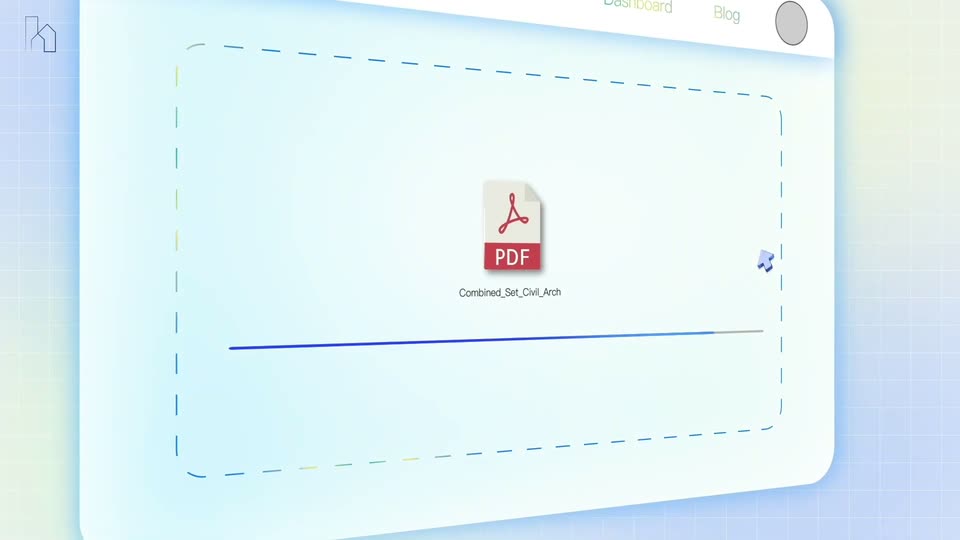
AutoSitu (YC W26) Launch Video
AutoSitu · Lo-fi hip-hop, chillwave, and cinematic ambient electronic
Introducing MecAgent Copilot - AI for CAD, scene by scene
· 37 scenes as text
01 · Product intro · 0:00–0:00
On a black background, the word Introducing fades in centered, its italic serif letters lighting up from left to right before settling into a soft gray.
On-screen text: “Introducing”
Techniques: Kinetic type
Camera: Static
02 · Product intro · 0:00–0:02
On a black background, the white italic serif word “Introducing” slides right and dims as a white cube logo, with a smaller cube offset at its upper right, glides in from the left to settle at center.
On-screen text: “Introducing”
Techniques: Kinetic type
Camera: Pull out
03 · Product intro · 0:02–0:04
A white cube icon with a smaller cube above it sits on a black field. The wordmark “MecAgent Copilot” scales in beside it with motion blur, then fades out, leaving the icon centered.
Techniques: Kinetic type
Camera: Static
04 · Demo · 0:04–0:05
A white isometric cube logo sits centered on black, then a dark form panel tilts up from the lower right in 3D perspective as the logo shrinks and docks into the panel's top-left corner. Faint form text appears on the panel.
Techniques: 3D mockup
Camera: Static
05 · Demo · 0:05–0:06
A dark chat interface, tilted in 3D with a trailing echo, rotates to face the camera and settles flat. The top bar holds Fav Automations and New Chat; a Motor V8 row with a yellow cube icon sits above a user message.
Techniques: 3D mockup
Camera: Pull out
06 · Demo · 0:06–0:08
A dark chat interface tilts in 3D perspective while the headline builds line by line above it, gold serif words mixed with white sans. The camera then pushes in on the panel, bringing the automation buttons and a blurred chat thread closer.
On-screen text: “Automate anything in your CAD workflow”
Techniques: Kinetic type, 3D mockup, UI zoom
Camera: Push in
07 · Feature reveal · 0:08–0:10
A dark feature card on a black background eases down into a centered frame while its title types out word by word. A yellow cursor slides in from the right and clicks the yellow export button in the card's corner.
Techniques: UI zoom, Cursor demo, Kinetic type
Camera: Static
08 · Feature reveal · 0:10–0:13
A dark automation panel scrolls downward past a task card, a yellow cursor hovering over its headline at the start. The view settles on a checklist where green checkmarks fill in row by row and a spinner loads on the active item.
Techniques: Cursor demo
Camera: Pan
09 · Feature reveal · 0:13–0:14
A dark task list scrolls down as the final item checks off, then a yellow-accented result card slides in below. A large cursor arrow hovers over the Run Automation button.
Techniques: Cursor demo
Camera: Pan
10 · Feature reveal · 0:14–0:15
A dark notification card with a yellow cursor on a red Stop button fills the frame, then the view pulls back to reveal a 3D engine assembly and an export progress panel on the right.
Techniques: Cursor demo, UI zoom
Camera: Pull out
11 · Feature reveal · 0:15–0:17
A wide desktop shows SolidWorks, a file-save dialog, and a dark automation panel on the right. The view zooms in on the SolidWorks Automation card with its red and yellow buttons, then continues panning right into an empty dark field.
Techniques: UI zoom
Camera: Push in
12 · Feature reveal · 0:17–0:20
A dark grid of automation tool cards with yellow Run buttons fills the frame. A large italic serif headline, white 'Save and Reuse' over yellow 'Automations', fades in at center, then slides off to the right as the card list pans into view.
On-screen text: “Save and Reuse”, “Automations”
Techniques: Kinetic type, Parallax
Camera: Push in
13 · Feature reveal · 0:20–0:21
A dark list of automation rows scrolls upward on a black background. Each row holds a small icon, a title, a timestamp with use count, and a yellow Run button beside a Remix button.
Camera: Push in
14 · Feature reveal · 0:21–0:25
A dark list of automation rows scrolls upward and stops on the Bulk Export row, which brightens while the others dim. A yellow cursor clicks the three-dot menu, opening a dropdown with Icon & Name, Share, Delete, then the screen fades to black.
Techniques: Cursor demo
Camera: Push in
15 · Feature reveal · 0:25–0:28
A dark share-automation modal sits flat, then tilts into 3D perspective as a yellow speech-bubble callout slides in from the right, pointing at the panel with the words Share with your team.
On-screen text: “Share with your team”
Techniques: 3D mockup
Camera: Pan
16 · Feature reveal · 0:28–0:29
A dark screen holds a golden italic serif line reading Remix automations with a smaller white italic line beneath, fading in as a UI panel and a yellow button from the previous shot dissolve out at the top and bottom.
On-screen text: “Remix automations”, “to make it fit your very specific needs”
Camera: Static
17 · Feature reveal · 0:29–0:30
A dark background holds a gold italic serif headline over a white italic subline. A product automation card slides up from the bottom, rising to cover the text and settle at the top of the frame.
On-screen text: “Remix automations”, “to make it fit your very specific needs”
Camera: Static
18 · Feature reveal · 0:30–0:31
A dark prompt card with a file icon, the title, a yellow Run button and a Remix button fills the frame flat, then scales down and tilts into a 3D perspective, floating in a dark void with a faint orange glow below.
On-screen text: “Bulk Export all Assembly Parts in Multiple Formats”, “1 hour ago · 2 uses”, “Run”, “Remix”
Techniques: 3D mockup
Camera: Static
19 · Feature reveal · 0:31–0:36
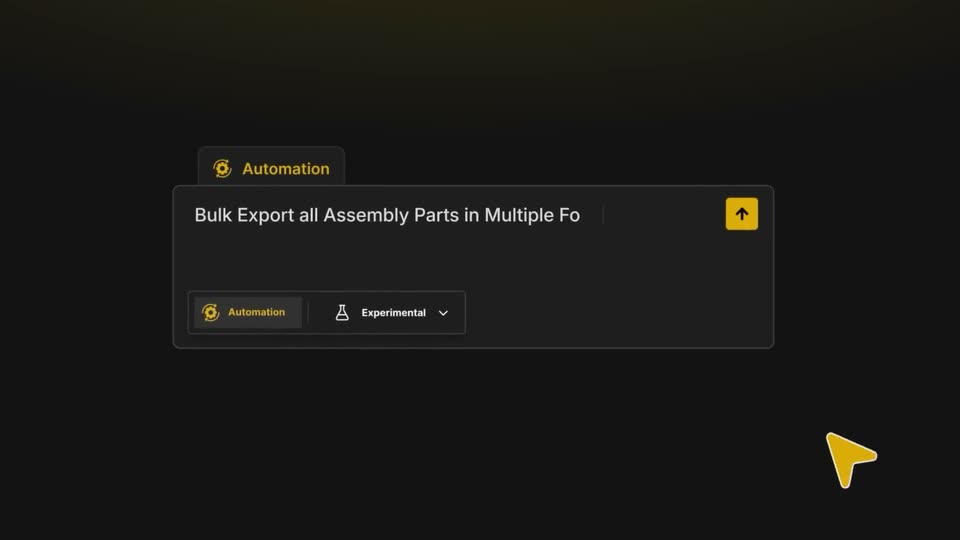
A dark prompt field types out a sentence as the camera pulls back into 3D, the typed card lifting in front of a result panel with a yellow Run Automation button, then both settle into a tilted phone frame before fading to black.
Techniques: UI zoom, 3D mockup, Parallax
Camera: Pull out
20 · Feature reveal · 0:36–0:37
A dark background with a warm golden glow at the bottom. Golden italic serif text reading 'And many more features...' settles into sharp focus from a blur in the center of the frame.
On-screen text: “And many more features...”
Camera: Static
21 · Feature reveal · 0:37–0:39
A dark rounded feature card floats in 3D over a warm-glow black background, listing four items with white line icons. The card rotates from a tilted perspective toward a flat front view, the text turning with it.
On-screen text: “MechE Sources”, “CAD Copilot”, “Text to STL/STEP”, “Online Part finder”
Techniques: 3D mockup
Camera: Static
22 · Feature reveal · 0:39–0:41
A dark result card with a yellow gear header scales up from a small centered panel to a large one while its query line types out character by character. A floating toolbar with two labeled chips sits below the card and stays in place.
Techniques: UI zoom
Camera: Pan
23 · Feature reveal · 0:41–0:42
A dark document page scrolls upward. A bulleted list of variable definitions and two friction factor equations move up, then a sentence on laminar flow and orange hyperlinked references appear at the bottom.
Camera: Pan
24 · Feature reveal · 0:42–0:43
A dark document view scrolls upward past a friction formula into a numbered list of gold, underlined PDF references. A yellow pointer arrow holds still at the center as the citations rise, then the scroll stops at the final entry.
Camera: Pan
25 · Feature reveal · 0:43–0:44
A dark PDF reader fills the frame: a red fluid mechanics cover on the right, page thumbnails on the left, and a centered dialog asking how to compute pressure loss in a pipe, with an Automation row below. The shot is static.
Camera: Pan
26 · Feature reveal · 0:44–0:46
A PDF reader interface shows a textbook page; the page counter jumps and the document flips in 3D perspective, the previous page tilting away in space as a new chapter page settles flat. A small gear icon and the words MechE Sources fade in at the bottom center.
On-screen text: “MechE Sources”
Techniques: 3D mockup
Camera: Pull out
27 · Feature reveal · 0:46–0:46
A dark dropdown menu with four line-icon rows slides in flat on black, then tilts and zooms into 3D perspective, revealing an angled interface with an orange Online Part finder bar above and a button row below.
Techniques: Kinetic type, UI zoom, 3D mockup
Camera: Pull out
28 · Feature reveal · 0:46–0:49
A dark search panel tilted in 3D perspective fills the frame as a query is typed into its field. The panel recedes and a fan of product cards with bearing images pops in around it, a yellow cursor resting at the bottom.
Techniques: 3D mockup, UI zoom, Cursor demo
Camera: Pull out
29 · Feature reveal · 0:49–0:49
Tilted UI cards float in 3D perspective around a central bearing product card. A yellow cursor moves near the card's action buttons.
Techniques: 3D mockup, Cursor demo
Camera: Push in
30 · Feature reveal · 0:49–0:51
The SOLIDWORKS workspace and a dark chat panel open tilted in 3D perspective with floating bearing cards, then flatten into a locked-off frontal view. A yellow cursor hovers over a bearing in the engine model, revealing a state-of-modification tooltip.
Techniques: 3D mockup, Cursor demo
Camera: Pan
31 · Feature reveal · 0:51–0:52
A screen capture shows SOLIDWORKS on the left with a blue-and-silver engine assembly in 3D, and a dark Moto V8 chat panel on the right displaying a bearing part card. The CAD viewport eases in toward the bearing while the part card's spec line slides into place.
Techniques: UI zoom
Camera: Static
32 · Demo · 0:52–0:57
A dark chat panel and a CAD window float tilted in 3D space over a black background. The user prompt types itself, green checkmarks stack up, and the reply about renamed parts appears as the camera arcs in close.
On-screen text: “High speed copablity”
Techniques: 3D mockup, UI zoom
Camera: Pull out
33 · Demo · 0:57–0:57
A tilted dark interface panel listing rename logs and a translation summary floats in 3D over a wireframe mechanical assembly. The camera orbits left, revealing a browser window and more of the model.
Techniques: 3D mockup
Camera: Pan
34 · Demo · 0:57–0:59
A tilted SOLIDWORKS window fills the frame, its assembly tree scrolling down past French and Russian part names while a 3D gearbox model sits at the right, then the view fades to white.
Techniques: 3D mockup
Camera: Pull out
35 · Demo · 0:59–1:00
A tilted 3D perspective of a CAD interface shows a feature tree list with yellow cube icons on the left and a wireframe mechanical part on the right. The view rotates slowly to reveal the model against a dark gradient background.
Techniques: 3D mockup
Camera: Pull out
36 · CTA · 1:00–1:01
A white hexagonal cube logo scales up at center on a dark background with a warm glow at the base, then drifts left and shrinks as a smaller cube floats beside it and the brand name blurs in on the right.
On-screen text: “MetaMag”
Camera: Pull out
37 · CTA · 1:01–1:03
The MecAgent hexagon-cube icon and white wordmark sit centered on a near-black background with a faint warm glow at the bottom. The wordmark resolves from a horizontal motion blur into a sharp lockup, with a yellow CTA button and the URL held static below.
On-screen text: “Try MecAgent today”, “mecagent.com”
Camera: Static