
0:31
Explore
00:00:00 / 01:06:47
- Length
- 1:06
- Scenes
- 5 · 13.4 s avg
- Product on screen
- 0:00
- Call to action
- 1:01 · 93%
- Voiceover
- Yes
- Views
- 2K on YouTube
as of November 23, 2026
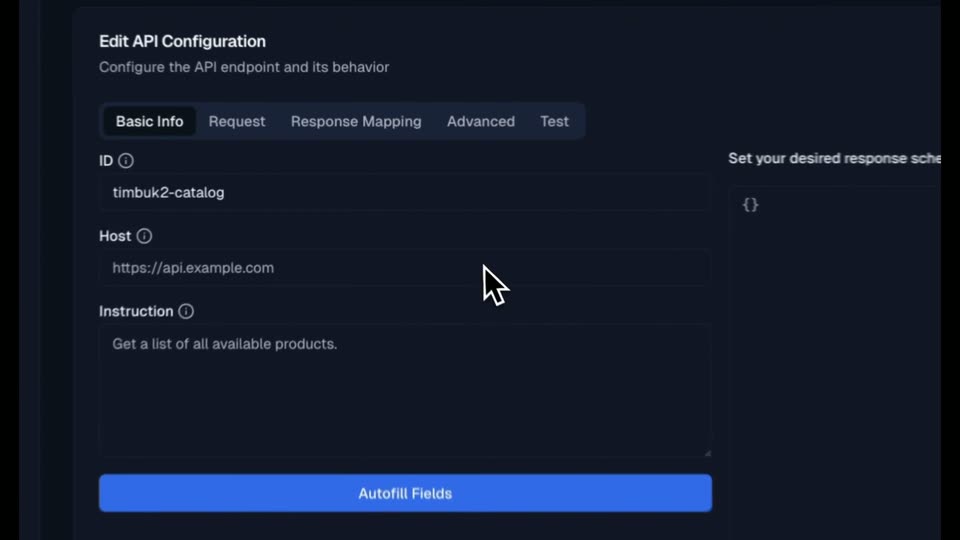
superglue’s 1:06 launch film runs 5 scenes, about 13 s each. The product is on screen from the first frame. The call to action lands at 1:01 (93% in), over a voiceover. The video runs as a founder talking to camera in a home office, then a three-step screen-recorded walkthrough of the dark configuration panel, then a static logo card with a GitHub URL. Pacing is slow and conversational at about two cuts per minute, with push-in and pull-out zooms on the UI and a hand cursor driving every action as the signature moves.
Footage neededEstimated needs: 1 capture group — your screens or recordings · 1 official logo — reused across the film · 1 filmed passage — shoot, supply or replace
Is this your launch? to your site or press kit.
More like this

0:22

Offstream: Streamlined carbon compliance for project developers
Offstream · B2B · Jul 2024
0:43

Google Gemma - Offline vibe coding with Gemma 4. This open-source Electron app runs
Google · AI · Apr 2026
superglue (YC W25) - product demo, scene by scene
· 5 scenes as text
01 · Product intro · 0:00–0:20
A young man sits at a wooden desk in front of a monitor showing a dark dashboard. The camera starts over his shoulder, pulls back to a medium shot, and he turns to the camera, smiling and gesturing while speaking.
Camera: Push in
02 · Demo · 0:20–0:39
A dark Superglue configuration form sits on a colorful gradient background. The cursor moves to the Host field, accepts the autofill chip https://timbuk2.com, and types get me all the products into the Instruction box. The view zooms in on the form, then back out.
Techniques: UI zoom, Cursor demo
Camera: Push in
03 · Demo · 0:39–0:50
A dark API configuration screen opens on a close-up of a code editor typing a JSON product schema, then switches to a visual property tree. The camera pulls back to the full SuperGlue interface, and a hand cursor clicks Save Configuration before the view zooms back in.
Techniques: UI zoom, Cursor demo
Camera: Push in
04 · Demo · 0:50–1:01
A dark app window floats over a colorful abstract background. The frame opens zoomed on the Test tab and Run API button, then pulls back to show the full interface: request fields left, JSON product response right. A cursor clicks Run API and rests on a price value.
Techniques: Cursor demo, UI zoom
Camera: Pull out
05 · CTA · 1:01–1:06
A static end card on black: a white rounded pill holds the SUPERGLUE wordmark in black pixel type, with the GitHub URL in small white type centered below. The frame stays locked and still for the full duration.
On-screen text: “https://github.com/superglue-ai”
Camera: Static