0:46

Origami - Introducing voice cloning to Origami. (🔊 Audio: ON to hear the AI-cl
Origami · B2B · Oct 2026
Supafax’s 1:34 launch film runs 12 scenes, about 7.9 s each. The product is on screen from the first frame and 4 features are revealed. The call to action lands at 1:09 (74% in), over a voiceover. The video is a single-talker day in the life: the presenter holds the left half of the frame while a live Gmail demo plays on the right, and each feature is announced with a one line promise then proven by a cursor clicking through the interface. Pacing is brisk at about 2.5 cuts per minute with rolling captions on a dark bar, and the signature move is the soft crossfade between the presenter and the email UI.
Is this your launch? to your site or press kit.
Origami · B2B · Oct 2026
Synth · B2B · Nov 2024
Films whose music sounds like this one, voice left out
Baseten · Upbeat electronic
Cogent · Modern electronic
OpenAI · Modern electronic
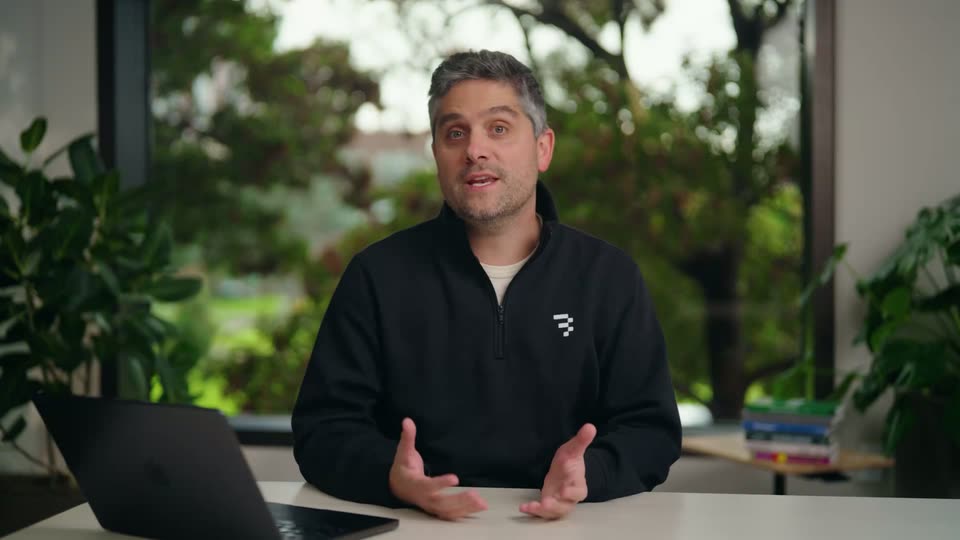
A man in a white t-shirt stands centered in a blurred office, speaking to camera on a locked-off shot. White subtitle captions on a dark rounded bar swap line by line across the lower third as he talks.
On-screen text: “We built the first assistant”, “you don't have to prompt.”, “For three years, AI has made”, “you do the work, explaining”, “what you want from scratch,”, “every time. That changes today”, “with Supafax, it lives in your”, “email, learns how you work,”, “and prompts itself to help you.”, “So let's see what a day with Supafax looks like.”
Camera: Static
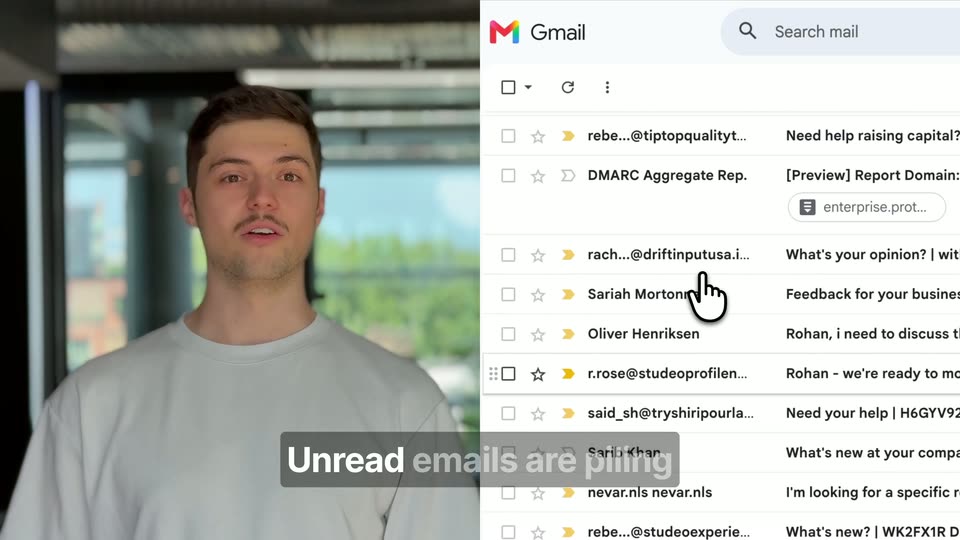
Split frame: a man in a light shirt talks to camera on the left in an office, while a Gmail inbox scrolls on the right as a large white cursor hovers rows and clicks one to open the email. White caption phrases swap on a dark bar at the bottom.
On-screen text: “It starts where every day starts.”, “Your inbox.”, “Overnight, 100 things”, “happen without you.”, “Unread emails are piling”, “up, threads have moved”, “on, and decisions are waiting.”
Techniques: Split screen, Cursor demo
Camera: Push in
Split screen: a man in a white tee stands before a blurred office window on the left, while a flat email client shows a message on the right as a hand cursor drifts across the body. Rolling captions sit on a gray bar at the bottom.
On-screen text: “up, threads have moved”, “on, and decisions are waiting.”, “But by the time you open up your”
Techniques: Split screen, Cursor demo
Camera: Static
Split screen: a man in a white shirt speaks to camera on the left; on the right an email inbox scrolls and a cursor selects the 1: to do label. White captions appear phrase by phrase along the bottom.
On-screen text: “But by the time you open up your”, “email, Supafax has already been”, “through all of it, protecting your”, “time and prioritizing what matters.”, “For the emails that do matter, it's”
Techniques: Split screen, Cursor demo
Camera: Static
A presenter in a white sweatshirt stands on the left of a split screen while an email app on the right shows a cursor clicking a draft line and moving down to a pre-filled reply body. White captions sit on a dark bar at the bottom left.
On-screen text: “For the emails that do matter, it's”, “already drafted an informed reply.”
Techniques: Split screen, Cursor demo
Camera: Static
Split screen: a presenter in a white tee talks on the left while an email client on the right shows a finished reply. A hand cursor slides to the blue Send button and clicks it.
On-screen text: “already drafted an informed reply”, “All that's left is for you to”
Techniques: Split screen, Cursor demo
Camera: Static
Split screen: presenter in a white sweatshirt on the left, Gmail window on the right. The interface blurs and crossfades from a reply draft, cursor on the Send button, to a new email titled Can we meet this week? while captions appear below.
On-screen text: “All that's left is for you”, “to review and send.”, “Eventually, someone wants”
Techniques: Split screen, Cursor demo
Camera: Static
A man in a light gray sweatshirt talks to camera on the left, blurred office behind him. On the right, a Gmail email thread scrolls down as a cursor moves through it. Bold white captions build word by word on a dark bar at the bottom.
On-screen text: “Eventually, someone wants to reply”, “Normally, that's where you end up doing calendar ping pong and time zone math.”, “Until everyone's on board.”, “But not anymore.”, “Just like an executive assistant that you can CC,”, “Superfax finds the perfect time that works for everyone.”
Techniques: Split screen, Kinetic type, Cursor demo
Camera: Static
A man in a white tee speaks to camera on the left as a Gmail panel on the right cuts from the inbox list to an open PAST DUE email. A cursor hovers over highlighted lines in the body while white caption lines swap at the bottom.
On-screen text: “But a day rarely goes”, “according to plan.”, “Things slip through,”, “deadlines sneak up.”, “The same tasks pile up every week.”
Techniques: Split screen, Cursor demo
Camera: Static
Split screen: a man in a white t-shirt talks to camera on the left, while the right shows a Gmail email from Supafax with a weekly receipts roundup. A cursor glides over the message and highlights a line, and the view zooms in slightly near the end as caption lines swap at the bottom.
On-screen text: “So while you're getting on with”, “everything else, Supafax keeps”, “running in the background”, “catching what you forget”, “reminding you before it's too late”
Techniques: Split screen, Cursor demo, UI zoom
Camera: Pull out
A presenter in a white tee talks to camera on the left while a Gmail email listing weekly receipts fills the right half, a cursor drifting down its categories. The email panel then slides off right, leaving him full frame.
On-screen text: “reminding you before it's too”, “late, and quietly handling the”, “repetitive work itself.”
Techniques: Split screen, Cursor demo
Camera: Static
A man in a white t-shirt stands center frame in a sunlit glass office, speaking to camera as white caption lines swap in at the bottom. He raises a hand to wave near the end.
On-screen text: “And here's what you'll notice”, “at the end of that day.”, “Nothing about how you work”, “actually changed.”, “There was no new website”, “to visit, no app to download, no”, “keyboard shortcuts to remember.”, “It was just there, working”, “in the background all day.”, “That's a day with Supafax.”
Camera: Static