0:43
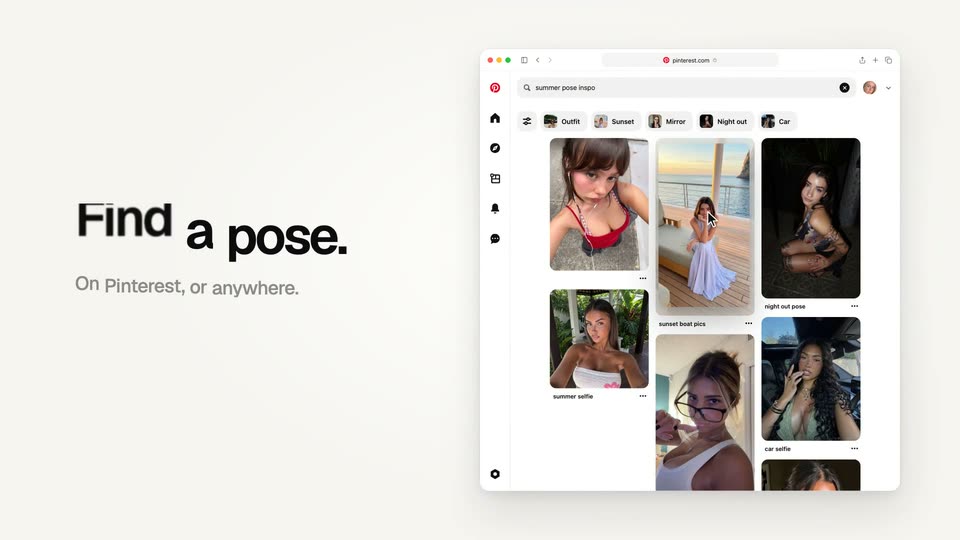
Orior - you don’t need a prompt anymore. find a pose. drag it in. one click.
Orior AI · AI · Oct 2026
Devin · Oct 2026 · 1:15 · Full motion · AI-annotated
Devin’s 1:15 launch film runs 16 scenes, about 4.7 s each. The product is on screen from the first frame and 1 feature is revealed. The call to action lands at 1:10 (94% in), over a voiceover. A single-feature overview built on a near-white field with white cards, thin branching lines and a blue highlight that travels across each row. The motion is slow and typographic: headlines sharpen out of blur, cards slide or fade in one by one, and a black caption pill types the narration at the bottom, with live UI and simulator footage inserted as proof.
Is this your launch? to your site or press kit.
Orior AI · AI · Oct 2026
Origami · B2B · Oct 2026
Rivet · B2B · Oct 2026
A flat Devin input view with an open platform dropdown (Hosted, Ubuntu, macOS, Windows) sits on a light gray field, captioned at the bottom. It then cuts to a plain card where the gray headline fades in word by word.
On-screen text: “You pick the platform from the menu below”, “Devin on every”
Techniques: Kinetic type
Camera: Static
On a white background, the Devin logo sits at top center above the headline “Devin on every platform,” with “platform” sharpening in from a blur. A gray subtitle fades in below, then the text fades out as a blank white rounded panel rises into view beneath the logo.
On-screen text: “Devin on every platform”, “Linux, macOS, Windows and Android, an overview”
Techniques: Kinetic type
Camera: Static
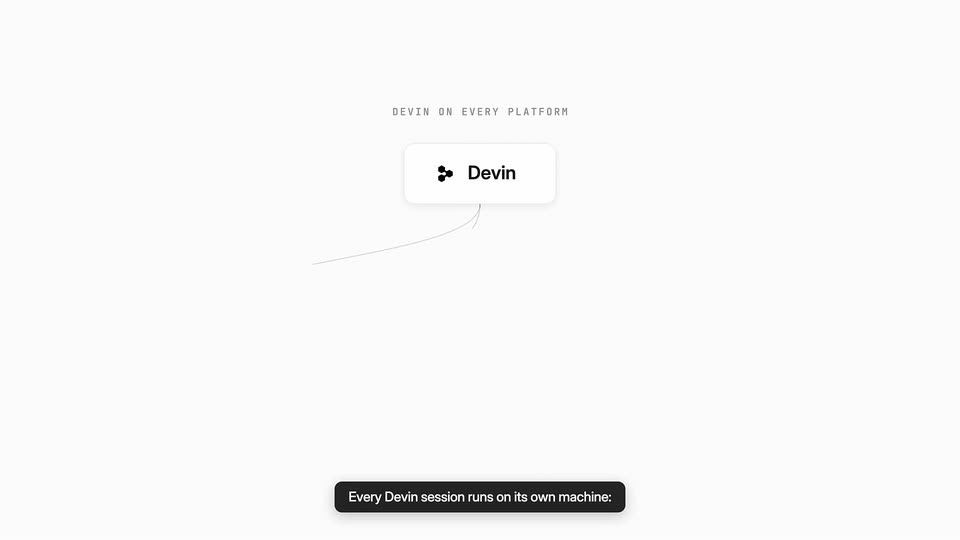
Under a small heading, a white Devin card holds at top center; thin curved lines branch downward as a Linux card with a terminal icon fades in at lower left, then a macOS card at lower center, above a black caption bar.
On-screen text: “Every Devin session runs on its own machine:”, “DEVIN ON EVERY PLATFORM”
Camera: Static
A light gray diagram shows a Devin node linked by curved lines to four white cards: Linux, macOS, Windows, Android, each with an icon and caption. The Linux card gains a blue outline while a black pill at the bottom cycles through voiceover phrases.
On-screen text: “DEVIN ON EVERY PLATFORM”, “Every Devin session runs on its own machine:”, “Linux by default,”, “or macOS or Windows,”, “and it can build and test Android apps too.”
Camera: Static
A white platform diagram with a Devin node branching to Linux, macOS, Windows and Android cards cuts to the app's prompt screen, where the platform dropdown is open showing Ubuntu selected. A gray caption pill reads at the bottom.
On-screen text: “DEVIN ON EVERY PLATFORM”, “Devin”, “Linux”, “The default”, “macOS”, “Xcode and Simulators”, “Windows”, “Native Windows apps”, “Android”, “A full emulator”
Camera: Static
The Devin web interface shows a prompt box with an open settings menu and a Hosted platform submenu. A cursor clicks Windows, the checkmark moves from Ubuntu, the menu closes, and a Windows chip appears under the prompt box. A bottom caption explains the choice.
On-screen text: “You pick the platform from the menu below”, “the prompt box.”
Techniques: Cursor demo
Camera: Static
On a white screen, the Devin prompt box with its placeholder line and Windows selector fades out while three step cards, One prompt, Pick a platform, Its own machine, fade in beneath a small HOW IT WORKS label; a black caption pill reads at the bottom.
On-screen text: “From one prompt,”
Camera: Static
A five-card process diagram under a HOW IT WORKS header lights up left to right, a blue border and traveling dot marking each step. As the third card activates, four platform chips fade in below it on curved lines, while a black caption bar cycles the narration.
On-screen text: “HOW IT WORKS”, “From one prompt,”, “Devin starts that machine with its toolchain,”, “builds your app,”, “tests it like a user with Computer Use,”, “and sends back a recording and a pull request.”
Camera: Static
The Tally app fills the frame in two panes. The left lists logged key presses and clicks; the right shows a Windows desktop with a small counter window open over a browser. A black caption at the bottom swaps from one line to the next.
On-screen text: “Here it is on Windows,”, “testing a native WPF app it just built.”
Camera: Static
A macOS screen shows iPhone and iPad simulators running a national-parks app, beside a markdown document panel on the left. A dark caption pill at the bottom fills in a sentence, then the left panel fades out.
On-screen text: “On macOS, it tests a SwiftUI app in the iPhone and iPad Simulators.”
Camera: Static
A developer tool window shows a chat log on the left and a browser with an Android emulator on the right, where a Tally app displays the number 11 above a history list. A dark caption pill at the bottom swaps between two lines of text.
On-screen text: “And with an Android emulator,”, “it installs and tests an Android app.”
Camera: Static
Under a small letter-spaced heading, four white cards for Linux, macOS, Windows, and Android slide in one after another, each with an icon, badge, and bulleted list. A black caption pill at the bottom cycles through the voiceover lines, and the scene fades out at the end.
On-screen text: “WHAT EACH PLATFORM UNLOCKS”, “Each platform brings its own tools:”, “Xcode and the iOS Simulator on macOS,”, “native desktop apps on Windows,”, “which is available on a limited basis,”, “and a full emulator for Android that you”, “set up in your blueprint.”
Camera: Static
Under a small gray heading, four white cards with bold titles and icons fade into a 2x2 grid, each taking a blue outline in turn, while a dark pill at the bottom swaps captions to match.
On-screen text: “HIGH-VALUE USE CASES”, “Native iPhone and iPad apps”, “Use it for native iPhone and iPad apps,”, “Windows desktop apps”, “Windows desktop apps,”, “Android apps”, “One cross-platform app”, “Android apps, or one cross-platform app checked on each platform.”
Techniques: Kinetic type
Camera: Static
Split view of the app: left panel shows a chat thread with a passed-test card and video thumbnail; right panel shows a live Chrome window on a Windows desktop. A dark caption pill at the bottom types the line in three segments; the cursor rests idle in the browser.
On-screen text: “Every run ends the same way,”, “with a recording of the test and a”, “pull request to review.”
Techniques: Split screen
Camera: Pull out
The product interface, a two-panel view with a document feed and a Chrome browser, dissolves to a plain off-white field. The Devin wordmark and hexagon mark settle in the center and hold still.
Camera: Pull out
A pale gray field holds a centered black Devin mark and wordmark. Beneath it, the headline and a small gray URL fade up from a soft blur to full opacity, then lock in place for the rest of the shot.
On-screen text: “Pick the machine. Devin builds and tests there”, “app.devin.ai · docs.devin.ai”
Camera: Static