1:45
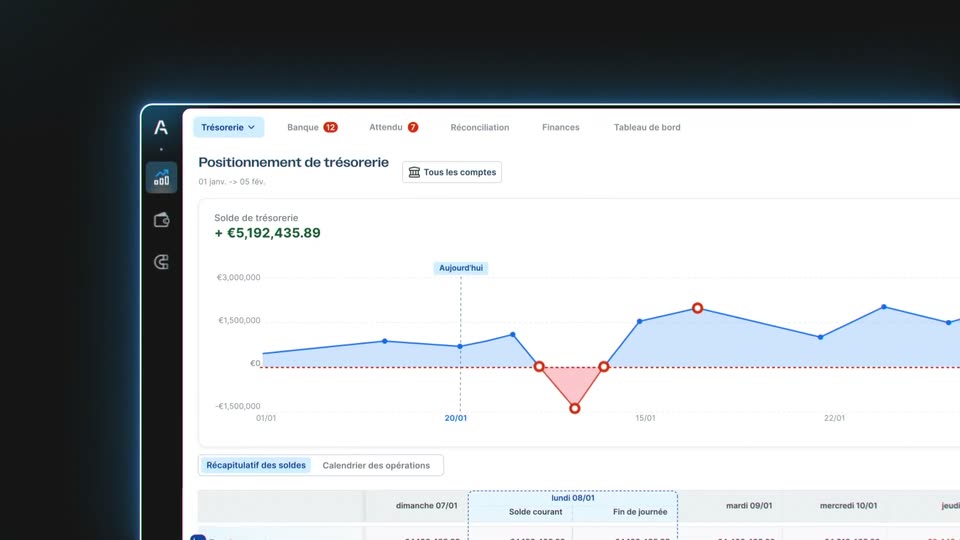

Agicap en 2 minutes
Agicap · Mar 2025
Sully AI · Apr 2026 · 2:02 · Full motion · AI-annotated
Sully AI’s 2:02 launch film runs 58 scenes, about 2.1 s each. The product is on screen from the first frame and 7 features are revealed. There is no explicit call to action. The video alternates abstract 3D title cards with 3D-tilted UI demos, moving from a cream agent intro to a dark and textured-blue feature montage that ends on an orbit of agent badges and the Sully wordmark. Its signature moves are blur-to-focus serif reveals, glowing pill badges joined by dotted lines, and a recurring marbled red sphere.
Is this your launch? to your site or press kit.
Agicap · Mar 2025
Meta · Sep 2025
Films whose music sounds like this one, voice left out
Capitol AI · Lo-fi hip-hop, chillwave
Codex FX · Electronic
Superhuman · Modern electronic dance music (future bass, melodic dubstep, house)
A tan geometric logo mark resolves from blur at center, then gives way to three lines of serif text that blur in: “Sully's AI Scribe just got a major upgrade.” A warm gradient rises from the bottom as the text blurs out.
On-screen text: “Sully's AI Scribe”, “just got a major”, “upgrade.”
Techniques: Kinetic type
Camera: Static
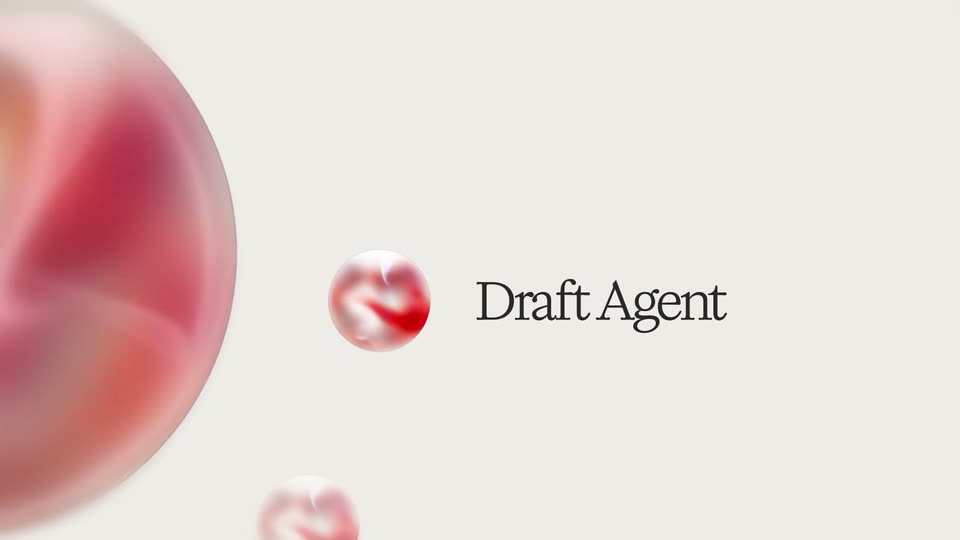
On a cream background, a large out-of-focus red sphere anchors the left edge. A smaller glossy red sphere with a white swirl hops upward, trailing motion blur, as the words Draft Agent slide in beside it.
On-screen text: “Draft Agent”
Techniques: Kinetic type
Camera: Push in
A plain cream background holds a large out-of-focus red sphere on the left and small glossy red 3D blobs drifting at different depths. On the right, the label Draft Agent fades and slides out as Section Agent slides in and locks into place.
On-screen text: “Draft Agent”, “Section Agent”
Techniques: Kinetic type, Parallax
Camera: Static
A large blurred red sphere fills the left edge while three glossy red-and-white marbled blobs drift down the left side. On the right, the labels Section Agent, Judge Agent and Refinement Agent slide in one after another in gray serif type on a cream background.
On-screen text: “Section Agent”, “Judge Agent”, “Refinement Agent”
Techniques: Kinetic type
Camera: Static
Glossy red-and-white liquid spheres drift across a cream backdrop. The label Refinement Agent blurs and fades as the spheres reposition, then Four agents sharpens into view at center.
On-screen text: “Refinement Agent”, “Four agents”
Camera: Static
On a cream background, the serif headline “Four agents” holds center while four glossy marbled spheres drift around it. A large blurred orb sweeps across the left edge, passing close to the lens, adding depth.
On-screen text: “Four agents”
Techniques: Parallax
Camera: Static
A soft, out-of-focus peach sphere dissolves on the right, clearing to reveal two centered serif lines on a pale gray background. The tan italic line scales up into place.
On-screen text: “Perfecting every note.”, “Before you ever see it.”
Techniques: Kinetic type
Camera: Static
On a dark charcoal background, white serif lines scale in one after another: “Perfecting every note.”, then “Before you ever see it.”, then “And that's just”, with “inside” fading in below. The frame stays locked off while each line sharpens from a soft blur.
On-screen text: “Perfecting every note.”, “Before you ever see it.”, “And that's just”, “inside”
Techniques: Kinetic type
Camera: Static
A dark charcoal card holds two centered serif lines. The top line scales up slightly while the word Scribe, set in italic copper, fades in on the second line. Thin white vertical lines frame the left and right edges.
On-screen text: “And that's just”, “inside the Scribe”
Techniques: Kinetic type
Camera: Static
A dark card holds the centered line
On-screen text: “And that's just”, “inside the Scribe”
Techniques: Kinetic type
Camera: Static
The serif headline “Note generation: 7 seconds” sharpens into focus above an audio waveform on a dark gray background. The stretch between 0:05 and 0:07 glows orange with triangle markers while the bars shift. Orange bars then wipe in over a blurred UI screen.
On-screen text: “Note generation:”, “7 seconds”, “0:05”, “0:07”
Techniques: Masking
Camera: Pull out
A vertical list of AI employee badges scrolls while a cursor hovers over AI Scribe. The badge pops out with a blue glow and centers as the serif headline 9 AI Employees fades in on the left.
On-screen text: “9 AI Employees”
Techniques: Cursor demo, UI zoom
Camera: Static
A 3D stack of white pill cards labeled with AI roles collapses into a single “AI Scribe” pill, which shrinks to the left as the serif headline “One shared context” appears on the right.
On-screen text: “One shared context”
Techniques: 3D mockup
Camera: Static
On a pale gray field, the serif headline 'One shared context' holds still, the word 'context' set in blue italic. A white 'AI Scribe' chip with a red dot clears from the line, while a hand cursor icon drifts from the chip's edge down to the lower right.
On-screen text: “One shared context”
Camera: Static
A dark charcoal gradient with a soft blue glow at the bottom holds a centered line reading “This is Scribe,” upright serif for “This is” and italic serif for “Scribe.” The line slides slowly downward over the second while the glow rises beneath it.
On-screen text: “One shared context”, “This is”, “Scribe”
Techniques: Kinetic type
Camera: Static
On a dark backdrop with a blue glow along the bottom, the white serif words This is and Scribe flank a light-blue organic blob holding a V2 badge. The blob shrinks steadily to a small circle while the text holds its position.
On-screen text: “This is”, “Scribe”
Camera: Static
A white serif headline reads “Built for complex documentation.” on a dark background while a browser window mockup of the Athenahealth docs tilts up from the lower left and settles into a 3D perspective, revealing the page content.
On-screen text: “Built for complex documentation.”
Techniques: 3D mockup
Camera: Pull out
A white serif headline reads “Built for complex documentation.” above a browser window mockup that spins in 3D, flipping between a Sully patient dashboard and an athenahealth ambient note screen.
On-screen text: “Built for complex documentation.”
Techniques: 3D mockup
Camera: Pull out
A 3D-tilted interface card for the Sully app floats on a dark gradient backdrop. The view starts soft and out of focus, then sharpens and pushes in slightly, revealing a patient page with an open settings dropdown.
Techniques: 3D mockup
Camera: Pull out
On a dark gradient backdrop, the gold serif line It listens. assembles word by word with a light sweep. A recording card with a live waveform and two avatars floats center, while a white transcript panel on the right types the patient's words.
On-screen text: “It listens.”
Techniques: Kinetic type, Light sweep
Camera: Static
On a dark gradient, a peach serif headline holds on the left. Center, two circular avatars sit above a playback pill and a transcription card. Right, a white transcript panel tilts into 3D perspective as new lines type in.
On-screen text: “It listens.”
Techniques: 3D mockup
Camera: Static
A white medical-notes card floats in 3D on a dark gradient, rotating from an angled tilt to face the camera as the SOAP note text fills in. The cream serif headline on the left switches from “It writes.” to “It acts.”
On-screen text: “It writes.”, “It acts.”
Techniques: 3D mockup
Camera: Pull out
A peach serif headline reads above a rounded patient-note card on a dark blue gradient. The card shows a clinical follow-up note with tabs and bullet points. The note text scrolls and the frame drifts, blurring the headline.
On-screen text: “It acts.”
Camera: Push in
A step label with a pink play icon fades in at the left edge. A faint transcript of a patient and doctor exchange appears on the right, then fades out, leaving an empty column outlined by two vertical rules.
Camera: Static
A patient-doctor transcript morphs into a structured medical note with headers and bullets as a step list builds down the left rail. A status pill cycles from Drafting to Note created, and a flagged bullet flashes pink, then green as its text is rewritten.
Techniques: Light sweep, UI zoom
Camera: Pan
White serif text on a textured blue background. Every section. fades in first, then Exactly where it belongs. appears below it, both held on a locked-off frame.
On-screen text: “Every section.”, “Exactly where it belongs.”
Techniques: Kinetic type
Camera: Static
A flat SULLY patient-notes screen on a blue textured backdrop scales from a tight crop to the full rounded window. The view holds on the Caroline Elkady record with the Notes tab active and a clinical document below. Two static headline lines sit over the frame.
On-screen text: “Every section.”, “Exactly where it belongs.”
Techniques: UI zoom
Camera: Pull out
A white pill button with a red dot icon and the label AI Scribe sits on a plain beige field. It shrinks slightly as a thin vertical line draws downward from it.
Camera: Static
A white medical-note card sits on a beige background as its lines of text fade in one by one, from Chief Complaint down to Allergies. A white AI Scribe pill hovers at its top right, and a toggle with a connecting line draws in below the card.
On-screen text: “AI Scribe”
Camera: Static
Two flat cards sit on a beige field: a SOAP note left, a Coder panel right. A dashed orange line links them via a floating AI Coder pill, with an AI Scribe pill over the note. The right panel's code list sharpens and fills in.
On-screen text: “AI Scribe”, “AI Coder”
Camera: Push in
On a textured blue field, a horizontal bar chart compares four AI models on precision. The headline sits above as bars extend and percentages count up, Sully's orange bar leading. The camera then zooms in, cropping the headline to enlarge the chart and its caption.
On-screen text: “Most accurate AI Coder.”, “Beats GPT-5.4, Claude Opus and Claude Sonnet.”
Camera: Static
A textured blue background holds a white serif headline on the left that builds word by word into “It doesn't stop at coding.” while two columns of white feature cards scroll upward on the right in a continuous loop.
On-screen text: “It doesn't stop at coding.”
Techniques: Kinetic type
Camera: Pan
A white serif headline sits left of scattered feature cards on a blue textured background. The view reframes onto one card as a cursor flips its toggle green, then the card gives way to a blank document beside a glowing AI Scribe pill.
On-screen text: “It doesn’t stop at coding.”
Techniques: UI zoom, Cursor demo
Camera: Push in
A white medical note card sits on the left of a dark blue background, its sections and bullet points fully populated. On the right, a glowing white pill badge reads AI Scribe, and the caption Note Completed fades in beneath it. The frame ends in a motion blur.
On-screen text: “AI Scribe”, “Note Completed”
Camera: Pan
Two glowing white pill chips sit on a textured blue field, the left one with a red circle labeled AI Scribe and the right one with an amber circle labeled AI Nurse. A dotted line draws itself from the left chip toward the right, the frame sharpening from a soft blur.
On-screen text: “AI Scribe”, “AI Nurse”
Camera: Static
On a blue textured background, a white clinical-summary card wipes in from the right, settling into a Key Findings, Differentials and Actions layout. To the right, an AI Nurse badge glows above Creating Visit Summary..., and a green Instructions generated pill slides in at the bottom.
Techniques: Masking
Camera: Static
A white clinical summary card sits on the left over a dark blue dotted grid, paired with a white AI Nurse badge and a green Instructions generated toast on the right. The frame then rapidly zooms out, blurring the elements as they slide toward the edges.
Techniques: Speed ramp
Camera: Pan
Two white pill chips float on a blue textured field: a gold circle labeled AI Nurse on the left and a blue circle labeled AI Receptionist on the right. A dotted line draws between them while small dots travel along it, and the left label slides into place.
On-screen text: “AI Nurse”, “AI Receptionist”
Techniques: Kinetic type
Camera: Static
On a flat blue background, a glowing white pill badge labeled AI Receptionist sits left while a phone screen slides in from the right, revealing a text message to a patient.
On-screen text: “AI Receptionist”, “Sending Instructions to the”, “patient via SMS...”
Camera: Static
A white AI Receptionist badge with a blue icon sits on a dark blue textured field, the Scheduling Action line below it blurring out. On the right, a flat phone screen shows a River Health message that scrolls upward, a green Sent to patient toast popping in mid-scroll.
On-screen text: “AI Receptionist”, “Scheduling Action...”
Camera: Static
A glowing white toggle floats on a textured blue background, then a white feature card with a lightning icon and the heading Full Encounter Close appears. A cursor moves to the toggle and flips it green, and the card blurs out.
On-screen text: “Full Encounter Close”, “Schedules follow-up appointments based on the doctor's notes.”, “Time saved per action”, “5-7 minutes”
Techniques: Cursor demo, Speed ramp
Camera: Pan
ICD-10 code rows stack in on the left of a dark blue field, beside a glowing AI Nurse badge struck by a vertical light sweep. A mint pill, 'ICD-10 Codes Assigned' with a green check, fades in below, then focus pulls to blur the status text.
On-screen text: “ICD-10 Codes Assigned”
Techniques: Light sweep
Camera: Pan
Two glowing white pill cards, AI Nurse and AI Receptionist, sit on a blue field joined by a dotted line. The right card lifts up as a white panel expands below, revealing a patient photo, name and an outbound call label.
Camera: Static
On a dark blue textured background, a glowing white AI Receptionist badge and the text Calling Patient... sit above a white contact card for Caroline Elkady. The card morphs into a translucent glass bar with a running timer as a white audio waveform animates behind it.
Techniques: Morph
Camera: Static
A flat white patient table sits centered on a dark blue textured field crossed by animated white waveform lines. A status header reads Calling Patient with a call timer ticking up, then a green Appointment Booked toast pops in at the bottom right.
Camera: Static
A blue dashboard with a patient list and a calling status blurs and recedes to the top as a white feature card slides up from the bottom, titled No-Show Recovery, while a cursor points at its toggle.
Techniques: Cursor demo
Camera: Pull out
A white settings card on a blue background shows a cursor clicking a gray toggle that flips to green, while the card's text sharpens into view.
Techniques: Cursor demo
Camera: Static
A white feature card reading No-Show Recovery slides out left on a textured blue background as a patient scheduling panel slides into its place, then the panel continues off-screen, leaving an AI Scribe pill and a Patient doesn't return chip centered.
On-screen text: “No-Show Recovery”, “Follows up with patients who missed their appointments.”, “Time saved per action”, “4-6 minutes”
Camera: Pan
On a dark blue grainy background, two white pill badges labeled AI Scribe and AI Receptionist sit side by side, each with a colored circular icon. A thin line draws from the left badge to the right, which holds a bright white glow.
On-screen text: “AI Scribe”, “AI Receptionist”
Camera: Static
Two white pill labels with circular icons rest on a textured blue field, linked by a thin dotted line. The glowing right label slides left to the center as the left label drifts off the frame edge.
On-screen text: “AI Scribe”, “AI Receptionist”
Camera: Static
A white call-transcript card for an AI Receptionist sits on a textured blue background. The left pill and its caption slide out to the left while the card blurs into a ghost, and a white circular icon carrying the word Other begins to slide in from the left edge.
On-screen text: “AI Scribe”, “Other scribes write notes”
Camera: Pan
On a dark gradient background, a serif headline blurs into focus: “Other scribes write notes”, with “notes” in italic blue. It dissolves out as the next line resolves: “Sully agents run your entire organization.”, the trailing words in italic blue.
On-screen text: “Other scribes write notes”, “Sully agents run your entire organization.”
Techniques: Kinetic type
Camera: Static
A white AI Scribe chip slides into sharp focus on a dark field while a serif headline builds in at left. The view pulls back to reveal a ring of agent chips orbiting a blurred blue AI mark.
On-screen text: “AI Scribe.”, “One of many”, “AI agents run your entire organization.”
Techniques: Kinetic type, Parallax
Camera: Pull out
A blue abstract logo holds the center of a dark field while nine white pill labels, each with a colored dot and a role title, orbit it along thin concentric rings. The labels drift slowly in a circular path around the mark.
Camera: Static
Nine white pill badges with colored dots and AI role names orbit a central blue spark logo on a dark gradient with faint orbit rings. The view zooms in, blurring the logo as the badges enlarge and drift toward the frame edges.
On-screen text: “AI Receptionist”, “AI Researcher”, “AI Interpreter”, “AI Triage Nurse”, “AI Medical Coder”, “AI Pharmacist”, “AI Scribe”, “AI Nurse”, “AI Consultant”
Camera: Push in
A dark curved shape on a blue field dissolves into a dark gradient as the SULLY wordmark with an AI tag and a blue sparkle resolves in the center, the line AI Scribe by Sully settling below.
On-screen text: “AI Scribe by Sully”
Techniques: Masking
Camera: Static
A centered white SULLY wordmark with a small AI superscript and a blue four-point star sits on a dark gray-to-blue gradient. A smaller white tagline rests below it. The frame is locked and static for the whole shot.
On-screen text: “AI Scribe by Sully”
Camera: Static
A solid black screen holds for the full length of the clip. No text, logo, or motion appears; the frame stays uniformly dark throughout.
Camera: Static