1:01

Framer: Stop Waiting. Start Shipping.
Framer · Design · Nov 2025
Sully AI · Jul 2026 · 2:02 · AI-annotated
studio Motion The Agency
The video alternates blur-to-focus serif title cards with 3D and flat interface mockups, each feature announced by a single line with an italic accent and then demoed in a tilted browser or card. Signature moves include glossy marbled spheres drifting through cream fields, glowing agent pills linked by dotted connector lines, and orange waveform bars marking time.
Framer · Design · Nov 2025
Rive · Design · Feb 2025
ServiceUp · Oct 2026
A gray geometric logo mark with a star cutout snaps into focus at center on a dark gradient, then a serif headline blurs in line by line, and a white band wipes up from the bottom to cover the frame.
On-screen text: “Sully's AI Scribe”, “just got a major”, “upgrade.”
Techniques: Kinetic type, Masking
Camera: Static
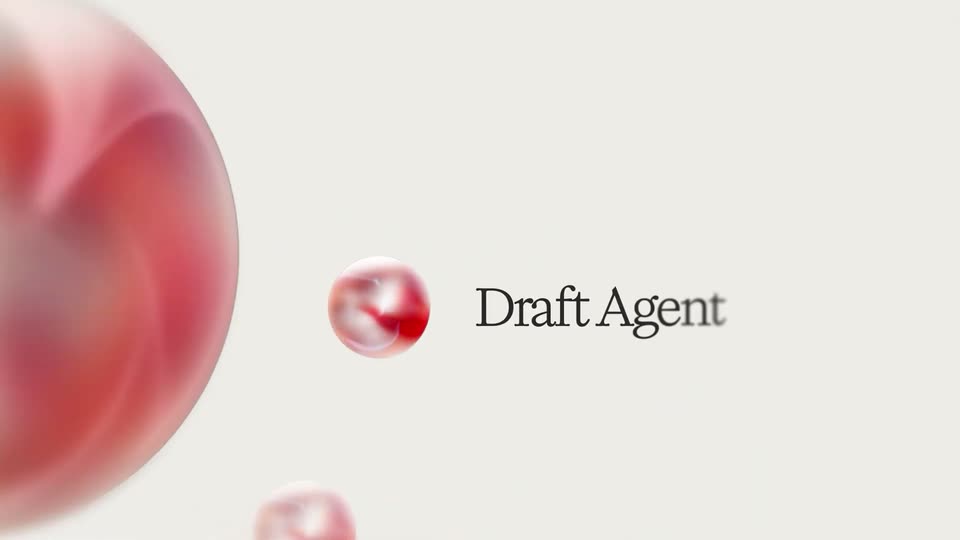
A soft red 3D blob drifts left and out of frame on a cream background while a small glossy red ball holds center. The serif title slides in on the right and sharpens from blur to focus.
On-screen text: “Draft Agent”
Techniques: Kinetic type, Parallax
Camera: Push in
A dark serif label slides in on a cream field, then swaps to a second name. Glossy red-and-white spheres drift through the frame, a large blurred sphere filling the left edge.
On-screen text: “Draft Agent”, “Section Agent”
Techniques: Kinetic type
Camera: Static
A large blurred red sphere fills the left edge while a vertical column of small glossy red bubbles drifts downward. The serif title Section Agent slides in at center right on a plain cream background.
On-screen text: “Section Agent”
Techniques: Kinetic type
Camera: Static
The label text slides through Section Agent, Judge Agent and Refinement Agent at center right, while a large blurred red sphere fills the left edge and three small glossy red-and-white marbles drift in a loose column on a pale cream background.
On-screen text: “Section Agent”, “Judge Agent”, “Refinement Agent”
Techniques: Kinetic type
Camera: Static
A cream stage holds a large blurred red sphere at the left edge and two small glossy marbled spheres that drift slowly. The serif title Refinement Agent stays fixed beside the lower sphere.
On-screen text: “Refinement Agent”
Camera: Static
Red and white 3D spheres drift across a cream background at varying depths, some blurred, while the serif phrase 'Four agents' resolves from blur into sharp focus at the center.
On-screen text: “Four agents”
Techniques: Parallax
Camera: Static
Black serif text 'Four agents' sits centered on a cream background. Glossy spheres with pink-red marbled interiors float around the text at varying sizes, and a large sphere drifts in from the left edge.
On-screen text: “Four agents”
Camera: Static
On a pale gray background, a glossy orange bubble hovers at the right as two centered serif lines pull from blur into focus; the bubble fades and the second line settles with a slight scale.
On-screen text: “Perfecting every note.”, “Before you ever see it.”
Techniques: Kinetic type
Camera: Static
On a charcoal field, centered white serif text reads 'And that's just inside the Scribe', the last word set in copper italic. The line scales in with a soft motion blur, then thin vertical rules draw in at the left and right edges.
On-screen text: “Perfecting every note.”, “Before you ever see it.”, “And that's just”, “inside the Scribe”
Techniques: Kinetic type
Camera: Static
The closing line “And that's just inside the Scribe” sits between two thin white vertical rules on a dark background, then exits. Rounded orange bars animate as an audio waveform, the center bar leading, then side bars grow to varying heights.
On-screen text: “And that's just”, “inside the Scribe”
Techniques: Kinetic type
Camera: Static
A dark frame holds a horizontal audio waveform, its middle bars tinted orange between two triangle markers. The caption fades in from a soft blur at the top while the markers settle on the 0:05 and 0:07 bars.
On-screen text: “Note generation:”, “7 seconds”, “0:05”, “0:07”
Camera: Pull out
A vertical list of AI role pills scrolls as the view pushes in on the 'AI Scribe' pill, which scales up with a blue glow and a hand pointer. The headline '9 AI Employees' sits left, 'Employees' fading in in italic blue serif.
On-screen text: “9 AI”, “Employees”
Techniques: UI zoom, Cursor demo
Camera: Static
A fanned stack of white pill chips labeled with AI roles collapses into a single AI Scribe chip with a hand cursor, which slides right as the serif headline One shared context appears.
On-screen text: “One shared context”
Camera: Static
“One shared” in black serif holds center on a beige field. A white pill with a red dot and the label “AI Scribe” glows blue, then dissolves as the blue italic word “context” fades in beside it. A hand icon drops away to the lower right.
On-screen text: “One shared context”
Techniques: Kinetic type
Camera: Static
A dark gradient background fades from charcoal at the top to muted blue at the bottom. The serif line “This is Scribe” sits centered, the word “Scribe” in italic gray, then the whole line slides downward and eases out of frame.
On-screen text: “This is Scribe”
Techniques: Kinetic type
Camera: Static
A light-blue organic blob with white V2 shrinks at center on a dark backdrop with a blue floor glow. Serif words This is and Scribe slide inward from either side toward the blob, then Built in fades in at the top.
On-screen text: “This is”, “V2”, “Scribe”, “Built in”
Techniques: Kinetic type
Camera: Static
A white serif headline resolves from a soft blur at the top of a dark frame. Below it, a tilted 3D browser mockup of the athenahealth interface slides up, leaving a layered duplicate behind as it settles.
On-screen text: “Built for complex documentation.”
Techniques: Kinetic type, Parallax, 3D mockup
Camera: Pull out
A serif headline holds over a 3D browser mockup that quickly rotates on a dark background, turning from an athenahealth ambient note to a Sully patient dashboard with a left sidebar.
On-screen text: “Built for complex documentation.”
Techniques: 3D mockup
Camera: Pull out
A medical app interface floats centered on a dark gradient. The left sidebar lists roles, the main panel shows a patient name and a chat prompt, with a settings dropdown open on the right. The entire screen slowly scales up.
Camera: Pull out
A dark gradient backdrop holds a gold serif headline that reveals word by word as 'It listens.' on the left. A recording pill, two circular speaker avatars, a waveform transcript card and a sidebar panel fade in, while patient speech types live into a Transcript panel on the right.
On-screen text: “It listens.”
Techniques: Kinetic type
Camera: Static
On a dark gradient, the cream serif line “It listens.” anchors the left, beside floating UI elements: two circular avatars, a 2:34 timer pill, and a transcribing card with a waveform. A white transcript panel tilted in 3D perspective on the right types out a patient dialogue.
On-screen text: “It listens.”
Techniques: 3D mockup
Camera: Static
A tilted 3D mockup of a patient notes screen sits on a dark gradient background, the headline “It writes.” in peach serif on the left. The panel eases into place as lines type into the Subjective section, one phrase highlighted in blue.
On-screen text: “It writes.”
Techniques: 3D mockup
Camera: Static
A tilted 3D card of a medical notes interface rotates to face the camera while its content fills in. The cream serif headline on the left reads It writes. then repositions to the top as It acts.
On-screen text: “It writes.”, “It acts.”
Techniques: 3D mockup, Kinetic type
Camera: Push in
A flat two-panel interface shows a medical transcript drafting itself: patient and doctor dialogue lines fade in one by one, a lavender highlight band fades across successive lines, and a bottom-left status pill switches from Drafting to Creating Sections as a second step appears in the sidebar.
Techniques: Kinetic type
Camera: Static
A medical note UI with a step sidebar on the left. The document fades in, a red flag marks the Hypertension bullet as missing detail, then the bullet is rewritten under a green highlight. The view zooms into the finished note as a Note created! toast pops in and fades.
Techniques: UI zoom
Camera: Pan
On a textured blue paper background, centered white serif text fades in over two lines, first “Every section.” then “Exactly where it belongs.”, mixing roman and italic styles. The frame stays locked.
On-screen text: “Every section.”, “Exactly where it belongs.”
Techniques: Kinetic type
Camera: Static
A white health record interface card scales down to reveal the full patient notes layout against a blue textured background.
On-screen text: “Every section.”, “Exactly where it belongs.”
Techniques: UI zoom
Camera: Pull out
A close-up of a medical notes editor fills the frame, then the whole interface scales down and fades to a plain beige field, leaving only a small white AI Scribe pill with a red dot in the upper left.
Techniques: UI zoom
Camera: Static
A white SOAP-note card sits left on a beige field, its headings and bullet lines fading in. A copper connector line draws from the card's right edge to a small pill toggle, and an AI Scribe badge hovers at the top corner.
On-screen text: “AI Scribe”
Camera: Static
A flat medical SOAP note card sits left of a Coder card listing ICD-10 and CPT codes, joined by orange dashed lines and two pills labeled AI Scribe and AI Coder. The right card fades into focus as the left note blurs out, shifting attention to the coded output.
On-screen text: “AI Scribe”, “AI Coder”
Camera: Push in
On a textured blue field, the headline fades in above a four-row bar chart. Bars stretch right while the percentages count up, Sully in orange leading. An italic tagline fades in at the bottom.
On-screen text: “Most accurate AI Coder.”, “PRECISION %”, “Sully”, “84.1%”, “GPT-5.4”, “71.2%”, “Claude Opus”, “58.4%”, “Claude Sonnet”, “45.5% (45.5%)... ”
Techniques: Kinetic type
Camera: Static
A textured blue card holds a horizontal bar chart titled Most accurate AI Coder. Four labeled bars compare precision, Sully's orange bar leading at 84.1% over three grey bars, with an italic footnote along the bottom. The composition stays static.
On-screen text: “Most accurate AI Coder.”, “PRECISION %”, “Sully”, “84.1%”, “GPT-5.4”, “71.2%”, “Claude Opus”, “58.4%”, “Claude Sonnet”, “45.5%.”
Camera: Static
Two columns of white feature cards scroll over a blue background while the serif headline 'It doesn't stop at coding.' fades in. The camera zooms into the Patient Instructions card, a cursor flips its toggle green, and the card cuts to a SOAP note window beside an AI Scribe button.
On-screen text: “It doesn't stop at coding.”
Techniques: Kinetic type, UI zoom, Cursor demo
Camera: Push in
A white SOAP note card on the left fills in line by line with clinical text, while a white 'AI Scribe' pill with a soft halo sits on the right and the caption 'Note Completed' fades in below it; the frame ends in a fast blur.
On-screen text: “Note Completed”
Camera: Pan
Two glowing white pill chips, AI Scribe and AI Nurse, sit on a thin dotted line over a dark blue textured background. The left chip shrinks to a small circle as a white rounded card expands from it, and a faint Crew label appears under the right chip.
Techniques: Morph
Camera: Static
A white medical summary card slides in from the left over a dark blue textured background. On the right, a glowing AI Nurse badge and a Creating Visit Summary... caption fade in, then a green Instructions generated chip pops in. The card and badge blur and fly off to opposite edges, leaving the green chip.
On-screen text: “AI Nurse”, “Creating Visit Summary...”, “Instructions generated”
Camera: Pan
Two glowing white pill cards sit on a dark blue grainy field, the left holding a tan disc labeled AI Nurse and the right a blue disc labeled AI Receptionist. A thin line links them as small dots drift along it from left to right.
Techniques: Particles
Camera: Static
A glowing white pill labeled AI Receptionist rests on a dark blue grainy field. Status lines fade in beneath it, and a phone screen slides in from the right showing an SMS from River Health summarizing the patient's visit.
On-screen text: “Sending Instructions to the patient via SMS...”, “Scheduling Action...”
Camera: Static
A white AI Receptionist badge and a Scheduling Action caption sit on a grainy blue field while a phone mockup on the right scrolls a patient summary message. A green Sent to patient pill pops in below the badge, then the phone slides off to the right.
On-screen text: “AI Receptionist”, “Scheduling Action...”, “Sent to patient”
Camera: Static
A white feature card, carrying a lightning icon and an off toggle, drops onto a textured blue background. A black cursor enters from the corner, clicks the toggle to green, and the card then blurs and streaks off to the left.
Techniques: Cursor demo
Camera: Pan
On a grainy dark blue field, ICD-10 code rows fade in one by one on the left, then a green ICD-10 Codes Assigned badge slides up. Right side holds a glowing white AI Nurse pill with a blurred avatar, over Creating Visit Summary, which blurs out at the end.
Camera: Pan
Two glowing white pill cards, AI Nurse and AI Receptionist, float on a blue textured background, linked by a dotted line. A white contact panel slides up below, showing a profile photo, the name Caroline Elkady, and Phone call and Outbound call labels.
Camera: Static
On a textured blue field, a white pill labeled AI Receptionist and the caption Calling Patient... fade in above a contact card for Caroline Elkady. The card then morphs into a frosted pill with a timer counting to 00:08 as white waveform lines ripple behind it.
On-screen text: “Calling Patient...”
Techniques: Morph
Camera: Static
A patient table card slides up over rippling white waveform lines on a blue background. Top left, an AI Receptionist pill and Calling Patient... label; top right, a call bar with a counting timer; bottom right, a green Appointment Booked badge.
Camera: Pull out
Over a blue textured background, a white feature card for No-Show Recovery slides up and centers as the previous calling screen fades out. A black cursor moves to the top-right toggle and clicks it, turning the switch green.
Techniques: UI zoom, Cursor demo
Camera: Pull out
Two white UI cards slide left across a blue textured background. The first card, a No-Show Recovery toggle, exits frame left as a second card holding a Receptionist Agent appointment form scrolls in and settles at center.
Camera: Pan
A white scheduling form card listing patient and visit fields sits on a textured navy background, beside an AI Scribe badge captioned Evaluating. A result pill reading Patient doesn't return slides in below the form.
Camera: Pan
Two white pill badges with colored circular icons, labeled Al Scribe and Al Receptionist, sit on a textured blue background. The badges slide apart as a thin connector line draws between them, the right badge carrying a soft white glow.
On-screen text: “Al Scribe”, “Al Receptionist”
Camera: Static
On a dark blue field, two white pill labels, AI Scribe with a red icon and AI Receptionist with a blue icon, sit on a thin line. Small orange dots travel along the line between them while the right pill glows; a third pill slides in from the left edge.
On-screen text: “AI Scribe”, “AI Receptionist”
Techniques: Particles
Camera: Static
On a textured blue field, a glowing AI Receptionist pill sharpens from blur beside the caption Commencing Outbound call..., left of a product card with an outbound call transcript and waveform. An Appointment Booked pill slides in below, then the left group slides off frame.
On-screen text: “AI Receptionist”, “Commencing Outbound call...”, “Appointment Booked”
Camera: Pan
On a dark gray-to-blue gradient, a serif sentence fades in from blur: “Other scribes write notes,” the second half in light blue italic. It dissolves back to blur as the next line, “Sully agents run your entire organization,” sharpens in the same way.
On-screen text: “Other scribes write notes”, “Sully agents run your entire organization.”
Techniques: Kinetic type
Camera: Static
On a dark gradient, white pill chips with colored icons drift at different depths. The tagline fades out as the serif line “AI Scribe. One of many” settles left. The AI Nurse chip exits top, the AI Scribe chip sharpens right, a new chip enters bottom right.
On-screen text: “Sully agents run your entire organization.”, “AI Scribe. One of many”
Techniques: Parallax
Camera: Pull out
A white pill labeled AI Scribe slides in beside a serif headline on a dark field. The view pulls back to reveal a ring of role pills, each with a colored dot, orbiting a thin circle.
On-screen text: “AI Scribe. One of many”
Techniques: 3D mockup
Camera: Pull out
Nine white pill labels with colored dots surround a central blue logo over faint concentric circles, then the logo zooms and morphs into a large white four-petal shape filling the frame, revealing the SUI wordmark in the center.
On-screen text: “AI Receptionist”, “AI Consultant”, “AI Researcher”, “AI Nurse”, “AI Interpreter”, “AI Scribe”, “AI Triage Nurse”, “AI Pharmacist”, “AI Medical Coder”, “SUI”
Techniques: Morph
Camera: Push in
A dark gradient background holds the SULLY AI wordmark centered, white bold sans with a blue four-point star, and the tagline below. The frame starts out of focus, racks into sharp focus, holds, then fades to black.
On-screen text: “AI Scribe by Sully”
Camera: Static
The frame is a solid black screen with no visible content, motion or text. It holds steady for the full duration as a blank beat.
Camera: Static