2:02

Sully AI - 120 Second Product Video
Sully AI · Jul 2026
ServiceUp · Oct 2026 · 2:21 · AI-annotated
made Team: Addx Studio · studio Addx Studio
Built as a problem-to-solution arc: a long agitate on downtime cost, a logo reveal, then one feature per beat on a light gridded stage, closing on stat bars and the wordmark. Signature moves are word-by-word type reveals, odometer number ticks, 3D vehicle renders framed by orange selection handles, and gradient-sphere wipes that flip the palette between light gray, near-black, and orange-to-violet.
Sully AI · Jul 2026
Gem · Sep 2026
EyeQ Imaging · Sep 2026
On a light gray grid, a rotated stack of paper invoices fans out and shuffles, the top sheet's paying amount ticking from $650 to $680, while the caption builds word by word on both sides of the frame.
On-screen text: “This is what”, “a repair costs.”
Techniques: Kinetic type
Camera: Pan
A tilted invoice paper illustration with a red 'Wel' over it sits on a gridded light background, then the paper clears and the word 'Well...' slides in and settles in black at center.
On-screen text: “Well...”
Techniques: Kinetic type
Camera: Static
On a plain light gray background, bold dark gray sans-serif text “Well it's” slides into the center, then the word “not.” pops in in orange to complete the line. Locked-off frame, quick two-beat reveal.
On-screen text: “Well it's”, “Well it's not.”
Techniques: Kinetic type
Camera: Static
Close-up of a paper form on textured off-white stock, a gray Paying amount label above a dashed line. The large orange figure reads $810, then swaps to $590.
Camera: Pull out
A flat close-up of a paper form holds a gray “Paying amount” label at the top. Below it, a large orange dollar figure counts down from $730 through $680 and $620 to $520, the digits swapping in place.
On-screen text: “$730”, “$680”, “$620”, “$520”
Techniques: Kinetic type
Camera: Static
Extreme close-up of a paper payment form with a gray label and ruled lines. The large orange amount changes from $710 to $680 as the digits roll like an odometer, while the rest of the form stays still.
Techniques: Morph
Camera: Static
A white van with its bonnet open stands in a wet car park at dusk, a traffic cone in the foreground, then the same framing in daylight. White text builds word by word across the van's front.
On-screen text: “The 3 days the van sat waiting”
Techniques: Kinetic type
Camera: Static
A white van with its hood propped open sits in a wet parking lot at sunset, a traffic cone in front and other cars parked around. The camera drifts slowly as the sun climbs. A centered caption reads The 3 days the van sat waiting, the last phrase in coral.
On-screen text: “The 3 days the van sat waiting”
Camera: Pull out
A white van with its bonnet raised sits in a wet parking lot, a traffic cone at its left. The sky shifts from dusk to daylight in a time-lapse while the van stays put. A white caption reads “to schedule the repair.”
On-screen text: “to schedule the repair.”
Camera: Static
On a black background, “to schedule the repair.” holds still, then “It's the manager” appears word by word in white. Next, “stepping away from running the fleet” slides left, with “running the fleet” in orange.
On-screen text: “to schedule the repair.”, “It's the manager”, “stepping away from running the fleet”
Techniques: Kinetic type
Camera: Static
On a pale off-white background, the centered sentence 'to chase an estimate.' builds word by word, 'estimate.' in orange, the rest dark gray. The preceding phrase 'stepping away' slides out at the start.
On-screen text: “stepping away”, “to chase an estimate.”
Techniques: Kinetic type
Camera: Static
A flat orange-to-purple gradient fills the locked-off frame. White sans-serif text types out from the left, adding the words of the sentence one by one.
On-screen text: “And it's”, “having”, “to”, “chase an”, “estimate.”
Techniques: Kinetic type
Camera: Static
On a pale gray field that turns pink, blue mail icons slide left as a green phone and chat bubble slide in, while a bold caption line scrolls left to reveal new words. The icons and text move in sync with the voiceover about emailing and calling.
On-screen text: “it's having to and call shops”
Techniques: Kinetic type
Camera: Static
A soft orange-to-violet gradient fills the frame as white text assembles word by word at center-left, bold “just” leading into lighter “to get a status update.”, then holding still.
On-screen text: “and”, “call shops”, “just to get a status update.”
Techniques: Kinetic type
Camera: Static
On a pale gray grid, the words 'None of it shows up' appear scattered, then slide into one line as 'on the invoice.' completes the sentence. A large orange curved shape swells in from the left and recedes, and the line fades out.
On-screen text: “just to get a status update.”, “None of it shows up on the invoice.”
Techniques: Kinetic type
Camera: Static
A light gray frame holds a left label INVOICES with a red arrow, while a right column of large dollar amounts scrolls vertically. The center figure is solid black, the ones above and below are faded gray, and the values change as the column moves.
On-screen text: “INVOICES”, “-$710”, “-$160”
Techniques: Kinetic type
Camera: Pull out
A red 3D sedan rotates from a front three-quarter view to a side profile on a pale grid background, passing in front of large gradient text reading -$300. The text stays locked while the car turns.
On-screen text: “-$300”
Techniques: 3D mockup
Camera: Static
A white cargo van sits in 3D perspective on a light gray field, framed by a thin grid with orange corner dots. Behind it, a large purple-to-orange gradient price reads -$450, its last digit rolling into place.
On-screen text: “-$450”
Techniques: 3D mockup, Kinetic type
Camera: Static
On a pale grid backdrop, a black 3D tractor truck stands in front of a large purple-to-orange “-$600”. The truck exits and the dark gray word “Every” appears in the same spot.
On-screen text: “-$600”, “Every”
Techniques: 3D mockup, Kinetic type
Camera: Pull out
On a light gray grid, the black headline Every hour scales down to the top left as a white van card slides in above the caption your vehicles sit idle. A car card and a truck card stack below, and a red gradient badge with -$377 pops onto the top card.
On-screen text: “Every hour”, “your vehicles sit idle.”, “-$377”
Techniques: Kinetic type
Camera: Pull out
A three-row list of vehicle cards (white van, red sedan, black truck) sits inside a selection box with orange corner handles. The white panels slide left to reveal orange price blocks as the dollar figures tick.
Techniques: Masking, Kinetic type
Camera: Static
A white pill with a red glowing border holds the word Downtime, which scales into sharp focus on a light gray field; a small Work Van label slides across the left edge.
On-screen text: “Work Van”, “Downtime”
Techniques: Kinetic type
Camera: Static
A warm orange-to-purple gradient fills the locked-off frame while a white centered sentence types out word by word, settling on the full line.
On-screen text: “Downtime is expensive.”
Techniques: Kinetic type
Camera: Static
On a pale gray field, a dark charcoal sentence types in word by word at center, settling as “So we built something to solve it.” while soft pink and lilac tints fade into the corners.
On-screen text: “Downtime is expensive.”, “So we built something to solve it.”
Techniques: Kinetic type
Camera: Static
A single black sentence sits centered on a soft pastel gradient of pink, purple and peach. The line scales slightly while the frame stays locked off.
On-screen text: “So we built something to solve it.”
Techniques: Kinetic type
Camera: Static
A red glowing orb on black shrinks to a point while its white S mark rotates into place, leaving the small logo alone; a caption scales in.
On-screen text: “So we built something to solve it.”
Techniques: Morph
Camera: Static
A glowing orange S mark pulses at center over a faint outline of a large S and car silhouette. The mark sharpens into a solid orange logo as the white tagline scales in below, while soft multicolor bokeh circles fade in around the edges.
On-screen text: “The agentic repair platform”
Techniques: Kinetic type
Camera: Static
A coral S logo with a wrench cutout sits centered on a black field of soft gradient orbs that drift slowly. The white tagline beneath it scales up gently while a faint S outline lingers in the background.
On-screen text: “The agentic repair platform”
Techniques: Kinetic type
Camera: Static
A white S logo draws in inside a glowing red circle at center, ringed by eight gradient dots that rotate slowly. White words for modern and fleets sit at the left and right edges over a black background with red corner glow.
On-screen text: “for modern”, “fleets”
Techniques: Masking
Camera: Pull out
A white notification card floats in 3D perspective over a light gray field, ringed by a soft red glow. The card turns gently as its content fills in: a vehicle ID, a brake alert line, shop details, and two pill buttons.
Techniques: 3D mockup
Camera: Static
A light dashboard shows four fleet maintenance alert cards in a two-by-two grid, each with a vehicle number, alert title, shop, and Submit Repair or Decline buttons. The view pans down to reveal an AI repair recommendation banner with an Apply Recommendation button.
Techniques: UI zoom
Camera: Pull out
On a flat light gray field, a white four-pointed star holds a purple-to-orange gradient logo mark and blooms with soft color glow at center-right. To its left, the bold dark gray label “AI agents” scales up into place on a locked-off frame.
On-screen text: “AI agents”
Techniques: Kinetic type
Camera: Static
Two glowing star badges, each holding a gradient S logo, drift together and merge into one badge on the left as the headline builds line by line. The scene cuts to a row of grayscale fleet vehicles, where an orange outline box hops from one truck to the next.
On-screen text: “AI agents automate your maintenance and repair.”, “So your”
Techniques: Morph, Kinetic type
Camera: Pan
A row of dark front-facing trucks and vans stands on a pale background, an orange rectangle framing the center motorhome. Gray text above reads “So your team stops managing shops.” with the last words in orange, then slides left as “Managing your fleet.” enters.
On-screen text: “So your team stops managing shops.”, “Managing your fleet.”
Techniques: Kinetic type
Camera: Push in
Five dark commercial vehicles, from a box van to a semi, stand in a row facing the camera on a pale gradient that drifts from pink to orange to purple. The static headline Managing your fleet. hovers above, Managing in orange.
On-screen text: “Managing your fleet.”
Camera: Push in
A soft orange-to-purple gradient fills the frame while a white headline builds word by word from the left, settling into the full line by the end.
On-screen text: “Lets dive into the platform.”
Techniques: Kinetic type
Camera: Static
A still headline sits over a light grid stage where an orange-purple gradient logo tile with a white S rotates at center. Two white UI cards, a Delivery Van with a Mechanical Issue tag and a Pacific Coast Collision with 2.2 mi, slide past the tile, which glows as they cross.
On-screen text: “Lets dive into the platform.”
Camera: Static
White notification cards slide left across a pale gray grid: a van, a Mechanical Issue chip, an orange gradient logo tile, a building photo, and a Pacific Coast Collision card with a COLLISION tag. A soft orange-purple glow trails the strip; an orange arrow appears at left.
Camera: Static
On a light grid stage, a headline sits at left while a purple-to-orange gradient bar links a vehicle card and a shop card. At center, six agent pills stagger from a compressed stack into an even vertical list as the bar brightens.
On-screen text: “We handle everything in between.”
Camera: Static
A vertical list of steps on a light gray background scrolls upward as each word turns orange in turn, with a gradient bar extending from the active word. The bar then wipes across the frame to fill it.
On-screen text: “Intake.”, “Shop routing.”, “Approval.”, “Communication.”, “Payment.”
Techniques: Kinetic type, Masking
Camera: Pan
On a soft orange-to-purple gradient, the line “Every step a fleet manager used to have to do by hand.” builds word by word in white sans, then holds. The words Approval, Communication and Payment slide and scale in over the same gradient.
On-screen text: “Every step a fleet manager used to have to do by hand.”, “Approval.”, “Communication.”, “Payment.”
Techniques: Kinetic type
Camera: Static
On a flat light-gray background, the headline builds word by word: the first line appears in dark gray then settles to black, while the second line fills in orange, one word at a time, ending on a period.
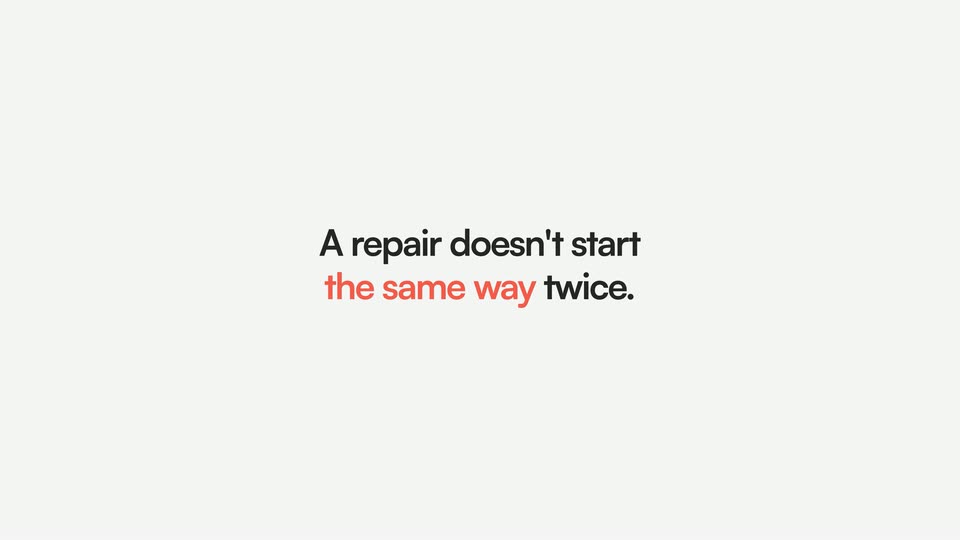
On-screen text: “Every step a fleet manager”, “used to have to do by hand.”, “A repair doesn't start”, “the same way twice.”
Techniques: Kinetic type
Camera: Static
A static two-line headline sits beside a flat repair-order card on a pale gray grid. The card holds an orange status banner, a 3D red van, and a registration code. The card scales down toward center while the grid's orange corner markers drift outward.
On-screen text: “A repair doesn't start”, “the same way twice.”
Camera: Pull out
Four repair-order cards slide in from the right one after another, each holding a 3D vehicle (red van, gray truck, blue van, red car), a warning triangle and a source label, while the earlier cards are pushed left across a light gridded background with orange corner ticks.
Camera: Push in
A soft orange-to-purple gradient fills the frame while white text scales in at center. The single word 'Doesn't' grows into the full line 'Doesn't matter where it starts.' as the camera stays locked off.
On-screen text: “Doesn't matter where it starts.”
Techniques: Kinetic type
Camera: Static
On a light gray field, a bold headline builds line by line on the left, the word repair in orange. On the right, a repair-order card with a truck photo scales up and shifts from grayscale to color, its orange logo and red status banner growing with it.
On-screen text: “We create the repair order automatically.”
Techniques: Kinetic type
Camera: Pan
A light gray city map with purple and orange pins zooms in on an orange FLEET LOT marker as green match-percentage speech bubbles pop in. A white card slides in from the right listing the recommended shop, cost, cycle time, distance, capacity, and fleet stats.
On-screen text: “Engine Malfunction”, “E55RY82629”, “We create the”, “repair order”, “automatically.”
Techniques: UI zoom
Camera: Push in
A white shop-recommendation card rises from the bottom of a light gray frame while the headline appears word by word across the center. As the card settles, its cost and cycle-time rows fade in beneath the shop name.
On-screen text: “So the moment a repair is needed.”
Techniques: Kinetic type
Camera: Static
A white recommendation card sits on a light gray background, showing a green 94% match badge, the shop name Precision Auto Body with its address, and columns for estimated cost and cycle time. A pill labeled Shop Routing Agent hovers at the top left as the card drifts slightly upward.
Camera: Static
A white recommendation card for Precision Auto Body on a pale gray background shows a green 94% match ring, address, cost and cycle-time stats. The frame slowly zooms in, bringing the distance and capacity rows into view.
Techniques: UI zoom
Camera: Static
A white van hangs on a black gantry with orange lift arms, a 3D render on a pale gray backdrop. It rotates 180 degrees while the big headline behind it changes from black 'OWN SHOPS' to orange 'OURS', the small caption above scaling in.
On-screen text: “USE YOUR”, “OWN SHOPS”, “OR USE”, “OURS”
Techniques: 3D mockup, Kinetic type
Camera: Pan
On a plain off-white background, “OR USE” scales in dark gray, then “BOTH.” in orange completes the line. “The” slides in from the left as soft pastel gradient circles drift in from the frame edges.
On-screen text: “OR USE”, “BOTH.”, “The”
Techniques: Kinetic type
Camera: Pull out
A tilted ring of gradient spheres joined by thin lines floats on a pale field; the camera pulls back from a tight crop to the full orbit while the two-line headline builds in the center. A large purple sphere then scales up to wipe the frame.
On-screen text: “The network is curated”, “and it adjusts to your fleet.”
Techniques: Masking
Camera: Pull out
A soft gradient sphere, blue fading to warm orange, sits centered on a pale gray field and slowly expands in size over the shot.
Camera: Static
A white agent card with orange corner handles sits on a light grid, its body copy appearing word by word as the toggle flips to green. The view zooms into the copy, which slides up as large text.
Techniques: Kinetic type, UI zoom
Camera: Static
A close-up of a white settings card with a green toggle zooms out to reveal the full panel, titled Approval Agent with a purple icon. The oversized headline In seconds. stays fixed along the bottom edge of the frame.
On-screen text: “In seconds.”
Techniques: UI zoom
Camera: Pull out
A white Approval Agent card with a purple icon, body copy and a green toggle floats over a light gray grid, cornered by orange selection handles. Large gray words “Not” and “days.” sit on either side as the card drifts down and the frame eases out.
On-screen text: “Not”, “days.”
Techniques: Parallax
Camera: Static
On a pale gray field, a small gray line reads 'Working on it...' above a large dark line that types out 'Reading pricing...'. An orange line '→ Reviewing warranty' then appears below, and the whole stack drifts slowly to the right.
On-screen text: “Working on it...”, “Reading pricing...”, “→ Reviewing warranty”
Techniques: Kinetic type
Camera: Static
A sentence scales up from a small size to full size at the center of a light gray field, then holds still. The word SLA is set in coral orange, the remaining words in dark gray.
On-screen text: “An SLA starts slipping?”
Techniques: Kinetic type
Camera: Static
On a plain off-white field, the question “An SLA starts slipping?” scales in, then the answer “We catch it.” builds word by word, each word fading in and darkening, on a locked-off frame.
On-screen text: “An SLA starts slipping?”, “We catch it.”
Techniques: Kinetic type
Camera: Static
A white status card with coral corner handles sits centered on a pale gray grid. Inside, 'Repairs Moving Right Now' heads an 'Estimate audit agent' row, and a teal progress bar fills from 7% to 24% as the type snaps into its final layout.
Camera: Static
A flat white estimate card, framed by orange selection handles, sits centered on a light grid. Three line items carry Under review tags while the Estimate audit agent bar at the bottom fills, its percentage ticking from 36% to 98%.
On-screen text: “Repairs Moving Right Now”
Camera: Static
A vertical list of black service cards scrolls up into place on a light grid, each with a tow-truck icon and a green approved pill. The last card's pill flips to a red Flagged state as We flag it and a red arrow appear to the right.
On-screen text: “We flag it”
Camera: Pull out
On a soft orange-to-purple gradient, a white sentence builds word by word in the center while a small white arrow mark slides in from the left to settle at the start of the line. The frame stays locked off.
On-screen text: “Not after it's paid.”
Techniques: Kinetic type
Camera: Static
On a near-black field, a large white caption assembles word by word, reading 'But none of this means giving up control,' while a purple-to-orange gradient square slides in from the right edge.
On-screen text: “Not after it's paid.”, “But none of this”, “means giving up”, “control.”
Techniques: Kinetic type
Camera: Static
On a near-black frame, a cream block at the left edge shrinks to a small square as the headline “Run it in manual mode.” scales in beside it, settling into two lines and holding.
On-screen text: “But none of this”, “means giving up”, “control.”, “Run it in”, “manual mode.”
Techniques: Kinetic type
Camera: Static
Near-black background with the word “mode” in large gray lowercase letters. A pill-shaped toggle sits over the middle; its knob slides left to right, shifting from dark maroon to a glowing orange-pink gradient, and the label “Co-pilot” resolves in the switch’s left half.
On-screen text: “mode”, “Co-pilot”
Camera: Static
A dark frame holds a pill with Co-pilot and a gradient circle, which collapses into a glowing sphere that shifts from orange to blue. The word Auto slides in left and Pilot. right as colored spheres streak along curved orange lines across the screen.
On-screen text: “Co-pilot”, “Auto”, “Pilot.”
Techniques: Kinetic type, Morph, Particles
Camera: Static
On a near-black field, thin coral and gray curves radiate from the left edge, undulating slowly. Soft gradient spheres in orange, green, blue and violet sit on the lines and drift with them, a few gliding rightward across the frame.
Camera: Push in
On a black field, curved orange and gray lines radiate from the left, each carrying a gradient sphere in green, blue, orange or purple. A dark sphere with a faint red rim glows at the center as the lines and spheres drift slowly to the right.
Techniques: Parallax
Camera: Push in
A glowing orange sphere sits center on black as thin orange and gray lines fan out from its sides. The headline 'System gets smarter' scales up above it, then 'with every repair.' fades in below. The scene cuts to a white toggle switch on a dark pill.
On-screen text: “System gets smarter”, “with every repair.”
Techniques: Kinetic type
Camera: Pan
A dark toggle switch sits centered on a black field. The white knob slides right to flip the switch on, and the background blooms into a soft purple, orange and white gradient as the knob becomes an orange-to-purple orb.
Camera: Push in
On a plain light gray background, the centered line 'So repairs' in dark gray and 'move forward.' in orange scales up smoothly from a smaller size, then holds still.
On-screen text: “So repairs move forward.”
Techniques: Kinetic type
Camera: Static
On a near-black background the line Even while you sleep. assembles word by word, Even while in white and you sleep. in orange, after an earlier line scales out. The frame stays locked off.
On-screen text: “So repairs move forward.”, “Even while you sleep.”
Techniques: Kinetic type
Camera: Static
Coral lowercase text “Even while you sleep.” exits to the left on a dark background, then an abstract purple mark of three gradient capsules and a dot appears center-left. Locked-off frame, quick pace.
On-screen text: “Even while you sleep.”
Techniques: Kinetic type
Camera: Static
On a near-black background, a row of vertical purple-to-white gradient bars animates from staggered, uneven heights into a uniform, evenly spaced line, the bars rising and aligning across the frame.
Camera: Pull out
A row of vertical pill bars on a dark background fills from left to right with a purple-to-white gradient. As it reaches the fourth bar, a white 40% label with an orange arrow slides in below, and the word Downtime slides in on the right.
On-screen text: “40% →”, “Downtime”
Camera: Static
On a near-black field, a row of 13 vertical pill bars rises into place, the leftmost three filling with a purple-to-white gradient. A 40% Downtime caption slides through, then 30% and Repair costs hold at the bottom, number left, label right.
On-screen text: “40%→”, “Downtime”, “30%→”, “Repair costs”
Techniques: Kinetic type
Camera: Static
A pale gray field holds two lines of text that slide in: 'That's capital back in' in dark gray, then 'your business.' in peach, on a locked-off frame.
On-screen text: “That's capital back in”, “your business.”
Techniques: Kinetic type
Camera: Static
A soft orange-to-purple gradient fills the locked-off frame. White text assembles in the center: the first line slides off as “And time” scales in over the static line “back for your team.”
On-screen text: “That's capital back in your business.”, “And time back for your team.”
Techniques: Kinetic type
Camera: Static
A white invoice card with a bold black title and an orange $650 total sits centered, then duplicates into three cards fanned in 3D perspective before flattening into an even row showing $650, $350 and $250.
Techniques: 3D mockup
Camera: Pull out
On a pale gray field, a fixed orange word The sits left of a black term that cycles in place. As waiting, guessing, and forgetting each slide in, the earlier terms drop down and fade into a faint stack.
On-screen text: “The waiting.”, “The guessing.”, “The forgetting.”
Techniques: Kinetic type
Camera: Static
A soft white background with corner color glows holds the centered line We find it. in black. It swaps to And erase it. in an orange-to-purple gradient as a dark particle burst forms at the left edge of the words.
On-screen text: “We find it.”, “And erase it.”
Techniques: Kinetic type, Particles
Camera: Static
On a black field, the white SERVICEUP wordmark sits centered over a pulsing purple-pink glow. The tagline Fleet repair that runs itself. types in beneath it word by word, then the whole lockup fades to black.
On-screen text: “SERVICEUP”, “Fleet repair that runs itself.”
Camera: Static
The gray SERVICEUP wordmark and a smaller tagline line sit centered on a black background, then fade out to a fully black frame.
On-screen text: “Fleet repair that runs itself.”
Camera: Static