1:45

Microsoft 365 Copilot | Introducing the Employee Self-Service Agent
Microsoft · AI · Nov 2024
Sully AI · Apr 2026 · 1:33 · Full motion · AI-annotated
Sully AI’s 1:33 launch film runs 32 scenes, about 2.9 s each. The product shows up at 0:04 and 8 features are revealed. There is no explicit call to action; a voiceover carries the film. The video is built as one patient's visit passed through a chain of named AI agents, each introduced by a typed prompt and shown in tight UI close-ups that pull back to tilted 3D dashboard cards. Its style is defined by a soft blue glassmorphism look, a steady pace of about four cuts per minute, and recurring moves: text typing into a command bar, a cursor clicking a blue button, and blur transitions between features.
Is this your launch? to your site or press kit.
Microsoft · AI · Nov 2024
Apple · Hardware · Mar 2026
Films whose music sounds like this one, voice left out
ElevenLabs · Modern electronic
VibeFlow · Upbeat electronic
Lattice Health · Modern electronic
On a pale blue gradient, nine white pill chips with colored icons and bold role names fly in from the left and scatter across the frame, hold briefly, then blur and fade out.
Camera: Pull out
A soft blue glow sharpens into the centered SULLY AI logo, the wordmark scaling up from blur. A rounded white card with a blue house icon and the label Home slides up from the bottom, lifting the logo into its own panel.
Techniques: Kinetic type
Camera: Static
A tilted 3D close-up of the Sully AI dashboard pulls back to reveal the full interface, then zooms into the patient search field. The left sidebar lists roles and the main panel shows a search bar on a soft blue background.
Techniques: 3D mockup, Parallax, UI zoom
Camera: Pan
A rounded search field on a pale blue gradient stays locked off. A caret blinks, then text types out “Run me through th”. A suggestion chip with a person icon and the name “Caroline Elkady” scales in below, a small sparkle icon popping in beside the name.
Camera: Static
A rounded command bar sits on a soft blue blurred background. The prompt is typed into the field, a patient mention pill sits below it, then the bar shifts left as a patient history card with a circular portrait slides in on the right.
Techniques: Kinetic type
Camera: Pull out
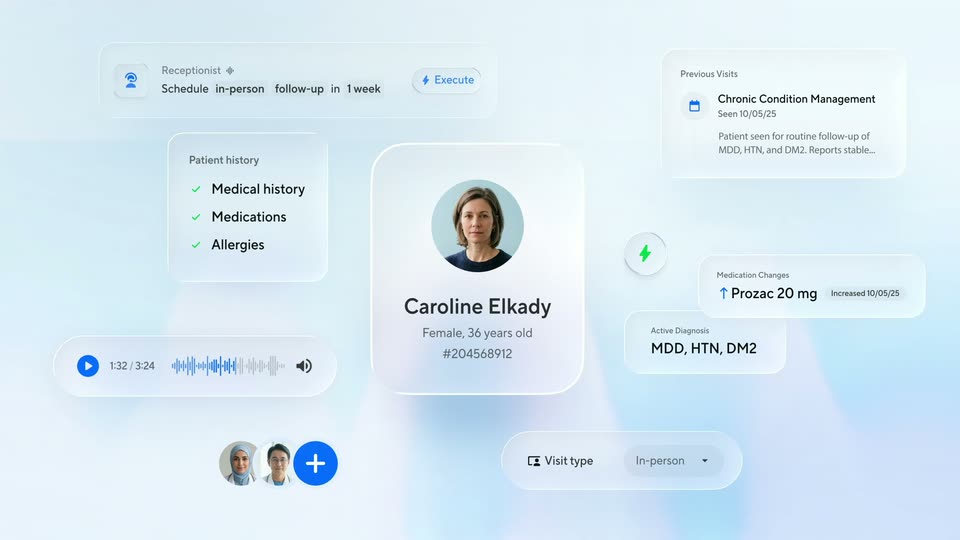
Floating glass cards on a soft blue gradient: a central patient profile with a woman's photo and name, ringed by history, visits, diagnosis and medication cards, a voice waveform player and a visit-type selector. The cards drift gently at different depths while the name scales in.
Techniques: Parallax
Camera: Pull out
A dark cursor arrow glides up to a white pill button labeled Start visit with a blue mic icon, clicks it, the button flips to a red Pause with a waveform pulsing beneath, then the cursor drifts away.
Techniques: Cursor demo
Camera: Static
A tilted transcript card types out a patient line, then the view pulls back to reveal the full conversation under a red Pause button. The panel dissolves into three side-by-side cards, Checklist, Ask About and Potential Diagnosis, while a dark cursor hovers the first card.
Techniques: UI zoom, 3D mockup, Cursor demo
Camera: Pull out
A tilted 3D card of a clinical note editor on a light blue background zooms in on the Subjective section as the note text types itself in line by line.
Techniques: 3D mockup, UI zoom
Camera: Push in
A frosted-glass patient card with headshot and name sits centered on a pale blue gradient. Six white pill labels fade in around it as a small dark sphere drifts past and a thin blue line scans the card.
On-screen text: “Medications”, “Lifestyle”, “Injuries”, “Family history”, “Age”, “Diet”
Techniques: Kinetic type
Camera: Push in
A light-blue patient profile card with a photo and name sits among pill-shaped category labels. The frame reframes downward, revealing an alert card below that reads Worsening Major Depressive Disorder.
Techniques: UI zoom
Camera: Pan
A light blue gradient background holds a 'Consider' list of three white cards, each with a red dot, bold title and gray note. The cards slide up from a blurred offset into a sharp, evenly spaced stack.
Camera: Push in
A wide view of a patient record in a medical app zooms in on the History of Present Illness section. A floating toolbar with Ask Sully, AI Pharmacist and Comment buttons slides in, and a cursor hovers over AI Pharmacist as a line of text highlights blue.
Techniques: UI zoom, Cursor demo
Camera: Push in
A white rounded command bar floats on a pale blue gradient. A green bolt icon sits left of the line 'Increase Lisinopril dose to 20 mg'. Below, chips for Pharmacist and Caroline Elkady sit beside tool icons. A dark cursor glides right and presses the Execute button.
Techniques: Cursor demo
Camera: Static
A white recommendation card on a pale blue gradient shows a pharmacist task and an Execute button. A dark cursor hovers at the button while the card's text slides and scales into place.
Techniques: Cursor demo
Camera: Static
A list of white action cards on a soft blue gradient scrolls upward, revealing rows for Receptionist and Nurse tasks with monospace labels and blue Review and Execute buttons. The camera then zooms into the top card, blurring the rest, as a cursor moves onto the Execute button.
Techniques: UI zoom, Cursor demo
Camera: Push in
A white task card titled 'Schedule Follow-Up Visit' floats on a light blue gradient, tilted in 3D as the camera zooms in and a cursor moves to the blue 'Book with Receptionist' button. The view then cuts to a call transcript with a playing waveform and dialogue lines fading in.
Techniques: 3D mockup, UI zoom, Cursor demo
Camera: Push in
A light blue interface card shows a scheduled-appointment header and an audio player. The playhead moves across the waveform while transcript lines labeled Agent and Patient highlight in sequence, syncing to the call playback.
Camera: Static
A white command bar on a soft blue gradient fills with typed text after a blue Nurse tag, the name Caroline Elkady snapping in as a tag. A cursor clicks the send arrow, the bar shrinks to a top pill, and a Last communication summary paragraph fades in below.
Techniques: Cursor demo
Camera: Static
A patient record interface displays an AI summary that crossfades into a list of clinical considerations. The view scrolls down a timeline of previous visits, concluding with a new text field appearing at the bottom.
Camera: Push in
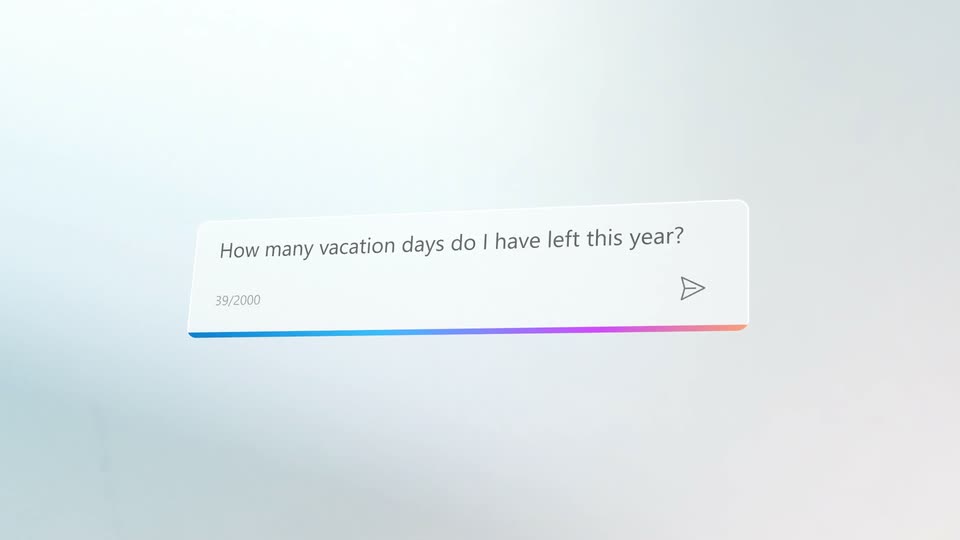
A close-up of a chat input field on a pale blue gradient zooms out as the question is typed beside a Caroline Elkady mention chip. A cursor arrow clicks the blue send button, and the question lifts into a sent message bubble above the field.
Techniques: UI zoom, Cursor demo
Camera: Static
A light blue gradient holds a white prompt bubble at the right and a paragraph of response text at the left that fades in from low opacity, with four small blue reaction icons fading in beneath it. The frame is locked off.
Camera: Static
A black counter ticks up from 3,217 to 3,240 next to a green sparkline on a pale gradient, then the frame pulls back to reveal the Sully dashboard tilted in 3D, and reframes onto an Assist panel where a black cursor hovers over the blue Yes button.
Techniques: Kinetic type, UI zoom, 3D mockup, Cursor demo
Camera: Pull out
A light rounded command bar fills the frame on a soft blue gradient. Blue text is typed into the field above a gray Receptionist chip and a row of dark icons, the bar settling into a tighter framing.
Techniques: UI zoom
Camera: Static
A close-up of a chat input box where a blue prompt types out, then the frame pulls back as a cursor taps the round send button and the prompt pops up as a message bubble.
Techniques: UI zoom, Cursor demo
Camera: Static
On a soft blue gradient, a chat bubble sits above a headline and a dashboard card that builds in: KPI tiles tick up their numbers while a seven-day bar chart grows its blue bars.
Camera: Pull out
A rounded input bar on a pale blue gradient shows the prompt “Generate a conversion rate report” typing out letter by letter above a Receptionist tag and a row of tool icons. A black cursor glides to the blue send button at the right.
Techniques: Kinetic type, Cursor demo
Camera: Static
A UI dashboard card on a light blue background. A headline reads 'AI converts 67% of booking inquiries with strong qualification rates.' The card populates with metric tiles, then a line chart draws in. The view scrolls up to reveal a text prompt.
On-screen text: “Generate a conversion rate report”, “AI converts 67% of booking inquiries with strong qualification rates.”
Techniques: UI zoom
Camera: Pan
A tilted dashboard card floats in a soft blue 3D space beneath a line chart. The camera tilts down as a question line and a summary headline type in, then three KPI tiles fade in and the blue bars of a distribution chart extend left to right.
Techniques: UI zoom, 3D mockup
Camera: Pan
On a soft blue gradient, large 'One patient' text slides in over a fading dashboard card, then the card clears and the line swaps to a smaller blue 'One visit' that blurs out of focus.
On-screen text: “One patient”, “One visit”
Techniques: Kinetic type
Camera: Static
A blue sparkle logo sits at the center of a ring of glass pill labels naming AI roles, on a soft blue gradient. The shot starts zoomed and blurred, pulls back to a sharp full view, then pushes in to blur the labels and isolate the logo.
Camera: Pull out
On a soft light-blue gradient, the Sully AI logo scales into the center: a blue twin-square mark with white sparkles beside a bold dark wordmark and a small blue star. The tagline fades in below, with 'For Healthcare' in blue.
On-screen text: “AI Workforce For Healthcare”
Camera: Static